Tability vs Oboard
I tested both in a real account — same objective, same Key Results, same owners and check-in setup — and scored them on what makes goals get hit. One is platform-agnostic; the other lives in Jira.

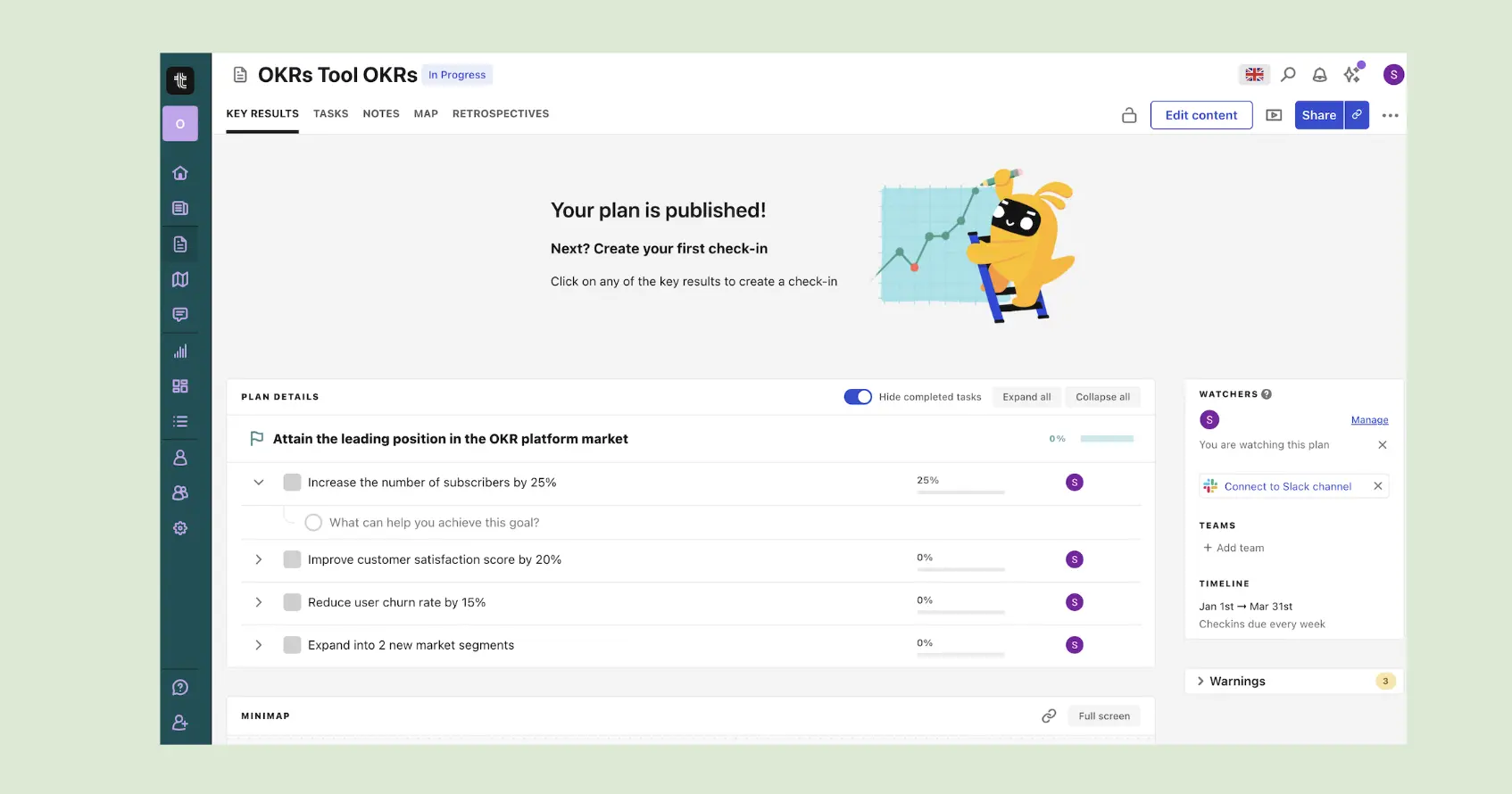
A lightweight, AI-native tool with a clean async check-in habit that works with any stack. Ownership stays optional, and its Jira connection is shallow next to Oboard's.
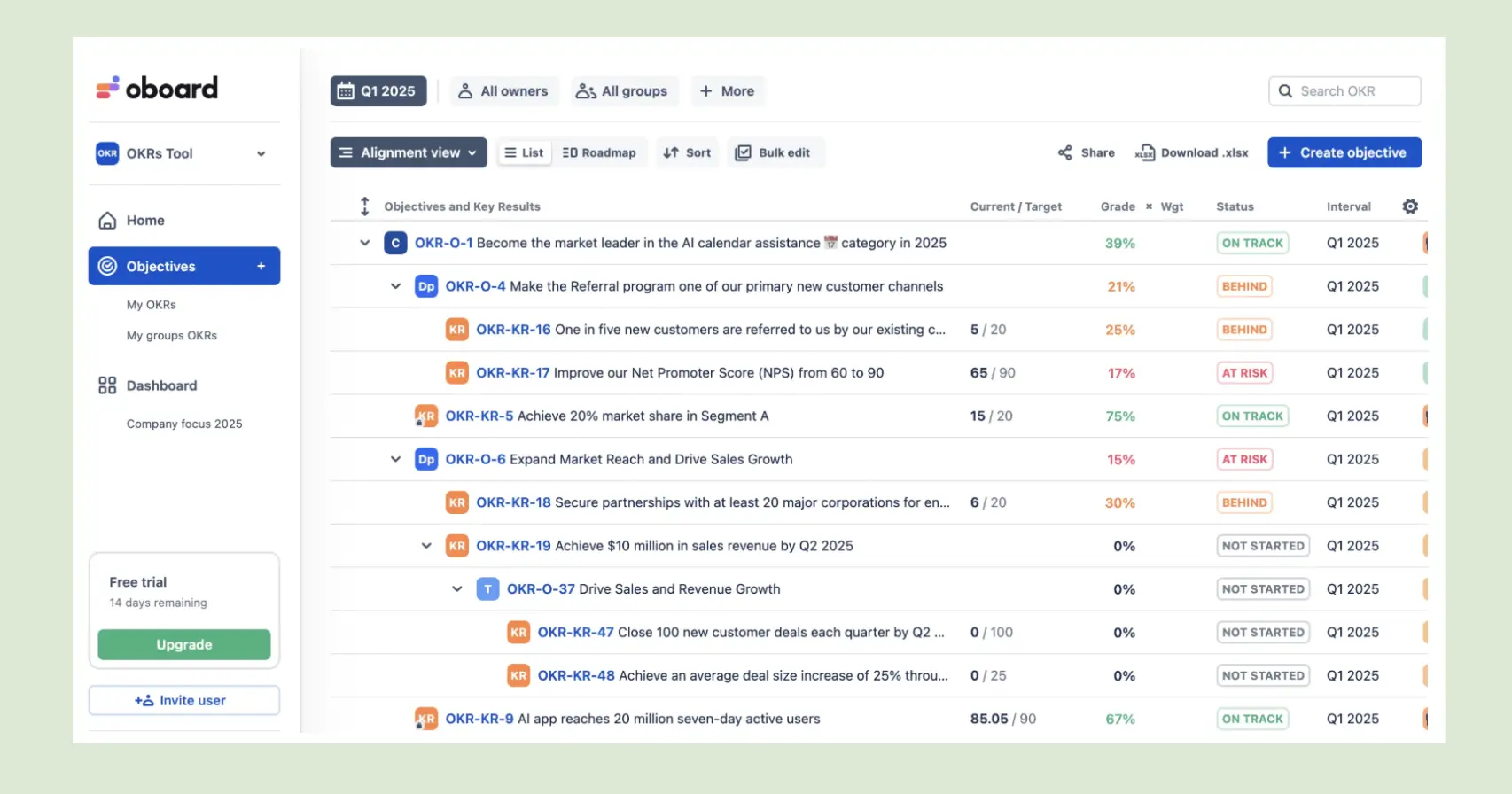
A visual OKR platform with the deepest two-way Jira sync on the list — Key Results move as tickets close. Outside Jira it loses its edge, and ownership stays optional.
A third option, in the interest of full disclosure: I build OKRs Tool (4.2 on this same rubric), the one tool here that requires a named owner on every Key Result, at a flat price, for 50–200 person teams — I say where it falls short lower down, including on Jira.
The deciding question is simple: does your work live in Jira? Oboard's whole case is a two-way Jira sync where Key Results move as tickets close; Tability's is a lightweight, stack-agnostic check-in habit that works wherever your team does. Everything else follows from that.
I opened a real account in each, created the same objective with two Key Results, assigned owners, and set up the check-in flow. The scoring comes from that, plus platform data across 3,527 organizations that shows which habits move the odds of hitting a goal.
The Short Answer
Pick Oboard if your product and engineering teams live in Jira and you want Key Results that update as tickets close — its two-way Jira sync is the deepest on the list. Pick Tability if you want a lightweight, AI-native tool that isn't tied to Jira and works for the whole company. If you want ownership enforced either way, at 50 to 200 people, that's the gap OKRs Tool fills.
Neither makes you assign an owner.
Tability and Oboard both leave ownership optional, so a Key Result can go live with nobody's name on it — the single habit most tied to teams that hit their goals (65% with it, 17% without). OKRs Tool requires it. Between these two, the real choice is stack-agnostic versus Jira-native.
Feature by Feature
Everything below I checked in a live account, not from a pricing page.
| Capability | Tability | Oboard |
|---|---|---|
| Named owner required on every KR | Optional | Optional |
| Automatic check-in reminders | Yes (async) | Yes |
| Two-way Jira sync | Shallow | Deepest, real-time |
| Works for non-Jira teams | Yes | Loses its edge |
| AI features | AI-native + agents | New AI OKR Skills |
| Interface | Clean, polished | Visual, can clutter |
| Pricing model | From $6/user/mo | From $10/user/mo |
| Free plan | 14-day trial, no card | Jira app free up to 10 |
Checked in a live account. Feature availability and pricing shift — confirm current terms with each vendor before you buy.
Where Each One Wins
Tability wins on
- Works with any stack, not just Jira
- AI-native direction with agent workflows
- Clean, polished async updates
- Fast to roll out company-wide
Oboard wins on
- Deepest two-way Jira sync, real-time
- Key Results that move as tickets close
- Engaging visual dashboards
- Free Jira app up to 10 users
Where Each One Falls Short
Tability's trade-offs
- Shallow Jira connection next to Oboard
- Ownership and scoring stay optional
- No free plan, only a 14-day trial
Oboard's trade-offs
- Loses its edge outside Jira
- Visual density can tip into clutter
- Ownership stays optional; per-seat at scale
If You're Between the Two
Teams asking me this are often 50 to 200 people that want the habits enforced and don't have the whole company in Jira. That middle is why I built OKRs Tool. It requires a named owner and a score on every Key Result, runs automated check-ins across Slack, Teams and email, and keeps one flat price as you grow.
Where it falls short, and I'll say it plainly: its Jira sync is one-way on a 24-hour cycle, not the real-time two-way Oboard offers — so if live Jira sync is the deciding feature, Oboard beats OKRs Tool there. It's also built for 50–200 people, not 500+ rollouts, and has no free tier. It's scored on the same rubric as both tools here — 4.2 to Tability's 3.8 and Oboard's 3.6.
Questions Buyers Ask Me
We live in Jira — Oboard or Tability?
Oboard, clearly. Its two-way Jira sync is the deepest I tested, and Key Results move as tickets close — Tability's Jira connection is shallow by comparison. If your whole team is in Jira and that live link is the point, Oboard wins. If not everyone works in Jira, Tability's stack-agnostic approach fits better.
Does either enforce ownership?
Neither. Both leave a named owner optional. Of the 34 tools I tested, only OKRs Tool and Workboard require it — and OKRs Tool's Jira sync is one-way, which I flag openly above.
How far apart are they on price?
Oboard's Jira app is free up to 10 users, then about $10 a user; Tability has no free plan and starts at $6 a user. Both are per seat, so the bill climbs as you hire.
Did you test both hands-on, or read the feature pages?
Hands-on. I set up the same OKR in each — signup, an objective, two Key Results, owners and the check-in flow. I also build OKRs Tool, scored on the same rubric, and I flag where it falls short above.
Between the two? See the middle option
OKRs Tool enforces the habits either tool leaves optional, at a flat price. Open a free trial and try it.
Benchmark figures from The OKR Benchmark Report. Feature scoring from a live account test of both tools.