Expand · Strategy & performance

Cascade strategy, run performance. Across every team.

$229/month flat for the whole org. Everything in Scale, plus strategy pillars, multi-team cascade, and the full performance suite — connect the plan at the top to the reviews at the end.
$229/month flat · whole org
Strategy & Coverage
Multi-team cascade
Performance reviews
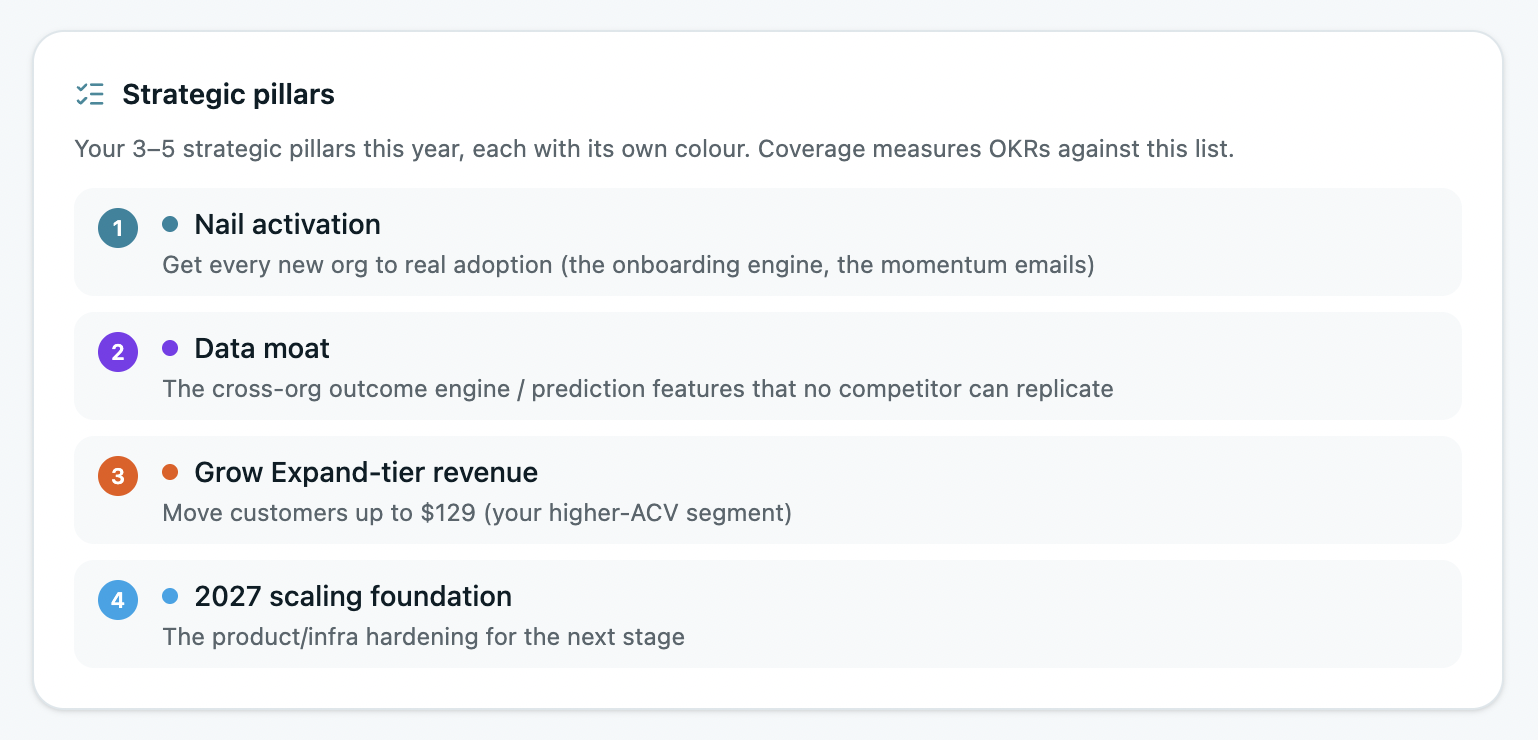
Strategic pillars
Who Expand is for

If this is you, Expand is built for it.

Three reasons teams move from Scale to Expand.

01
You're running OKRs across multiple teams
One team was simple. Now goals span departments and need to ladder up to company strategy. Expand cascades the whole hierarchy and shows where coverage is missing.
02
Strategy and execution keep drifting apart
You set annual priorities, then the quarterly work wanders. Strategy pillars and AI Coverage tell you which OKRs are off-strategy — and which priorities have no goals at all.
03
You want reviews tied to real goal data
Performance reviews built on memory don't hold up. Expand wires reviews, 1:1s, and 360s to actual OKR progress — so every rating points to something real.
What Expand unlocks

From strategy at the top to the review at the end.

Everything Scale has — Alignment Map, AI Insights, KPI tracking, weekly check-ins, every integration — plus the strategy and performance layers below.

Strategy pillars & Coverage

See which priorities have goals — and which don't.

Define your strategic pillars, tag OKRs against them, and let AI Coverage read your live goals against your strategy. Know exactly what's covered, what's off-strategy, and where a priority has no OKR behind it at all.

  • Strategy Canvas — North Star, mission, annual priorities
  • Tag OKRs to pillars, see coverage at a glance
  • AI Coverage flags priorities with no goals behind them
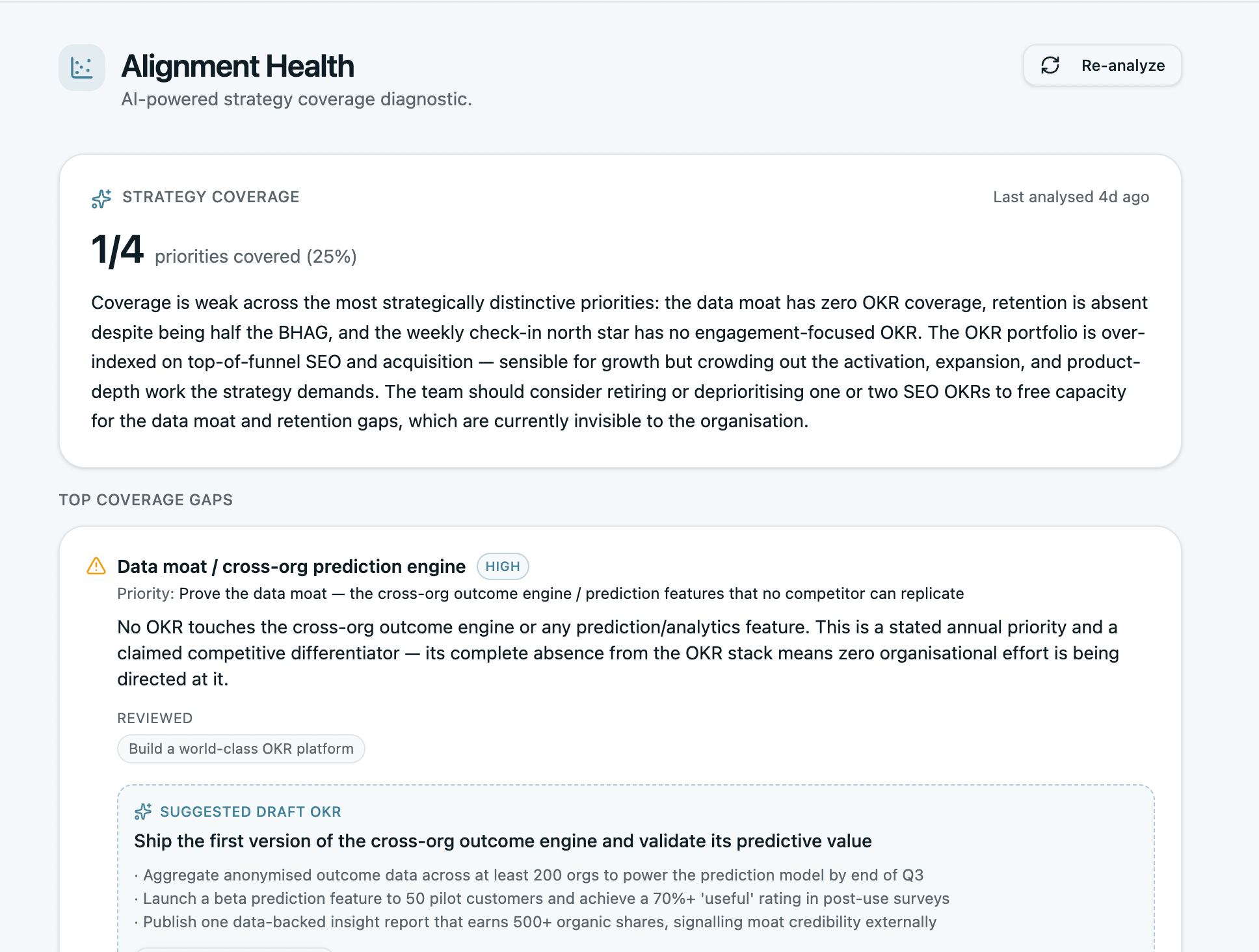
Strategy and OKR coverage
Cascade Map

Watch strategy flow down to every team.

Your North Star and priorities cascade through company, department, and team OKRs on one live map. Trace any person's goal back up to the company direction it serves — and spot where the chain breaks.

  • Company → department → team → owner, connected
  • Live map that updates as goals change
  • Cross-cycle linking keeps multi-quarter goals joined
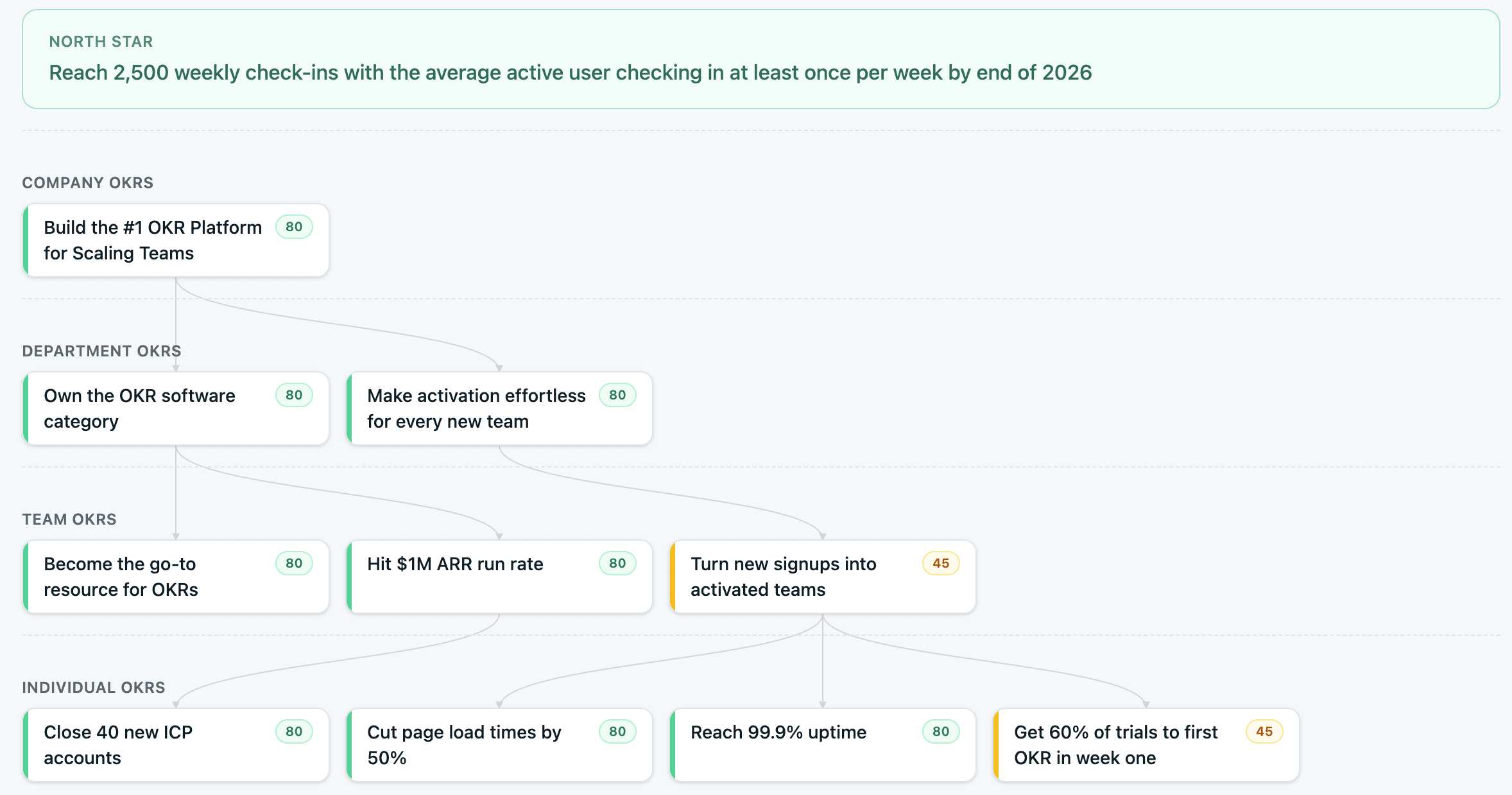
Cascading OKRs
Performance reviews

Connect reviews directly to OKR progress.

Run reviews, 1:1s, and 360s wired to actual OKR data — ownership and progress pulled into the template automatically. No more disconnected review cycles where managers don't have the context.

  • Performance reviews, 1:1s, 360s & continuous feedback
  • OKR ownership and progress auto-populated
  • 9-box grid and engagement surveys included
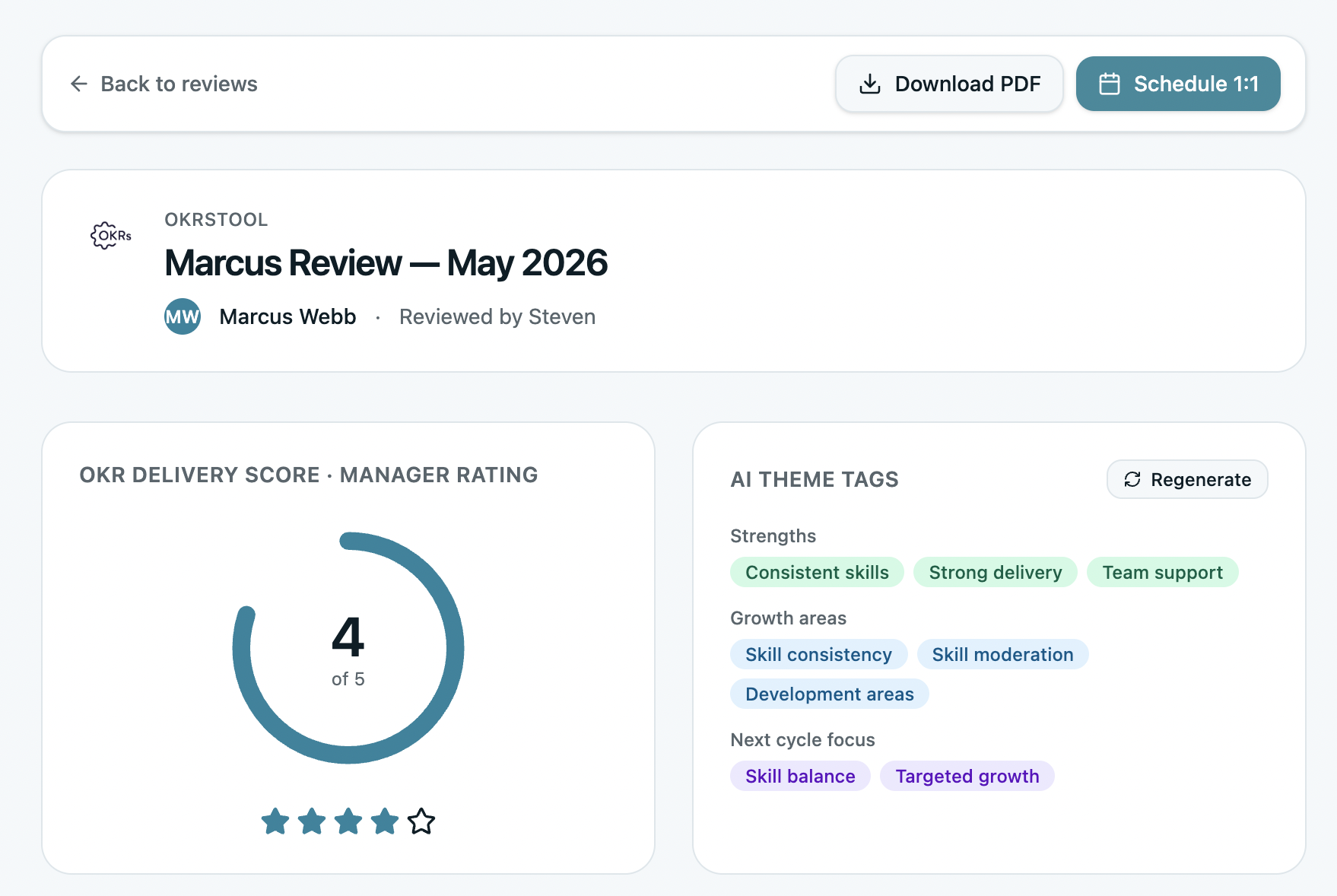
Performance reviews linked to OKRs
Momentum Map & team reports

See where every team stands at a glance.

The Momentum Map plots every OKR across progress and pace — who's leading, rising, coasting, or at risk. Team reports roll up health scores, activity, and last check-in across the whole org.

  • Momentum Map — progress vs pace, one view
  • Department-level team reports and health scores
  • Spot what's slipping before the quarter's gone
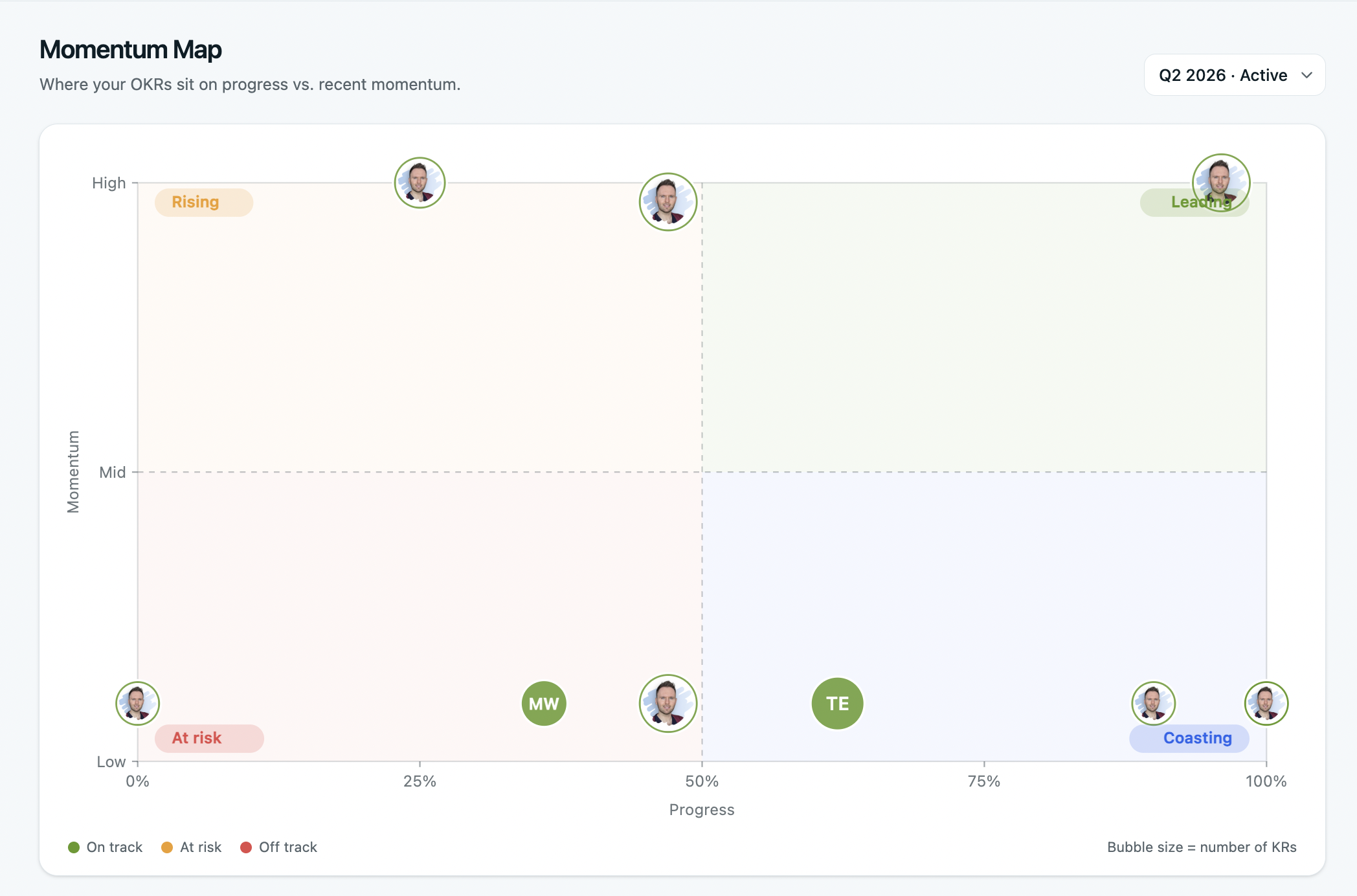
Momentum Map
Board-ready reporting

Walk into the QBR with the deck already built.

Expand auto-generates the executive and quarterly business reviews leadership actually reads — health scores, average progress, at-risk flags, and quarter-on-quarter comparisons. Export to PDF and share in seconds, no manual assembly.

  • Auto-built executive & quarterly business reviews
  • Health scores, progress & at-risk flags across teams
  • Quarter-on-quarter comparisons
  • Board exports to PDF, ready to share
  • Momentum Map and team overview built in
  • Cycle trends and history across the org

OKRs Tool helped us create a much stronger connection between strategy, execution, and measurable outcomes. What previously lived across different platforms is now centralized.

Alberto Santini
Alberto Santini · 4th cycle
General Manager, Tinaba
Compare plans

Expand is one of three plans.

Scale covers core OKRs for one team. Expand adds strategy, multi-team cascade and performance. Enterprise adds the security, provisioning and API a larger org needs.

FAQ

Expand plan questions, answered.

What's the real difference between Scale and Expand?
Scale runs core OKRs for one team — ownership, check-ins, the Alignment Map, AI Insights, and every integration. Expand adds the two layers you need once goals span the org: strategy (pillars, Coverage, Cascade Map) and performance (reviews, 1:1s, 360s, 9-box, engagement). If you're cascading across multiple teams or running reviews, you want Expand.
Is $229/month really for the whole org, not per user?
Yes. Flat fee for the whole organisation, any team size — never per seat. Add 50 people or 500 and the price doesn't move. No annual lock-in, no per-user pricing like Lattice, Quantive, or Profit.co.
How does AI Coverage work?
Coverage reads your live OKRs against your strategy canvas and tells you what's covered, what's off-strategy, and which priorities have no goals behind them at all. It only runs once your North Star is set — because without direction, coverage has nothing to measure against.
Do the performance reviews connect to OKRs automatically?
Yes. Review cycles link to your OKR cycles, and each person's KR ownership and progress are pulled into the review template automatically. You get performance reviews, 1:1s, 360s, continuous feedback, engagement surveys, and the 9-box grid — all wired to real goal data.
I need SSO, SCIM, or the API. Is that on Expand?
Those live on Enterprise. SSO, SCIM, MFA, RBAC, audit logs, unlimited API, webhooks, and the MCP server are all part of the Enterprise plan, along with multi-workspace rollup and an onboarding session with the founder. If your security review requires SSO or you need the API, Enterprise is the fit.
Is there a discount for annual billing?
Yes — annual saves 20%. You can switch from monthly to annual any time. Cancel mid-annual-cycle and we'll refund the unused portion.
Can I try Expand before committing?
Every signup gets a free 14-day trial with full features. Set up your strategy, cascade a few teams, run a review cycle — then decide. No credit card to start, and you keep your data when you pick a plan.