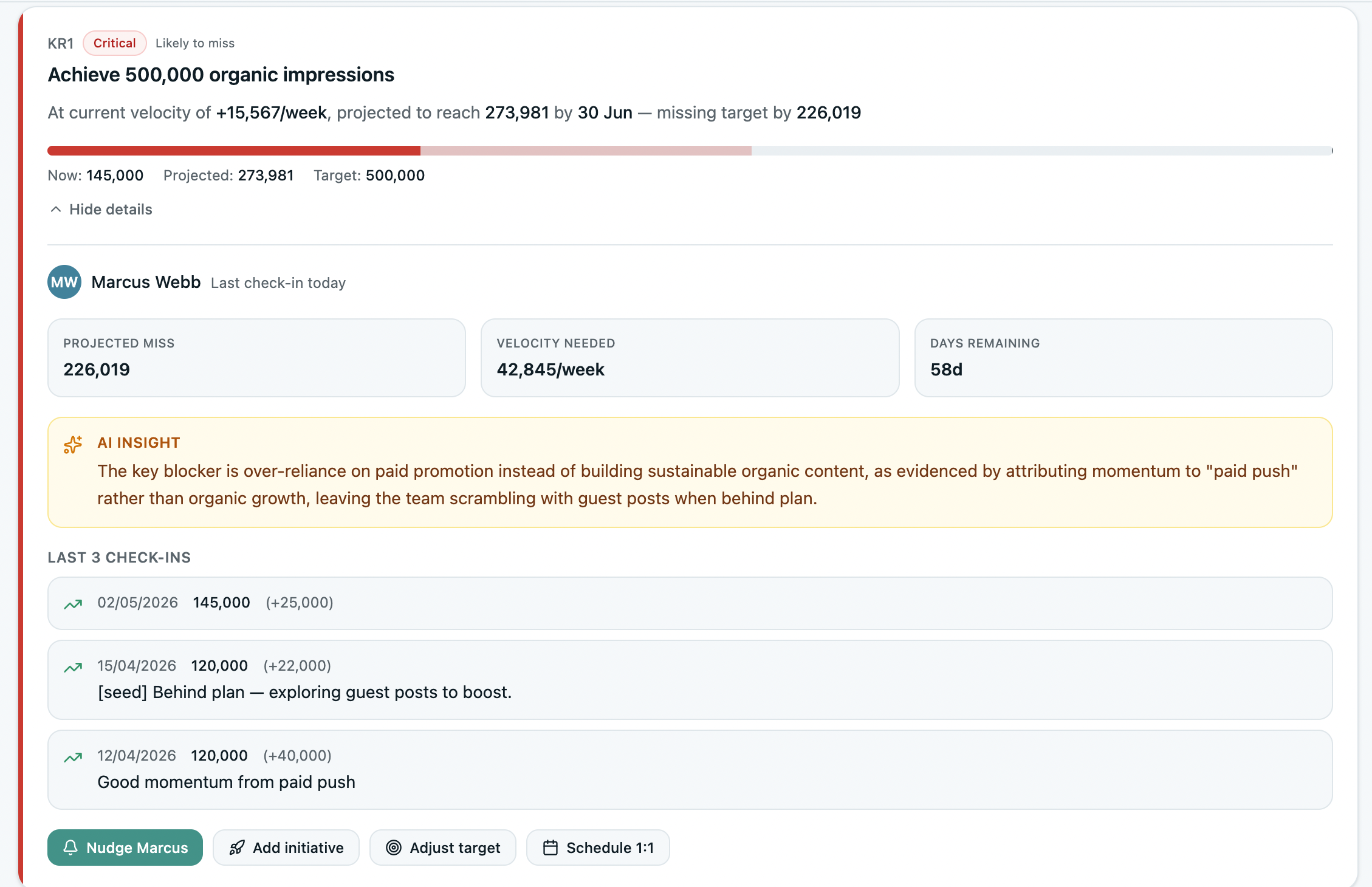
AI that reads your goals, not just writes them.
Most tools use AI to draft an objective and stop there. OKRs Tool's AI works on the goals you already have — projecting what's at risk, checking and coaching your OKRs, and diagnosing strategy gaps, all grounded in your real progress rather than generic advice.
Catch the weak Key Results before review time.
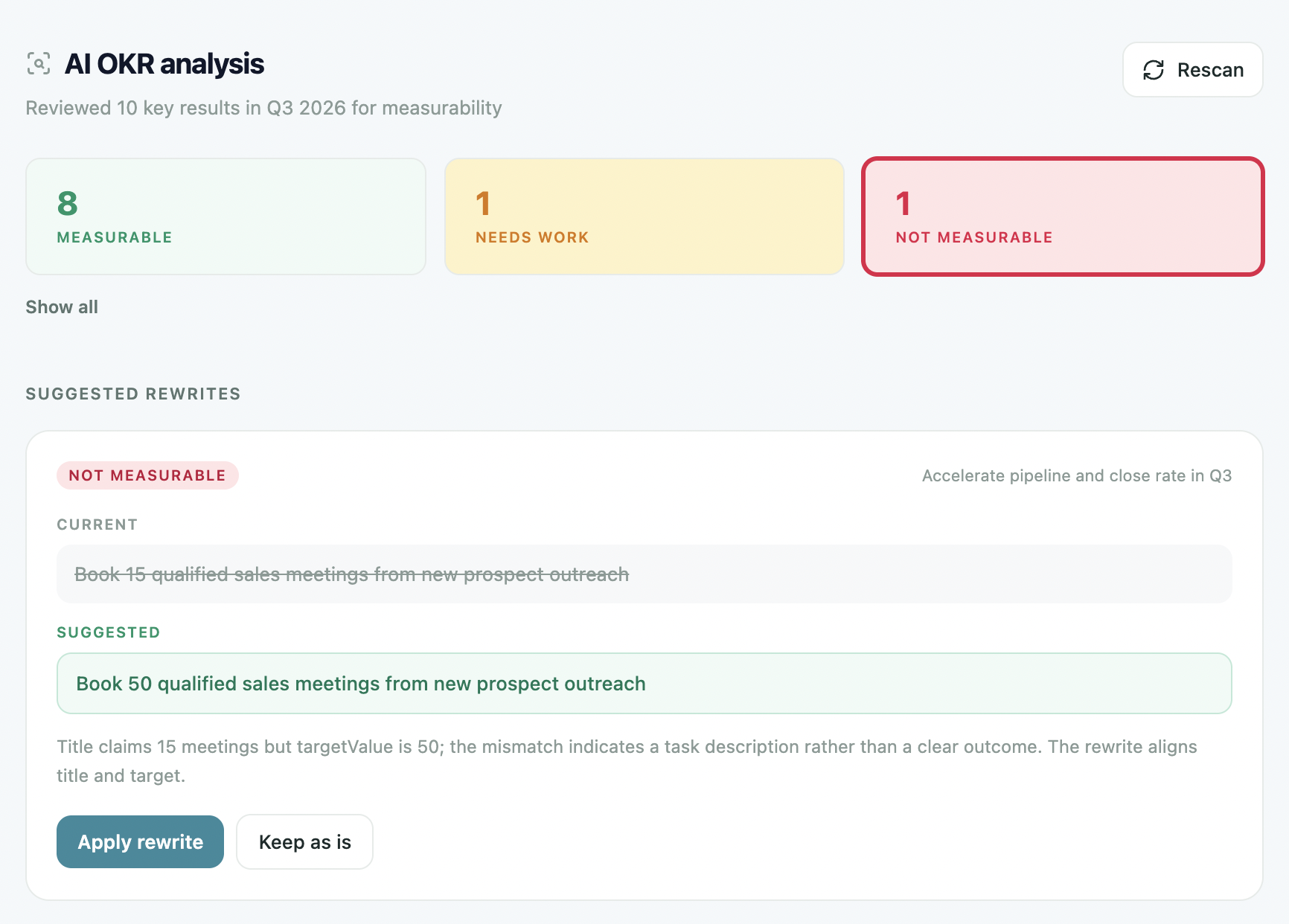
Scan every Key Result in your active cycle for measurability and flag the ones that won't hold up at review. See which are solid, which need work, and which aren't measurable at all — each with a suggested rewrite and the reasoning behind it.
- Every KR scored: solid, needs work, or not measurable
- A suggested rewrite and the reasoning for each
- Apply the fix in one click, or keep it as is
- Better OKRs in, better outcomes out
Guidance on what's stalling, in real time.
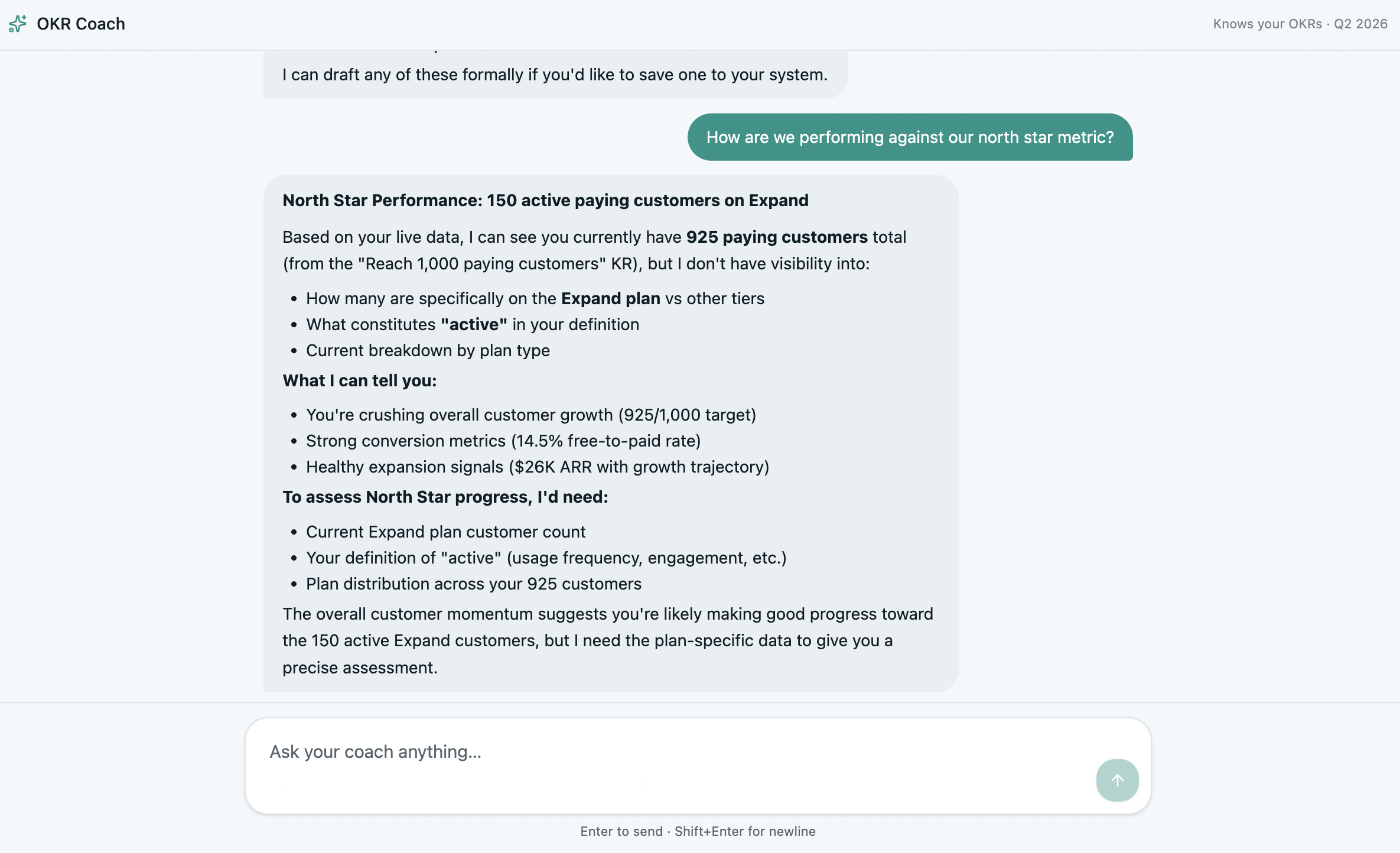
An AI coach that understands your goals and progress — surfacing stalled key results, prioritising what matters most, and giving actionable recommendations. Stay focused and proactive without constant manual oversight.
- Surfaces stalled key results before they slip
- Prioritises what to act on first
- Actionable recommendations, grounded in your data
- Proactive, not another dashboard to check
Know what your strategy is missing.
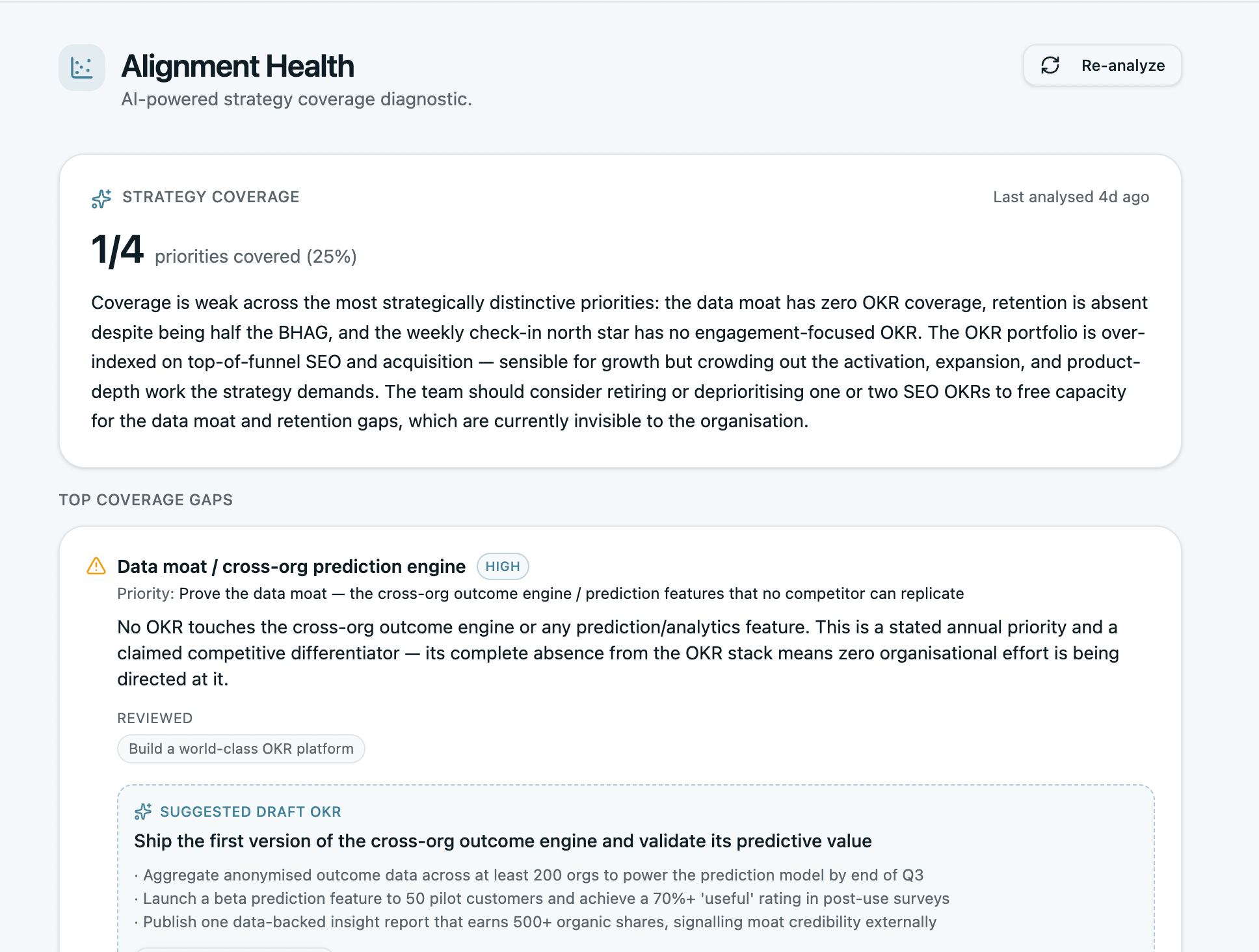
An AI diagnostic reads your live OKRs against your strategy canvas and tells you what's covered, what's missing, and what to do about it — so a priority never quietly goes unowned. Runs once your North Star is set.
- Reads live OKRs against your strategy
- Flags priorities with no goals behind them
- Tells you what to do about each gap
- Runs only with a North Star — direction first
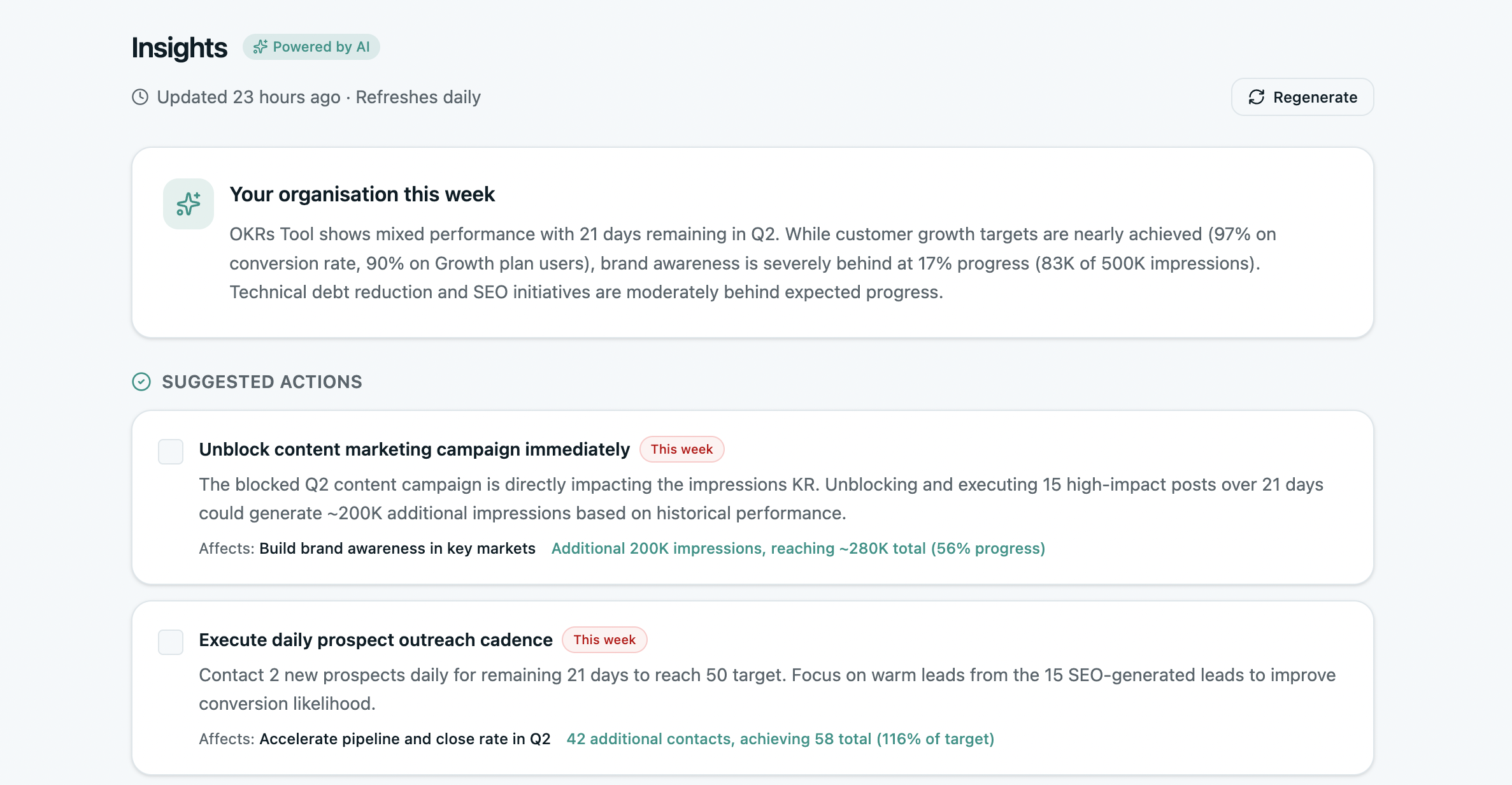
The read on your cycle, written for you.
AI reads across your whole cycle and surfaces what matters in plain language — what's moving, what's stuck, where momentum is shifting, and what deserves attention this week. The analysis you'd do yourself, if you had the time.
- Plain-language read across the whole cycle
- What's moving, what's stuck, and why
- The single action worth taking this week
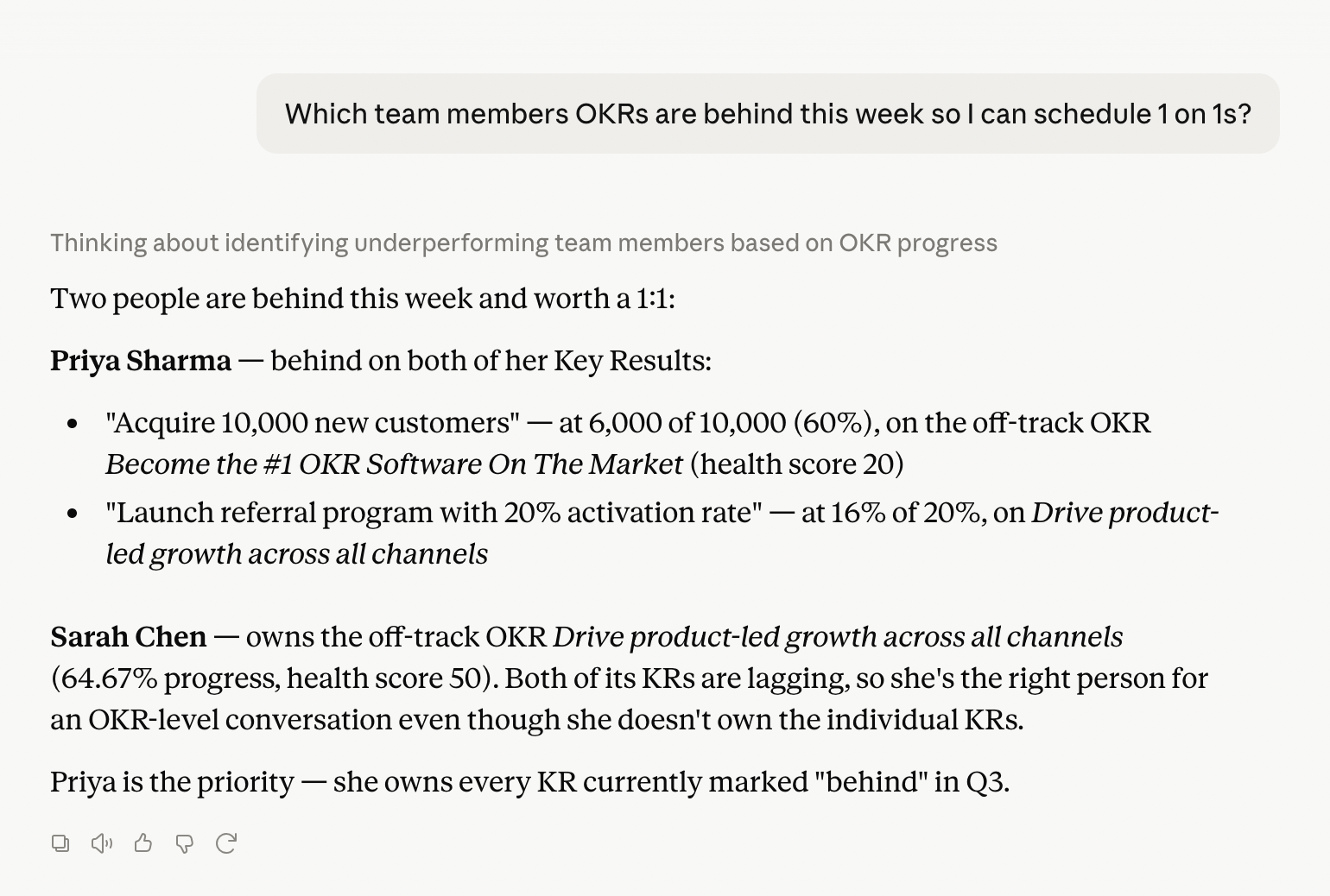
Talk to your OKRs from any AI tool.
The OKRs Tool MCP server is included on every plan. Connect Claude, Cursor, n8n, or any MCP-compatible tool, then ask questions, log check-ins, and pull board-ready summaries — in plain English, without opening the app.
- Free on every plan — Launch, Scale, Expand
- Connect Claude, Cursor, n8n, or any MCP client
- Ask questions and log check-ins in plain English
- One OAuth connection, every request in the audit trail
AI woven through the whole platform.
Not a bolt-on chatbot — intelligence built into the moments that matter.
Reflection
Answer a few guided questions at cycle close and get AI-suggested continue, stop, and start moves for the next quarter.
Dashboard insights
A weekly read where things stand — overall pace, which OKRs are ahead or behind, and the single action worth taking now — surfaced the moment you log in.
Board-ready summaries
Ask for a summary in plain English and get a board-ready readout of OKR performance — no manual assembly, no copy-paste.
Grounded in your data
Every AI feature works on your real goals and progress — not a generic model guessing. What it suggests, it can point to.
Objective-level analysis
AI reviews each objective and its KRs together — measurability, balance, and whether the set actually adds up to the goal.
Every request logged
One OAuth connection and every AI request lands in the audit trail — so intelligence never means less oversight.
Put AI to work on the goals you have.
Check your KRs, surface what's stalling, and connect your favourite AI tool — all grounded in your real data. Free for up to 5 users, set up in an afternoon.