Your OKRs, live inside the Notion database your team already uses.
Connect OKRs Tool to a Notion database and your OKR progress, status, owner, and cycle sync automatically every day — no copy-pasting, no stale screenshots, no manual updates.
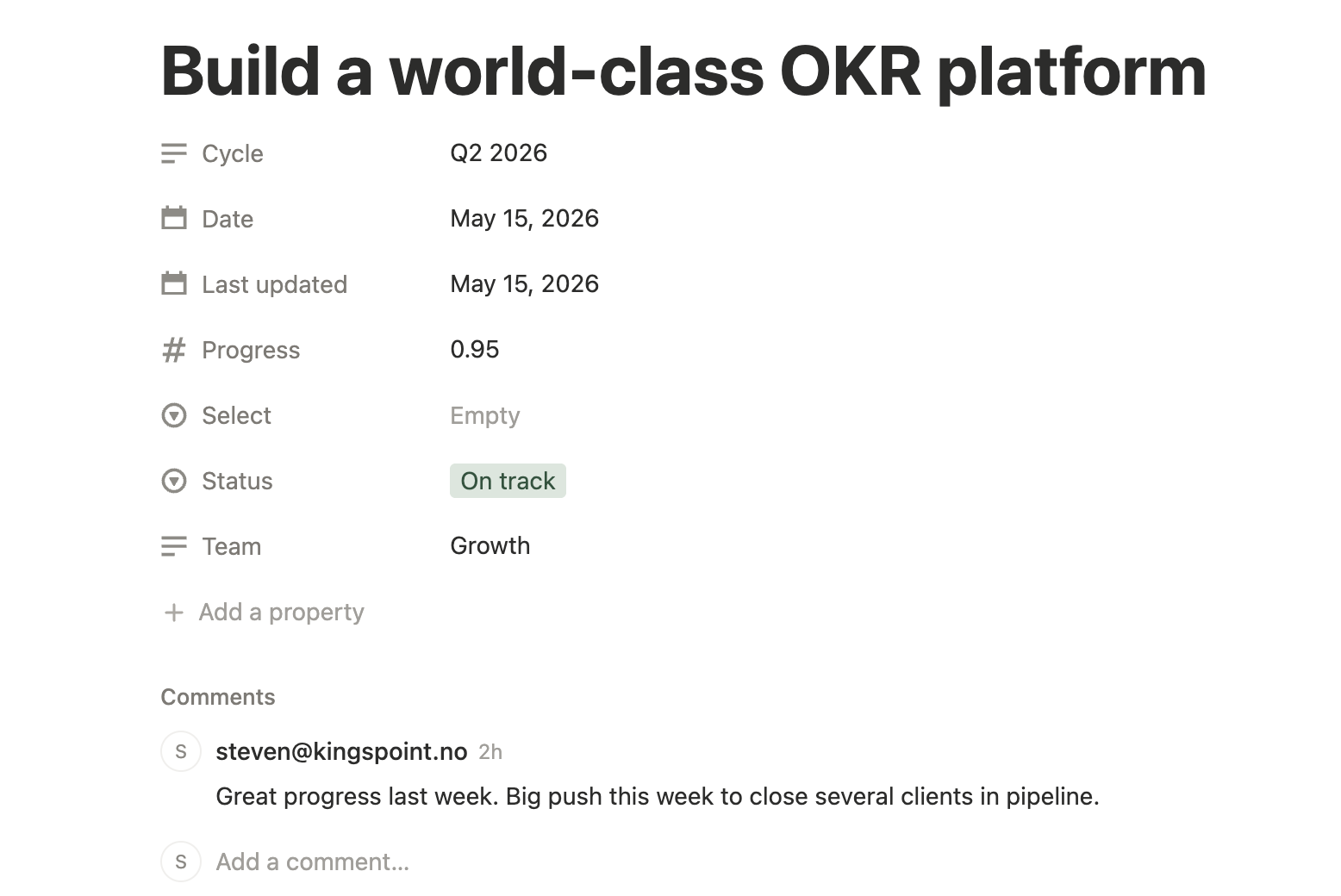
Your Notion database. Your OKR data. Always in sync.
For founders, Chiefs of Staff, and ops teams who run their company in Notion — and want OKR data to live where they already work.
Most teams have a quiet gap: Notion holds the strategy — quarterly planning docs, all-hands prep, board updates. OKR progress lives in a separate tool. So every strategy doc ends up with numbers someone pasted in last Tuesday. By the time it's read, it's wrong.
OKRs Tool for Notion closes that gap. Connect your Notion workspace, point OKRs Tool at a Notion database, and link your OKRs. Every night, OKRs Tool pushes the current progress, status, owner, and cycle name into your Notion database automatically. Your strategy doc shows reality, not last week's copy-paste.
Built for teams whose strategy lives in Notion.
A focused sync — not a Notion plugin trying to replace your OKR tool.
Daily automatic sync
Every night, OKRs Tool pushes progress %, status, owner, cycle, and last updated date into your Notion database. No refresh button, no manual exports.
Works with your existing database
Point OKRs Tool at any Notion database you already own. The integration automatically adds the required columns — no manual property setup needed.
Link any OKR to any Notion page
From a single OKR linked to a project brief, to your full company OKR set synced to a strategy database. Link as many or as few OKRs as you need.
OKRs Tool stays the source of truth
The sync is one-way: OKRs Tool → Notion. Your OKR data is owned and managed in OKRs Tool. Notion is the display layer — a live view of what's happening in your OKR tool, inside the docs your team already reads. Changes in Notion don't affect your OKRs.
Works in every Notion view
Table, board, gallery, timeline. However your team views the database, the OKR data is there — filtered, sorted, and grouped however Notion lets you.
Set up in two minutes.
The Notion integration is configured directly from inside OKRs Tool. Included on every paid plan, starting with Scale.
How to connect Notion
If you already have an OKRs Tool account on any paid plan, sign in and follow the steps below. Not signed up yet? See plans or start your 14-day trial — Notion is included from Scale up.
- Log in to your OKRs Tool account at
go.okrstool.com - Navigate to Integrations → Notion and click Connect to Notion
- Authorise OKRs Tool through your Notion workspace via OAuth
- Select the Notion database where you want OKR data to sync — OKRs Tool will automatically add the required columns (Progress, Status, Cycle, Team, Last updated)
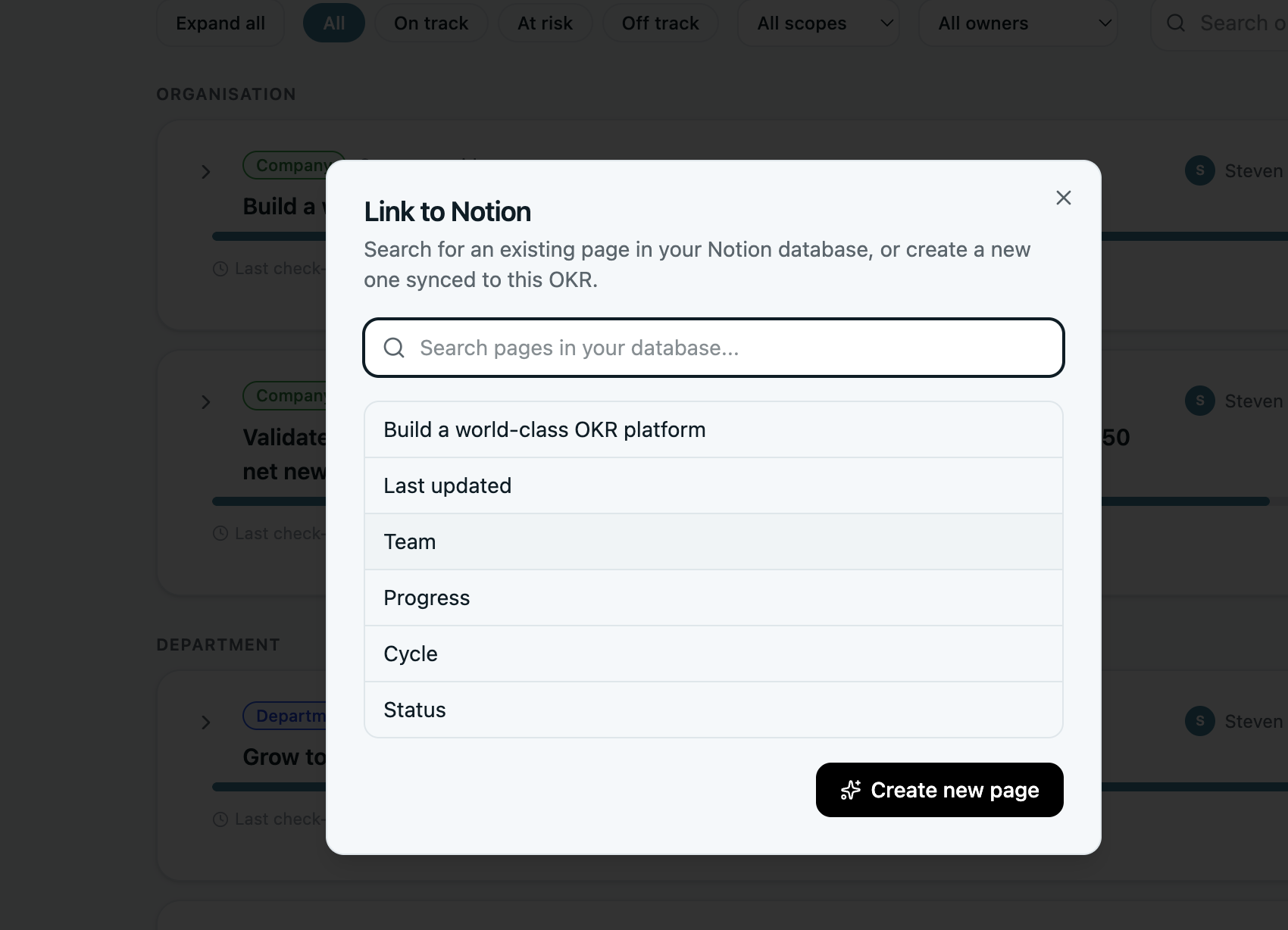
- Open any OKR in OKRs Tool, click the three-dot menu → Link to Notion, and create or select a page in your database
- OKRs Tool syncs automatically every night — your Notion database updates while you sleep
What this isn't.
Worth being clear up front. OKRs Tool is not a Notion replacement, a Notion plugin, or a two-way sync engine. We're a separate OKR product that pushes live data into the Notion database where your team already works.
- We're not your wiki. Notion is. We don't try to host your meeting notes, project briefs, or company handbook — Notion does that better than anyone.
- The sync is one-way. OKRs Tool pushes data to Notion. Changes made directly in Notion don't sync back to OKRs Tool — OKRs Tool is always the source of truth.
- We're not real-time. The sync runs once per day overnight. If you need the exact current value, check OKRs Tool directly. Notion is for daily context, not second-by-second tracking.
- We're built for one buyer. Founders, Chiefs of Staff, and ops teams at 50–200 person companies who want their Notion strategy docs to show real OKR data — automatically.
For teams whose strategy lives in Notion.
The Notion integration is included on every paid plan, starting with Scale — $129/month flat for the whole team, with every integration built in. Built for organizations where strategy and execution need to live in the same place — even when they're in different tools.
See Scale planBuilt with the minimum permissions needed.
We only request the access required to sync OKR data into your chosen Notion database.
Notion permission scopes
The integration uses Notion's official OAuth flow. We request write access to the specific database you select — nothing else in your workspace is touched.
read_user— read your basic Notion profile to associate the connection with your OKRs Tool accountread_content— read your workspace databases so you can select which one to sync toupdate_content— create and update rows in your selected database with OKR progress, status, cycle, and team data- Scoped to your selected database only. We never touch other pages or databases in your workspace.
Data & privacy
OKRs Tool syncs only the data you choose to link — OKR title, progress percentage, status, cycle name, and team. No KR details, no check-in comments, no personal data is written to Notion. Your Notion access token is stored encrypted and never shared.
Read our Privacy PolicyNeed help with the integration?
Email us directly. We respond within 2–4 hours during business hours — every email is personally answered by Steven, founder of OKRs Tool.
steven@okrstool.comNotion is a registered trademark of Notion Labs, Inc. OKRs Tool is not affiliated with or endorsed by Notion.