Connect Linear issues to the OKRs they actually move forward.
Link Linear issues and projects directly to your initiatives in OKRs Tool. Watch issues complete and initiatives close themselves — without anyone updating two systems.
A focused integration for engineering and product teams who run on Linear — and want goals that reflect reality, not last week's standup update.
Most teams have a quiet gap: OKRs live in one tool, the actual work — issues, projects, cycles — lives in Linear. The two never meet. Initiatives get marked "Done" weeks after the underlying issues shipped. Goals drift out of sync with what engineering actually built.
OKRs Tool for Linear closes that gap automatically. Search Linear issues from inside OKRs Tool, link them to initiatives, and let issue completion roll up to your goals. When the Linear issue is marked complete, the initiative closes itself. No manual updates. No duplicate work.
What you get
Built for teams who ship on Linear.
A focused, opinionated set of capabilities — not a kitchen-sink Linear clone.
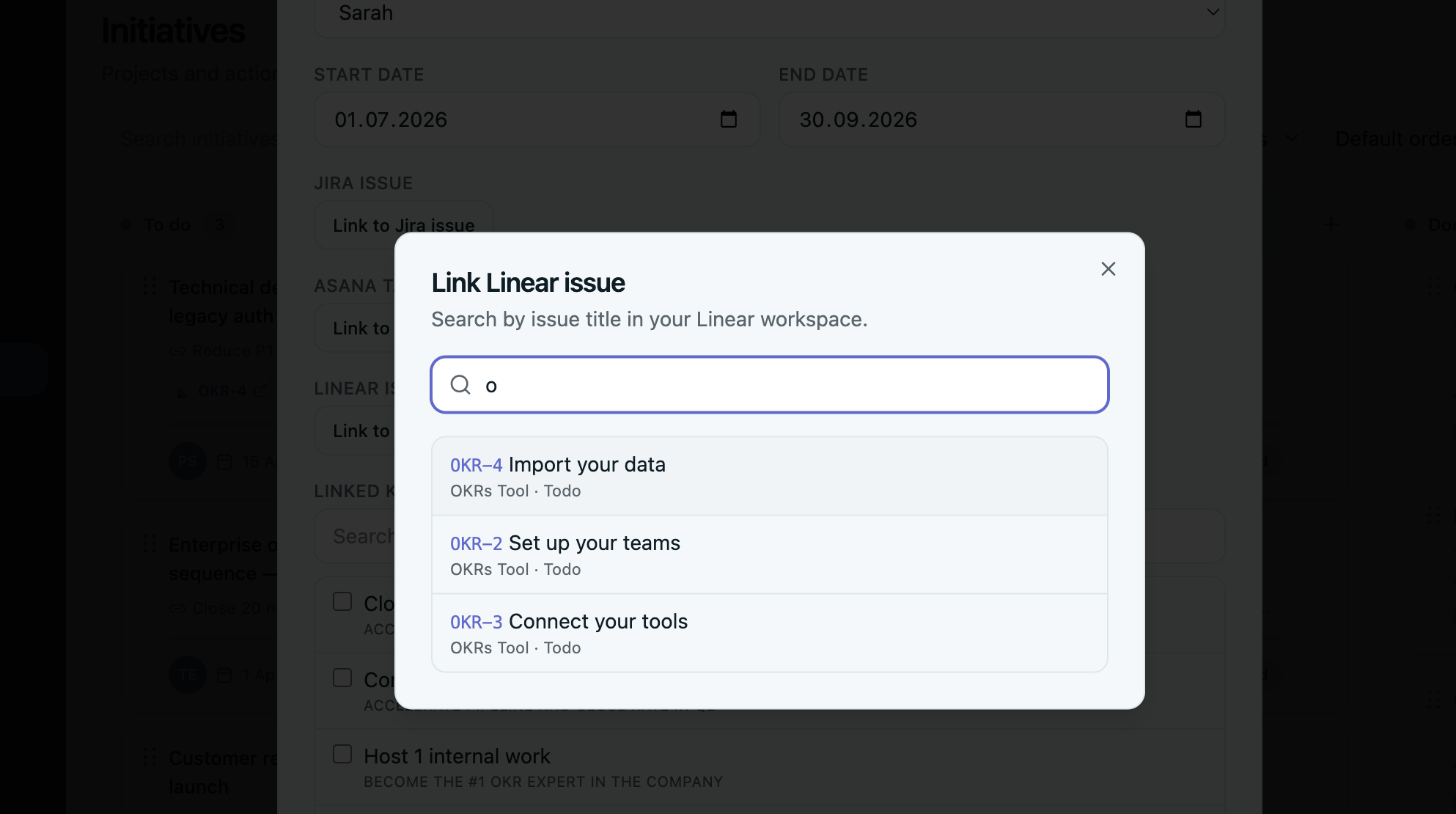
Search Linear issues by identifier or title
Find any issue in your connected Linear workspace without switching tabs. Type an issue identifier (ENG-123) or title — same flow as Linear's own command palette.
Link issues and projects to initiatives
Attach Linear issues or projects to any initiative under a Key Result, both in the create modal and the edit modal. One initiative, many issues.
Linear badge on every initiative card
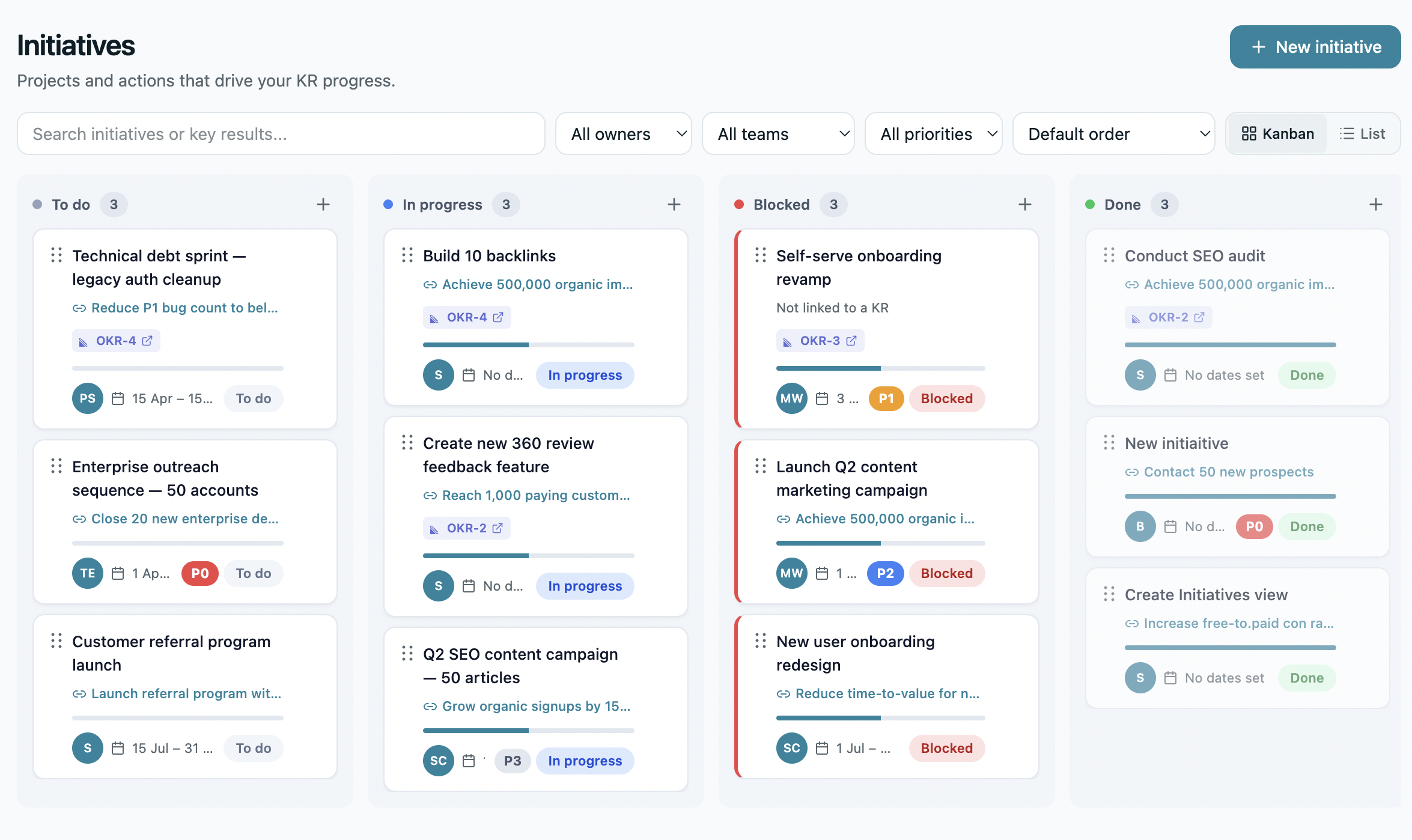
Linked issues display a clear Linear badge on initiative cards — visible in both Kanban view and List view. One glance: is engineering shipping?
Auto-close initiatives when issues ship
When a linked Linear issue is marked Done or Canceled, the initiative is automatically updated in OKRs Tool. Goals reflect reality without a single manual update — the most useful feature you'll never have to think about.
Closes the loop automatically
Real-time sync via webhooks
Linear webhooks push status changes to OKRs Tool the moment they happen. No daily cron, no waiting — your OKR board reflects what engineering is shipping right now.
The Linear integration is configured directly from inside OKRs Tool. Included on every paid plan, starting with Scale.
How to connect Linear
If you already have an OKRs Tool account on any paid plan, sign in and follow the steps below. Not signed up yet? See plans or start your 14-day trial — Linear is included from Scale up.
Log in to your OKRs Tool account at app.okrstool.com
Navigate to Settings → Integrations → Linear
Click Connect to Linear and authorize OKRs Tool through your Linear account
Select the Linear teams and projects you want to sync
Open any initiative in OKRs Tool — the Linear search field is now active and ready to link issues
Worth being clear up front. OKRs Tool is not a replacement for Linear — and we're not trying to be. We sit above Linear at the goals layer, not next to it at the work layer.
We don't replace Linear's issue tracking. Cycles, triage, sub-issues, dependencies, projects — that's Linear's job. We don't try to do it.
We don't write or modify Linear issues. The integration is read-only on Linear's side. We pull issue metadata; we don't change issue contents, status, priorities, or assignments.
We don't replace Linear roadmaps. Linear roadmaps and projects are excellent for product planning. We don't try to replicate them — we connect them to company OKRs above.
We're built for one buyer. Heads of Engineering, VPs of Product, and senior leaders at 50–200 person companies who want OKRs that survive cycle two — not enterprise program management.
On every paid plan
For teams who ship software on Linear.
The Linear integration is included on every paid plan, starting with Scale — $129/month flat for the whole team, with every integration built in. Built for engineering organizations where OKRs need to plug into the actual work, not live in a separate doc.
We only request what's necessary to read Linear issues and projects and link them to your initiatives — nothing more.
Linear OAuth scopes
The integration uses standard Linear OAuth 2.0 scopes through our developer app. We do not write to or modify Linear issues — the integration is read-only on Linear's side.
read — read access to issues, projects, and teams you authorize
issues:read — read issue identifier, title, status, and assignee for linked issues
projects:read — read project metadata for any projects you link to initiatives
Data & privacy
Issue metadata is fetched via OAuth tokens and webhooks, and stored only as references (issue IDs + identifiers + titles) on your linked initiatives. We do not store issue descriptions, comments, or attachments in our database. You can disconnect the integration at any time from inside OKRs Tool or your Linear account.
By using the OKRs Tool Linear integration, you agree to the OKRs Tool Terms of Service and Privacy Policy. Linear is a registered trademark of Linear, Inc. OKRs Tool is not affiliated with or endorsed by Linear.