Goals that don't die in a spreadsheet.
Set objectives, cascade them from company to team to person, and keep them moving with automated check-ins that chase themselves — so alignment never depends on one person's follow-up.

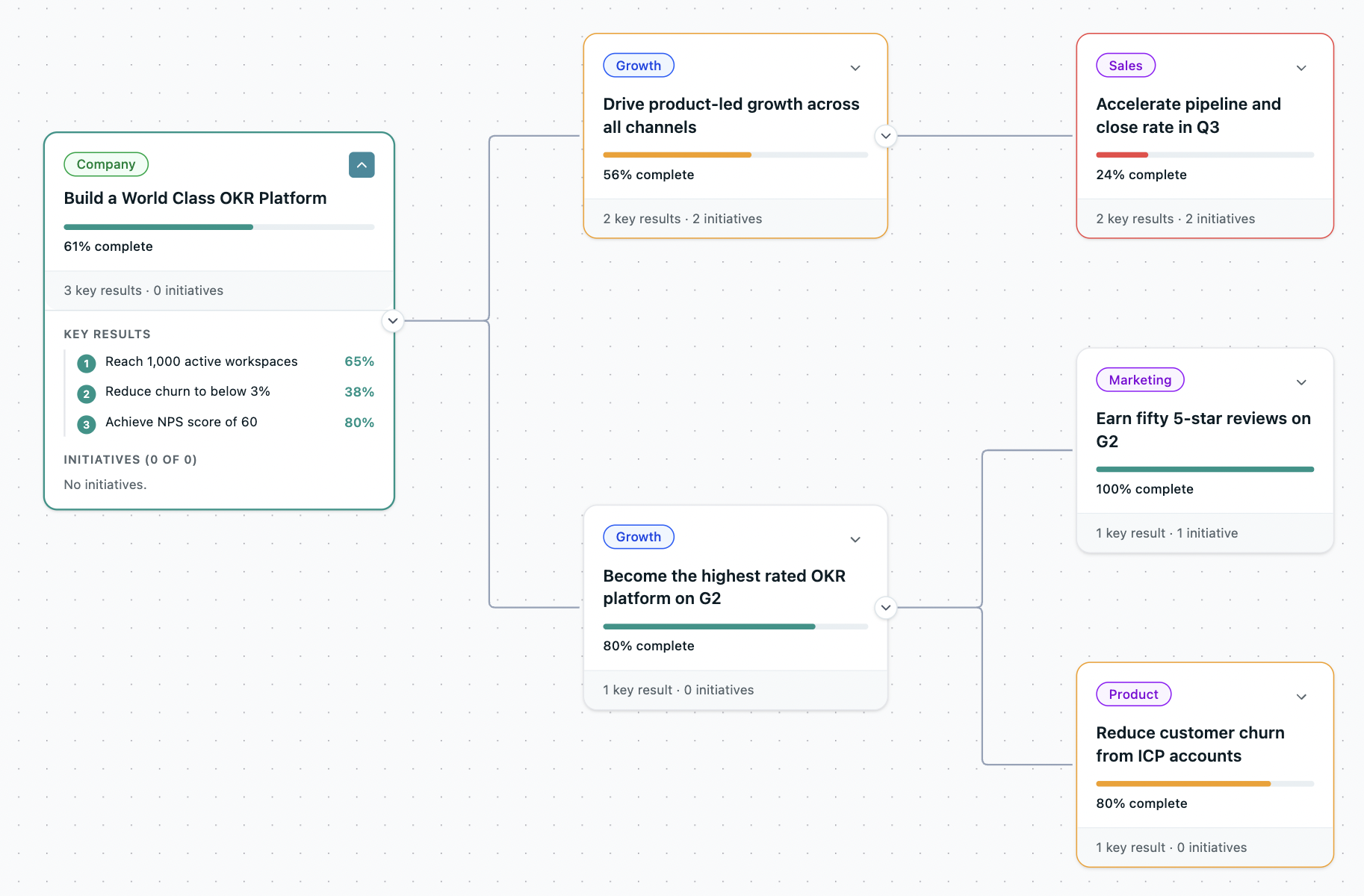
Every goal, connected to the one above it.
Link team goals to company objectives and see those relationships live. Every team's work, visibly tied to what the organisation is trying to achieve — on one map anyone can read.
- Company → department → team → person, one view
- Link team OKRs to company OKRs, reflected live
- Connect to parent the moment you create a goal
- No orphaned OKRs — everything lands in the hierarchy
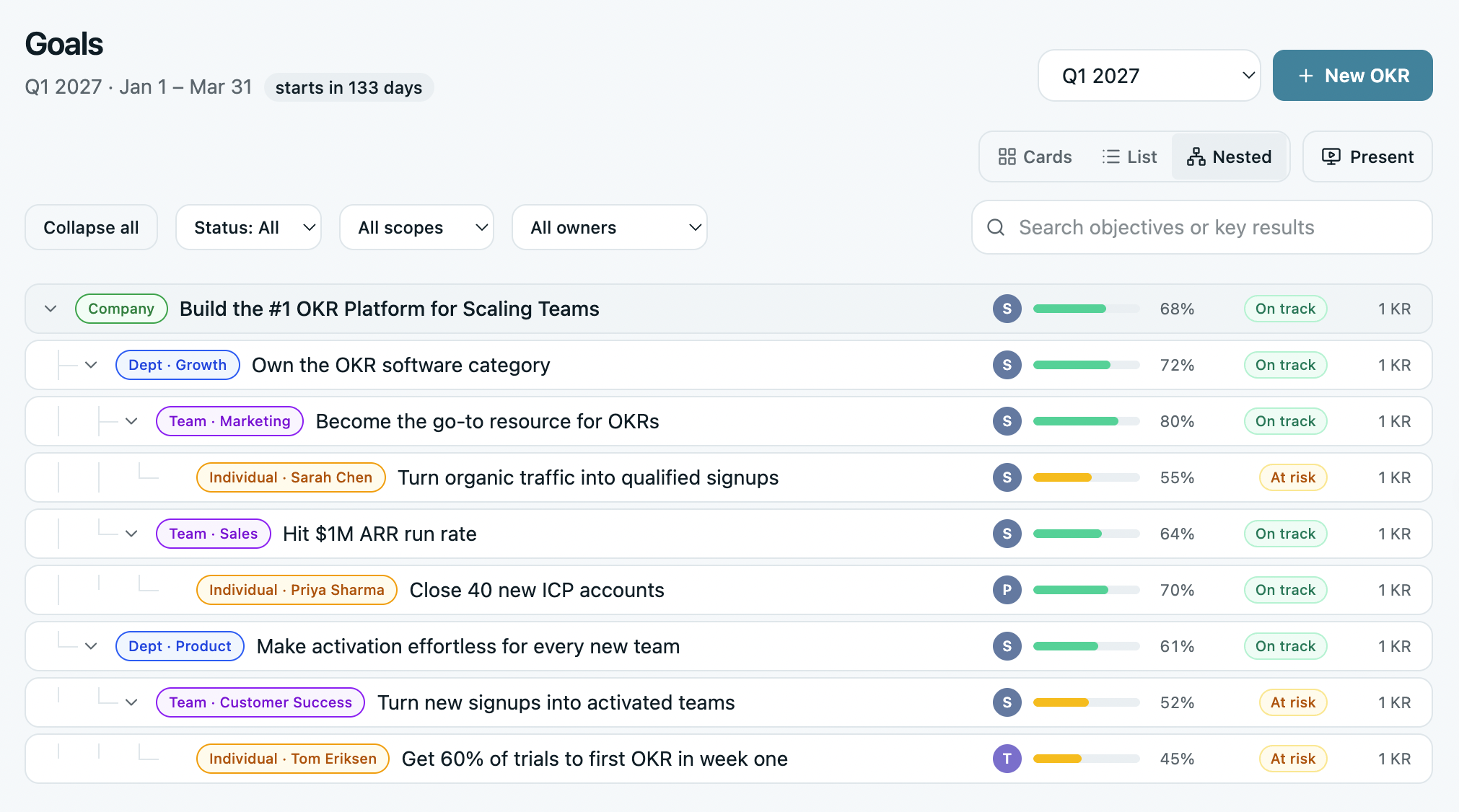
The full hierarchy, in one expandable tree.
See every objective and its key results in a single expandable tree. Drill into the structure of any OKR without leaving the page — no clicking between levels, no losing your place.
- The whole hierarchy, visible in one view
- Expand and collapse any branch inline
- Simplified view for a distraction-free scan
- Switch between card and list views on Goals
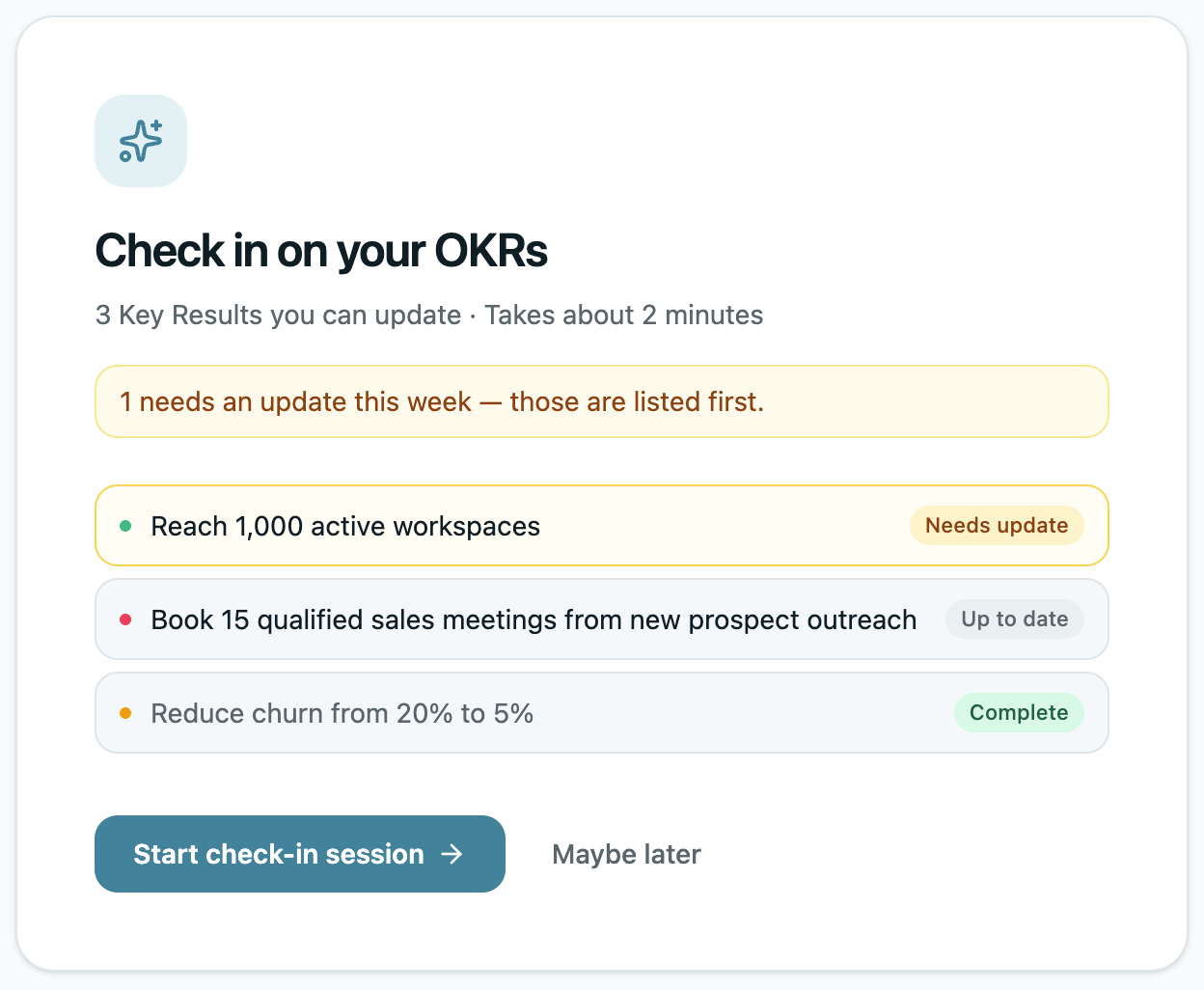
Progress that updates itself — no chasing.
Automated weekly check-ins keep goals current, and progress rolls up the hierarchy the moment a KR moves. No manual recalculating, no chasing owners for numbers.
- Automated weekly check-in reminders & nudges
- Auto roll-up — KR moves, everything above updates
- Check in from mobile — no app download
- Full KR history: every value, status, and note, dated
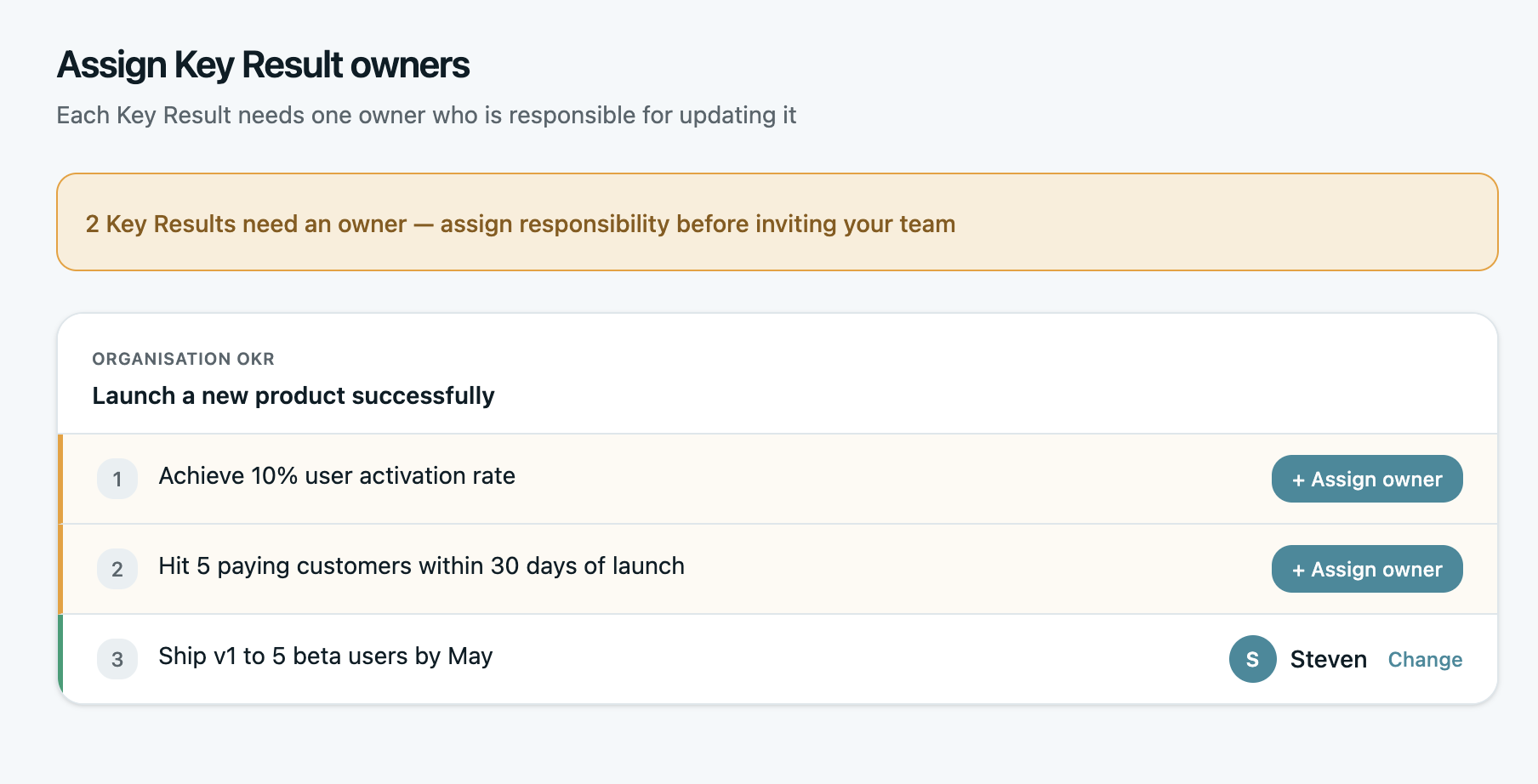
Every goal has a name against it.
Ownership stays with one person, but the whole team contributing to a result can update it. Headshots at the objective and KR level make accountability instant — no ambiguity about who owns what.
- Required KR ownership — one clear owner
- Collaborators — multiple people log progress
- Assign managers to departments and teams
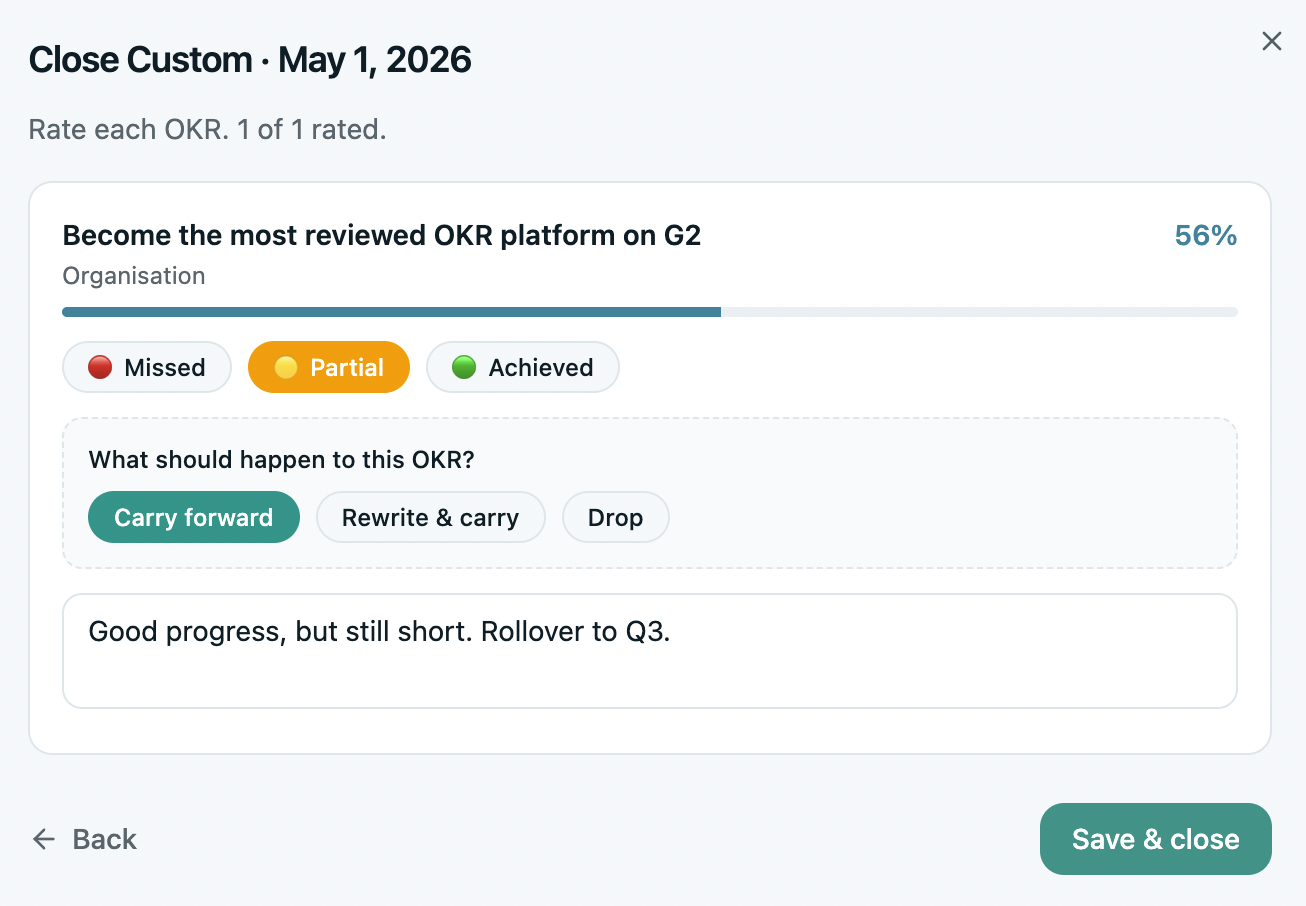
Close one quarter, carry the thread to the next.
End every cycle with intention — rate each OKR, then carry forward, rewrite, or drop with one decision per goal. Clone what's working into the next cycle and pick up where the strategy left off.
- Close cycle & rate: Missed, Partial, or Achieved
- Clone to next cycle — structure carries, progress resets
- Cross-cycle linking for multi-quarter goals
Everything else that makes OKRs stick.
The smaller touches that add up to a system your team actually keeps using.
Initiatives
Track the work driving each key result on a Kanban board — link tasks, log progress, and roll it up to the goal.
KPI tracking
Track org-level KPIs alongside your OKRs — current vs target, assigned owners, and direct links to the goals they drive. Spot risks early.
Retrospective
Answer a few guided questions at cycle close and get AI-suggested continue, stop, and start moves — so each cycle sharpens the next.
Automatic roll-ups
Progress logged at the KR level rolls up through the whole hierarchy automatically — initiatives to KRs to objectives, no manual math.
OKR Vault
Browse, reference, and reuse your full library of past OKRs across every cycle — a cleaner, faster archive so nothing gets rebuilt from scratch that doesn't need to be.
Nudges & reminders
In-app, email, Slack, and Teams: check-in nudges, at-risk warnings, progress updates, and weekly summaries.
Run OKRs that survive cycle two.
Set goals, cascade them, and keep your team aligned — with every capability above built in. Set up in an afternoon.