Get Key Result updates posted to your Slack channel.
Keep your team aligned on goals — automatic Key Result update notifications delivered directly to the Slack channel of your choice. No need to log in to OKRs Tool just to see what changed.
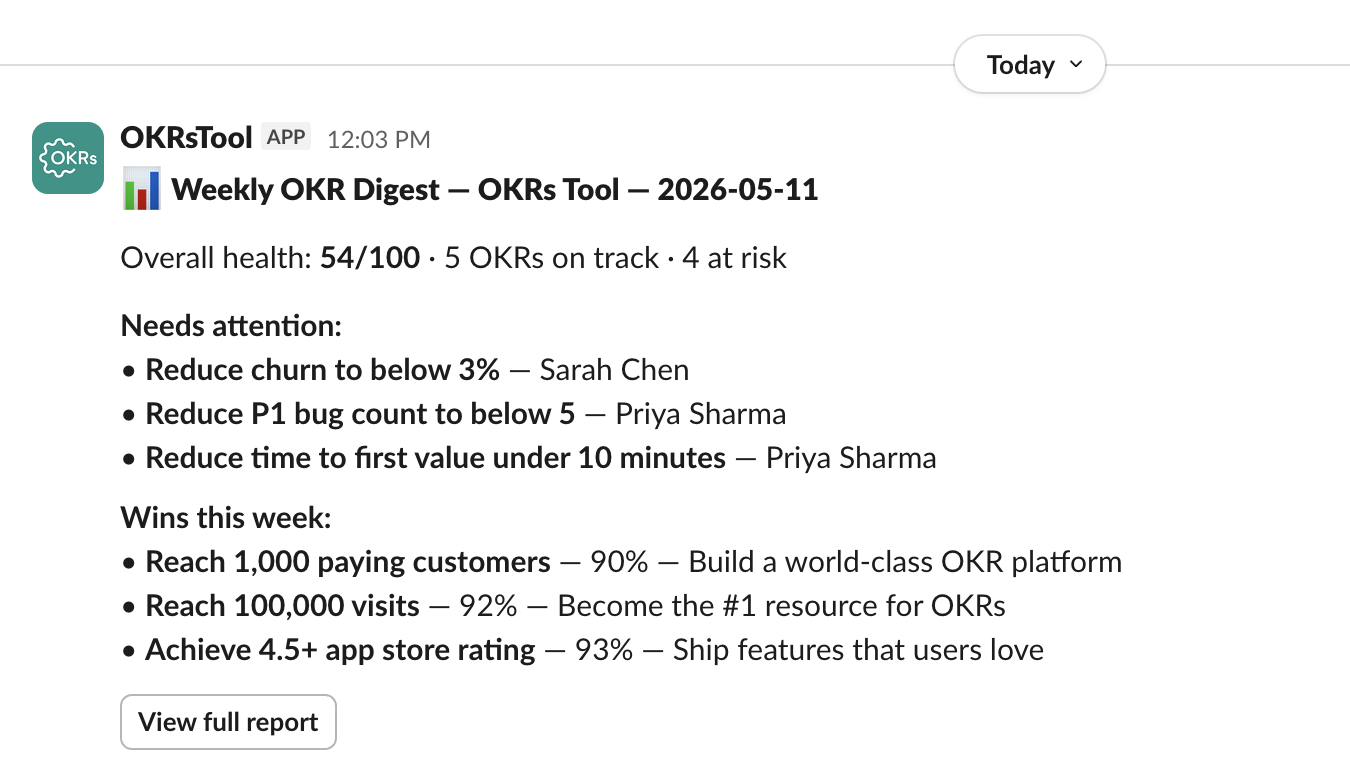
Automatic Key Result update notifications.
A simple, focused integration — one job, done well.
OKRs Tool is an OKR management platform that helps teams set, track, and achieve their Objectives and Key Results. The Slack integration automatically sends a notification to a Slack channel of your choice whenever a Key Result is updated in your OKRs Tool workspace.
This keeps your team informed about goal progress without leaving Slack — no need to log in to the platform just to check on an update. Updates show what changed, who changed it, and the previous and new values, with a direct link back to the Key Result inside OKRs Tool.
Three steps to set up.
Configured from inside OKRs Tool. Takes about 60 seconds.
Connect your Slack workspace
Inside OKRs Tool, go to Settings → Integrations → Slack and click Connect to Slack. You'll be redirected to Slack to authorize the integration, then taken back to OKRs Tool automatically.
Select a channel
After connecting, choose which Slack channel should receive Key Result update notifications. You can select any channel your Slack account has access to — public or private.
Get notified automatically
From that point on, whenever any Key Result is updated in your OKRs Tool workspace, a message is posted to the selected Slack channel with the details of the update.
Every update, with full context.
Each Slack notification contains everything your team needs to know about a Key Result update.
- The Key Result name — so the channel knows exactly which goal was updated
- The previous value and the new value — see progress at a glance, no clicks required
- The name of the person who made the update — built-in attribution and accountability
- A direct link to the Key Result inside OKRs Tool — for full context and discussion
How to install the integration.
The OKRs Tool Slack integration is installed directly from within the OKRs Tool platform. You need an active OKRs Tool account to use this integration.
Setup in 5 steps
If you already have an OKRs Tool account, sign in and follow the steps below. If not, you can sign up free for up to 5 users first.
- Log in to your OKRs Tool account at
app.okrstool.com - Navigate to Settings → Integrations → Slack
- Click Connect to Slack and authorize the app in your Slack workspace
- Select the Slack channel where you want to receive notifications
- Save your settings — the integration is now active
Built with the minimum permissions needed.
We only request what's necessary to post Key Result update notifications to your selected channel — nothing more.
Slack permission scopes
The integration requests the following scopes to function. Bot scopes: chat:write, chat:write.public, channels:read, groups:read, team:read We do not read your Slack messages, access your files, or store any Slack data beyond what's needed to deliver notifications.
Data & privacy
Notifications are sent using a bot token on behalf of your connected Slack workspace. No messages are sent without your authorization. You can revoke the integration at any time from inside OKRs Tool or from your Slack workspace settings.
Read our Privacy PolicyNeed help with the integration?
Email us directly. We respond within 2–4 hours during business hours — every email is personally answered by Steven, founder of OKRs Tool.
steven@okrstool.comSlack is a registered trademark of Salesforce, Inc. OKRs Tool is not affiliated with or endorsed by Slack.