I signed up for real accounts on all 33 platforms and tested each one myself — no demos, no AI summaries. The pattern was clear: teams on purpose-built OKR software see a 1:88 return, and the tools that get there share a few specific traits. This guide names them, and the one that fits your team.
I spent 3 years running OKRs inside Basecamp.
“Wait, that’s not OKR software,” Yes, you’re right.
Like most organizations new to OKRs, it was fine at first. Simple setup, small team, goals that felt manageable. But as we grew, things got messy. Check-ins were chased down by hand, company updates lived in PowerPoint, and OKRs went weeks without being touched.
Eventually we lost track. Leadership spent more time nagging people to "update their OKRs" than actually working on them — and found ourselves wondering: what were our goals again?
We missed more goals than we hit. The effort was there; the system to track OKRs wasn't.
So I built one - OKRs Tool.
Before creating a single line of code, I wanted to understand the full landscape:
What tools were out there, who was doing it well, and where the gaps were. I signed up for every OKR platform I could get my hands on. Not demos. Real accounts. I created objectives, set key results, tracked updates, and tested every corner of the UI.
This isn’t another roundup written by a content marketer who’s never logged in. This is my own personal review of the OKR market and I’m sharing it with you. It’s the kind of thing I wish I had read when I was managing OKRs in 2017.
Yes, I now run an OKR platform. And yes, you might think I’m biased, but if you find a tool that’s better for your team? Honestly, I hope you use it.
Below is my full review, and what I learned from testing 33 OKR tools in 2026.
How I Evaluated Each Tool
Every platform on this list was tested with a real account — no demos, no sales calls. I signed up directly, created a company objective, set two Key Results, assigned owners, and ran at least one weekly check-in cycle. I then scored each tool across six criteria:
These six criteria map directly to the behaviors that predict whether goals get hit — and that link isn't just our data. A 138-study meta-analysis (Harkin et al., Psychological Bulletin, 2016) found that prompting people to monitor progress measurably improves goal attainment, with the effect strongest when updates are recorded or shared.
Our own platform data across 876 organizations points the same way: teams that kept their Key Results updated hit their goals 68% of the time, versus 35% for teams whose Key Results went dark. Ownership, automated check-ins, and low update friction are what keep those numbers moving — which is why they're what I scored. (Full sources at the end.)
Real Reviews of the Best OKR Software
Search "best OKR software" in Google and you'll find a lot of results.
But here's the problem: most of those lists are AI-generated summaries, stitched together by people who never logged into a single tool. You can usually tell. They recycle the same feature bullets and never show one original screenshot. Every screenshot in this guide is mine, from a real account I set up and tested.
This list is different.
Why You Can Trust This Review
Two things separate this from the AI-generated lists: I've run OKRs myself since 2017, and I tested every tool here in a real account — not a demo, not a vendor screenshot.
Before OKRs Tool existed I spent years driving OKRs for 60+ clients at a marketing agency — enough cycles to know where teams fall apart, and to see the gap between software that demos well and software people actually keep using.
Now the part most "best of" lists won't admit: I make one of these. OKRs Tool is mine, and it's my pick for growing teams — so here's how I keep this honest. I recommend Teamflect and Tability by name when they fit better. I put OKRs Tool's real weakness in writing: integrations are one-way and sync every 24 hours. And no tool paid to be on this list or to rank higher.
Where a tool is demo-only, I say so — I even got hands-on access to Workboard, the one enterprise platform no other list reviews from the inside. If you find a better fit for your team, use it. The full method is on the How I test page.
The real test of that judgment isn't my opinion, though — it's whether the tool holds up for teams under real pressure. Mahir, the founder of Trillium, is a good example. He ran his first OKR cycle for over 100 people on spreadsheets, chasing every update himself, until he moved 250 OKRs into OKRs Tool and had the whole company live in a day, with no training required:
"Extremely cost effective, offering a lot of value for money. I can set up the tool within a few minutes — I don't need to train people to use it effectively. Suitable for our organisation of about 150 people."

Below, you'll find 33 OKR tools I tested myself, with honest thoughts and opinions on each. Some had great UX. Some were complex. And one of them I built — because I couldn't find a tool that worked the way growing teams actually do.
Not interested in reading the full reviews? Here's a quick comparison of all OKR tools — pros, cons, pricing and who they're best for:
I typically compare 1–2 new platforms per month to keep the list fresh and up to date. OKRnest was reviewed and added on 8 October 2026. Pricing last verified 8 October 2026.
33 Best OKR Software Tools for 2026
1. OKRs Tool
Best for: Team leads and department heads inside growing companies (50–200 people)
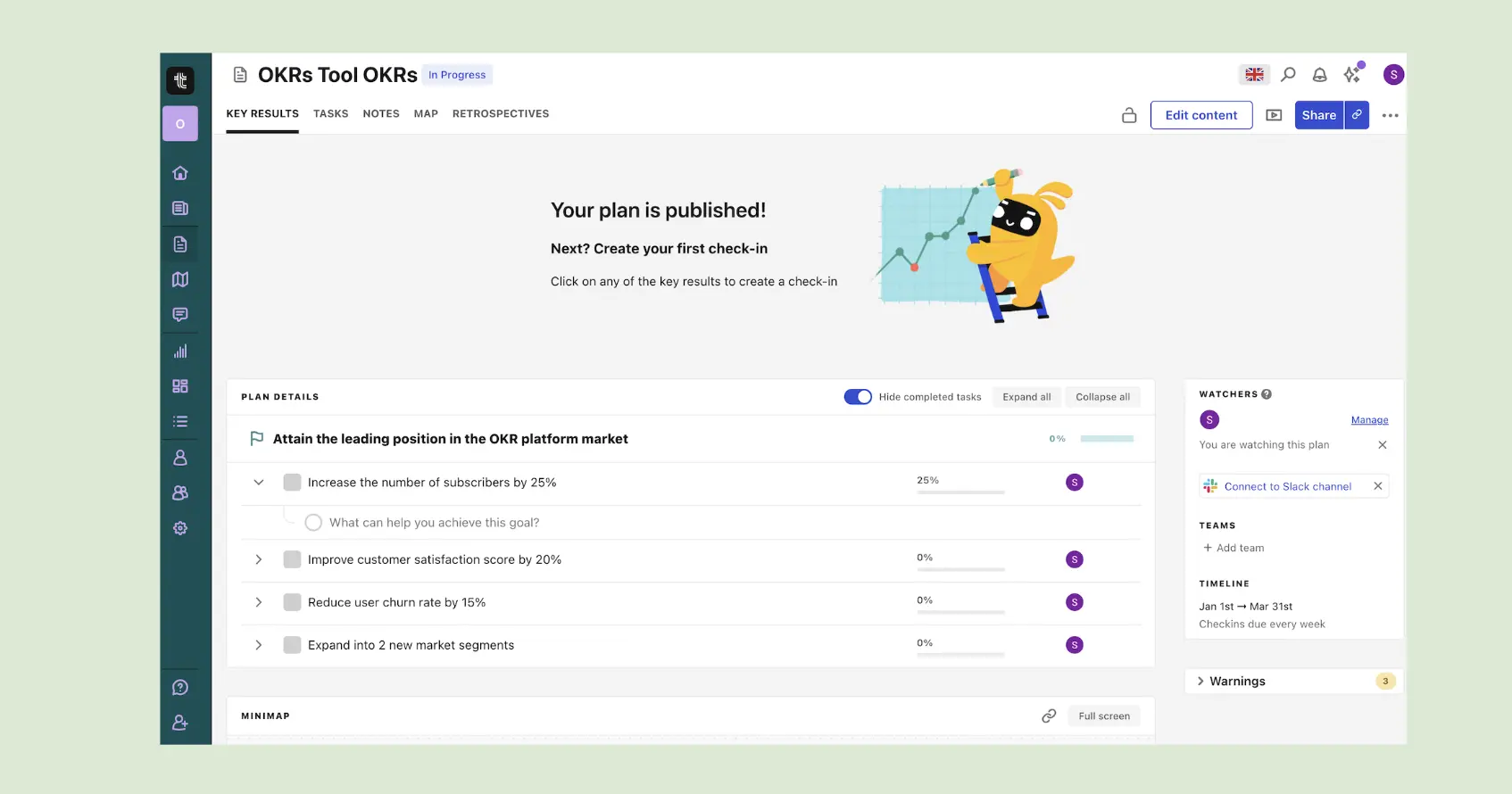
OKRs Tool is OKR software built for the senior operator who needs their team running OKRs this quarter — without IT approval, procurement cycles, or a consultant. Clean interface, smart AI features, flat pricing. Set up in an afternoon. Used by 350+ teams every week across every industry and function.
It's the right fit if you're migrating from spreadsheets, replacing a tool that shut down (like Viva Goals), or implementing OKRs properly for the first time after reading Measure What Matters. Not built for HR-led compliance programmes or annual review cycles — for that, choose something else on this list.

Key Features
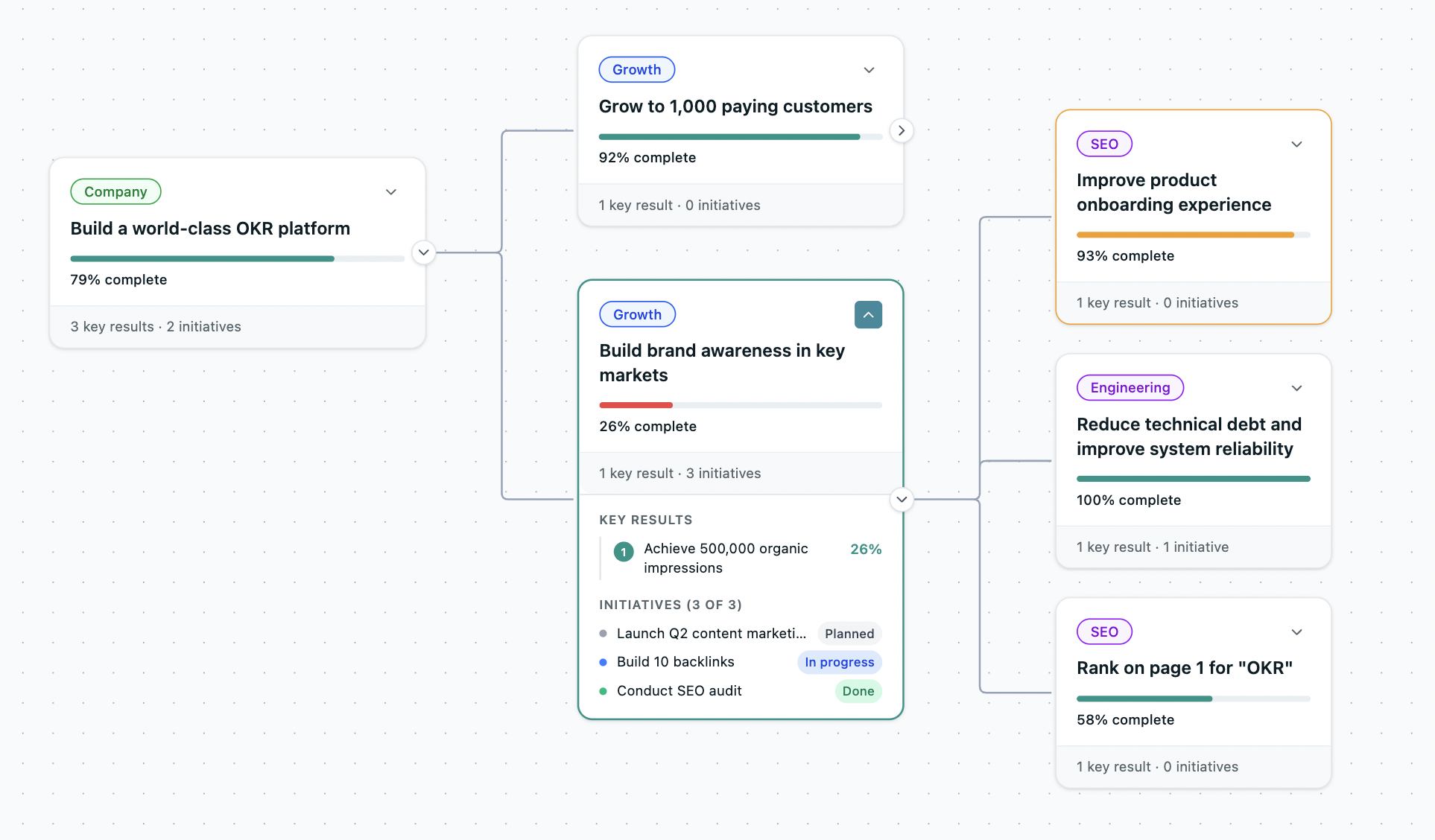
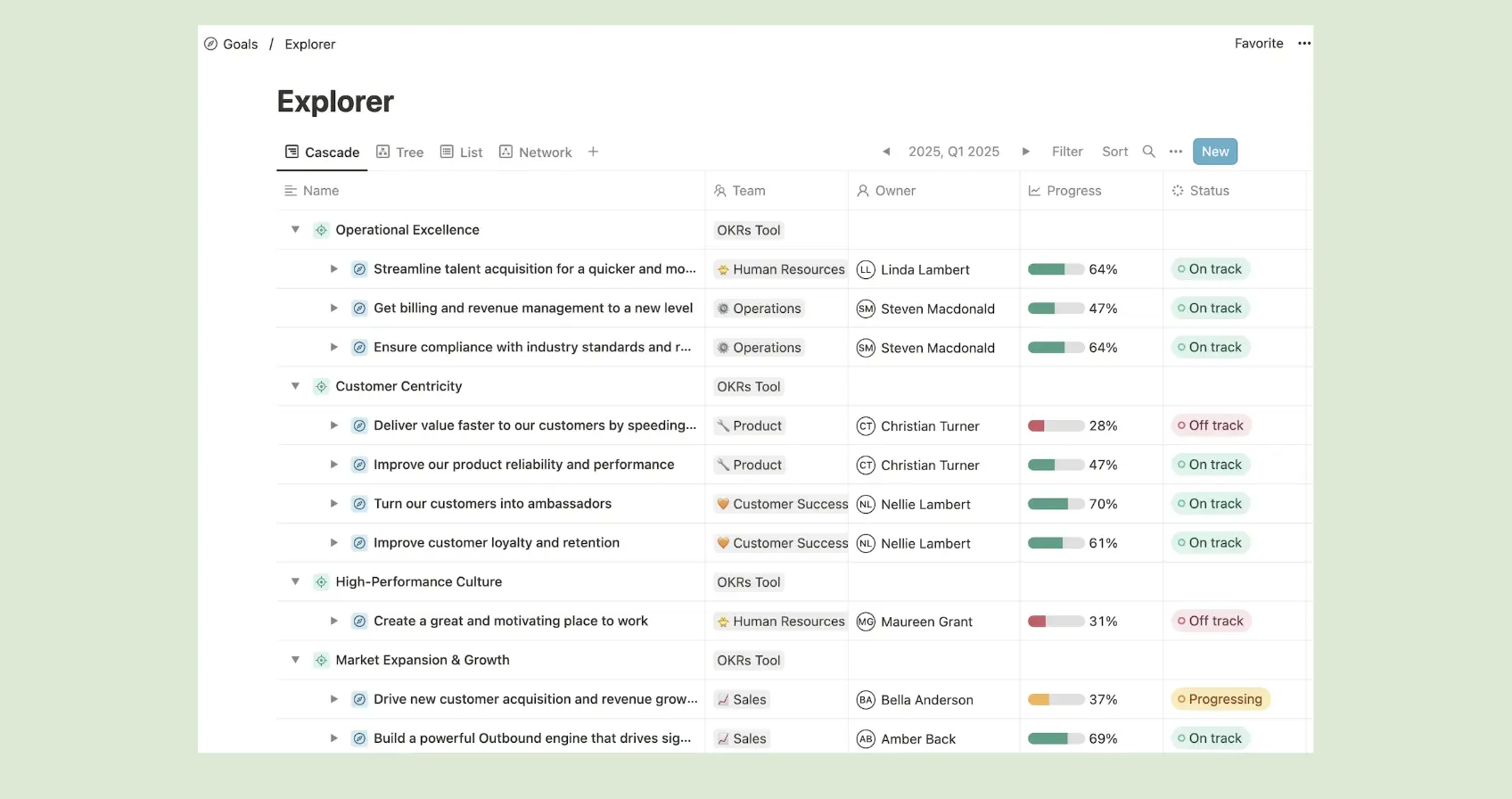
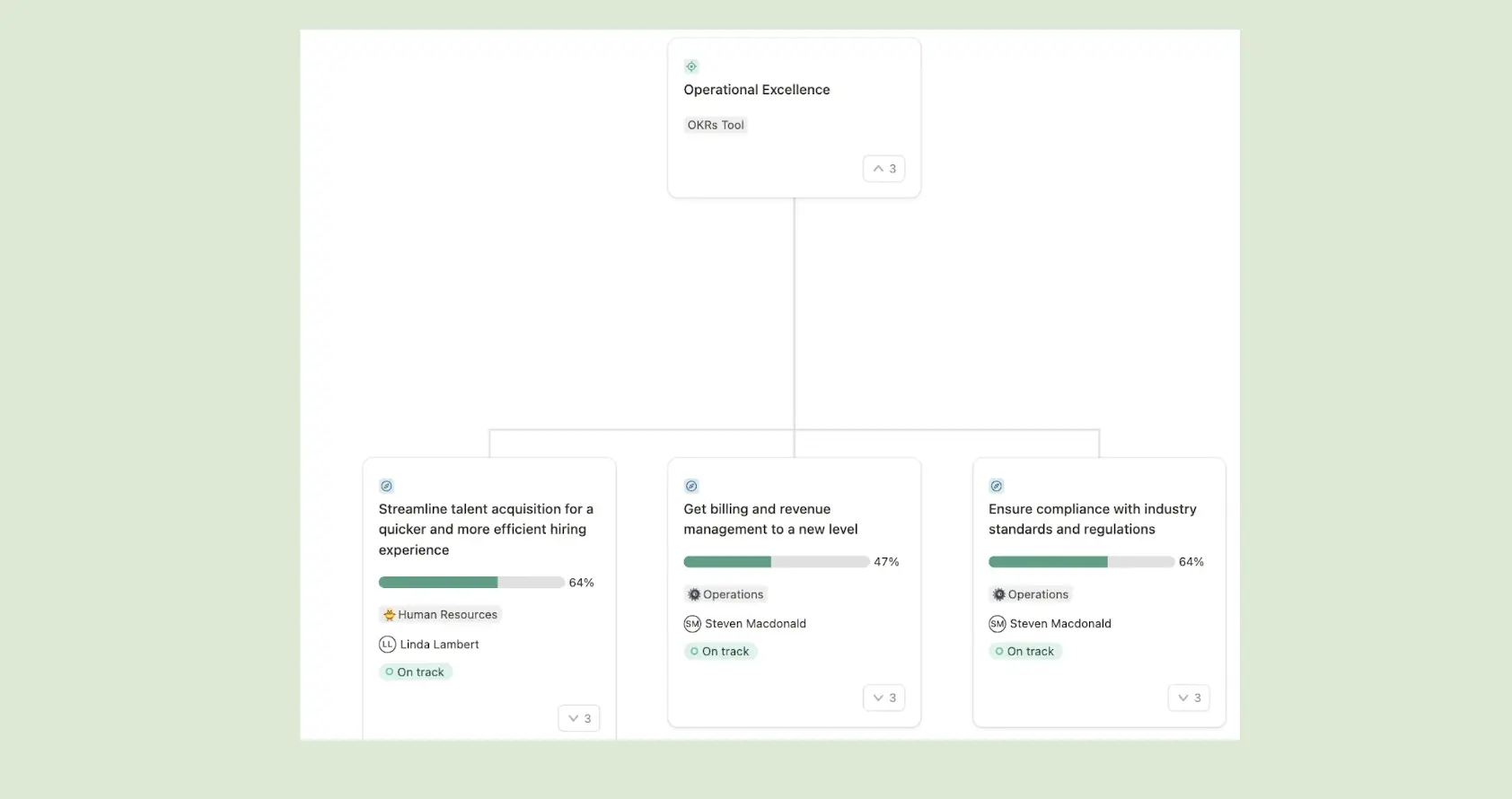
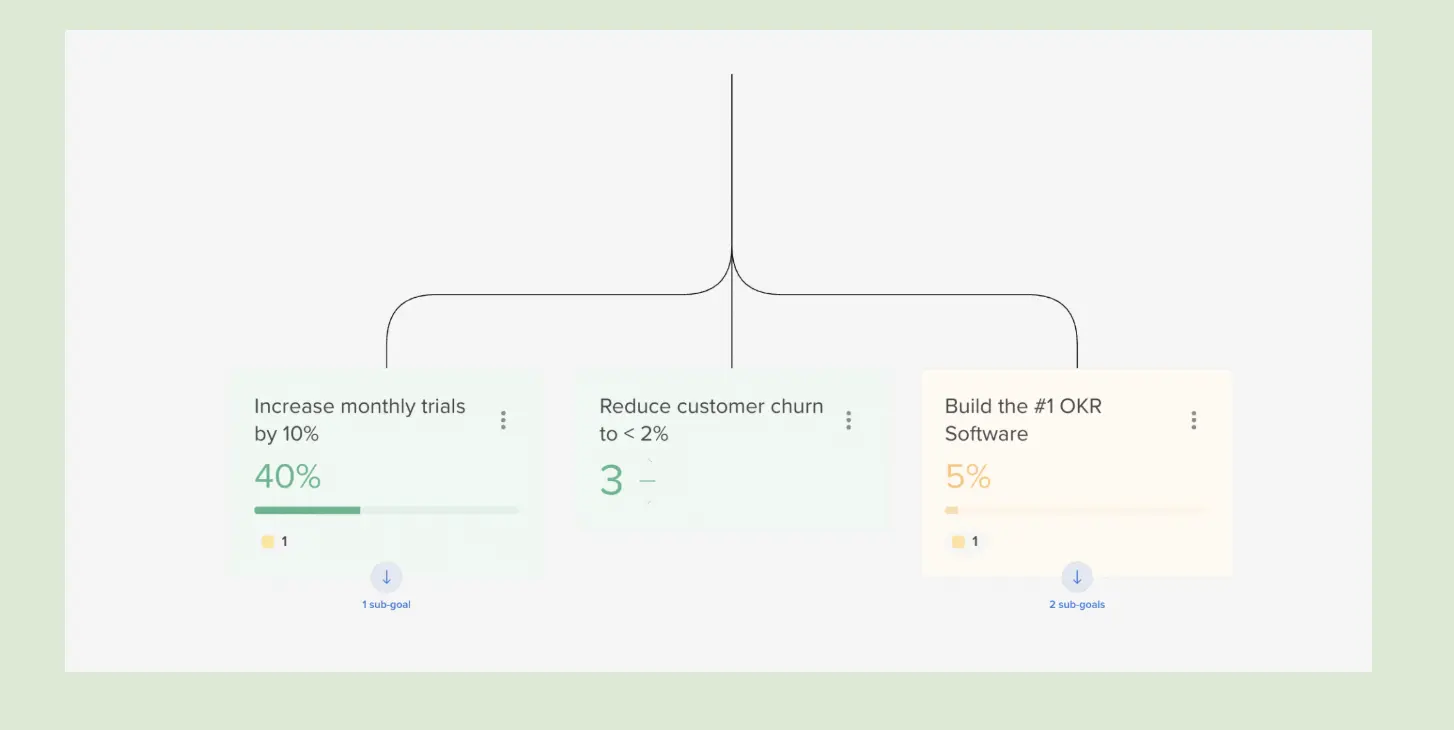
- Org-wide alignment map: A single view of how every team's goals connect to company objectives — centralised visibility of who's doing what and what's at risk, without asking anyone.
- Automated weekly check-ins: Scheduled reminders in Slack and Microsoft Teams, one owner per Key Result, live progress and history — not just a current-status snapshot.
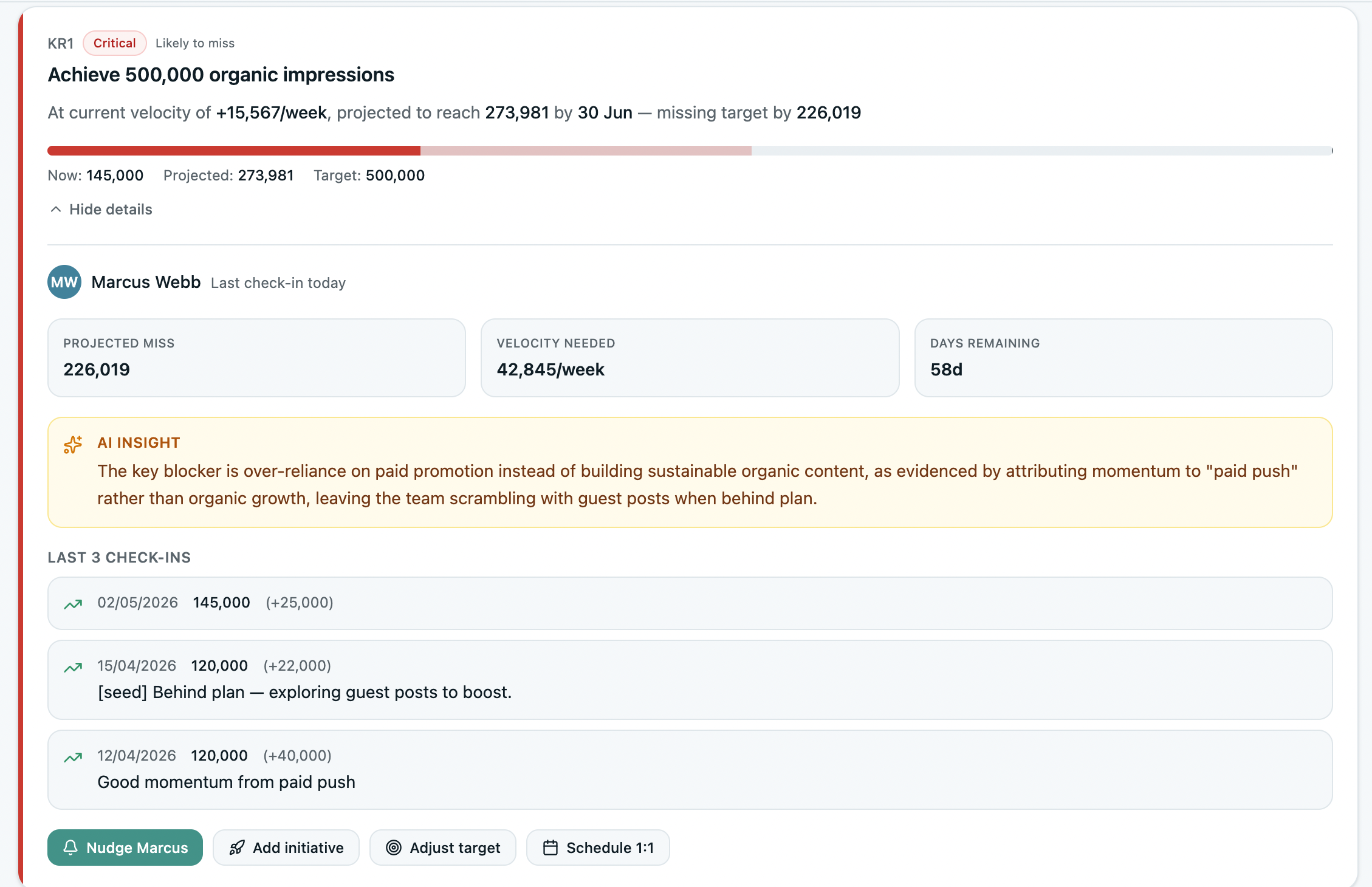
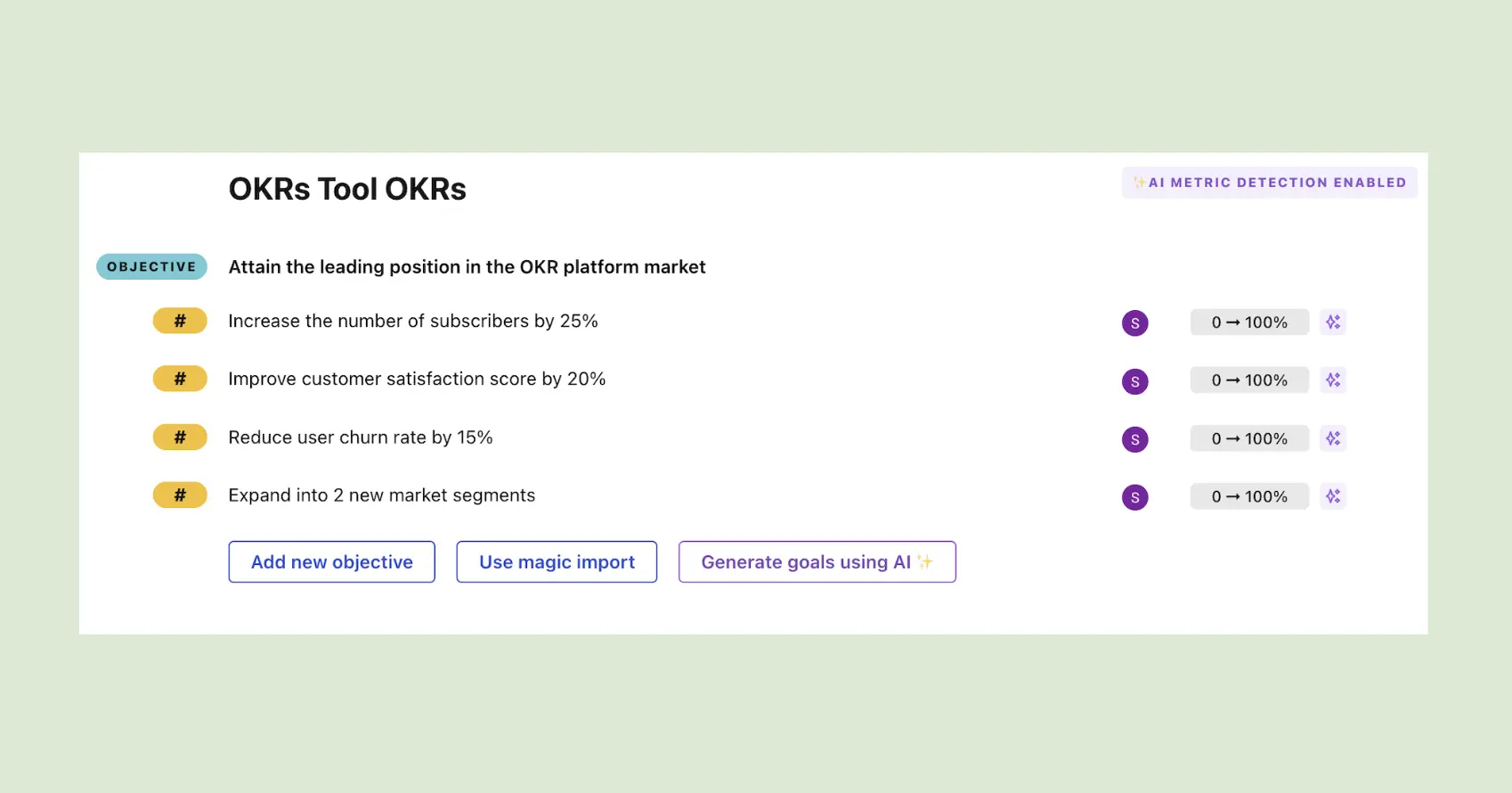
- AI KR analysis: Flags weak Key Results that are really tasks or KPIs, and surfaces at-risk KRs mid-cycle.
- Flat, per-org pricing: One price for the whole company — no per-seat fees as you roll out.
- Set up in an afternoon: No training, no IT, no consultants — import existing OKRs from a spreadsheet in one click
- Full API + Native MCP Server: A REST API and a native MCP server pull your live OKRs straight into Claude, ChatGPT or any AI agent.
- EU Data Residency: Strategy, targets and check-in notes stay in the EU (eu-west-1), GDPR-compliant out of the box.
What the data shows
Organizations using OKRs Tool generate a 1:88 return on investment — more than five times the return of enterprise software and three times the return of spreadsheets. The ROI of OKRs: 2026 Benchmark Report modelled this across three infrastructure approaches. Our Performance Rating Benchmark Report found 66% of HR leaders trust their ratings but only 27% could defend one with goal evidence — because the goal record sits on a different system from the review. Teams that have made the switch agree:
"We used to run OKRs in Confluence. OKRs Tool makes the whole process simpler and more visual — and amazing how the tool keeps evolving. It really helped us achieve our quarterly targets."

What could be better
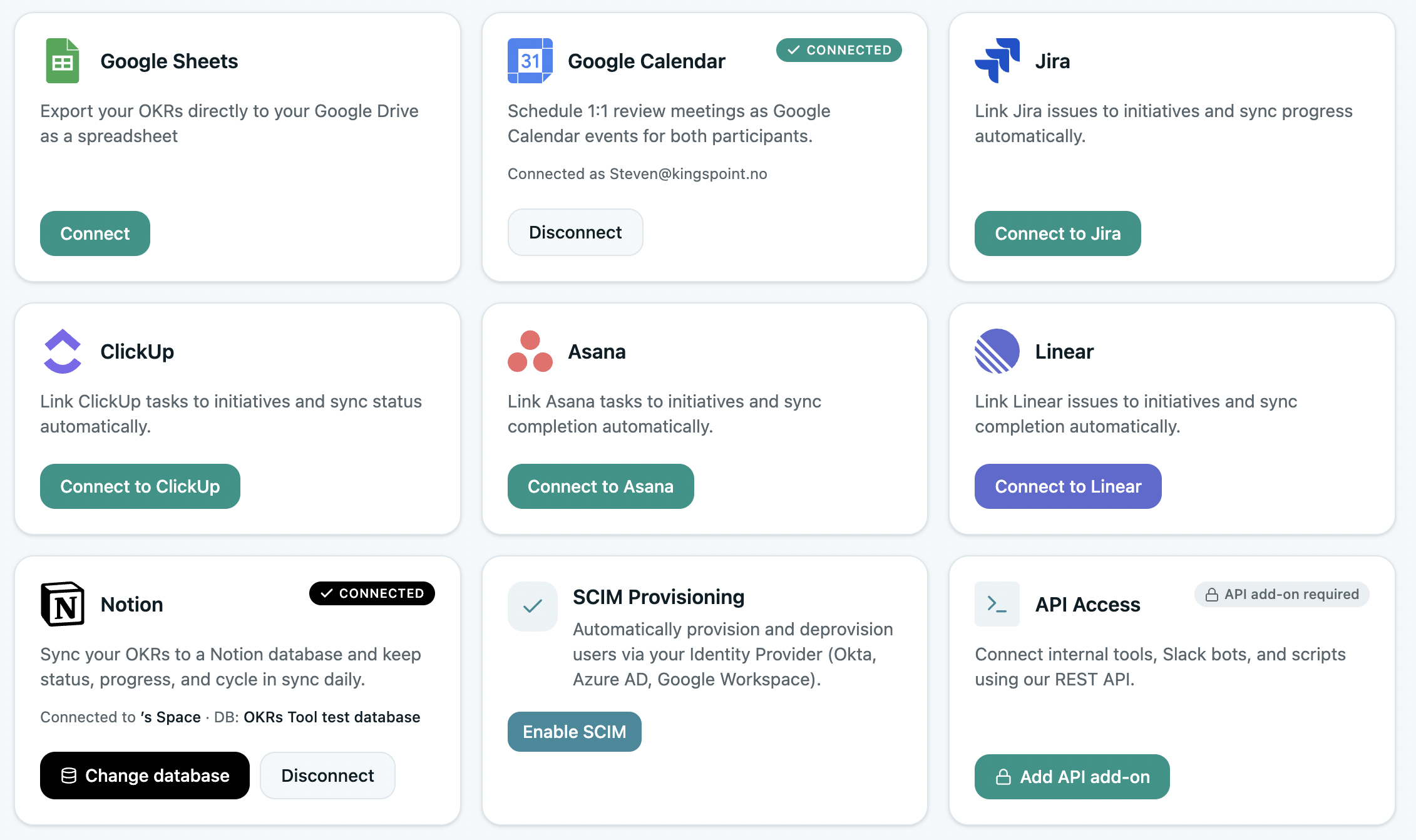
Our integrations are one-way and sync on a 24-hour cycle, not real-time two-way. Progress you log in Jira or Asana lands in OKRs Tool the next day, not the next minute — fine for a weekly cadence, wrong if you need live bidirectional sync. We're also not designed for organizations with complex enterprise requirements. If any of that is a dealbreaker, choose another platform from this list — using OKRs Tool the wrong way only leads to a poorer experience for your team.
Pricing: From $129/month per org for Scale, $229/month for Expand, from $349/month for Enterprise. Flat per org — the same whether you're 10 people or 100. Cancel anytime.
Free trial: Yes. OKRs Tool offers a 14-day free trial. No credit card required.
2. Tability
Tability is a habit-forming OKR and check-in platform built around one outcome: getting teams to update their goals every week without adding meeting overhead. Automated nudges, clean async update flows, and outcome-focused goal structures make it the most frictionless check-in tool in the category. The motto — "OKRs that don't suck" — is accurate.
Best for metrics-driven teams that want to build a consistent weekly check-in rhythm without adding complexity.
Key Features
- Automated Weekly Check-ins: Slack and email nudges fire automatically — no scheduling, no chasing.
- Real-Time Progress Tracking: Live dashboards showing Key Result progress against targets, with trend lines and completion forecasts.
- AI-Assisted Goal Writing: Tability's AI drafts outcome-based Key Results from a short prompt, directly addressing the blank-page problem on first-cycle teams.
What I liked
The user interface is one of the most polished in the category, and onboarding was genuinely smooth — I had a live OKR set up and a check-in running in under 15 minutes. The focus on outcomes over tasks is built into the goal creation flow in a way that nudges teams toward better Key Result writing without lecturing them about it.
What could be improved
Navigation can overwhelm new users — the sidebar, sub-sidebar, and filtering options create cognitive load before the platform becomes familiar. No performance reviews, no strategy mapping, no KPI layer. For teams that need OKRs connected to the broader performance cycle, Tability will require a second tool.
Pricing: From $6 per user per month (Basic, annual; $7 monthly). Premium $12.
Free trial: Yes — 14 days (credit card required).
Recommended reading: Tability vs OKRs Tool.
3. Mooncamp
Mooncamp has earned its place near the top of the market. Clean UI, strong strategy map, and flexible OKR workflows that adapt to how different organizations actually run. The most direct migration path for teams displaced by Microsoft's Viva Goals shutdown in December 2025 — and the team's responsiveness to that audience has been smart and well-executed.
Best for mid-market and enterprise organizations that want strong alignment visibility and a modern interface.
Key Features
- Strategy Map: A visual cascade showing how company OKRs connect to department and team goals — one of the clearest alignment views in the category.
- Visual OKR Modeling: Drag-and-drop OKR creation with flexible hierarchy, customizable to how your organization structures goals.
- Progress Tracking: Live status updates across all active OKRs with check-in reminders via Slack and Teams.
What I liked
The strategy map is the standout feature. It gives you a clear view of how every team's OKRs connect to company priorities without feeling overwhelming. The interface is genuinely modern — faster and cleaner than most competitors, and the kind of tool people actually want to open on Monday morning. No AI yet, but the team has committed to shipping it only when it genuinely improves workflows — a principled position.
What could be improved
The sign-up dashboard is cluttered and doesn't create a great first impression — sample data is pre-filled before you've set up anything, which is confusing rather than helpful. Per-user pricing adds up quickly at scale; a 50-person team pays around €300/month.
Pricing: From €7 per user per month (Essential) or €10 (Professional), billed annually, minimum 5 users.
Free trial: Yes — 14 days, no credit card required.
(Quick read: How Mooncamp compares to OKRs Tool).
4. Teamflect
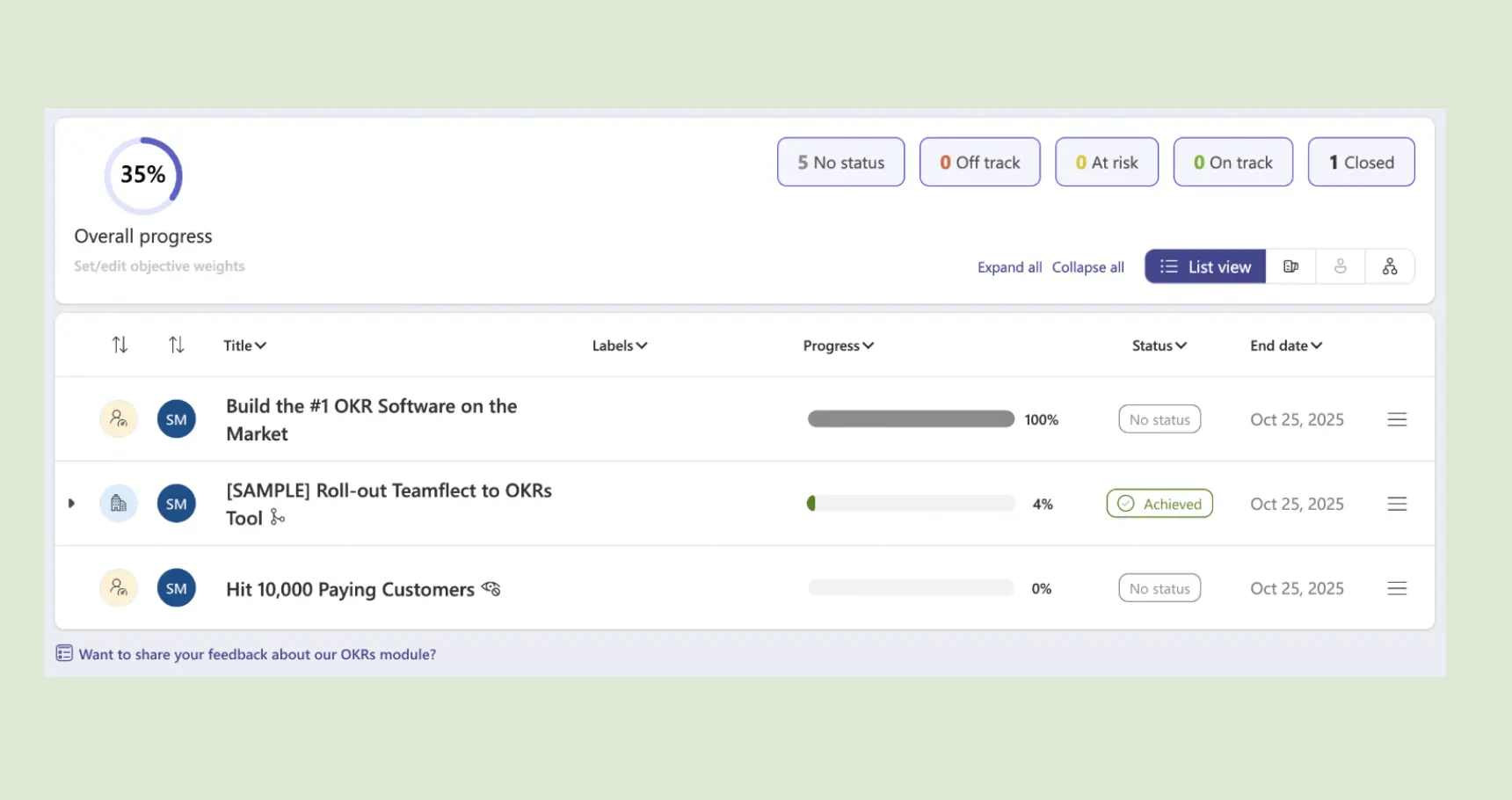
Teamflect is purpose-built for Microsoft 365 — the strongest OKR and performance platform for organizations that need goals, reviews, 1:1s, and feedback to live inside the Teams interface rather than alongside it. If your organization already lives in Microsoft 365, Teamflect removes the friction of adding a new platform entirely.
Best for enterprise organizations on Microsoft 365 that want OKRs and performance management inside Teams.
Key Features
- Microsoft Teams Native: OKRs, feedback, performance reviews, and recognition all run inside Teams — no separate login or context switching.
- 360° Feedback and Reviews: Full performance review cycle with peer feedback, manager ratings, and goal delivery data in one view.
- OKR Visibility Filters: Toggle between private and public goal visibility, with status filters showing what's on-track, behind, or at risk at a glance.
What I liked
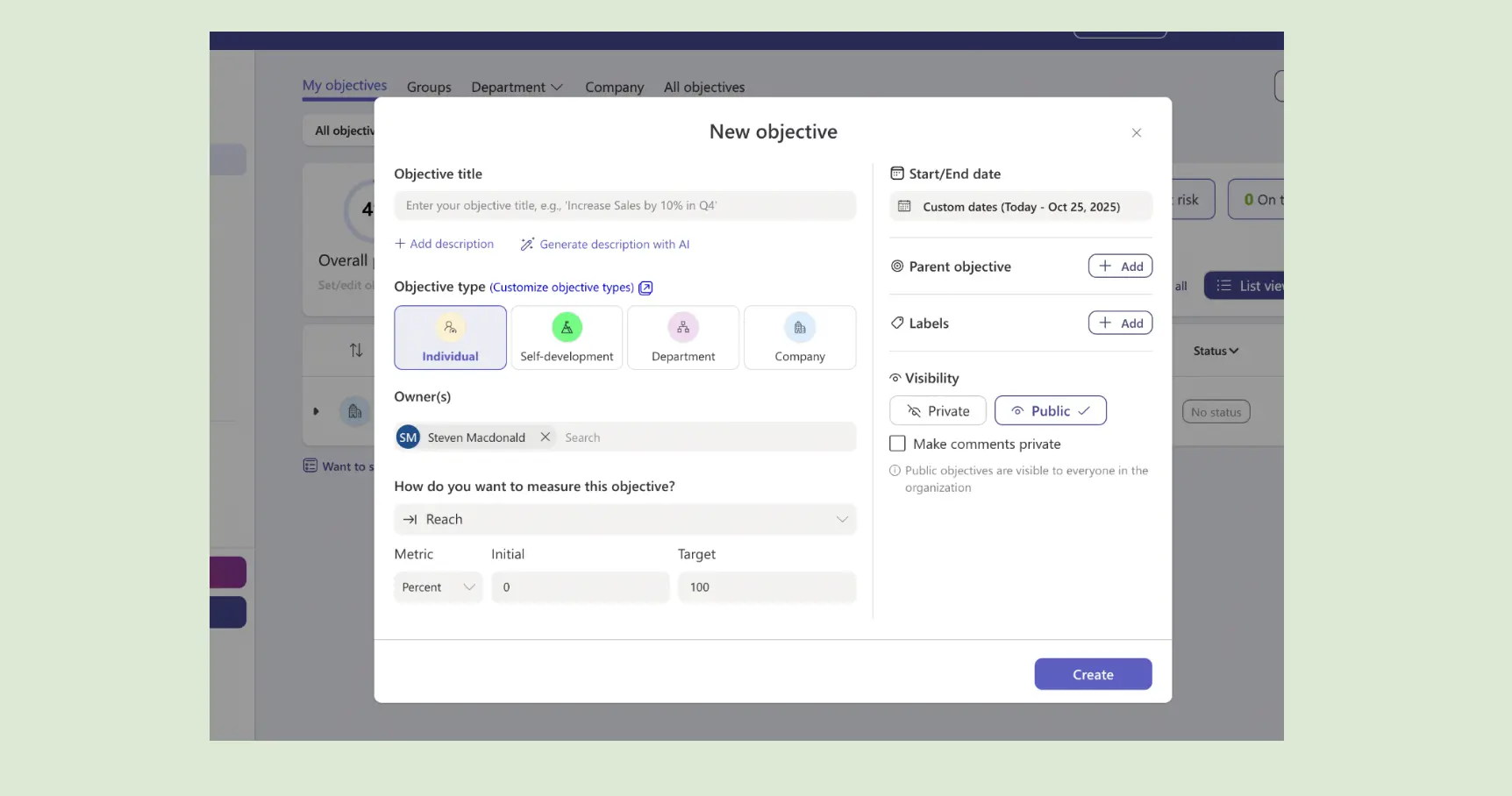
The Microsoft integration is world-class — no other platform comes close. The ability to toggle OKR visibility between private and public during creation is a smart touch, especially for sensitive or in-progress goals. Status filters that instantly show which OKRs are on-track, behind, or at risk are genuinely useful for managers who want a quick snapshot.
What could be improved
The progress update flow felt clunky — the pop-up is cluttered and could be simplified. Setting up cycle timeframes wasn't intuitive; I had to set custom dates manually rather than choosing from standard quarter options. Small UX friction, but noticeable on first use.
Pricing: Free for up to 10 users. Essential from $7/user/month (annual; $9 monthly); Professional $11/user/month (annual).
Free trial: Yes — new accounts start on a 30-day Professional trial, plus a free plan for teams up to 10.
5. Weekdone
Weekdone combines OKRs with structured weekly planning in a single dashboard — team members set weekly priorities and update OKR progress in the same flow. One of the longest-standing OKR platforms on the market, and still one of the most reliable for teams that want weekly reporting built into the rhythm rather than bolted on.

Best for execution-focused teams that want weekly planning and OKR tracking in one view.
Key Features
- Weekly Planning Integration: Team members plan weekly priorities and update OKR progress in the same dashboard — no context switching.
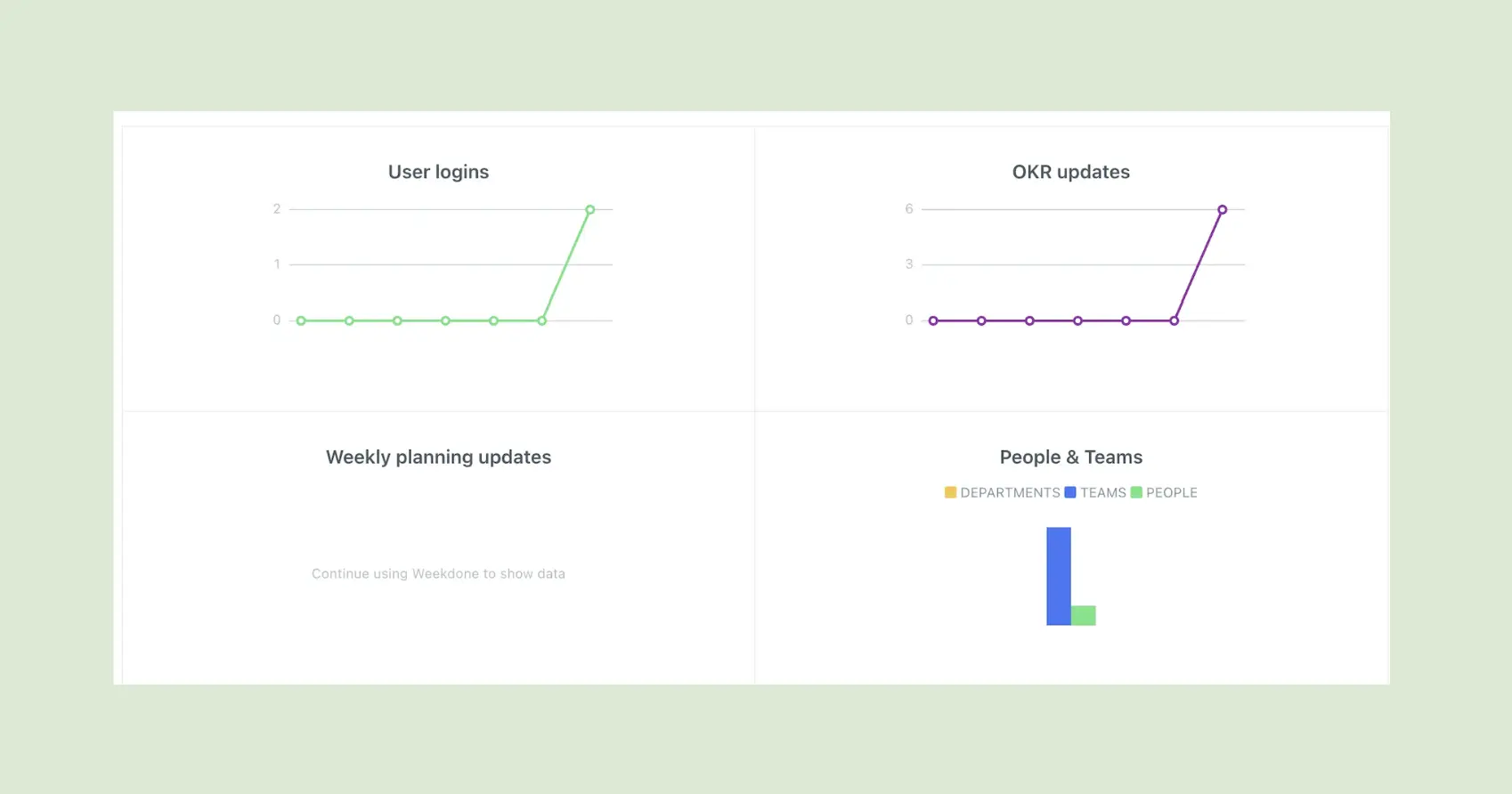
- Statistics View: Live engagement data showing user logins, OKR updates, and goals that need attention — useful for team leads managing check-in compliance.
- Progress Visualization: Clear visual indicators for Key Result progress, with team-level and org-level rollup views.
What I liked
The statistics view is a useful feature — seeing at a glance which team members are engaging with OKRs and which goals haven't been updated recently is the kind of accountability signal that most platforms don't surface. The weekly planning layer, connecting daily priorities to quarterly goals, is a real structural differentiator.
What could be improved
Navigation gets cluttered past the clean onboarding. The interface hasn't been updated in more than two years — and feels dated. Per-user pricing at $10/month compounds quickly past 20 people, which limits the tool's practicality for growing teams.
Pricing: Free for up to 3 users. Volume packages from roughly $7/user/month (yearly); a 10-user package is about $90/month yearly.
Free trial: Yes.
(Read: Explore our in-depth comparison of OKRs Tool vs. Weekdone here).
6. Perdoo
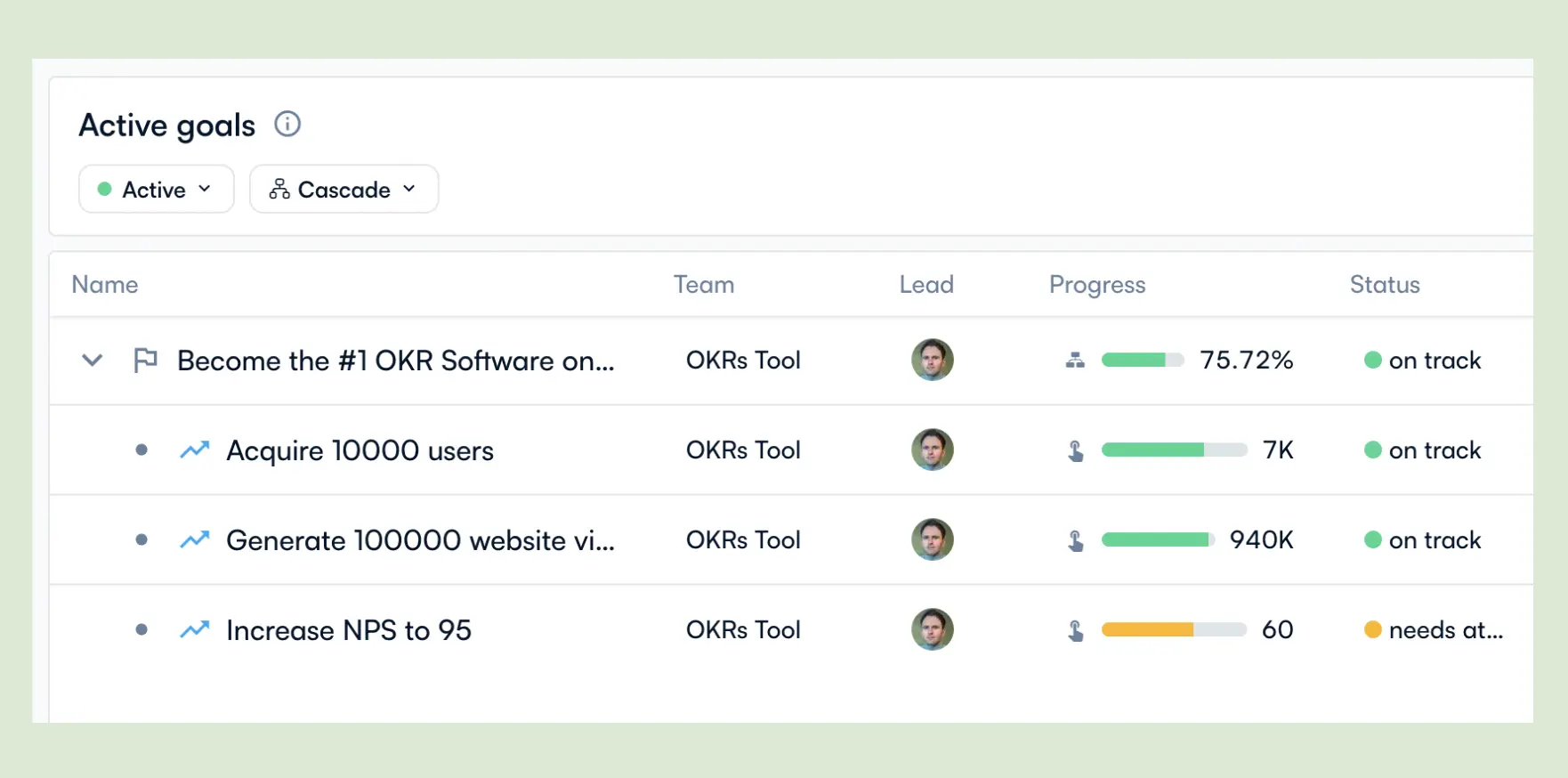
Perdoo connects company OKRs, team Key Results, and KPIs in a single strategic framework — with initiative tracking and a strategy roadmap layer alongside the standard OKR structure. For organizations that need the link between quarterly execution and multi-year strategy to be explicit and visual, Perdoo provides more depth than most OKR-only platforms.
Best for strategy-heavy organizations (mid-market) that need OKRs and KPIs tracked in one framework.
Key Features
- Strategy Map: A visual cascade from company vision through OKRs to KPIs — showing how strategic direction translates to measurable outcomes.
- OKR and KPI Integration: Track health metrics and outcome metrics in the same workspace, with initiative tracking connecting work to results.
- Progress Tracking: Real-time OKR updates with check-in reminders and progress trend visualization.
What I liked
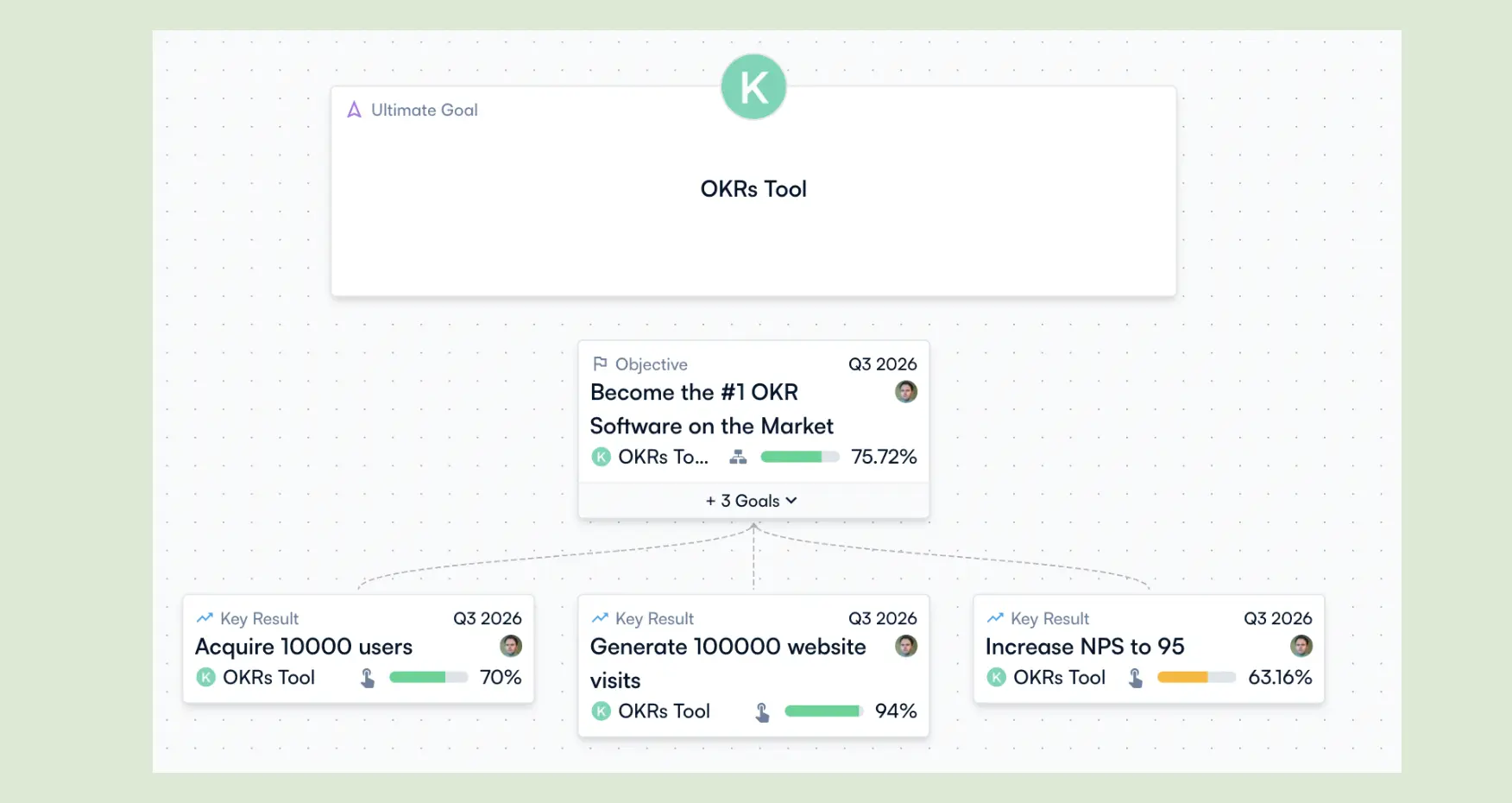
Perdoo recently rolled out V3 — and it's a meaningful update. You can now use AI to draft OKRs and connect to their MCP server, which puts them ahead of most platforms on that front. The alignment view remains one of the best on the market: a clear visual hierarchy from company vision through OKRs to KPIs that distributed teams will find genuinely useful.
What could be improved
The product still feels overwhelming — there's a lot to digest on every screen and more clicks than there should be. Creating a single OKR with three key results requires four separate actions: one for the objective, one for each KR. That should be one screen, not four. For a platform pitching itself on strategic clarity, the UX doesn't always reflect it.
Pricing: Free for up to 5 users (with Strategy Maps and Slack/Teams). Premium from €6.40, Supreme from €8.00 per user per month at scale (billed annually); minimum 5 paid licenses.
Free trial: Yes — free tier.
Read our full breakdown to see how Perdoo stacks up against OKRs Tool.
7. Synergita
Synergita is an OKR and performance management platform that connects goal-setting with continuous feedback, recognition, and performance reviews. For organizations building a performance culture alongside OKRs — and wanting both in one platform without enterprise-level cost — Synergita covers more ground than pure OKR tools.
Best for HR-led organizations (mid-market) that want OKRs connected to performance reviews and continuous feedback.
Key Features
- OKR and Performance Integration: Goal tracking and performance reviews in one platform — KR completion rates feeding directly into review cycles.
- Continuous Feedback: Structured feedback loops between managers and team members, outside of formal review cycles.
- Recognition Tools: Built-in recognition and engagement features alongside goal tracking.
What I liked
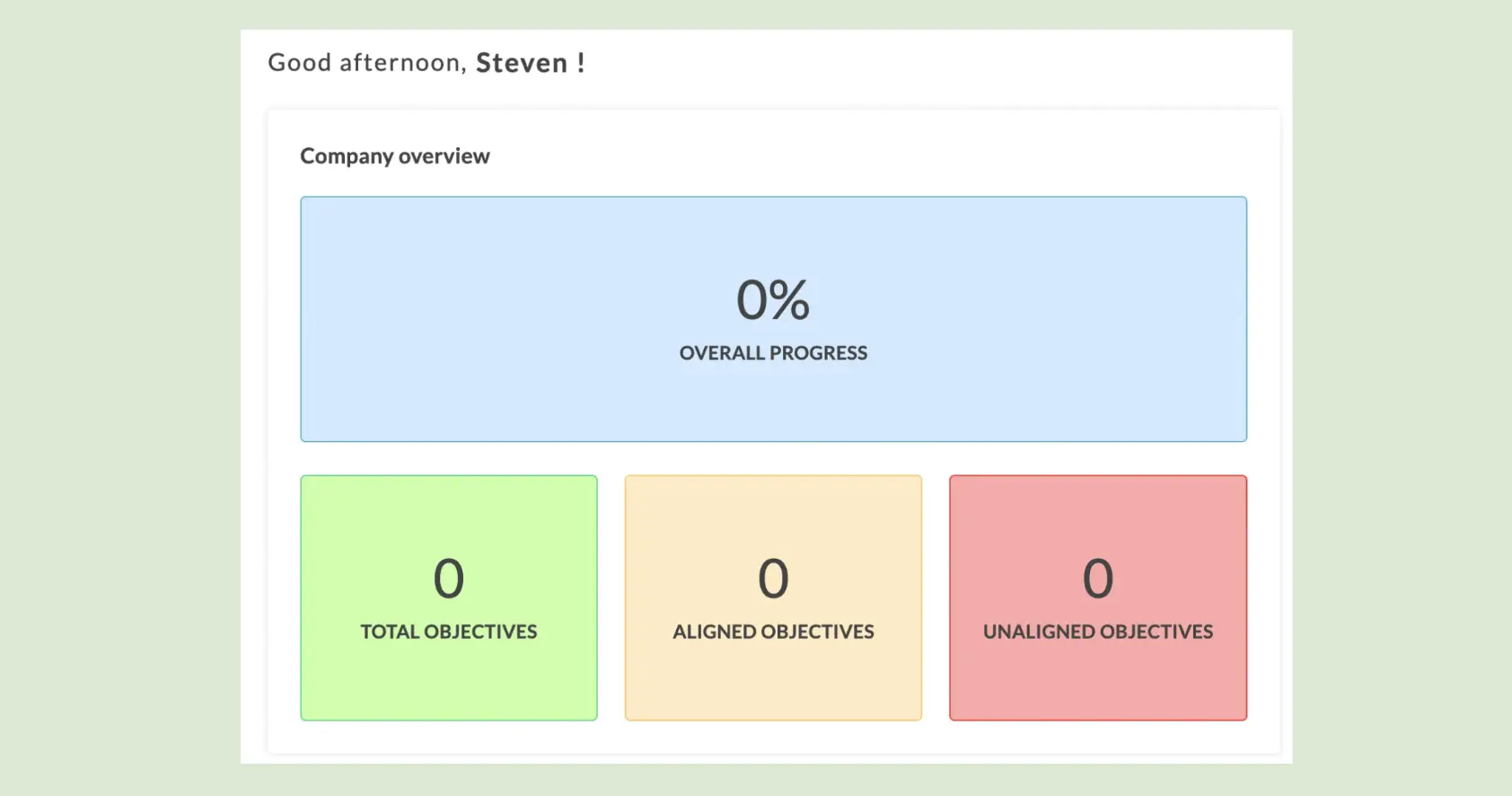
The breadth at the price point is genuinely impressive — OKRs, performance reviews, and continuous feedback in one platform without the enterprise price tag. Onboarding was straightforward and the interface doesn't overwhelm, which matters for organizations without a dedicated People Ops lead.
What could be improved
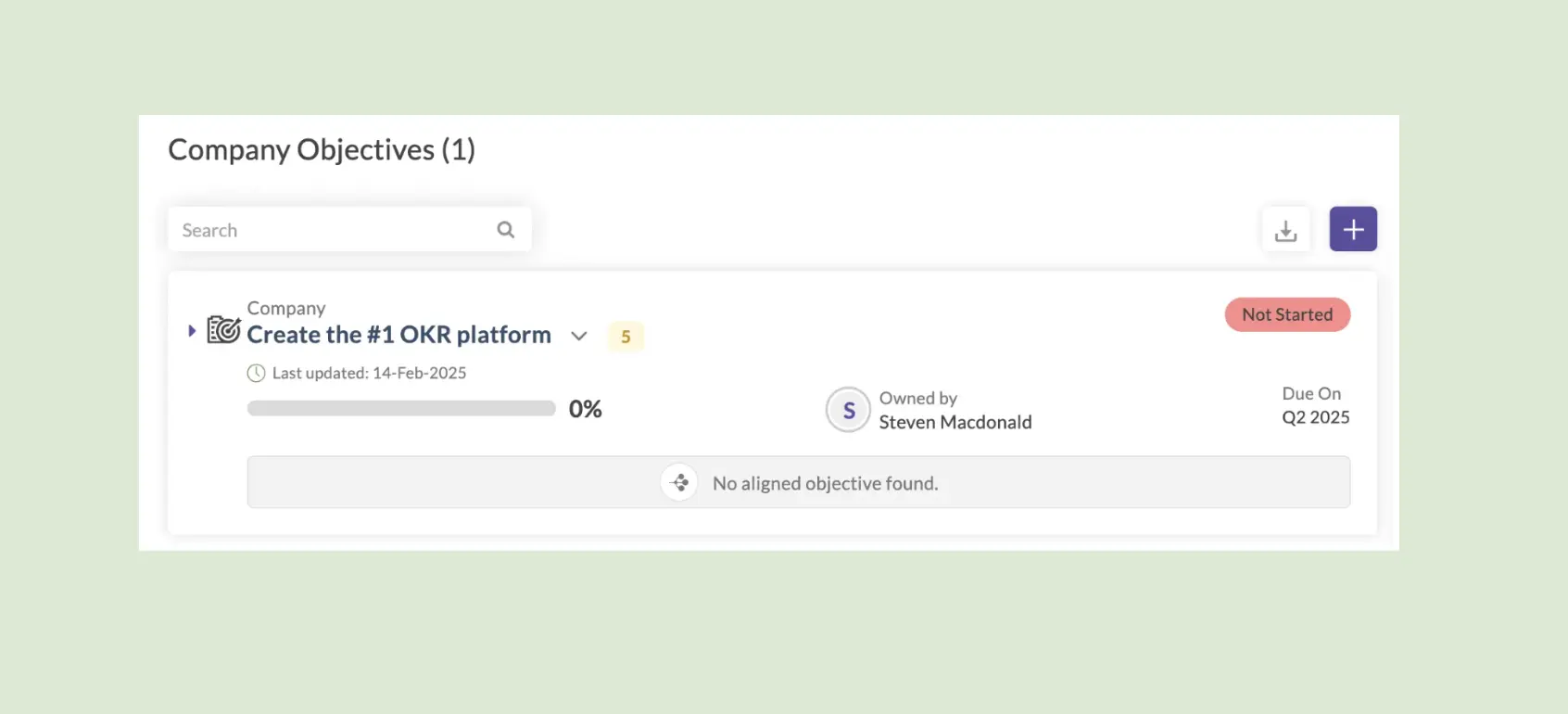
OKR progress tracking feels clunky in places — updating Key Results isn't as smooth as purpose-built OKR platforms. The tool leans more HR than execution, which suits some organizations but not those where OKR execution is the primary need.
Pricing: Free for 1 company OKR. From $3 per user per month for OKR Lite (billed annually).
Free trial: Yes — free tier.
8. SugarOKR
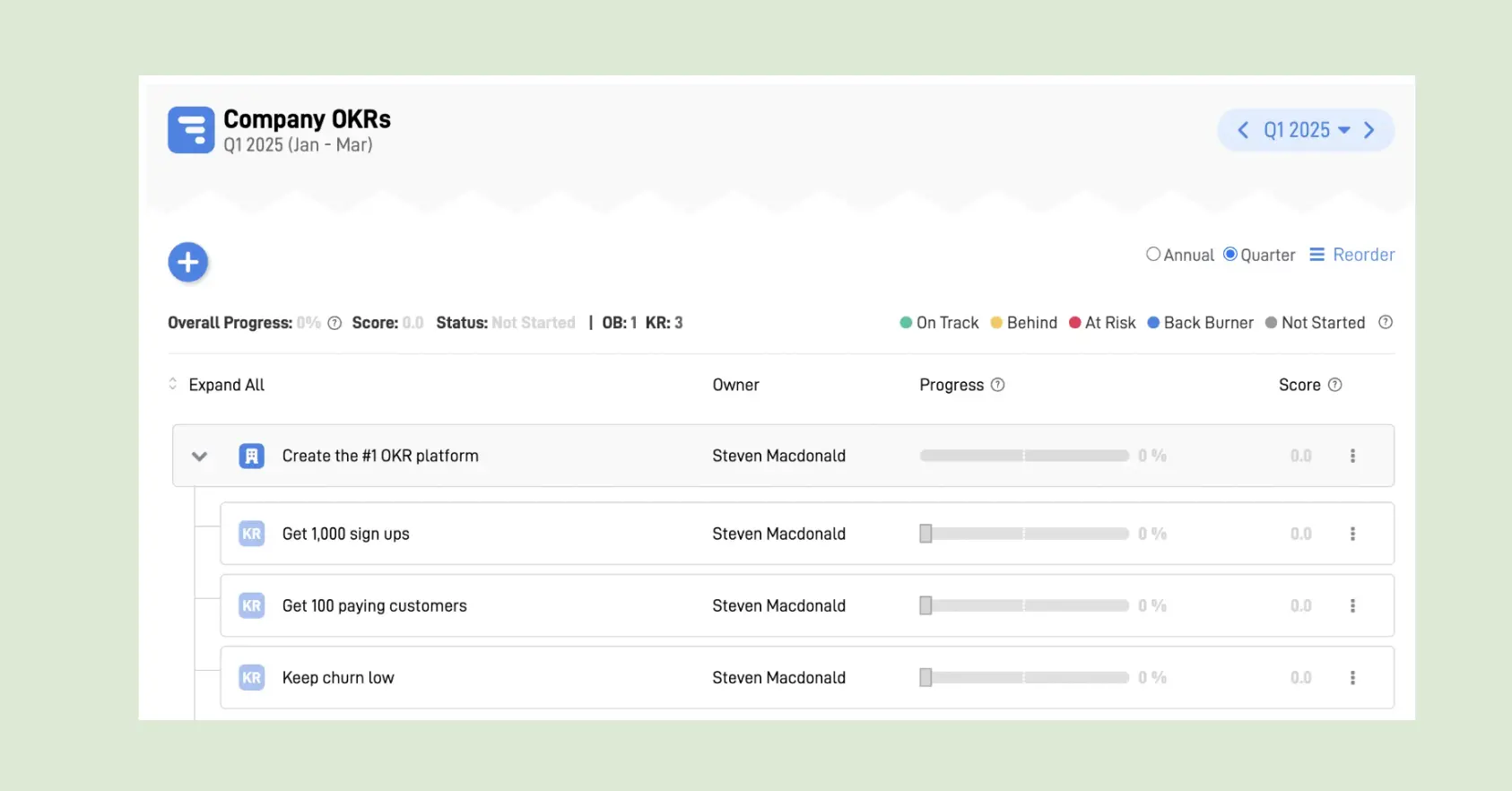
SugarOKR is a lightweight OKR tracker built for teams that want the simplest possible setup. No dashboards, no AI, no complex workflows — just a fast, frictionless way to set goals and track progress. For very small teams testing the OKR framework for the first time, SugarOKR removes every barrier to getting started.
Best for small teams (under 20 people) wanting lightweight OKR tracking with the lowest possible setup friction.
Key Features
- Simple OKR Creation: Fast, structured goal-setting with company, team, and individual levels.
- Progress Tracking: Clean progress indicators without the visual complexity of larger platforms.
- Free Plan: Genuinely functional free tier — not a crippled trial — for small teams evaluating the framework.
What I liked
The frictionlessness. No training required, no onboarding sessions to sit through — sign up and have goals live within minutes. The lowest barrier to entry on this list, which matters when the goal is getting a skeptical team to try OKRs for the first time.

What could be improved
The free plan is limited, and advanced features require a paid plan that isn't transparently priced — you need to request a quote, which adds friction for teams evaluating on budget. There's no automated check-in nudge, which means the weekly habit depends on discipline rather than infrastructure.
Pricing: Free, unlimited users. Paid (Professional) on request.
Free trial: Yes — free plan.
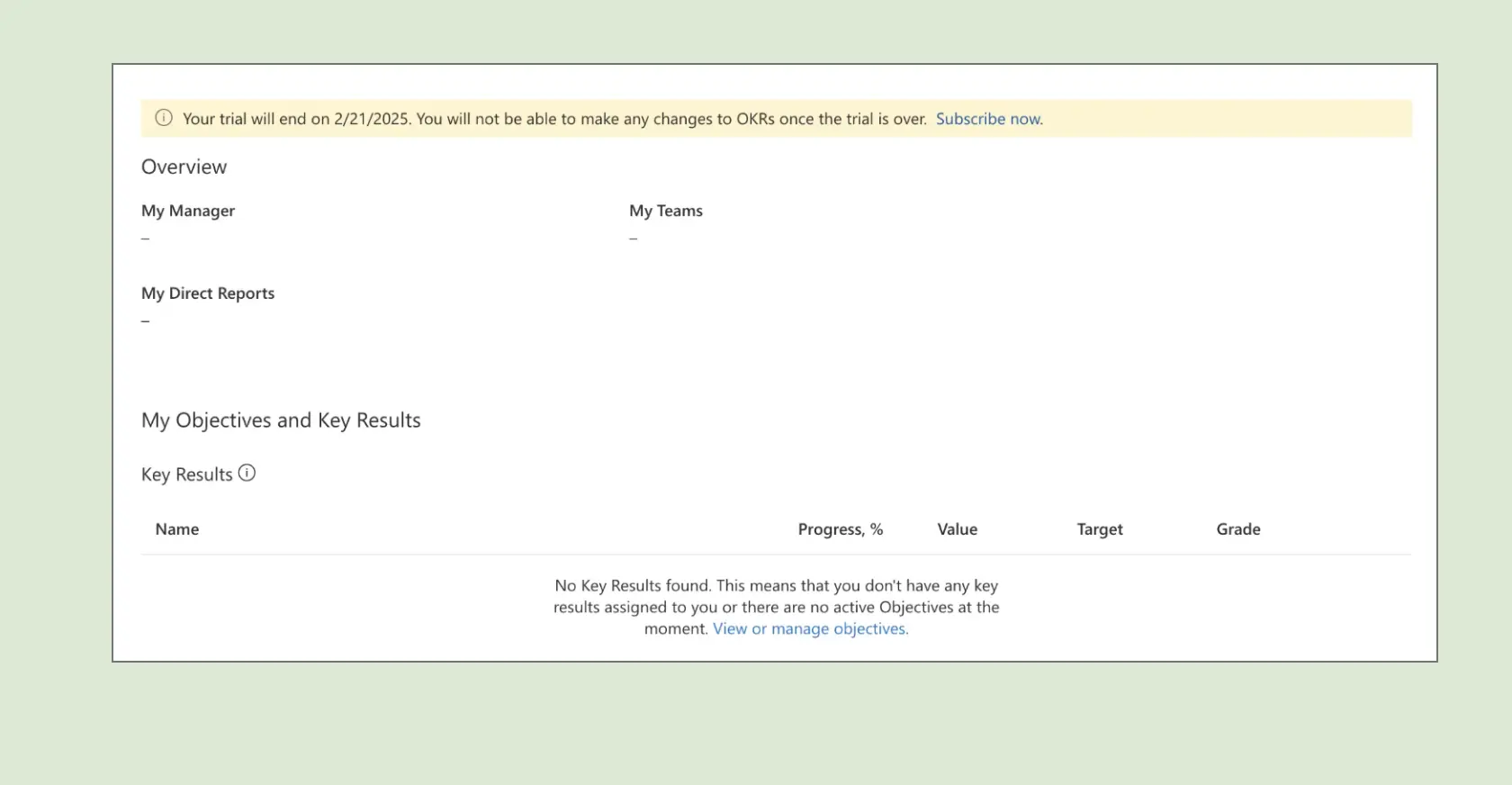
9. SimpleOKR
SimpleOKR does exactly what the name suggests. Minimalist by design, with a flat $49.99/month rate for unlimited users and zero configuration overhead. For teams that find the feature depth of most OKR platforms more than they need, SimpleOKR removes every variable and delivers one thing cleanly: a place to set and track goals at a predictable cost.
Best for small leadership teams that want flat pricing, minimal setup, and no feature overhead.
Key Features
- Flat-Rate Pricing: Unlimited users at $49.99/month — no per-user growth tax, no seat minimums.
- Simple OKR Structure: Company, department, and team OKRs in a clean, navigable hierarchy.
- Progress Tracking: Straightforward progress indicators without dashboards or analytics complexity.
What I liked
The pricing model is genuinely differentiated. Unlimited users at a flat rate means the cost doesn't change as the team grows — a meaningful structural advantage over per-user tools that become budget line items at 40 people. Setup was fast and the interface requires no training.
What could be improved
The interface feels dated, and there's limited reporting or integration support. No AI features, no automated check-in nudges, no alignment map. Not the right tool if any of those features matter — but for teams that specifically want the minimum viable OKR system at a predictable cost, those limitations are by design.
Pricing: $49.99 per month flat fee (unlimited users).
Free trial: No.
10. Oboard.io
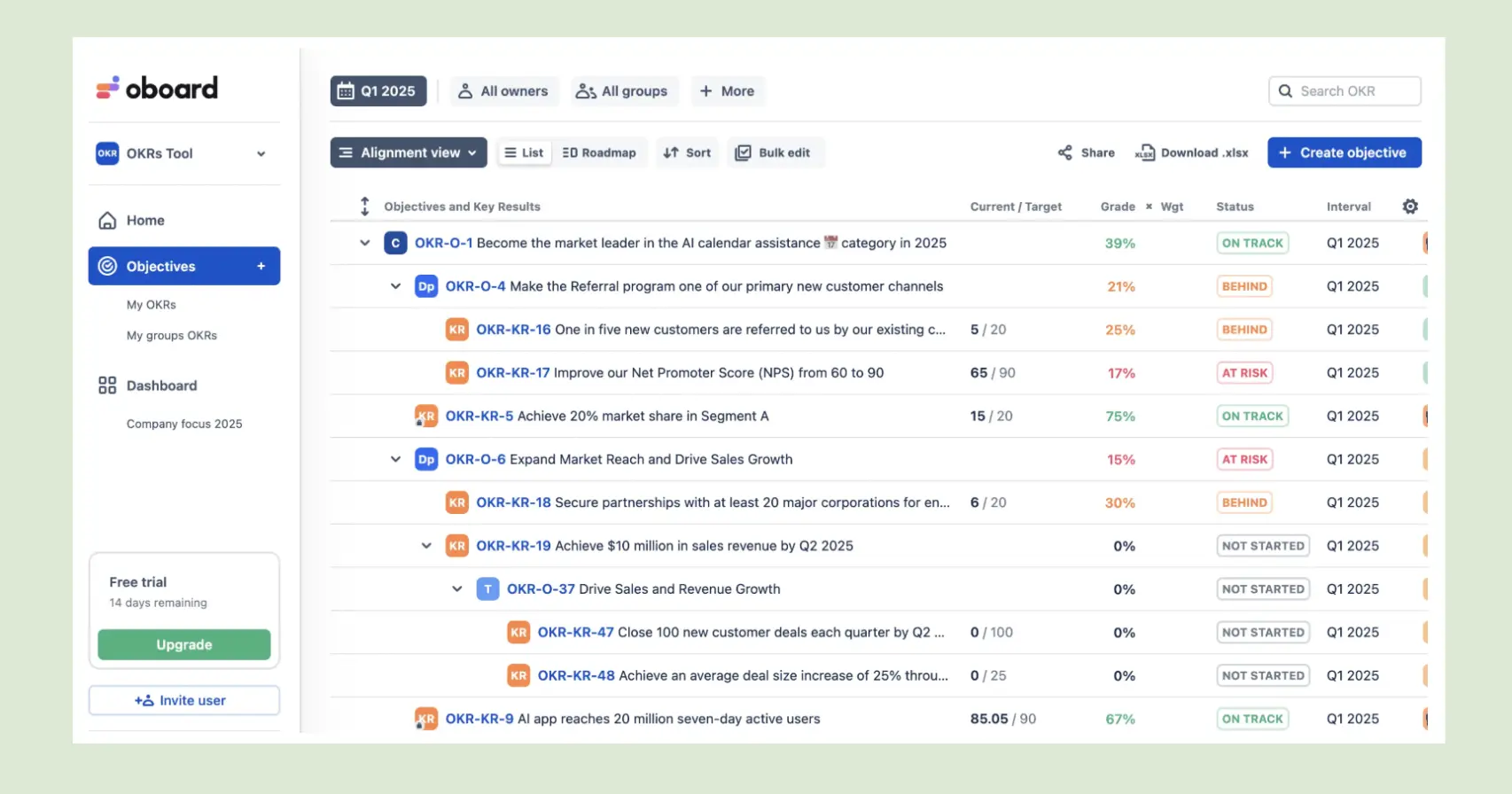
Oboard is a visual OKR platform built for teams that want their goal dashboards to be genuinely engaging — not just functional. Strong visual design, real-time progress tracking, and a clean interface that makes OKR status visible without requiring navigation through nested menus. Best deployed with Jira — the integration is the platform's deepest strength.
Best for product and engineering teams already using Jira that want OKRs in the same ecosystem.
Key Features
- Jira Integration: Two-way sync between Jira tickets and OKR Key Results — progress updates automatically as Jira work moves.
- Visual Dashboards: Clean, high-contrast OKR status views that work well in team-facing displays and leadership reviews.
- Real-Time Progress: Live status updates with colour-coded health indicators across all active OKRs.
What I liked
The Jira integration is the best in this category — teams that already live in Jira can connect OKR progress to sprint work directly, which closes the gap between strategic goals and daily execution without adding a manual update step. The dashboard design is genuinely more engaging than most competitors.

What could be improved
Visual complexity can tip into clutter — the density of information on some views makes it harder to focus on what actually needs attention. Less suited for non-technical teams that don't use Jira, where the platform's primary differentiator disappears.
Pricing: Professional is $10/user/month or $98/user/year (Essential cheaper; annual saves ~18%). At ~100 users, annual tier pricing runs about $3,300/year (Essential) to $5,400/year (Professional). A lower-cost Jira/Confluence add-on is billed separately. 14-day trial.
Free trial: Yes — free tier available.
11. Cascade
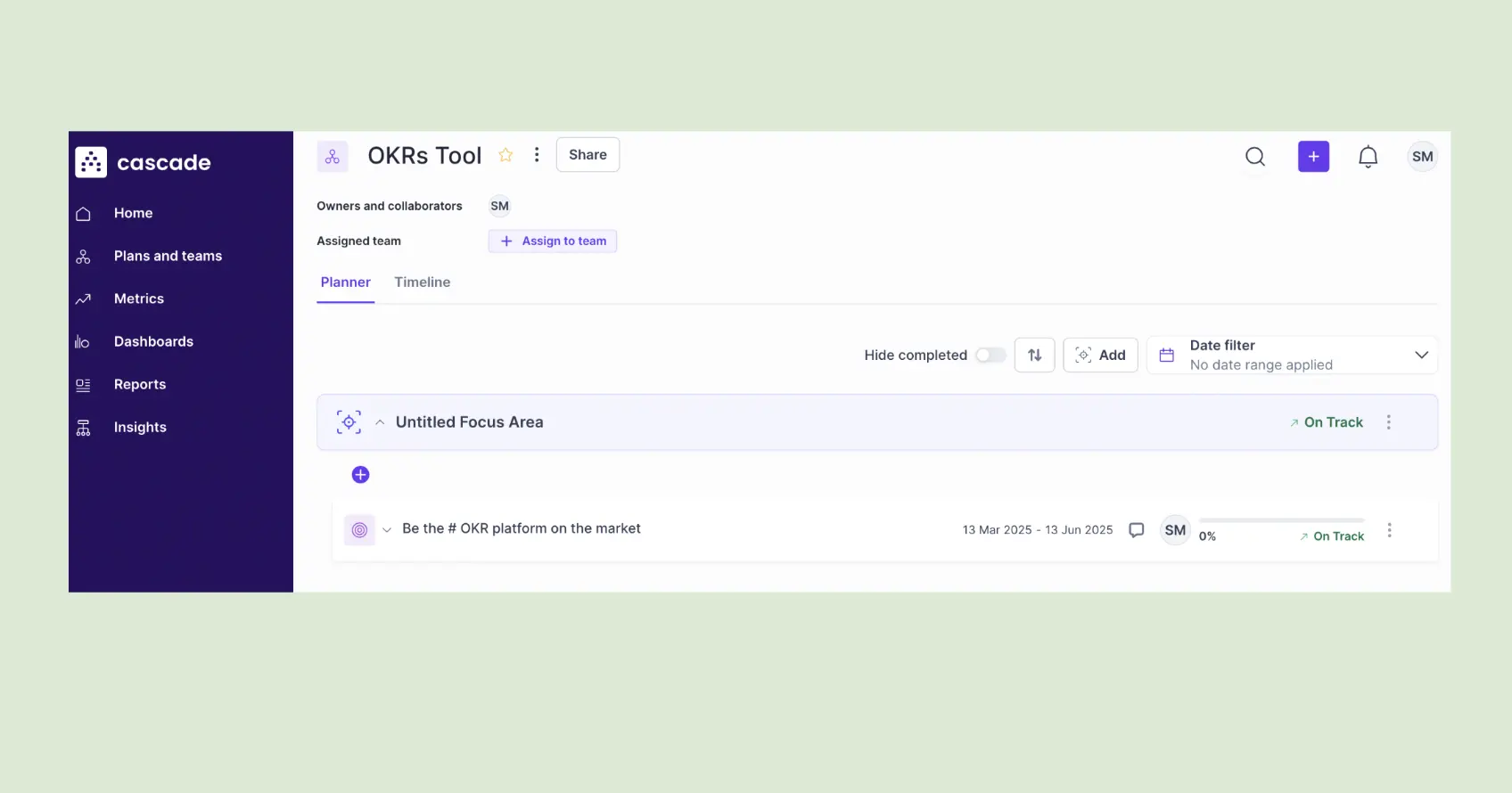
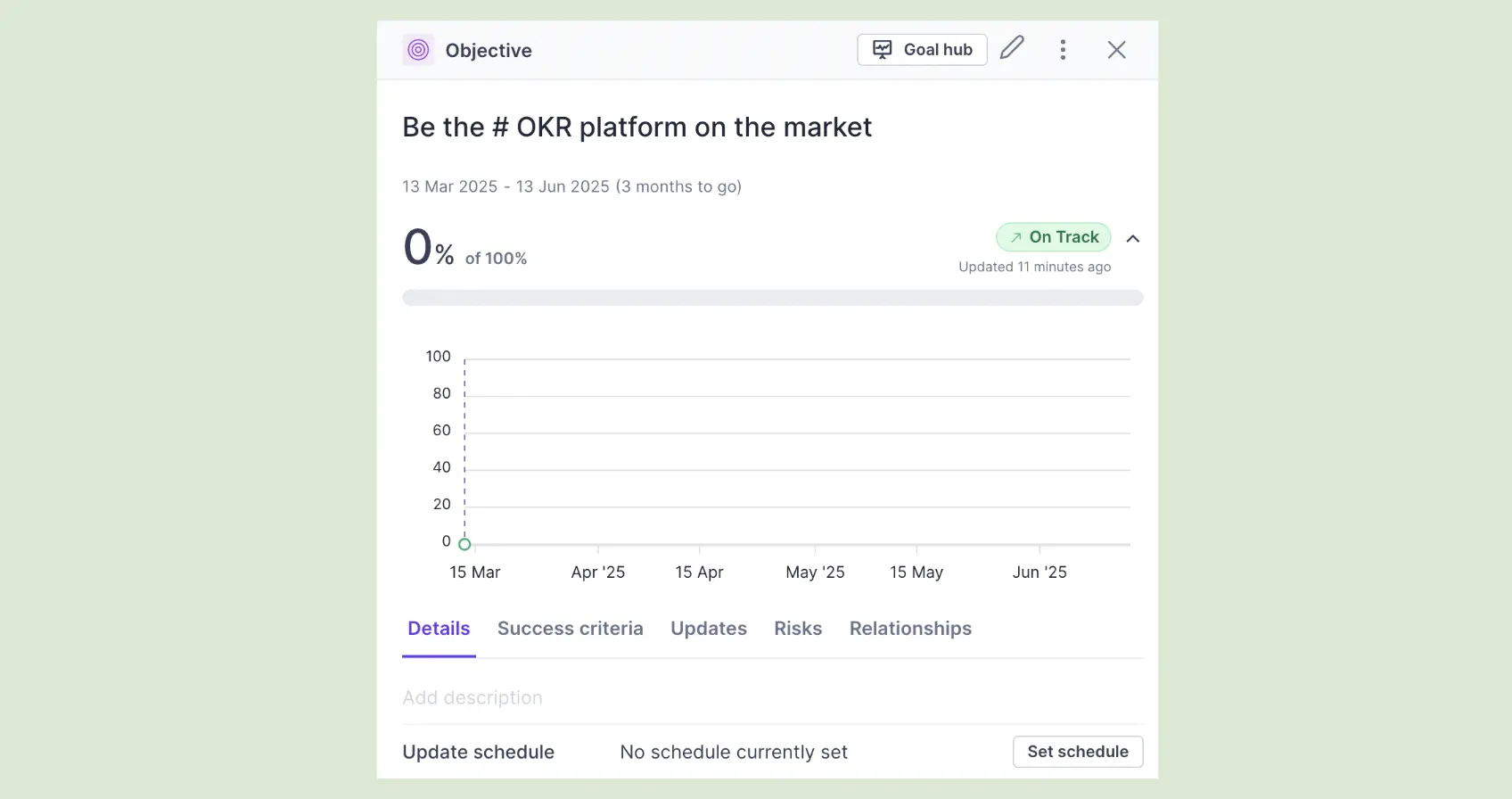
Cascade is an enterprise strategy execution platform — built for large organizations that need a structured way to translate corporate strategy into departmental and team-level goals. The strategy map, initiative tracking, and multi-level reporting are genuinely powerful at scale. Not designed for the 50–200 person stage; designed for the organizations above it.
Best for corporate strategy teams (enterprise, 500+ people) that need multi-level strategy execution with strong reporting infrastructure.
Key Features
- Strategy Maps: Visual hierarchy from company mission through strategic pillars to OKRs — built for enterprise complexity.
- Multi-Level Reporting: Executive dashboards aggregating OKR status across business units, regions, and functions.
- Initiative Tracking: Link strategic initiatives directly to OKRs, with progress and resource tracking alongside goal measurement.
What I liked
The platform genuinely handles the complexity of large organizations — multiple business units, cross-functional dependencies, and executive reporting layers that would break simpler tools. The strategic hierarchy is well-designed and the reporting infrastructure is the strongest in the enterprise segment.
What could be improved
Too complex for most growing teams. The setup overhead — strategy maps, pillar structures, multi-level hierarchies — requires significant configuration before the first goal is live. Quote-based pricing with no public rates adds friction for teams evaluating on timeline.
Pricing: Free for up to 2 users; Essentials and Enterprise are quote-based.
Free trial: Yes — trial available on request.
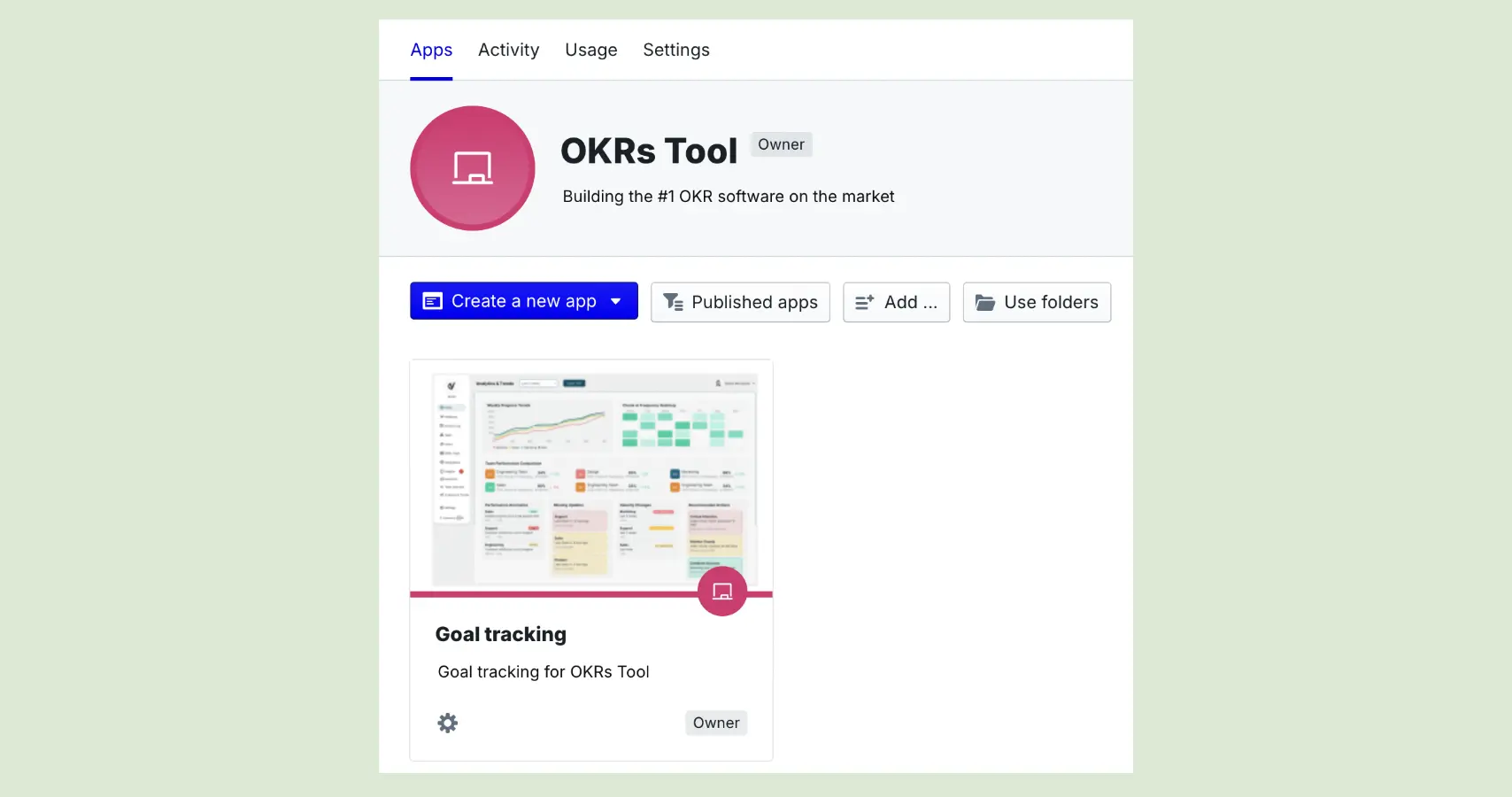
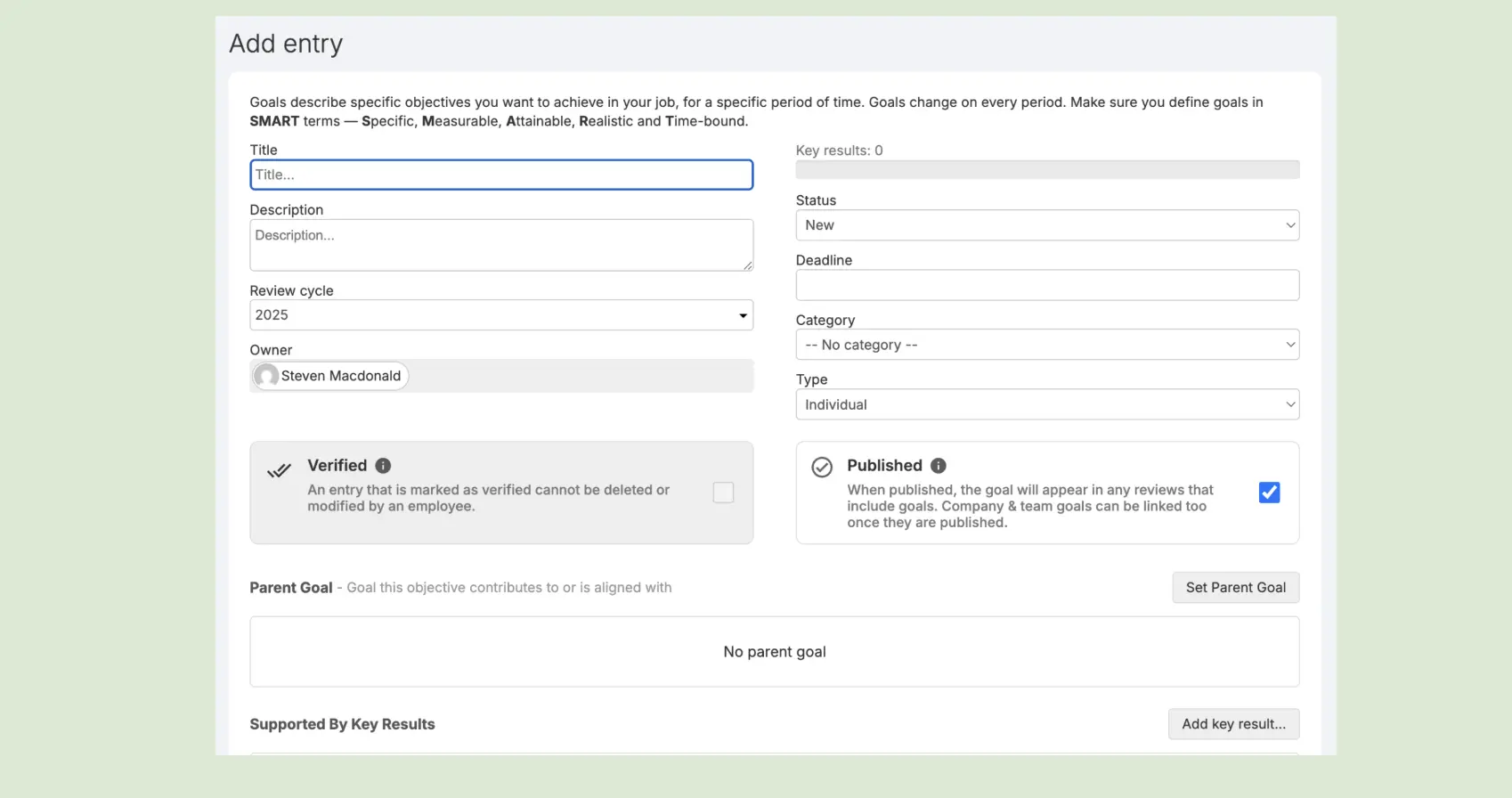
12. PeopleGoal
PeopleGoal is a customizable HR and performance platform built around an app-based model — teams configure their own workflows for OKRs, reviews, feedback, and development plans, combining them into a custom performance stack. For organizations with specific process requirements that no out-of-the-box platform meets, PeopleGoal's flexibility is the primary advantage.

Best for custom HR workflows at mid-market organizations that need configurable performance and goal-tracking processes.
Key Features
- App Marketplace: Pre-built workflow apps for OKRs, 360 reviews, 1:1 meetings, and development plans — combined and configured to fit specific organizational processes.
- Customizable OKR Workflows: Set up goal cycles, approval processes, and visibility rules to match how the organization actually runs.
- Analytics Dashboard: Reporting across all active apps — OKR completion, review completion rates, and engagement metrics in one view.
What I liked
The flexibility is genuinely impressive — more customizable than any other mid-market platform on this list. Organizations with specific process requirements that prevent them from using standard tools will find options here that don't exist elsewhere. The app marketplace model is smart.
What could be improved
That flexibility comes with a setup learning curve that's steeper than most alternatives. Getting the configuration right takes time, and the initial onboarding experience reflects that complexity. Not the right tool for teams that need to be live this week.
Pricing: From $4 per user per month, annual, with a $199/month minimum (check current seat minimums).
Free trial: Yes — trial available.
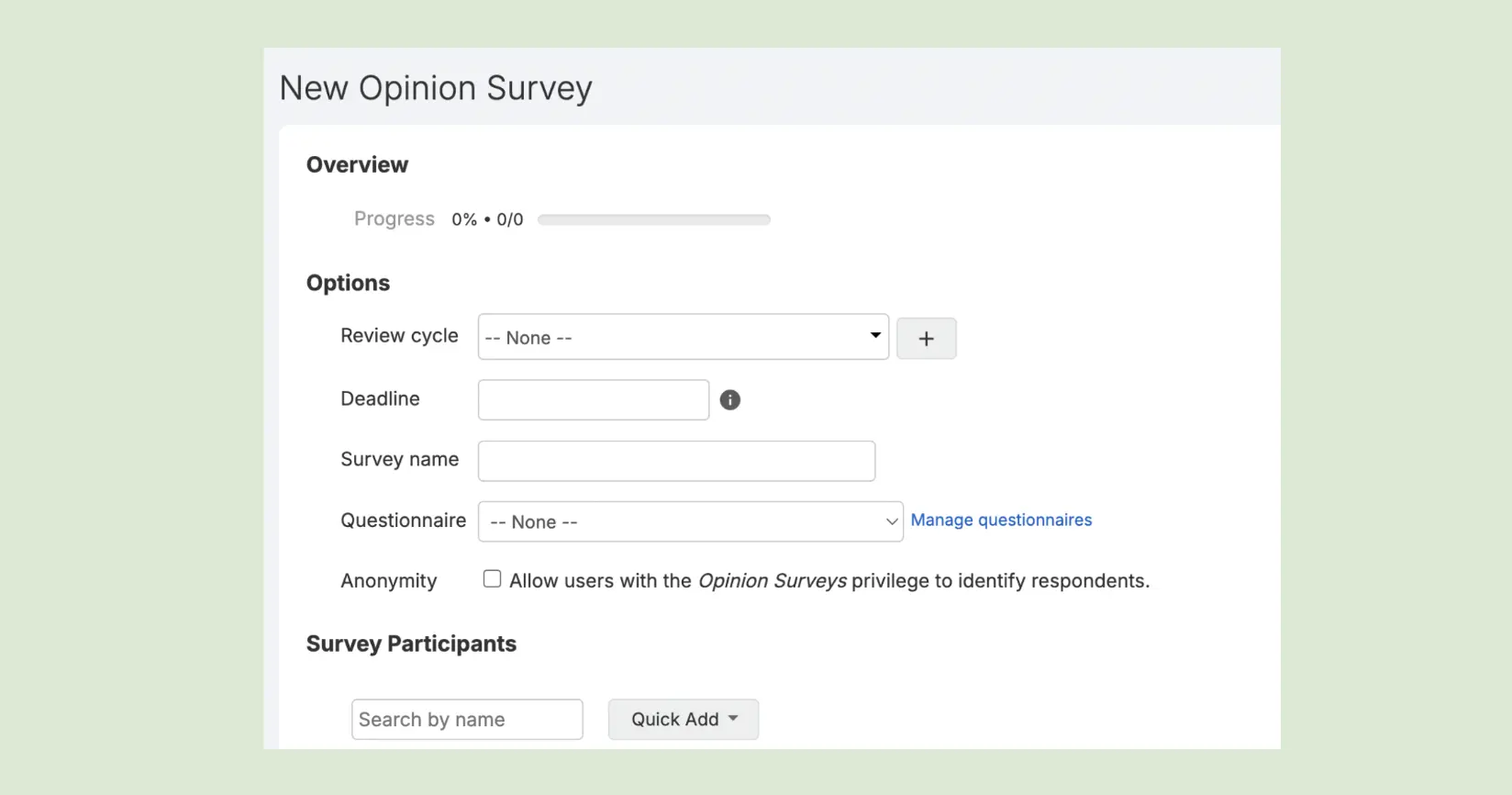
13. Primalogik
Primalogik is a performance management platform with OKRs, 360 feedback, engagement surveys, and development planning in one system. For organizations where the performance conversation is the primary need — and OKRs are one component of a broader employee development infrastructure — Primalogik covers a lot of ground at a reasonable price point.
Best for performance-driven organizations (mid-market) that want OKRs connected to 360 feedback and employee development.
Key Features
- 360° Feedback: Structured peer, manager, and self-assessment feedback — with competency ratings alongside goal delivery data.
- Engagement Surveys: Pulse surveys and engagement tracking built into the same platform as OKR management.
- Goal Management: OKR tracking with progress indicators, cascade visibility, and review cycle integration.
What I liked
The 360 feedback infrastructure is one of the strongest at this price point — detailed competency frameworks, structured review cycles, and the connection to OKR delivery data make performance conversations genuinely data-led rather than based on recollection. For organizations where development matters as much as delivery, this is a real advantage.
What could be improved
The feature breadth creates a cluttered experience — too many modules visible at once for teams that only need the OKR layer. The OKR-specific features are less refined than purpose-built platforms. Teams that primarily need goal tracking and check-in infrastructure will find simpler tools more effective.
Pricing: Quote-based, with a 25-user minimum (monthly plans have a 3-month minimum).
Free trial: Yes — 30-day trial available.
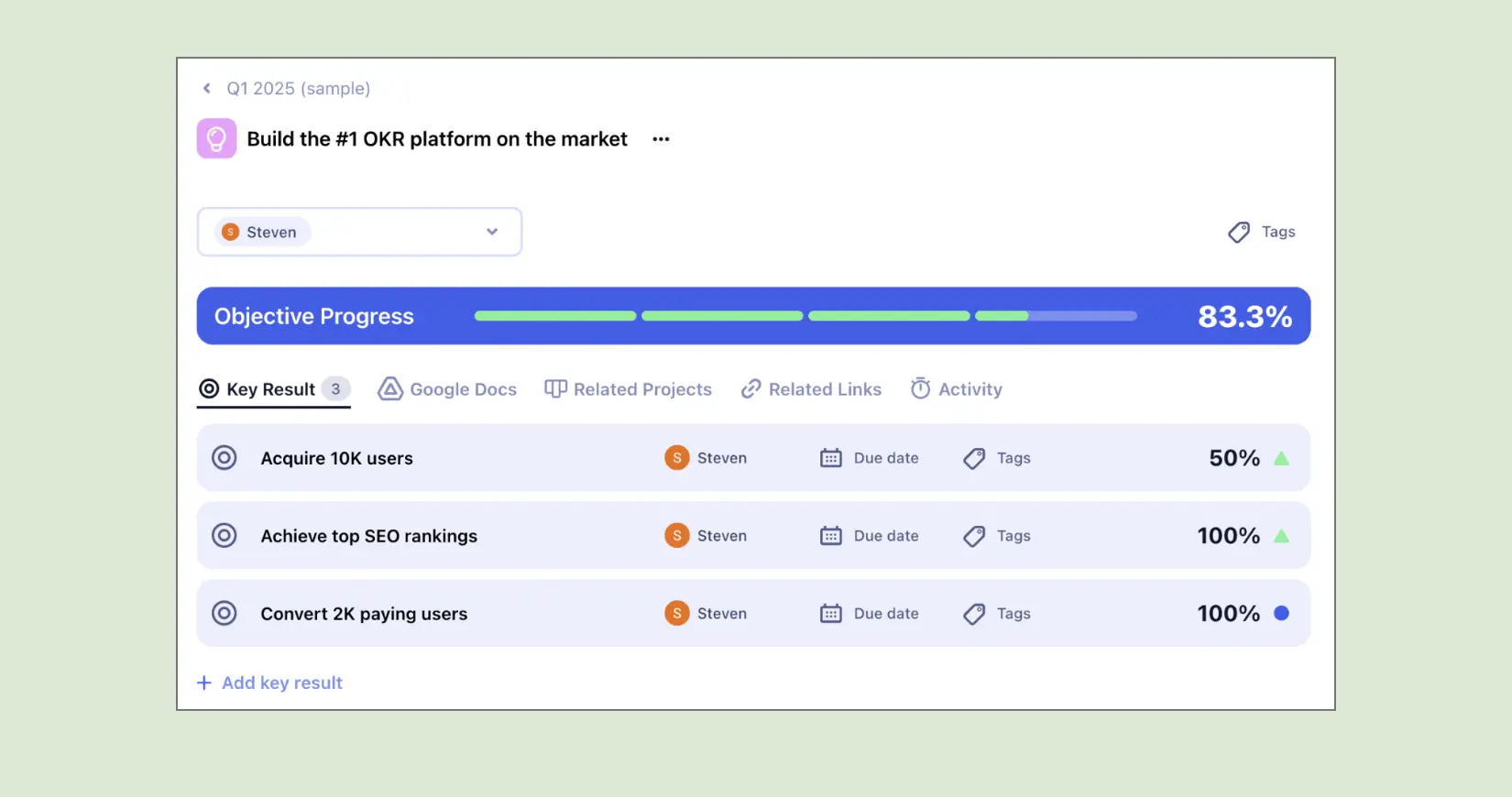
14. Allo.io
Allo is a visual goal management platform with strong design sensibility — clean OKR views, attractive team dashboards, and a presentation-quality aesthetic that makes goals accessible to team members who find traditional OKR interfaces dry. Used primarily by product, design, and creative-adjacent teams that care about how their tools look and feel.
Best for creative and product teams that want visually engaging OKR dashboards.
Key Features
- Visual OKR Dashboards: Presentation-quality goal views that make OKR status accessible and engaging across the team.
- Team Alignment View: Cross-team OKR visibility showing how department goals connect to company priorities.
- Progress Tracking: Real-time Key Result updates with clear visual health indicators.
What I liked
The visual design is genuinely attractive — OKR dashboards that feel like they belong in a product rather than a spreadsheet. For teams where adoption depends on the tool feeling modern and engaging, Allo has a real advantage. The interface makes goals feel worth looking at.

What could be improved
Pre-filled sample OKRs clutter the workspace during setup, making it harder to see what your own goals will look like before the sample data is cleared. Limited integrations and reporting depth compared to purpose-built OKR platforms; the premium on design means less investment in execution infrastructure.
Pricing: OKRs are included from the Standard plan at $9.99 per user per month; Business is $13.99 (annual).
Free trial: Yes — trial available.
15. Range
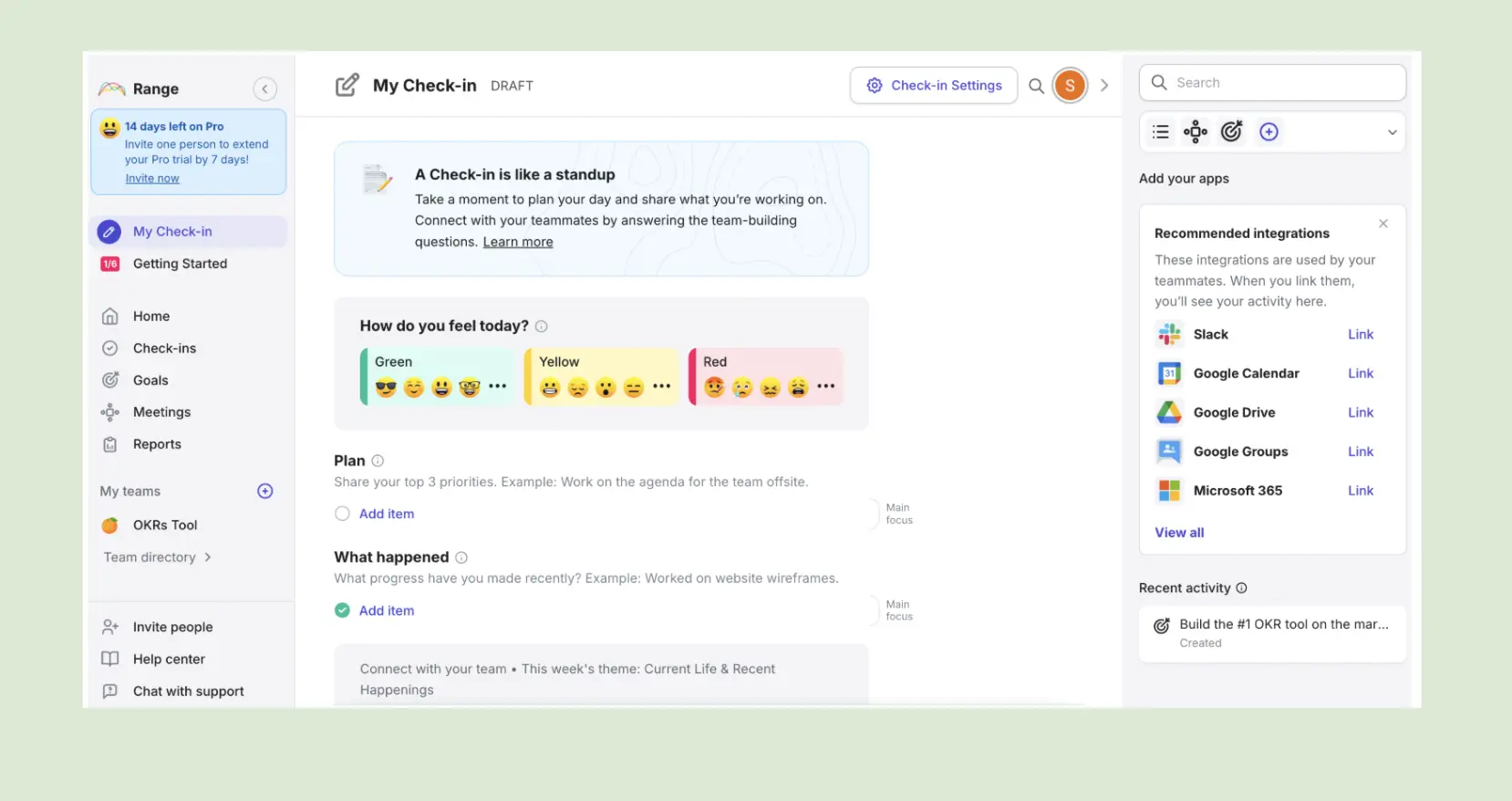
Range is an async team check-in platform that combines daily standups, weekly goals, and mood tracking in a single dashboard. For distributed and remote-first teams where maintaining team connection is as important as tracking strategic goals, Range provides visibility into both — without requiring a meeting.

Best for remote-first teams that want async check-ins and OKR tracking in the same view.
Key Features
- Async Daily Check-ins: Team members log what they're working on and how they're feeling — building connection and accountability without synchronous meetings.
- OKR Tracking: Quarterly goal tracking with progress updates connected to daily work logs.
- Slack and Teams Integration: Check-ins and goal updates delivered through the tools teams already use.
What I liked
The connection between daily work and quarterly goals is more natural in Range than in most dedicated OKR platforms. Team members see their goals in the same context as their daily priorities — which reduces the feeling that OKRs are a separate layer of administrative overhead. The mood and wellbeing tracking is a useful signal for remote team leads.
What could be improved
OKR analytics are limited compared to purpose-built platforms — no cascade visibility, no ownership enforcement, no alignment map. For organizations where the strategic planning and cascade infrastructure matters, Range is insufficient as a standalone OKR tool.
Pricing: Free for up to 12 users. From $8 per member per month after that.
Free trial: Yes — generous free tier.
16. Businessmap
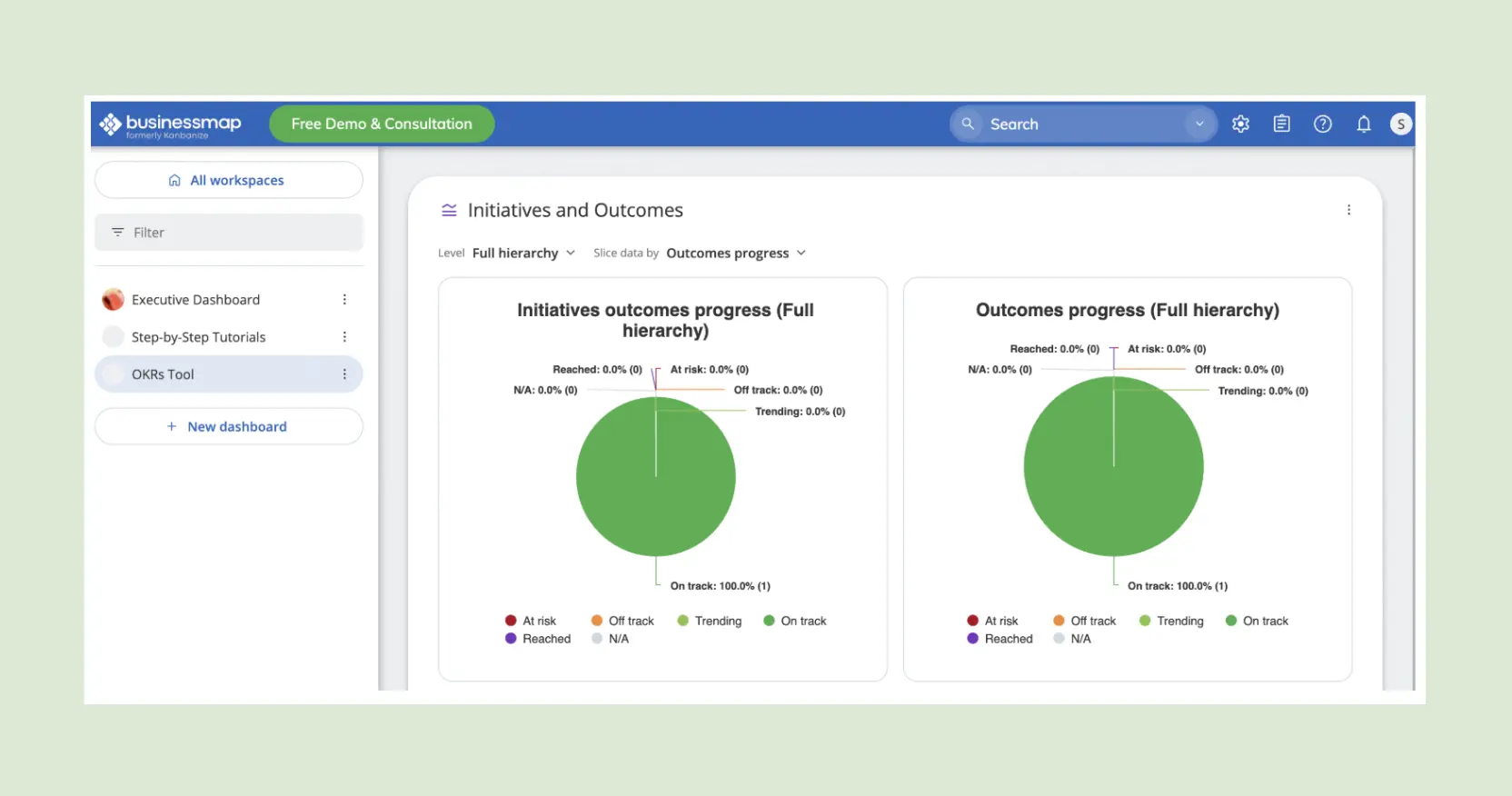
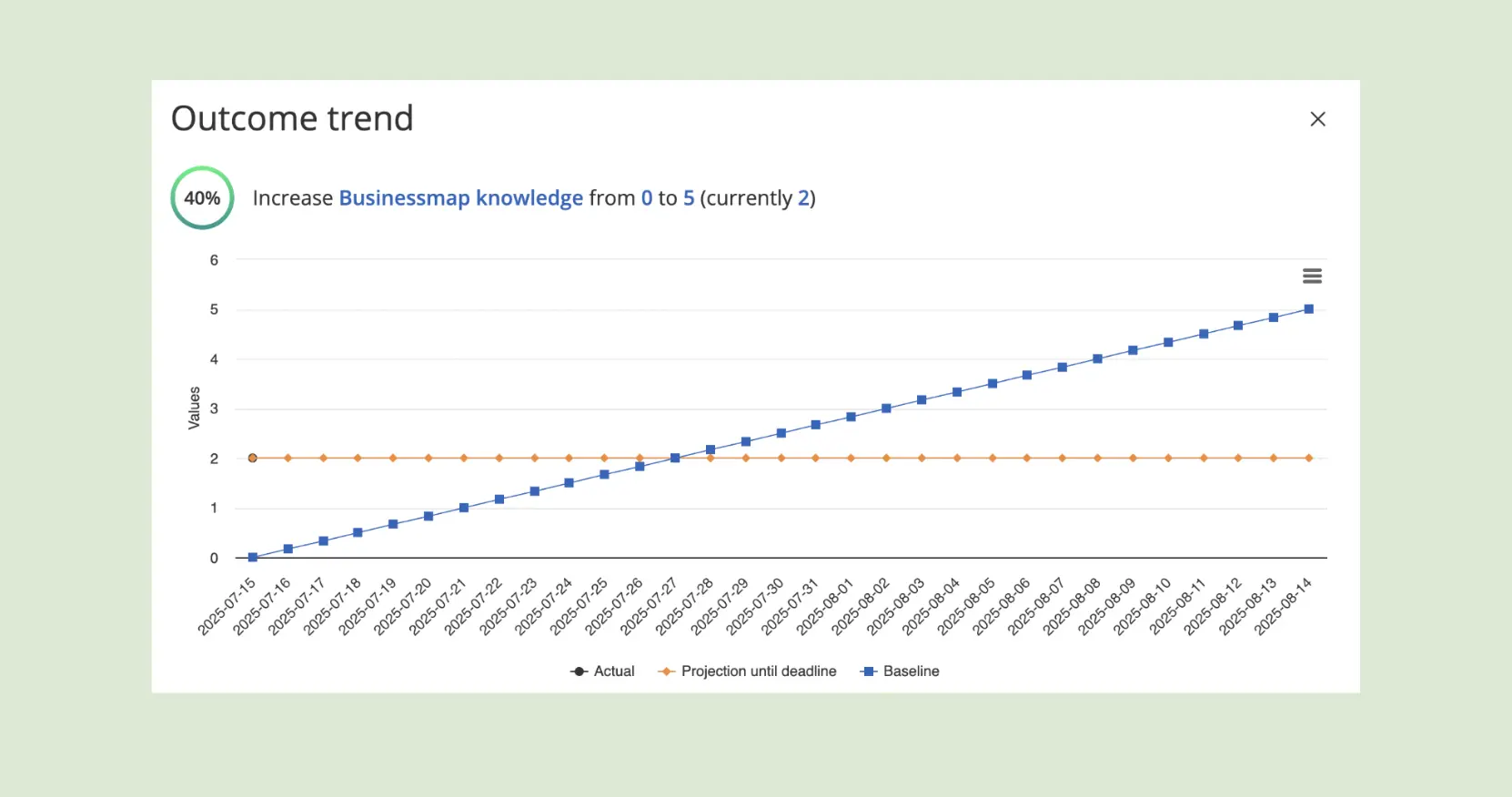
Businessmap (formerly Kanbanize) is a strategy execution platform built around portfolio Kanban — connecting strategic initiatives to team execution with visual workflow management at every level. For organizations where strategy execution means making work in progress visible across multiple teams simultaneously, Businessmap provides infrastructure that OKR-only platforms don't.
Best for execution-heavy organizations (enterprise) that need strategy and workflow management in one platform.
Key Features
- Portfolio Kanban: Multi-level visual boards connecting strategic objectives to team-level execution — from company OKRs to individual tasks.
- Strategy-to-Execution Map: Hierarchical view showing how company priorities flow to department initiatives to daily work.
- Dependencies and Blockers: Cross-team dependency tracking that surfaces delivery risk before it becomes a missed goal.
What I liked
The visual hierarchy from strategy to execution is the most complete in the category for organizations that need both. For leadership teams that want to see not just whether goals are on track, but what work is in progress to move them, Businessmap provides a level of execution visibility that OKR-only platforms can't match.
What could be improved
Steep learning curve — the platform requires significant time investment before it becomes useful. The Kanban-first design means OKRs are one layer in a larger workflow system, which suits mature execution teams but creates overhead for organizations primarily focused on goal tracking.
Pricing: One Standard plan, priced per user seat (annual saves 20%), with OKRs/KPIs included; Automation rules and SSO are paid add-ons, and Enterprise is quote-based. Free trial, no card.
Free trial: Yes — trial available.
17. BOJA OKR
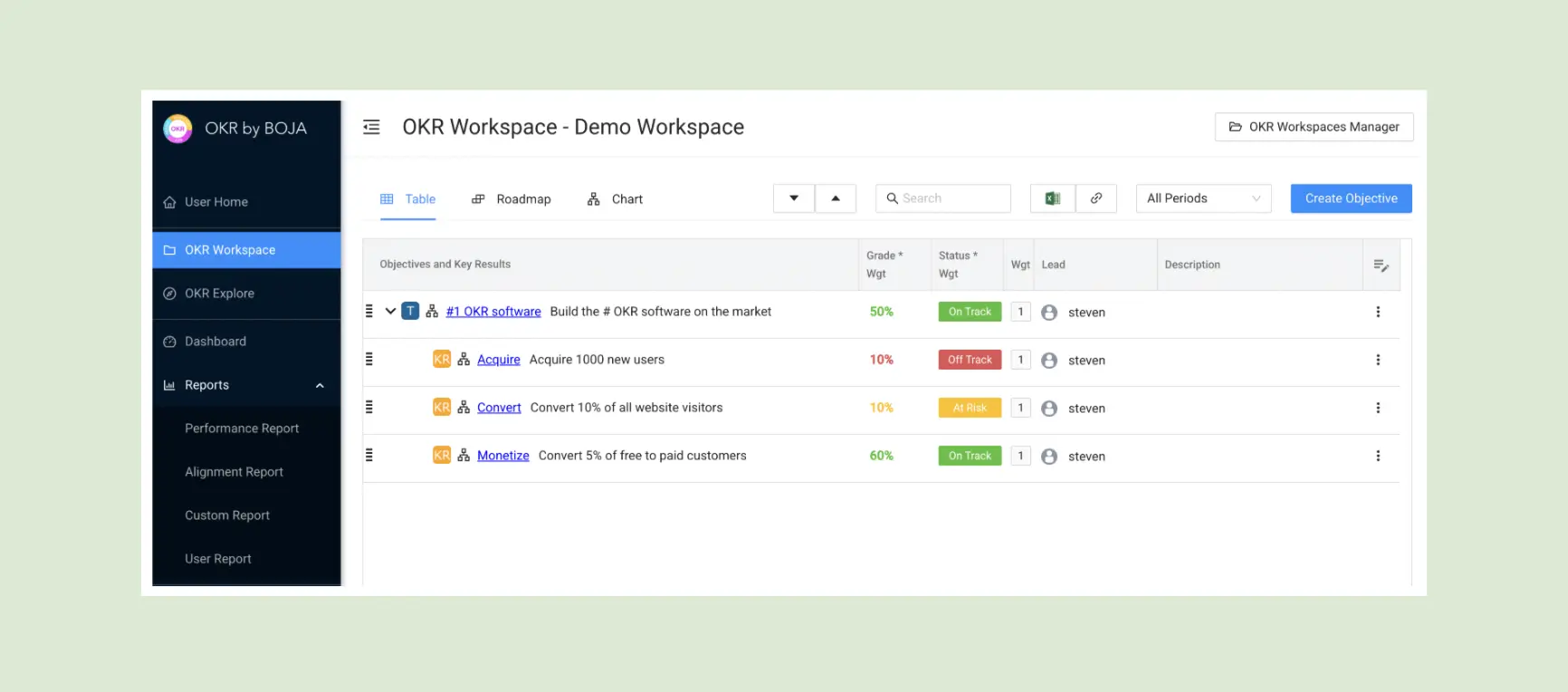
BOJA OKR is a free, no-frills OKR platform — minimal setup, clear reporting, and a straightforward interface that gets teams to a live first cycle quickly. Built for small teams that need a functional OKR system without per-user pricing or configuration overhead. The free forever tier is genuine — not a trial, not a limited plan.

Best for small bootstrapped teams that want a free, functional OKR tracker with minimal setup.
Key Features
- Free Forever Tier: Full OKR functionality at no cost — company, department, and team goals with progress tracking.
- Clear Reporting: Straightforward OKR status reports that give leadership visibility without complex dashboards.
- Minimal Setup: Fast configuration — live goals in under 30 minutes without training or onboarding.
What I liked
The free tier is really useful — not artificially limited to push users to a paid plan. For very small teams evaluating the OKR framework before committing to a paid platform, BOJA provides enough structure to test whether OKRs work for their organization.
What could be improved
The interface is dated — functional but not modern, and less engaging than newer platforms that make adoption easier. No automated check-in nudges, no alignment map, no AI features. A good starting point, not a long-term solution for growing organizations.
Pricing: Free for up to 10 users; Pro from $1/user/month (web).
Free trial: N/A — permanently free.
18. Effy AI
Effy AI is a lightweight performance review and feedback platform with AI-generated review templates as its primary differentiator. Built for small People Ops teams that want to run structured performance conversations without investing in enterprise HR software. The AI layer drafts review questions and summarizes feedback — reducing the administrative overhead of running a review cycle.

Best for small People Ops teams that want AI-assisted performance reviews alongside basic goal tracking.
Key Features
- AI Review Templates: Context-aware review question generation and feedback summarization — reducing the time to run a structured review cycle.
- 360° Feedback: Peer and manager feedback collection with structured question sets and response aggregation.
- Goal Tracking: Basic OKR structure alongside the performance review layer.
What I liked
The AI review template generation is the strongest feature in the category for its price point — producing well-structured, context-relevant review questions in seconds. For small teams that previously ran reviews by asking the same generic questions every cycle, this is a meaningful improvement with minimal effort.

What could be improved
Limited integrations constrain the platform's usefulness in organizations with established tooling. The OKR layer is basic — functional for simple goal tracking, but not sufficient for organizations that need cascade visibility, ownership enforcement, or automated check-in infrastructure.
Pricing: Free for up to 5 users; Goals & OKRs from $2/seat/month; 360 reviews $3–$6 (annual).
Free trial: Yes — free tier.
19. Futureworks
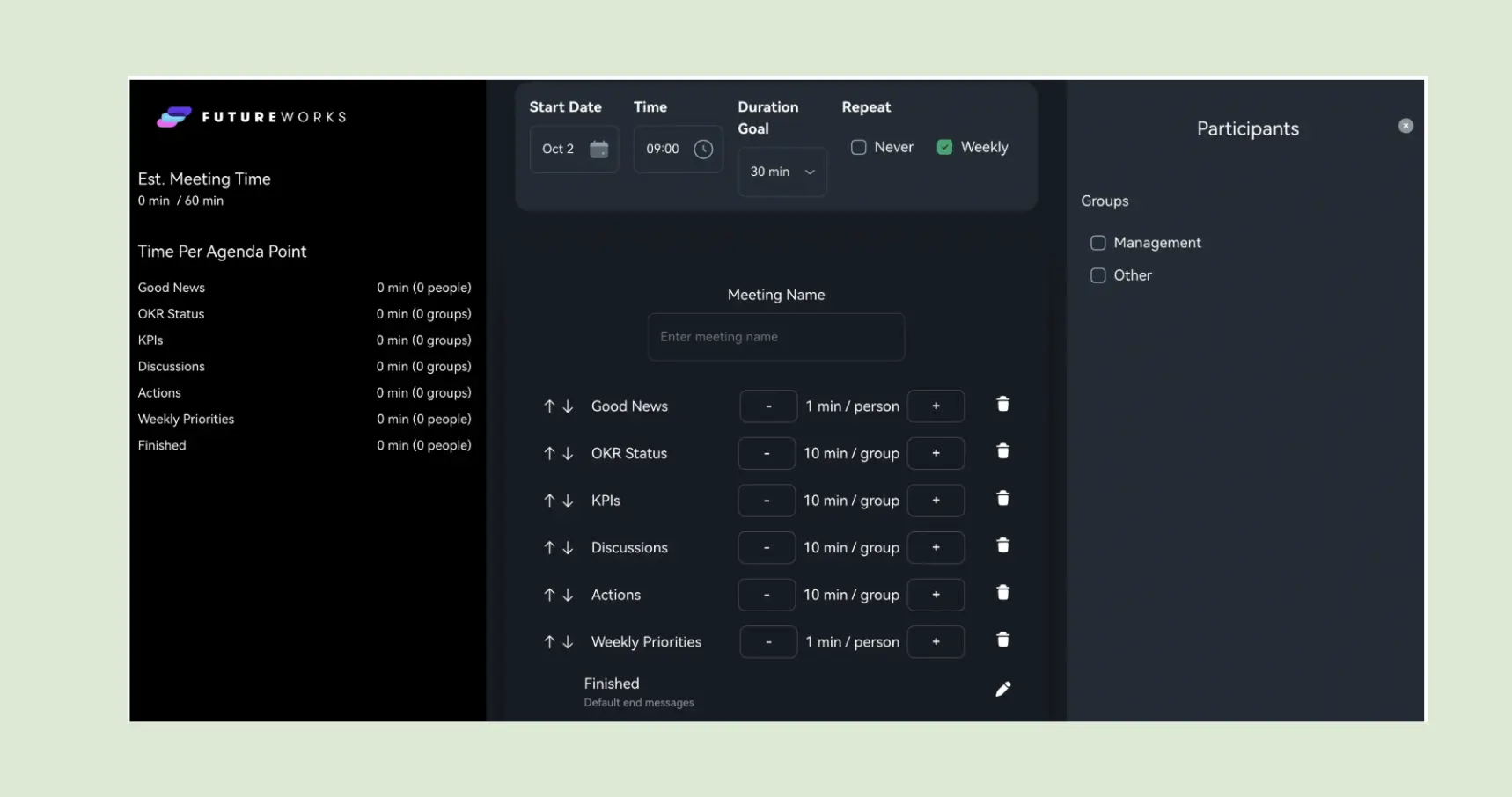
Futureworks is a strategy and OKR platform built for Nordic enterprises — connecting strategic priorities, OKRs, and meeting agendas in one workspace. The Meeting Mode is the standout differentiator: structured agendas with timed points and follow-ups delivered through Slack and Teams, turning the weekly check-in into a facilitated meeting format rather than an async update. Built with strong data sovereignty design for European and public sector organizations.
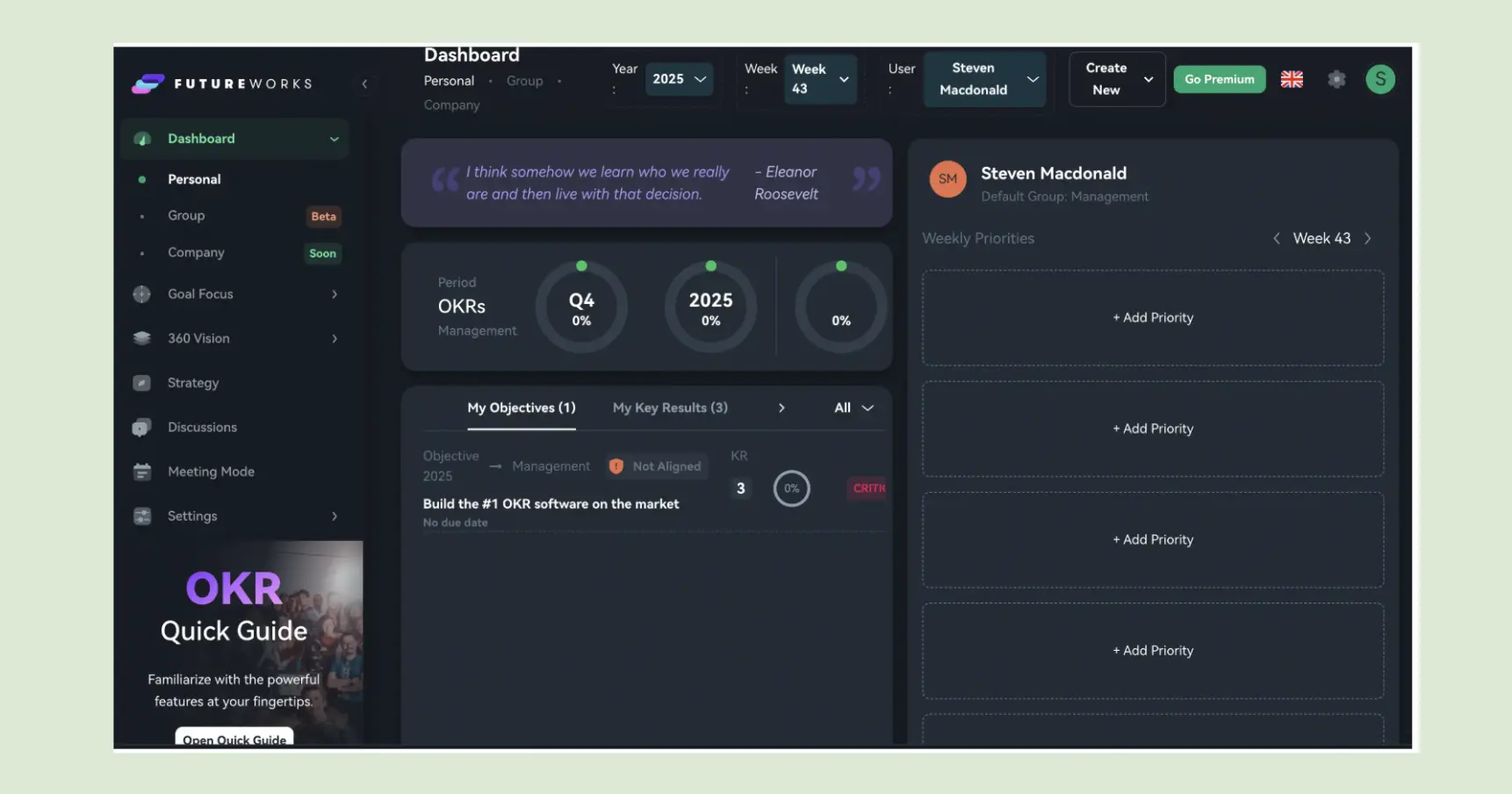
Best for Nordic and European enterprise teams that want strategy, OKRs, and structured meetings in one platform.
Key Features
- Meeting Mode: Structured agendas with timed points and automated follow-ups — turning check-ins into facilitated sessions rather than solo updates.
- AI Context Engine: Translates uploaded strategy documents into actionable Key Results — useful for teams starting from an existing strategy deck.
- Strategy Map: Visual hierarchy from company priorities through OKRs to team execution.
What I liked
The Meeting Mode is genuinely different from any other platform on this list — it transforms the check-in from a solo update flow into a structured group moment, which suits organizations where the weekly rhythm needs to happen in a meeting rather than asynchronously. The AI Context Engine that extracts Key Results from strategy documents is a useful time-saver on first-cycle setup.
What could be improved
The AI features are still maturing — useful but not yet consistent enough to rely on entirely. Best suited for Nordic and European contexts; less tailored to organizations outside that geography. Per-user pricing at €13+ adds up for larger teams.
Pricing: Volume-based: €15/user (1–25), €13 (26–50), €11 (51–100), €9 (101–200), annual.
Free trial: Yes — free tier.
20. Profit.co
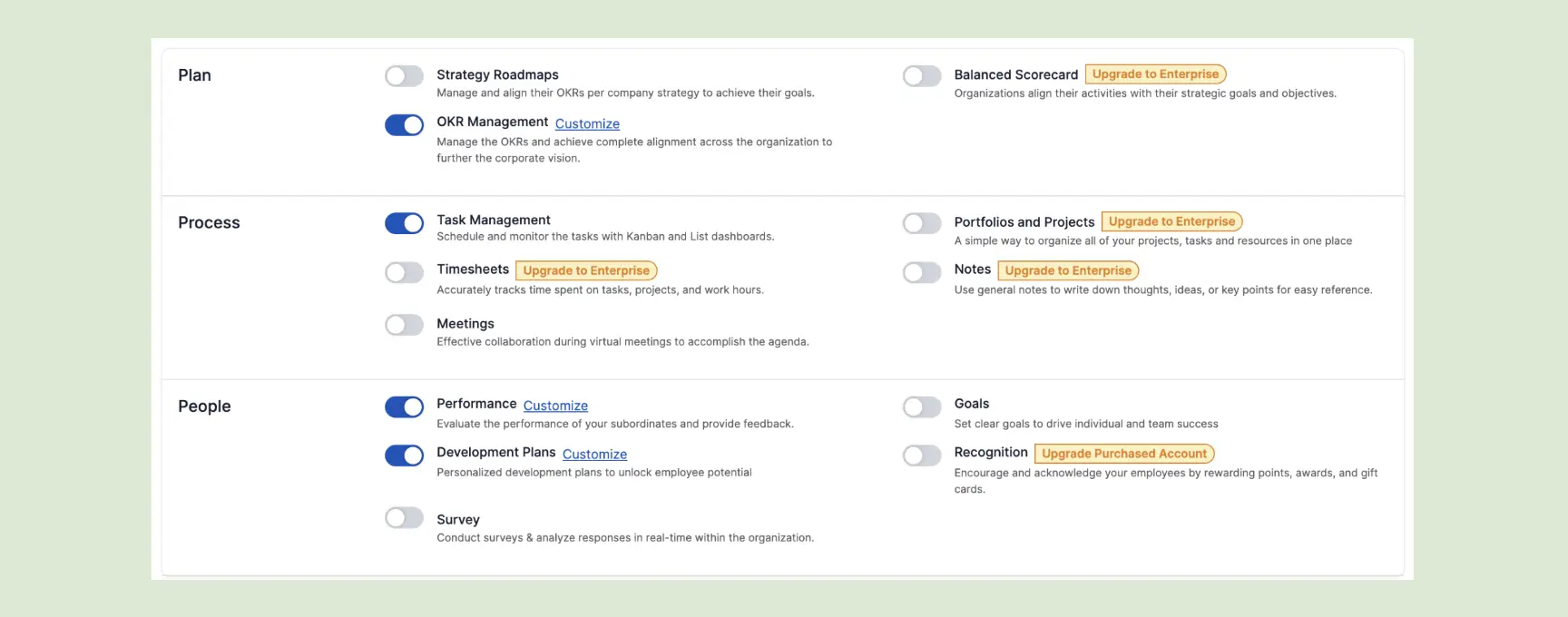
Profit.co is one of the most feature-complete OKR and performance platforms in the mid-market — goals, KPIs, task management, performance reviews, and 1:1 management in one system. For governance-heavy organizations that need OKRs connected to every layer of performance and operational reporting, Profit.co provides structural depth that lighter tools don't offer.
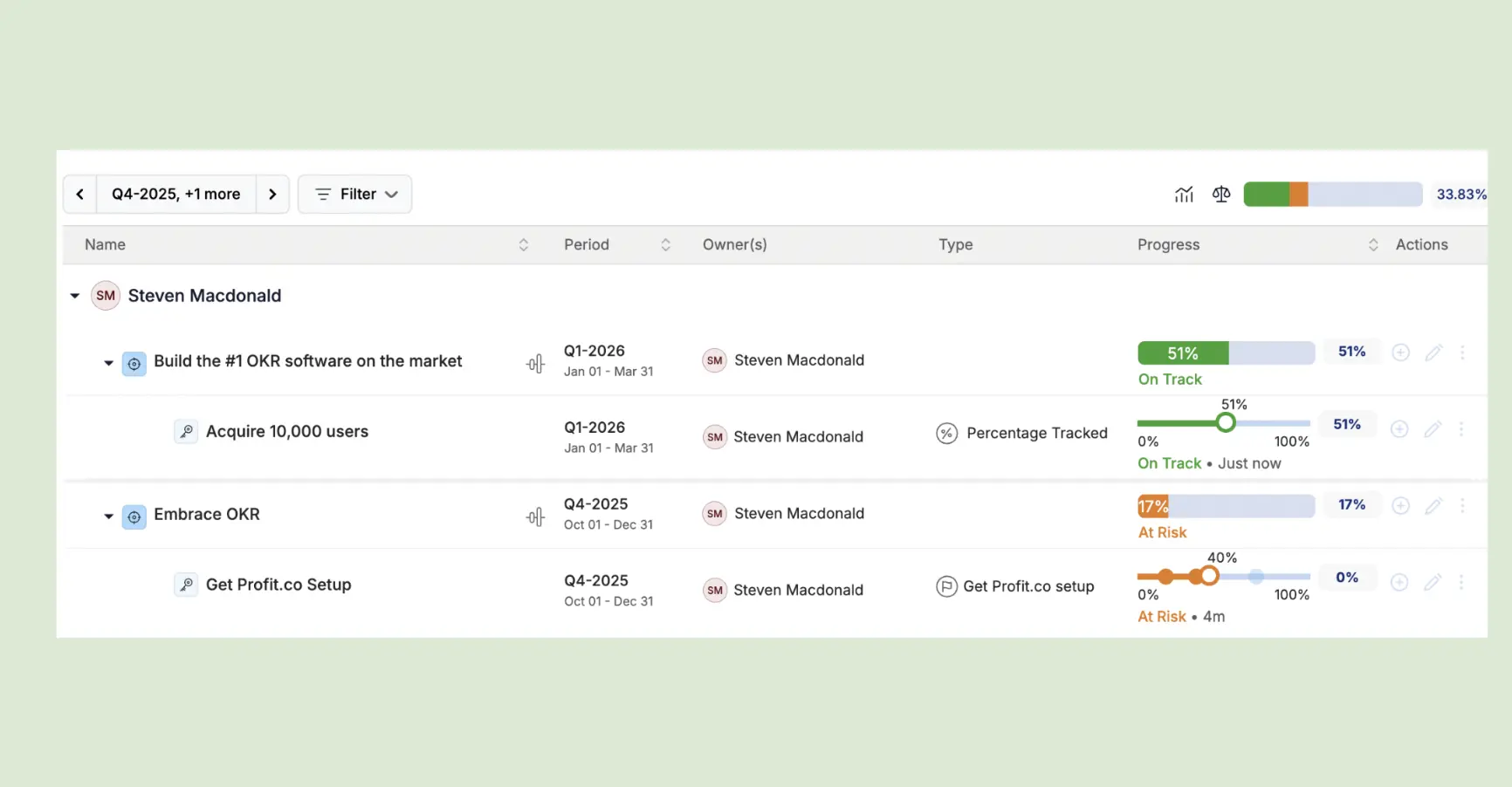
Best for governance-heavy organizations (enterprise) that need OKRs, performance management, and task tracking in one platform.
Key Features
- Weighted OKR Scoring: Customizable weighting on Key Results and Objectives — reflecting relative importance in final cycle scores.
- KPI and OKR Integration: Track operational KPIs alongside strategic OKRs in one dashboard — with automated data feeds from integrated systems.
- Full Performance Suite: 360 reviews, 1:1 management, development plans, and compensation planning alongside OKR delivery data.
What I liked
The depth is real — Profit.co covers more ground than any other mid-market platform on this list. For organizations that need OKRs, performance reviews, and operational KPIs in one system without building an enterprise HR stack, it's the most complete option. The weighted scoring system rewards nuanced goal design.
What could be improved
The UI is slow and navigating between features creates friction that compounds over a 12-week cycle. Implementation takes 4–6 weeks of configuration before the first cycle runs — which is significant overhead for teams that need to be live quickly. Custom pricing with no public rates adds evaluation friction.
Pricing: Quote-based; third-party buyers report roughly $10k–$17k/year depending on scope.
Free trial: Yes.
(Read our honest head to head comparison: OKRs Tool vs Profit.co here).
21. The North
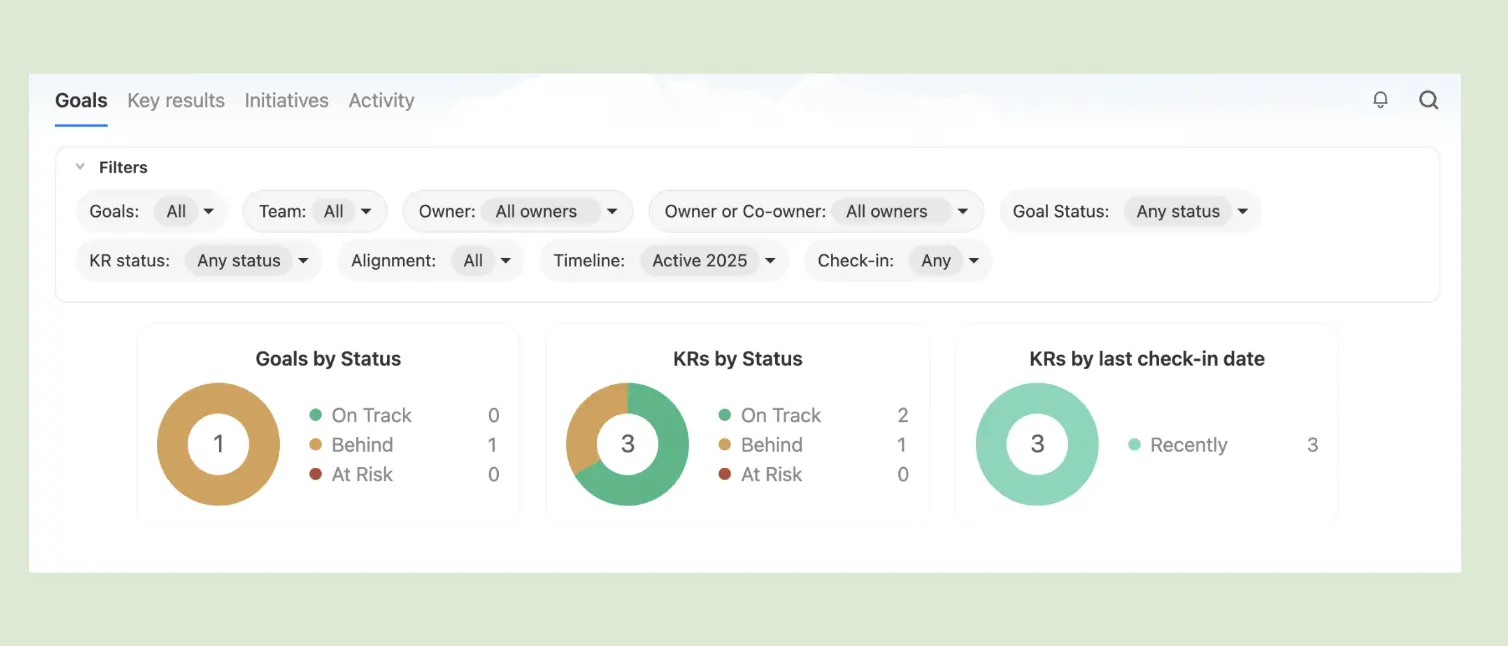
The North is a clean, modern OKR platform with one of the best first-run experiences in the category — a fully populated demo workspace showing what real OKRs look like before you've entered a single goal of your own. For teams evaluating platforms, the ability to see a realistic workspace immediately shortens the time from sign-up to understanding significantly.
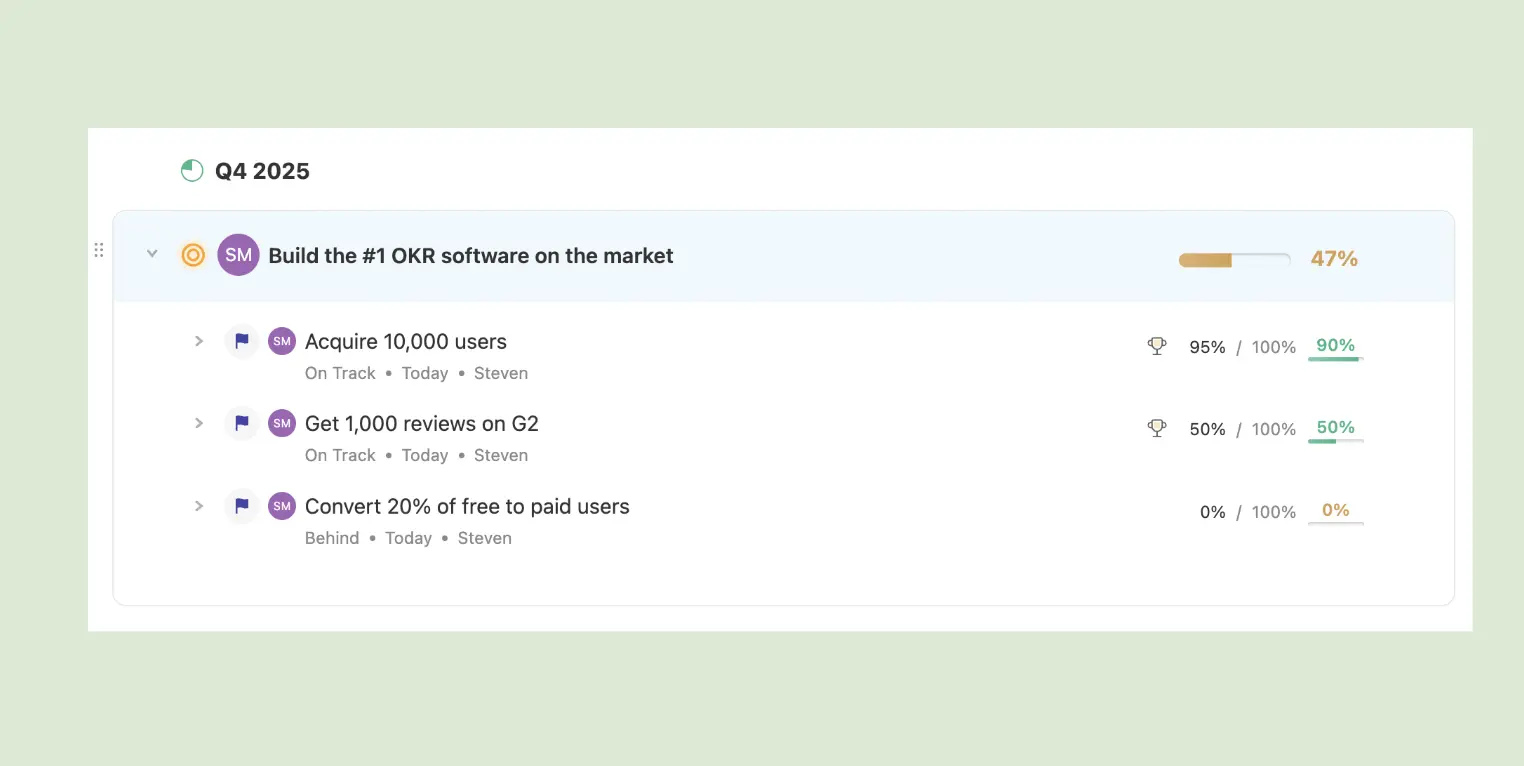
Best for product-led teams that want a clean OKR workspace with a strong demo-first evaluation experience.
Key Features
- Demo Workspace: A pre-populated realistic workspace on sign-up — showing what OKRs look like in practice before entering any real data.
- Clean OKR Structure: Company, department, and team OKRs in a minimal, fast interface with no feature overhead.
- Progress Tracking: Key Result updates with health indicators and basic reporting.
What I liked
The demo workspace is the best onboarding experience in the category — seeing a fully populated example before committing any real data makes evaluation significantly faster and helps teams visualize what their own goals should look like. The interface is minimal and modern in a way that doesn't sacrifice clarity.
What could be improved
Manual KR updates break the check-in flow — updating progress requires navigating to an edit screen rather than logging directly. No automated check-in nudges, which means the weekly habit depends on discipline. Limited analytics depth for teams past the first cycle.
Pricing: Free for up to 5 users. Basic from $5/user/month (annual; $7 monthly); Business $10.
Free trial: Yes — free tier.
22. Week Plan
Week Plan is a personal productivity tool with OKR and goal-tracking features built in. Designed for solo operators and very small teams that want to connect weekly planning to quarterly goals in one view — the weekly planner is the core product, with OKRs sitting alongside it as a strategic context layer.
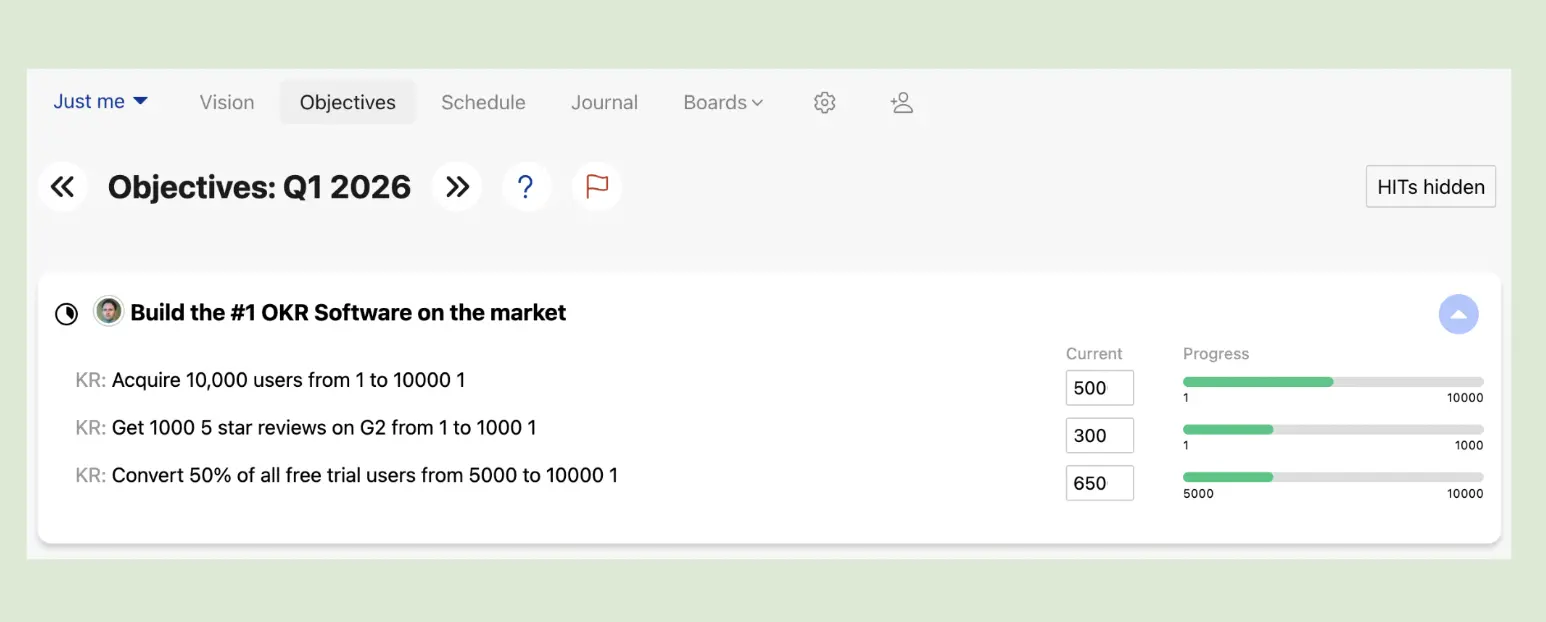
Best for solo operators and teams of 1–5 that want personal productivity and goal tracking in one tool.
Key Features
- Weekly Planner: Daily and weekly priority management connected to quarterly goals — the core differentiator from OKR-only platforms.
- Goal Tracking: OKR structure with Key Result progress indicators alongside the weekly planning layer.
- Personal Dashboard: Individual goal and task management without org-level hierarchy or cascading.
What I liked
The weekly planning layer is genuinely useful for individuals managing their own OKRs alongside daily work — seeing quarterly goals and this week's priorities in one view creates a connection that most OKR platforms lose between planning sessions. Well-suited to senior leaders managing personal execution alongside team goals.
What could be improved
Dated interface and slow feature updates — the platform hasn't kept pace with newer entrants. Not suited for organizations beyond 5 people; there's no team-level cascade, no alignment map, and no organizational check-in infrastructure.
Pricing: Free personal plan; individual plans around $8.67/month annual ($10.83 monthly).
Free trial: Yes — free personal plan.
23. NimbleWork
NimbleWork is a project and portfolio management platform with OKR dashboards built into the broader work management system. For organizations managing multiple projects in parallel and wanting OKR visibility in the same context as project status, NimbleWork connects the two without requiring a separate tool.
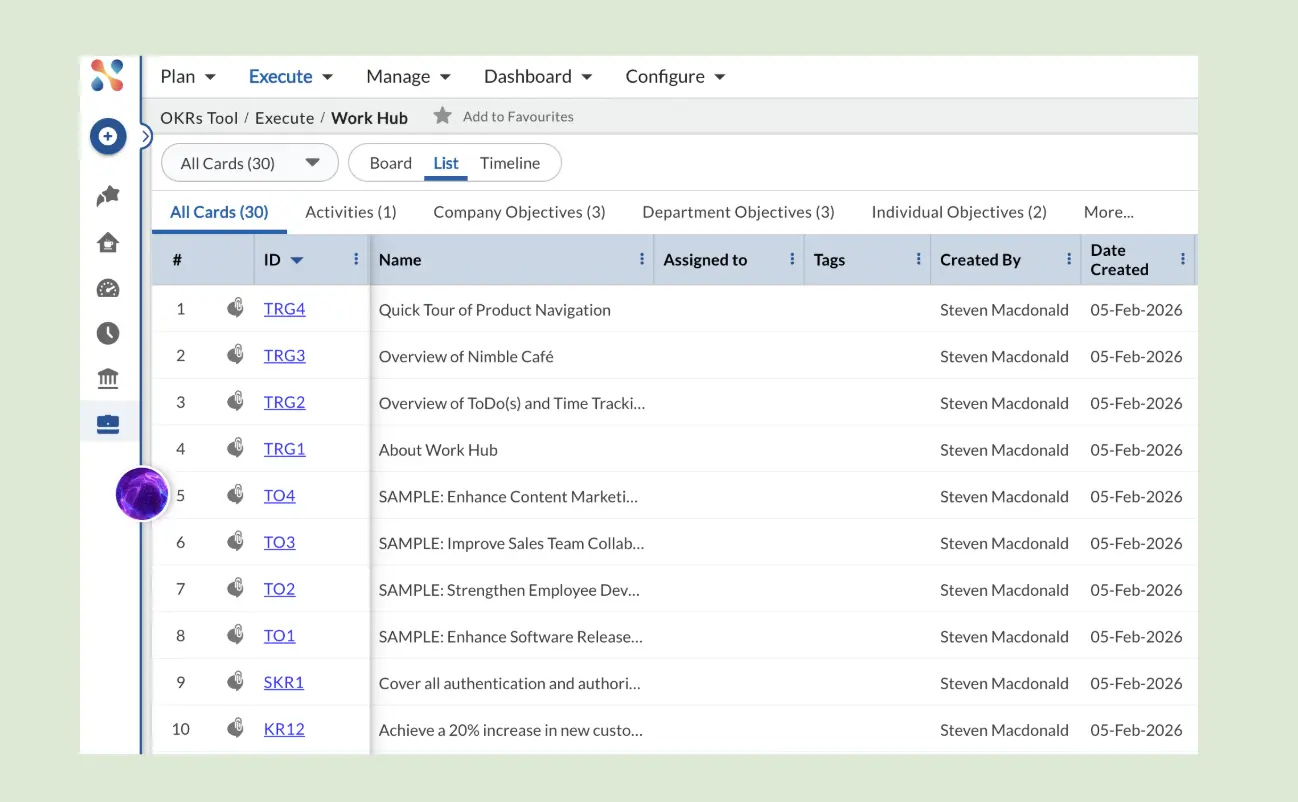
Best for execution-heavy organizations (enterprise) that want OKRs and project portfolio management in one system.
Key Features
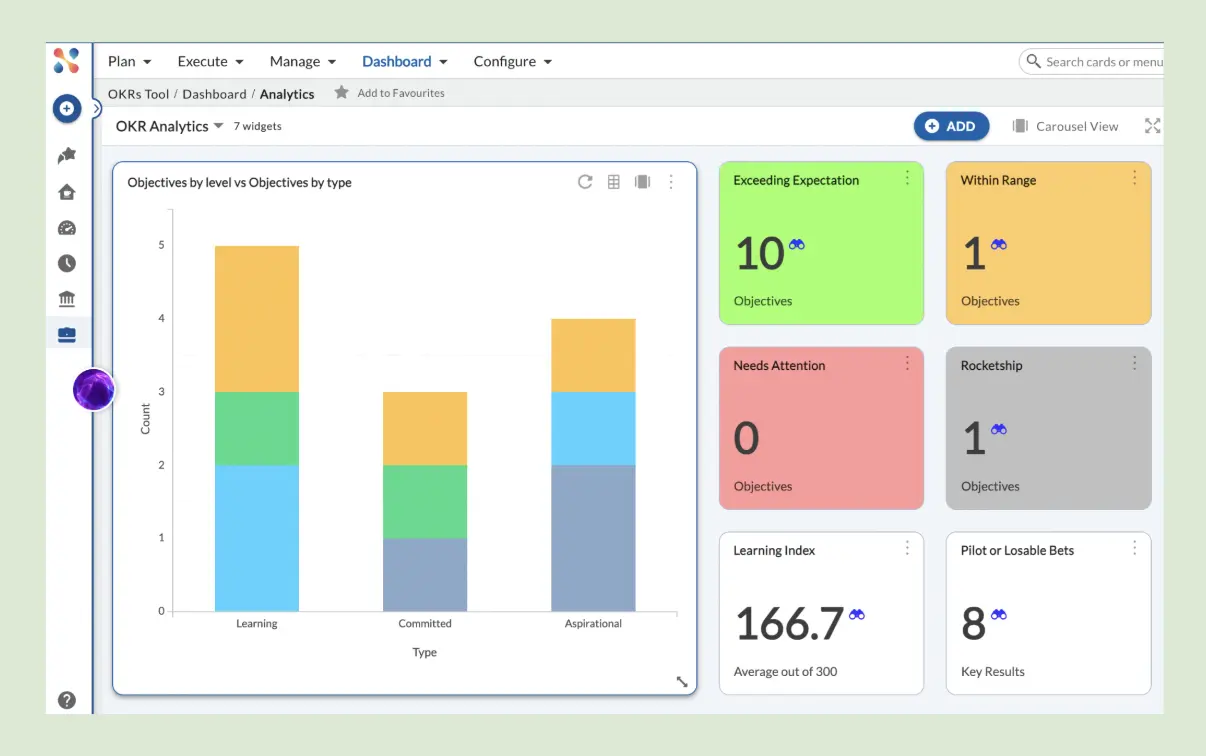
- OKR Dashboards: Strong visual OKR status reporting — progress across all active goals in configurable dashboard views.
- Project Portfolio Integration: OKR visibility alongside project status, resource allocation, and delivery tracking.
- Multi-Level Reporting: Aggregate views from team through department to organization.
What I liked
The OKR dashboards are among the most visually clear on this list — progress is well-displayed and the aggregation from team to org level is clean. For organizations managing large portfolios of work where OKR tracking is one layer in a broader system, the integration with project management is a real efficiency gain.
What could be improved
Confusing initial setup — the platform's breadth creates navigation complexity before you've found the OKR layer. The interface feels dated compared to newer alternatives. Complex pricing tiers with no simple public rates add evaluation friction.
Pricing: Quote-based — the pricing page is a demo request, with no public per-seat rate. A 50%-off promo is currently running. Free trial available.
Free trial: Yes — trial available.
24. Hive
Hive is a project management platform with native OKR and goal-tracking features built into the workflow layer. For teams that primarily work in a project management tool and want strategic goals visible in the same context as daily tasks, Hive removes the need for a separate OKR platform — at the cost of some execution depth.
Best for execution-focused teams that already use Hive for project management and want OKR visibility in the same tool.
Key Features
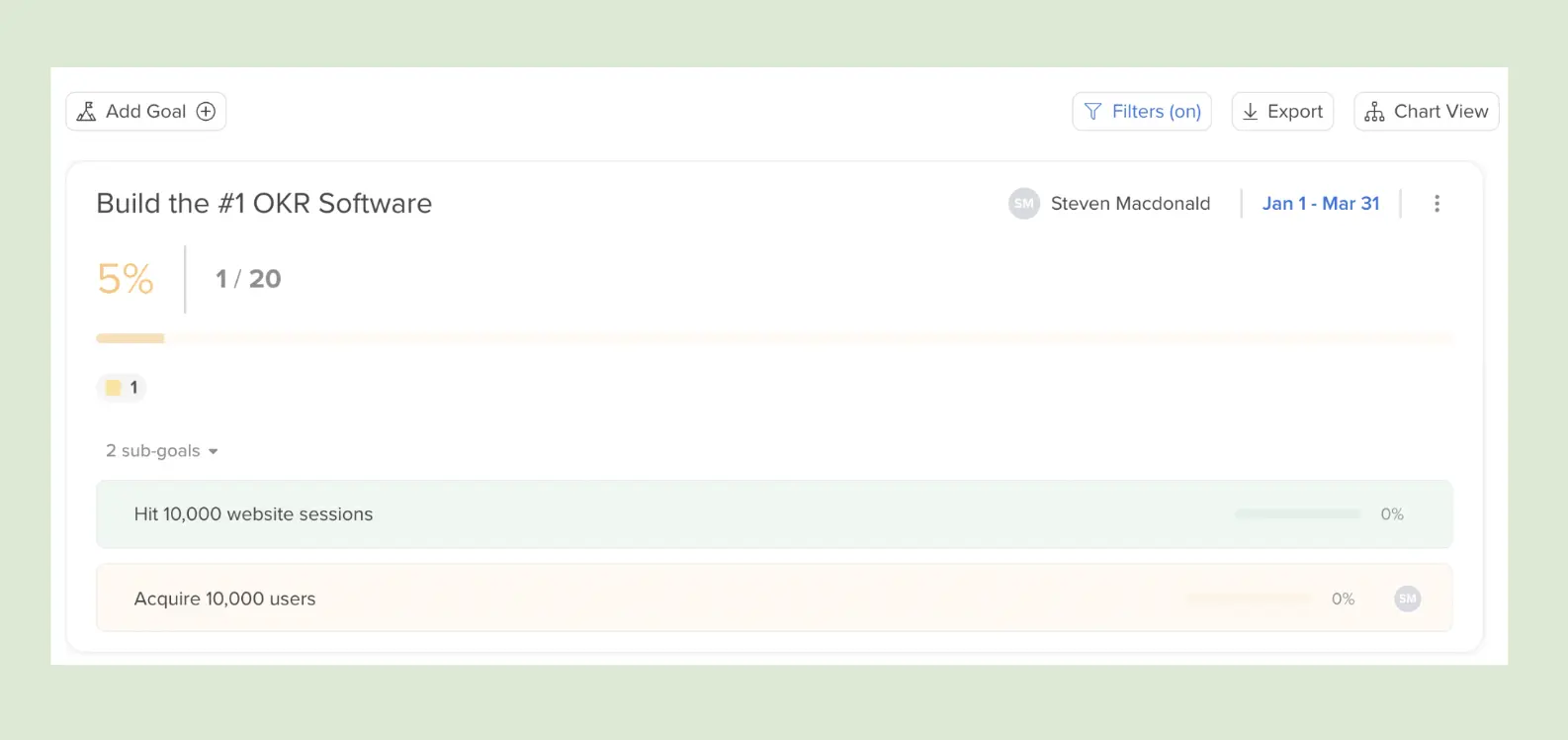
- Goals and Projects Integration: Strategic goals visible alongside project tasks — teams see OKR status in the context of daily work without switching platforms.
- Flexible Goal Tracking: OKR structure with customizable progress tracking methods connected to project milestones.
- Collaboration Tools: Comments, feedback, and goal updates within the existing project management workflow.
What I liked
The connection between project work and strategic goals is more natural in Hive than in most purpose-built OKR platforms — team members see OKR status in the same view as their tasks, which reduces the feeling that OKRs are a separate overhead layer. Good option for organizations that have resisted adopting OKR software specifically because it means another tool.
What could be improved
Limited OKR scoring and analytics — the goal layer is less sophisticated than purpose-built platforms, which makes cycle-end review and retrospective data less reliable. No automated check-in infrastructure; the weekly habit depends on manual discipline.
Pricing: Free for up to 10 members; Starter from $5, Teams $12 per user per month (yearly).
Free trial: Yes — free plan.
25. DevOKR
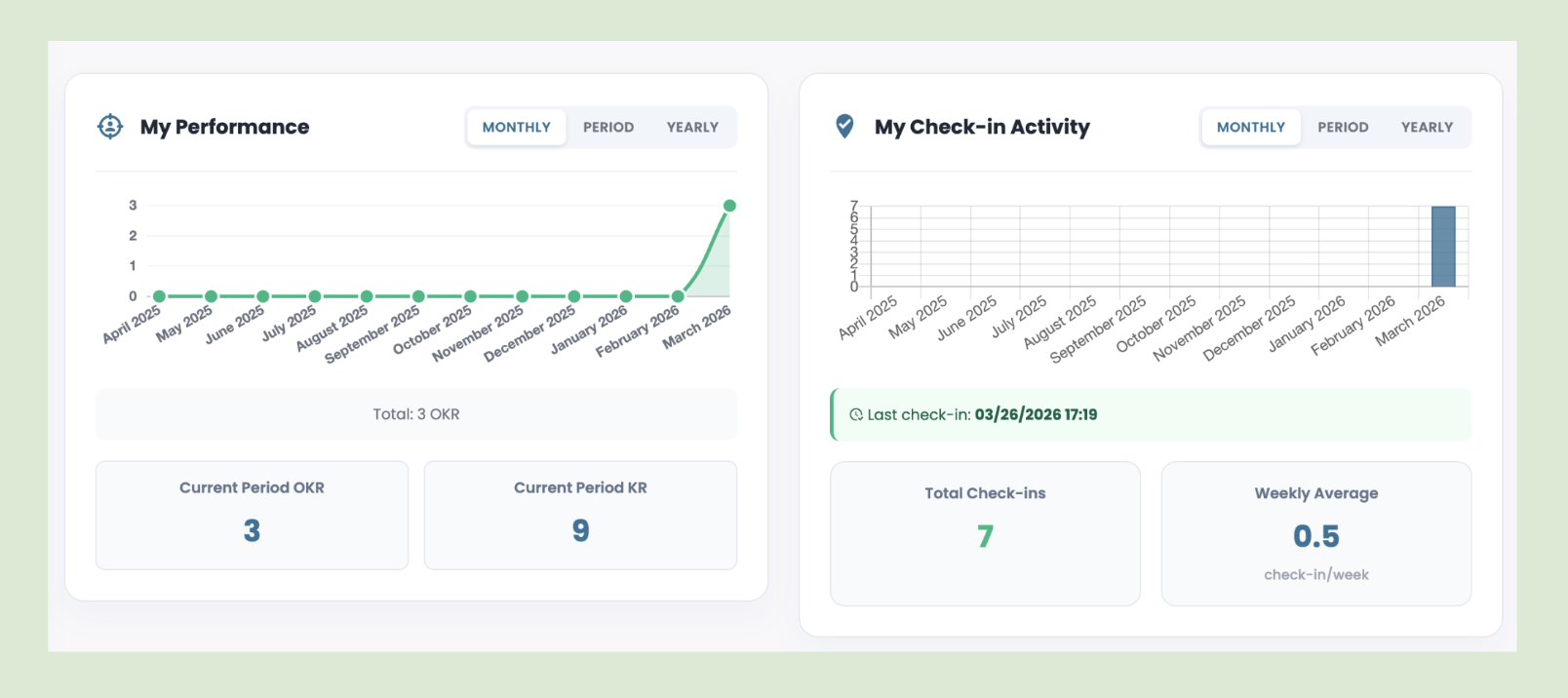
DevOKR is an OKR and performance management platform built for engineering and product organizations — connecting goal tracking to performance reviews, 1:1s, and development workflows in a way that reflects how technical teams actually operate. The OKR structure is strong and the performance layer is designed for managers who need both goal delivery and technical competency data in one view.
Best for performance-driven engineering and product teams (scaleup and mid-market) that need OKRs and development tracking together.
Key Features
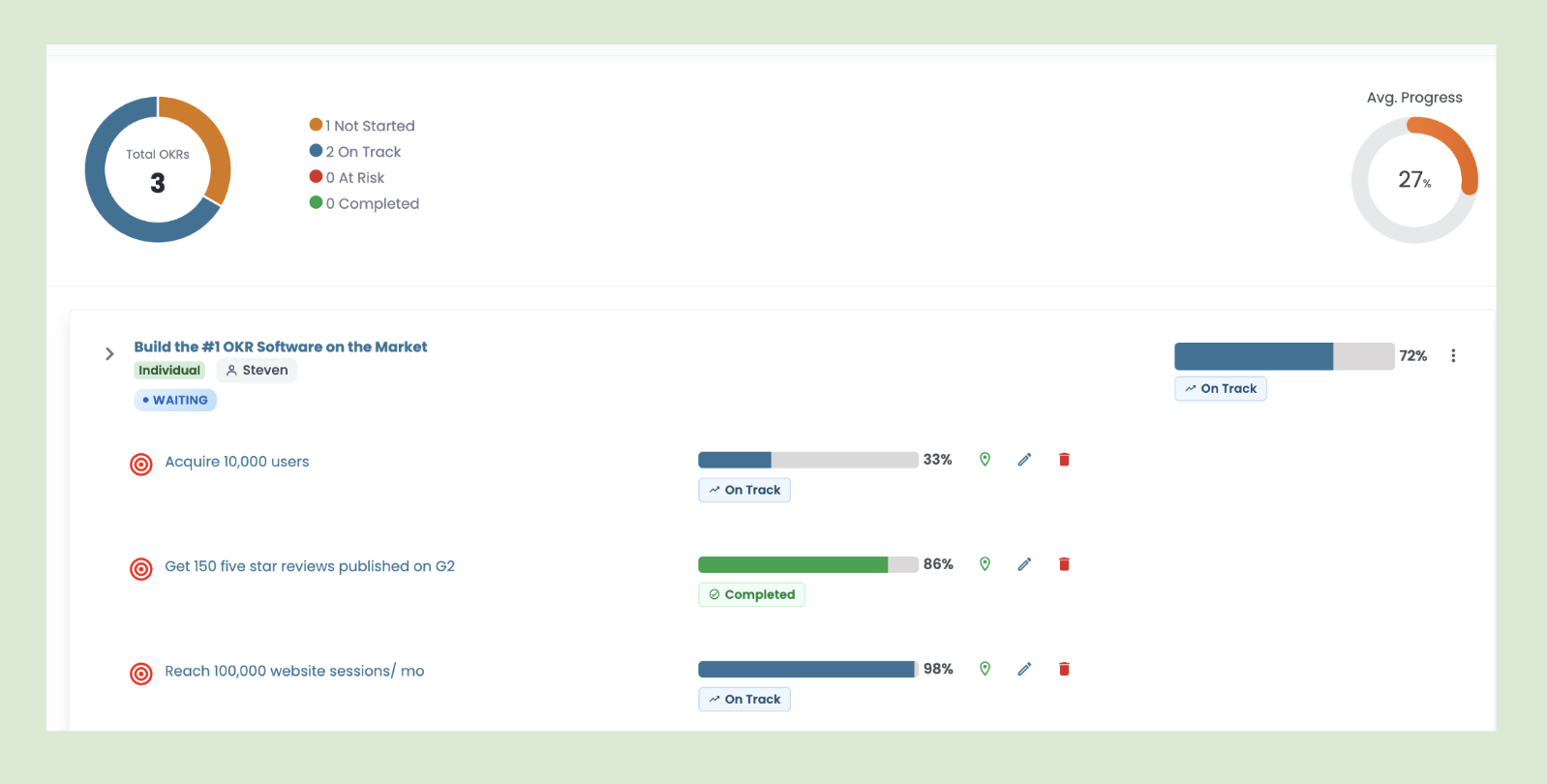
- OKR and Performance Integration: Goal delivery data connected directly to performance reviews — KR completion rates alongside technical competency assessments.
- 1:1 Management: Structured manager-report check-ins built around OKR progress and development priorities.
- Engineering-Oriented Workflows: Goal structures and progress tracking designed for how technical teams set and measure outcomes.
What I liked
The connection between OKR delivery and performance conversations is more structural here than in most platforms — useful for engineering managers who want both goal data and development context in the same review cycle. The 1:1 management layer is well-designed for technical teams.
What could be improved
Feature-heavy for teams that only need the OKR layer — the full platform requires investment before it becomes efficient. Some workflows are manual in a way that creates friction at scale. Custom pricing only, with no public rates.
Pricing: Free for up to 10 users; Enterprise by quote. (Note: pricing is hosted on devokr.net.)
Free trial: Yes — trial available.
26. Loach
Loach is a lightweight OKR tool built around weekly execution. Rather than just tracking quarterly goals, it's designed to bridge the gap between high-level OKRs and the day-to-day work that actually moves them forward - making it a solid fit for small teams of three to five people.

Best for small teams (1–10 people) that want a simple way to connect weekly priorities to quarterly OKRs.
Key Features
- Initiative Tracking: Track initiatives alongside Key Results so daily work stays tied to quarterly goals.
- Weekly Planning View: Each week, Loach surfaces your strategic focus so teams know what matters.
- Weekly Check-Ins: A quick end-of-week pulse on progress, blockers, and next week's priorities.
What I liked
The sample data is a nice touch - you actually get to see what a real workspace looks like before you've added anything. Check-ins also have their own spot in the sidebar, which I appreciated. On most platforms they're just tucked inside the OKR view and easy to miss.
What could be improved
It's a fairly thin feature set - OKRs, initiatives, check-ins, a leaderboard, and that's about it. No integrations, which will bother some teams. Updating a Key Result also felt clunky; you have to hit an edit button rather than just logging an update directly, which breaks the flow.
Pricing: Free for up to 5 users, then €2.99 per user per month.
Free trial: Yes.
27. Google Sheets / Microsoft Excel
Every customer I speak with starts their OKR journey with a spreadsheet — whether it's a 5-person team, a 40-person department, or a 120-person org. And it makes sense. Spreadsheets are free, familiar, and fast to set up. For a first cycle, the framework matters more than the tool.
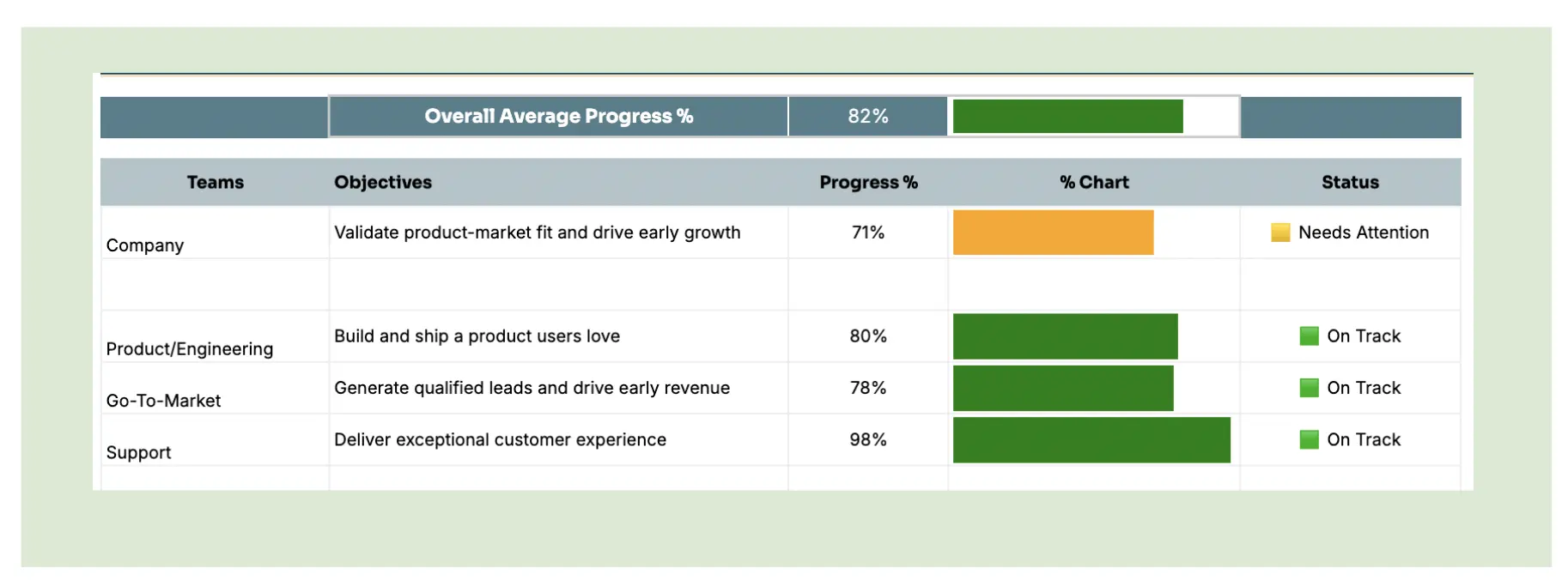
Best for pre-software teams — evaluating OKRs before investing in software. Use the free OKR template in Excel or Google Sheets to get started.
Running OKRs in Google Sheets or Excel means building your own structure — a tab for company OKRs, tabs for each team, manual progress updates, and a shared link that either everyone bookmarks or nobody opens. It works until it doesn't. Updates go stale, alignment slips, and by week six nobody remembers what the goals were.
Key Features
- Fully flexible structure: Build your OKR hierarchy any way you want — no opinionated format, no constraints.
- Zero setup friction: Open a template and start writing goals immediately. No account, no onboarding.
- Shareable and familiar: Everyone already knows how to use it. No training required.
What I liked
The freedom. You can structure OKRs exactly the way your team thinks about them — no platform forcing a particular hierarchy or naming convention.
What could be improved
Everything that makes spreadsheets flexible also makes them fragile. No automated check-in nudges, no at-risk flagging, no alignment map. Progress tracking requires discipline rather than infrastructure — and discipline is exactly what breaks down mid-cycle. The benchmark data is clear: organizations using purpose-built software generate a 1:88 ROI vs 1:25 on spreadsheets.
Pricing: Free
Free trial: N/A — free forever
28. Small Improvements
Small Improvements is a performance management platform built around continuous feedback — 1:1s, reviews, pulse surveys, and OKRs in one system. The focus is on making performance conversations a regular habit rather than an annual event, with a lightweight interface that doesn't require a People Ops lead to configure and maintain.
Best for people-first organizations (50–200 people) that want continuous feedback and performance reviews alongside basic OKR tracking.
Key Features
- Continuous Feedback: Real-time peer and manager feedback outside of formal review cycles — built to make recognition and development part of the weekly rhythm.
- 1:1 Management: Structured check-in templates with talking points, action items, and goal progress in one view.
- Pulse Surveys: Regular team sentiment tracking alongside goal and review data.
- OKR Tracking: Company, team, and individual goal management with basic progress tracking.
What I liked
The free trial is the most generous on this list — 30 days with full access to all performance features including 1:1s, reviews, pulse surveys, and continuous feedback. Most platforms that offer these capabilities gate the product and require a sales demo first. Small Improvements just lets you in.
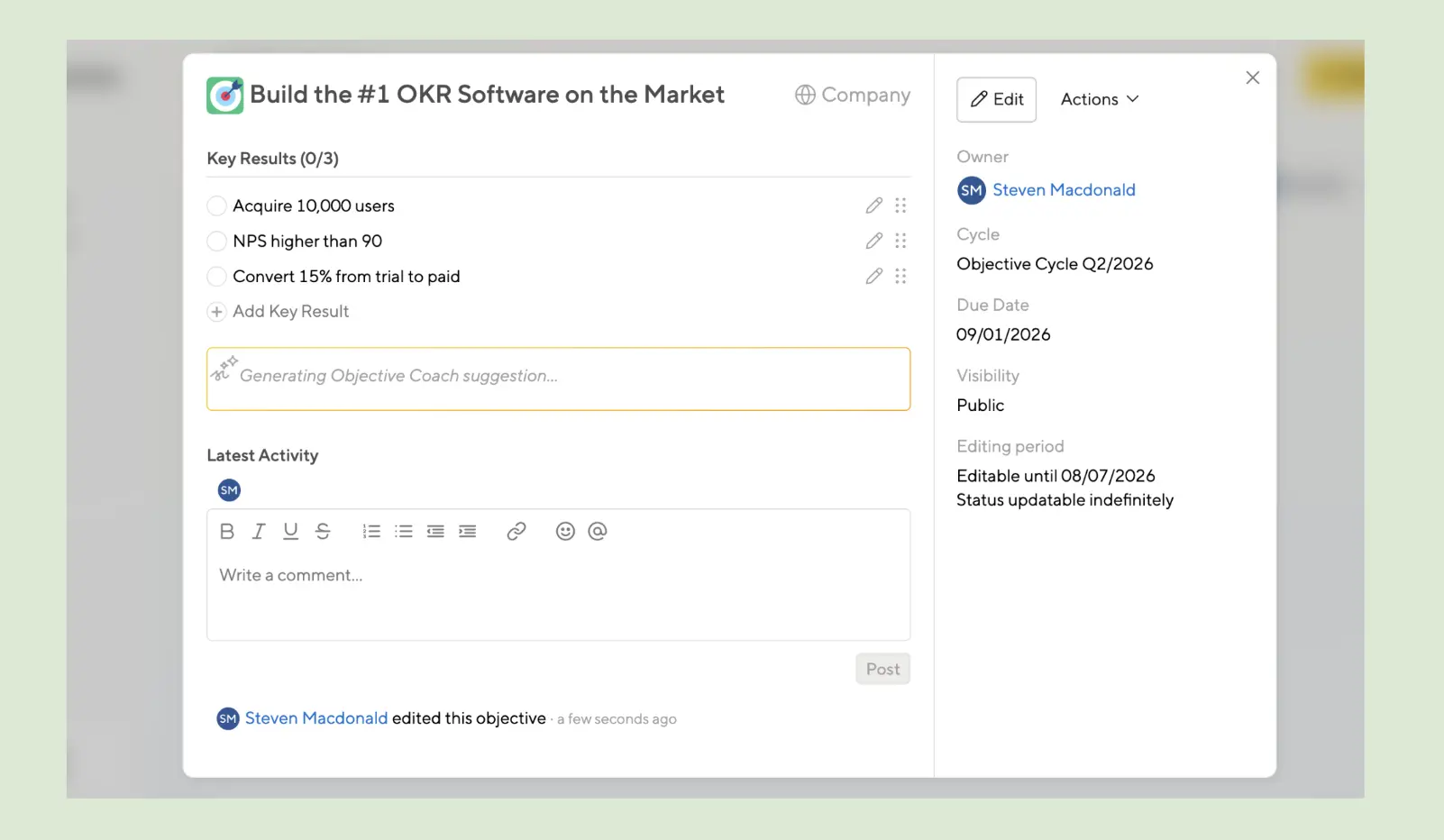
The other standout: a dedicated option in Settings to delete dummy data cleanly (Settings > User Management). It sounds minor, but every other platform leaves you manually deleting sample OKRs one by one before your real data can breathe.
What could be improved
Onboarding drops off sharply after the initial setup questions — the welcome screen offers no suggestions, no sample structure, no next step. The OKR layer also felt underdeveloped: once a goal is created, there's no clear way to log a progress update — it defaults to a checkbox (done or not done) rather than a scored 0.0–1.0 Key Result. That's a meaningful limitation for teams that want the full OKR execution cycle rather than a basic goal tracker.
Pricing: From $3 per user per month (Launch); OKRs need Grow at $6/user; 20-user minimum, billed annually.
Free trial: Yes — 30 days, full feature access.
29. Planomic
Planomic is an OKR and strategy execution platform built around one idea: teams create their goals and check in at the team level, not the individual level. Built in Aarhus, Denmark, it takes a genuinely different structural approach — you create a team and its OKRs in a single view, and every plan includes unlimited users, with pricing based on the number of teams instead.
Best for small teams (single-team orgs) that want free OKR tracking with unlimited users and a weekly check-in rhythm.
Key Features
- Team-Based OKR Creation: Teams and their OKRs are created in one view — a different flow from the company-department-individual hierarchy most platforms use.
- Weekly Check-in Structure: A three-step weekly rhythm — update progress, set this week's to-dos, and log confidence in hitting the goal by quarter end.
- Weighted Key Result Slider: Update each KR with a slider and the objective's average progress recalculates as you go.
What I liked
The free plan covers one team with unlimited users — genuinely rare in this category, and great for small teams getting started. The Key Results slider is a smart touch, recalculating the objective's average as you update each KR. The team-and-OKR-in-one-view flow takes a moment to get used to, but once the concept clicks, it feels smooth.
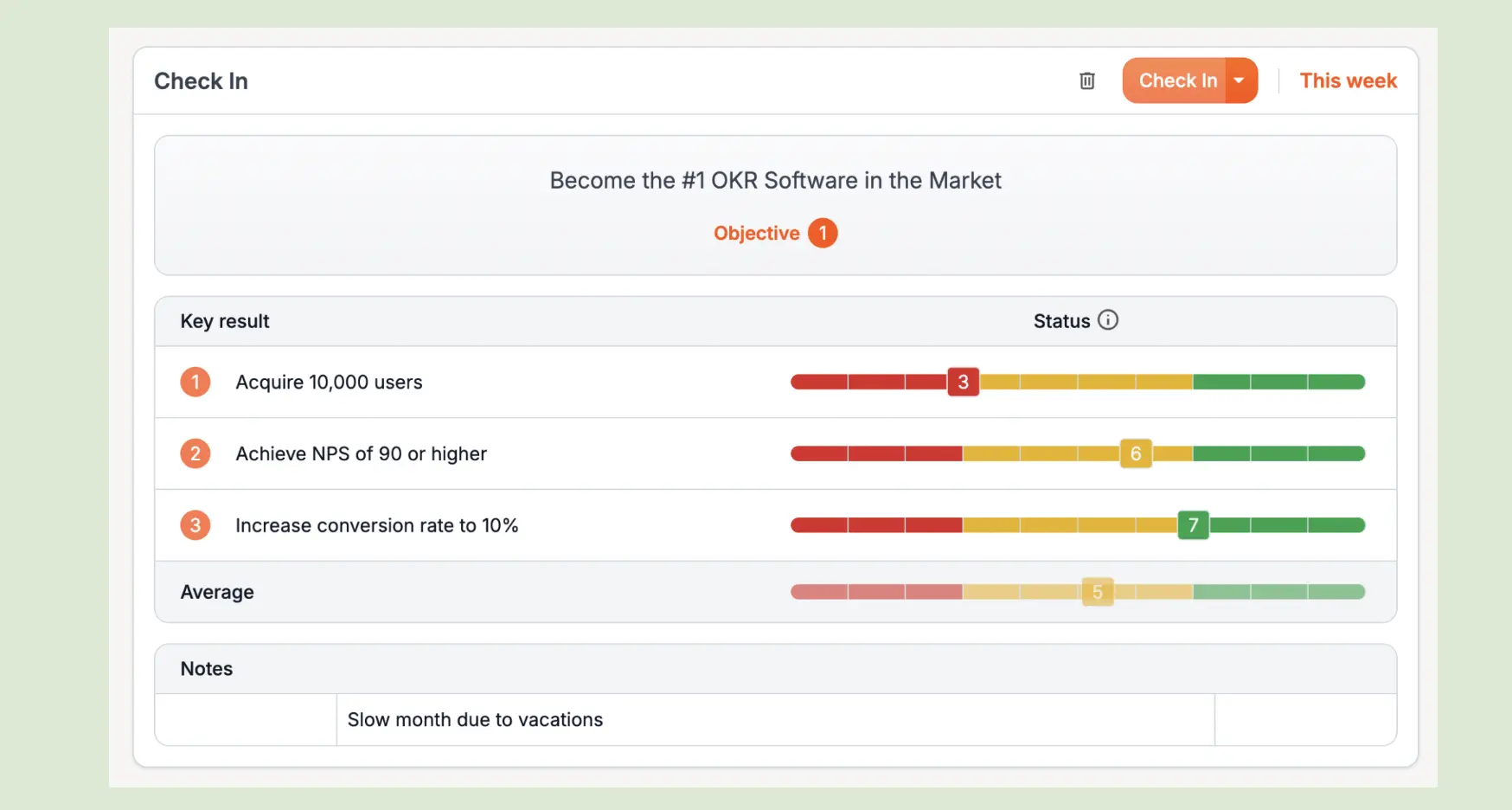
What could be improved
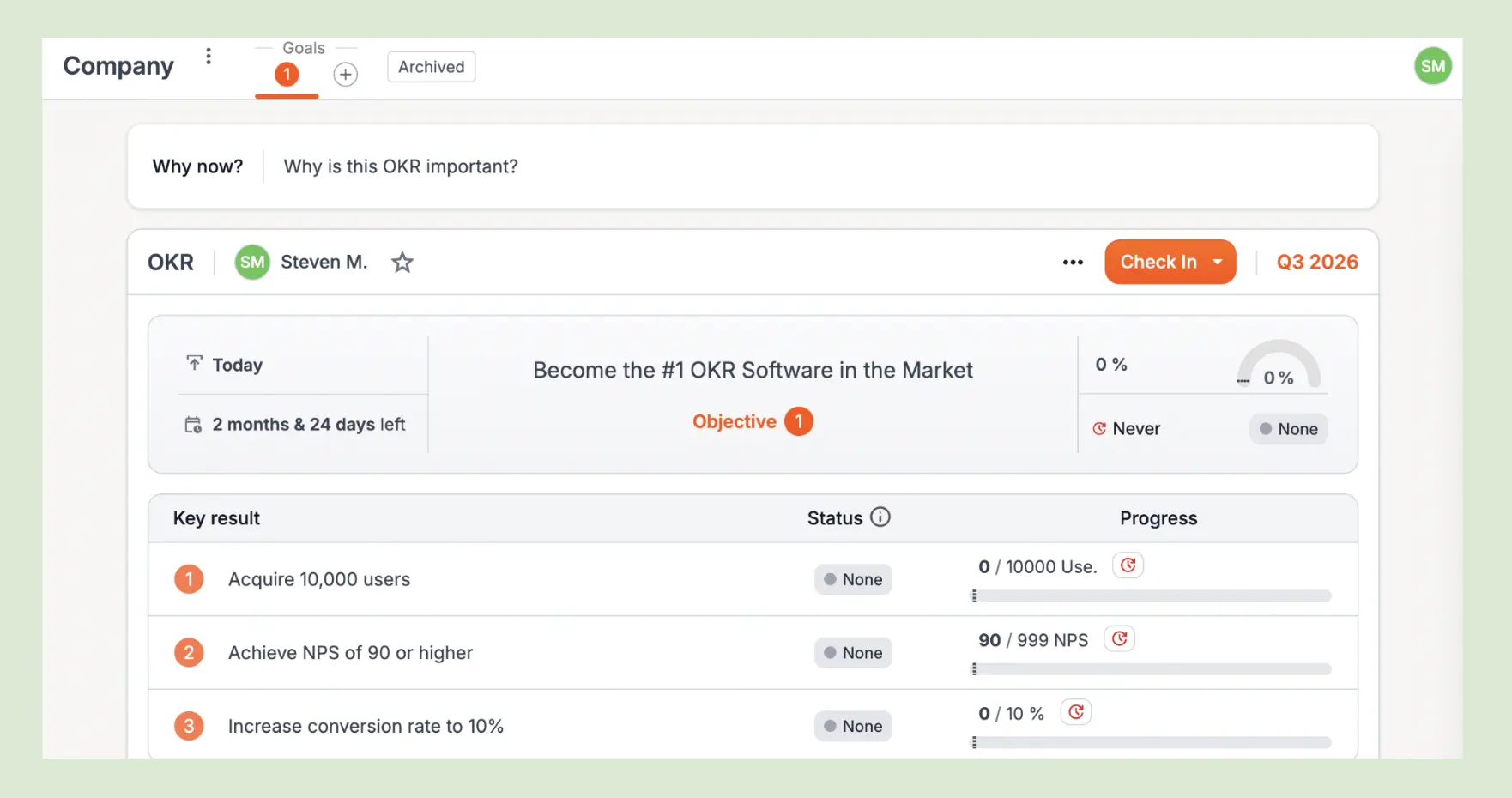
The first impression is a blank dashboard full of 0% — goals and to-dos show zero with nowhere to create anything new until you find the Teams page. Metric entry was fidgety (10,000 became 10), and slider updates weren't saved, leaving the report showing "?" instead of data. Check-ins are locked to once per week, so a mistake waits until next week to fix. Settings are limited, with no integration options in-product.
Pricing: Free forever for one team; paid plans from €49/month (10 teams).
Free trial: Yes.
30. Leemu
Leemu is an AI-assisted OKR platform built for startups that want smarter goal-setting without the manual overhead. It combines OKR tracking with AI-generated drafts, real-time progress updates, and a native calendar for check-in reminders.
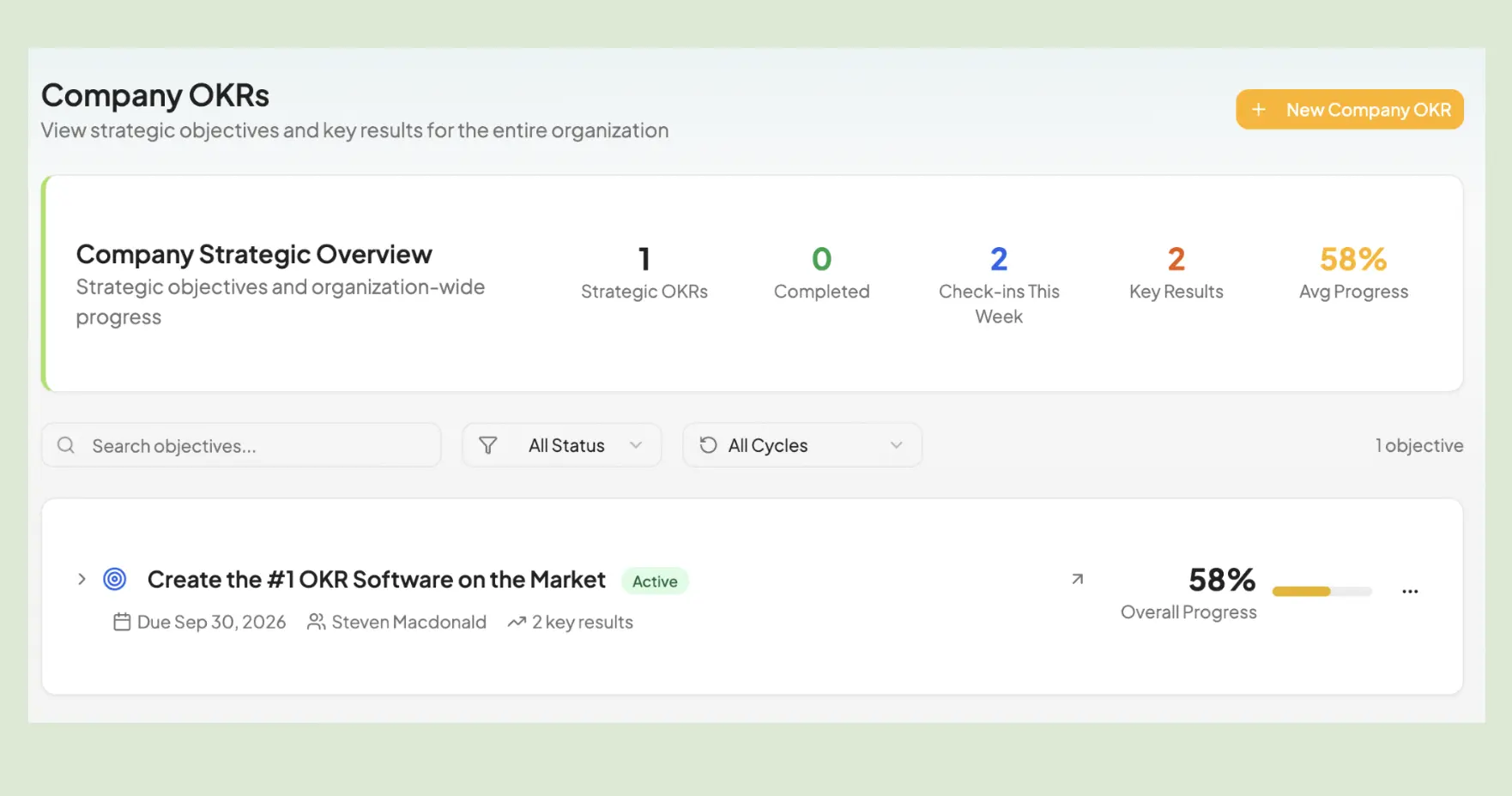
Best for small startups that want AI-assisted OKR writing and built-in check-in scheduling in one lightweight tool.
Key Features
- AI OKR Generator: Draft objectives and key results instantly — no blank page, no guesswork.
- Native Calendar & Check-ins: Schedule and manage check-in reminders directly inside the platform.
- Slack & Teams Integration: Push OKR updates into the tools your team already uses every day.
What I liked
Setting up OKRs is easy and I liked being able to link them to strategic goals. The native calendar for check-in reminders is something I haven't seen on many other platforms — a small but really useful difference. The reporting gives a clean snapshot of how the organization is tracking through the cycle, and you can export it.
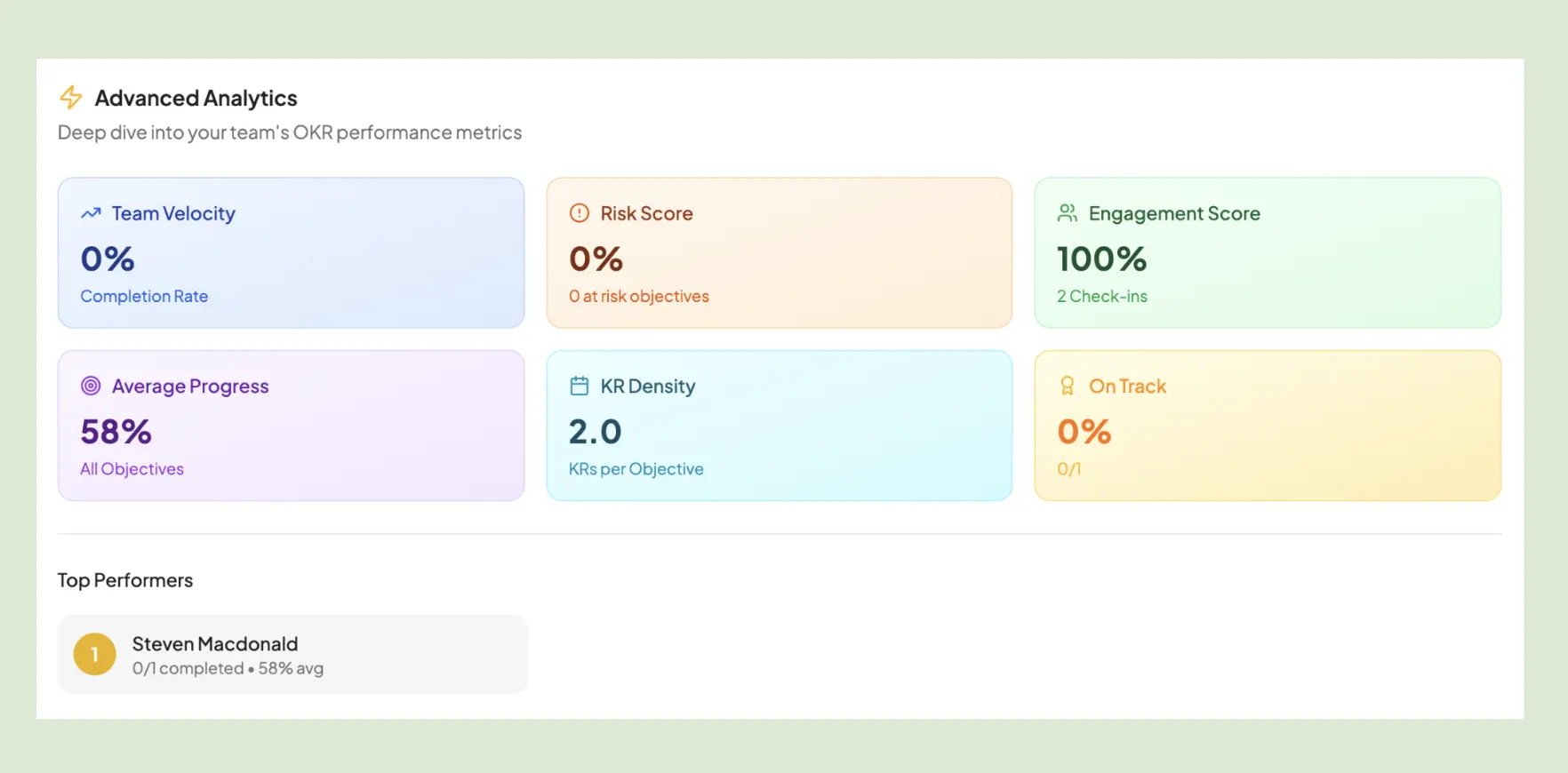
What could be improved
They lead with AI, but the AI features are locked behind a paid plan. Entering OKR data manually triggered a warning that I'd used 84% of my monthly AI tokens — without touching a single AI feature. The free plan is also thin — no alignment map, no initiatives, no KPIs — which makes it difficult to properly evaluate the product before committing.
Pricing: Free for 3 users, then $8 per user per month.
Free trial: Yes.
31. SmartOKR
SmartOKR is a simple OKR platform built for growing SaaS companies that want to move goals out of spreadsheets and into a structured weekly rhythm. It combines OKR tracking with check-ins, 1:1s, and surveys in one lightweight tool.
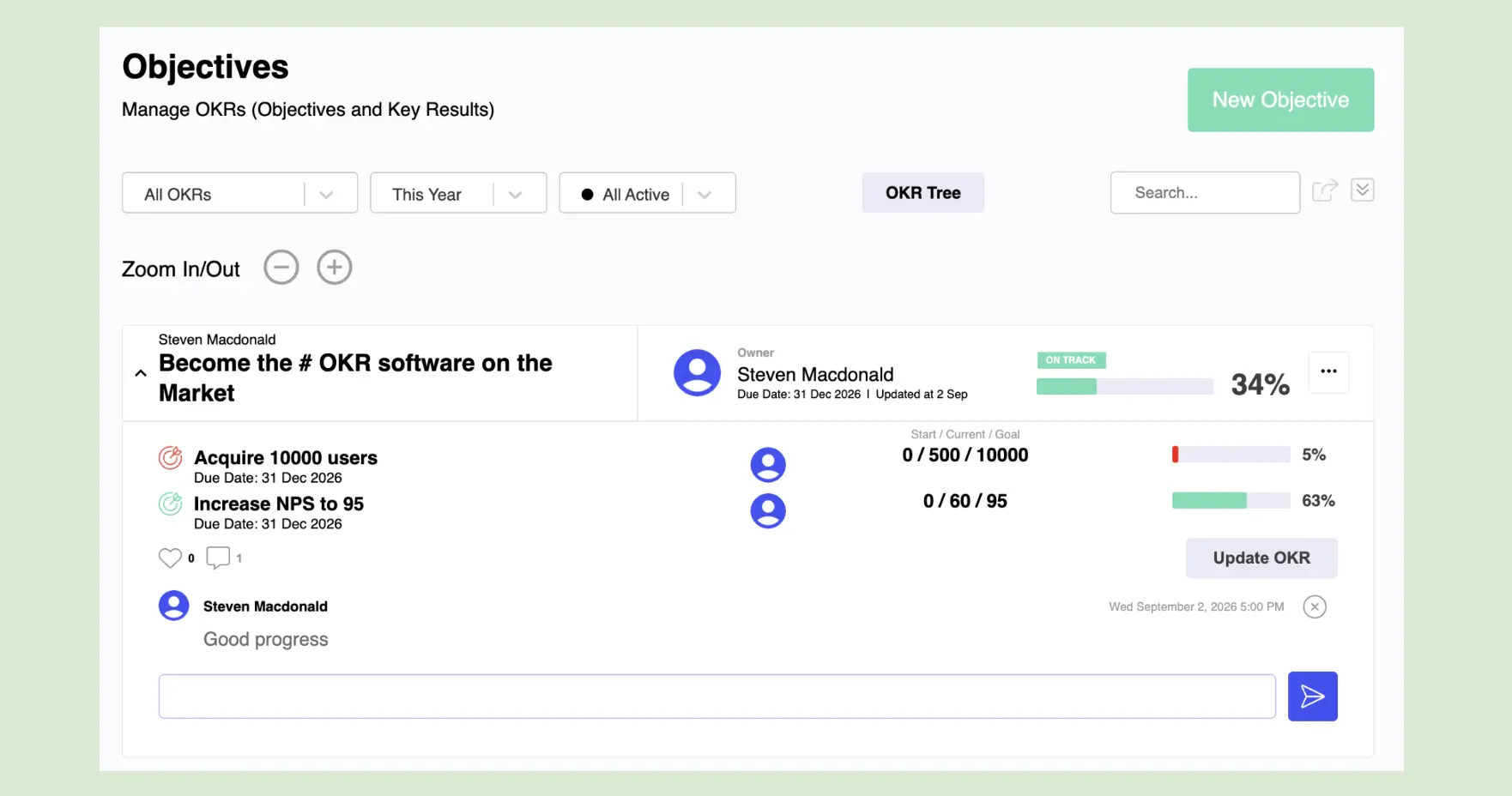
Best for small SaaS teams that want basic OKR tracking with a built-in check-in and recognition layer.
Key Features
- Weekly Check-ins: Automated reminders keep progress updates flowing without chasing people — daily standups and weekly updates in one place.
- 1:1s: Built-in 1:1 meeting structure to keep managers and direct reports aligned on goal progress between cycles.
- Surveys: Pulse surveys and recognition tools to track engagement alongside OKR execution.
What I liked
You set up your first OKR during onboarding — so you arrive in the product with a live goal already in place. It sounds obvious, but very few platforms do this. The core product is clean: OKRs, tasks, check-ins, and 1:1s without much clutter.
What could be improved
The pricing structure is confusing. Check-ins cost $3 per user per month but don't include OKR access — it's unclear what the use case is for that tier. Integrations are limited to Slack and Discord, with no project management tools. Given the maturity of the product and the number of strong alternatives at lower price points, it's a tough sell at $7 per user.
Pricing: $7 per user per month for OKR tracking (INR-based list; US tiers are quote-only).
Free trial: Yes, 14 days — no credit card required.
32. OKRnest
OKRnest is an OKR platform built by the author of the first Swedish book on OKRs, designed around team-level execution rather than top-down goal management. It pairs OKR and KPI tracking with an AI coaching layer and an MCP server that pulls your OKRs into Claude or ChatGPT.
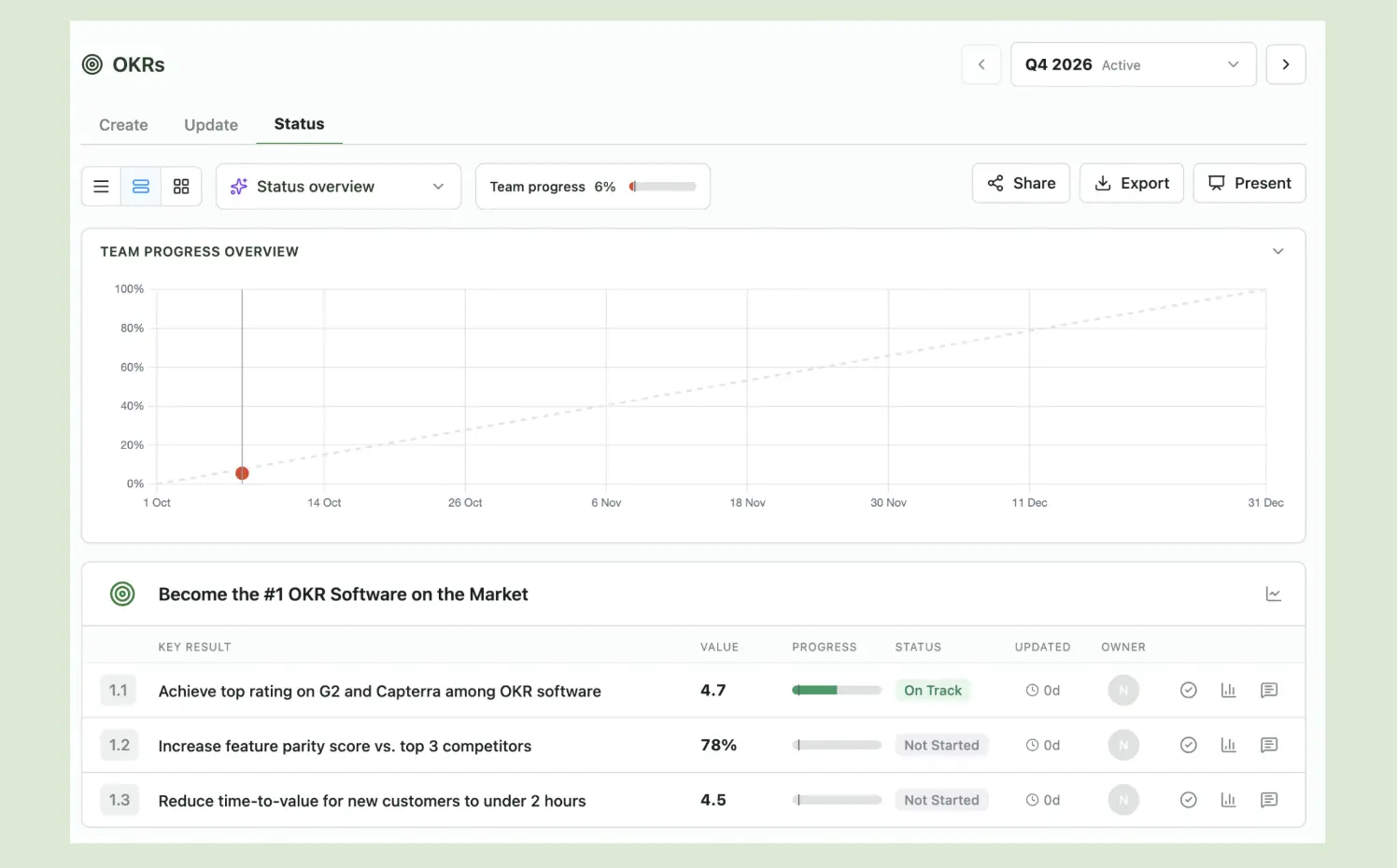
Best for small teams (3-10 people) starting with OKRs who want AI-assisted drafting and a structured check-in rhythm.
Key Features
- OKRs, KPIs and Initiatives: Outcome goals and health metrics in one place, with a basic kanban board for initiatives.
- API and MCP Server: Push KPI data in, and surface OKRs inside Claude, ChatGPT, or any MCP-compatible assistant.
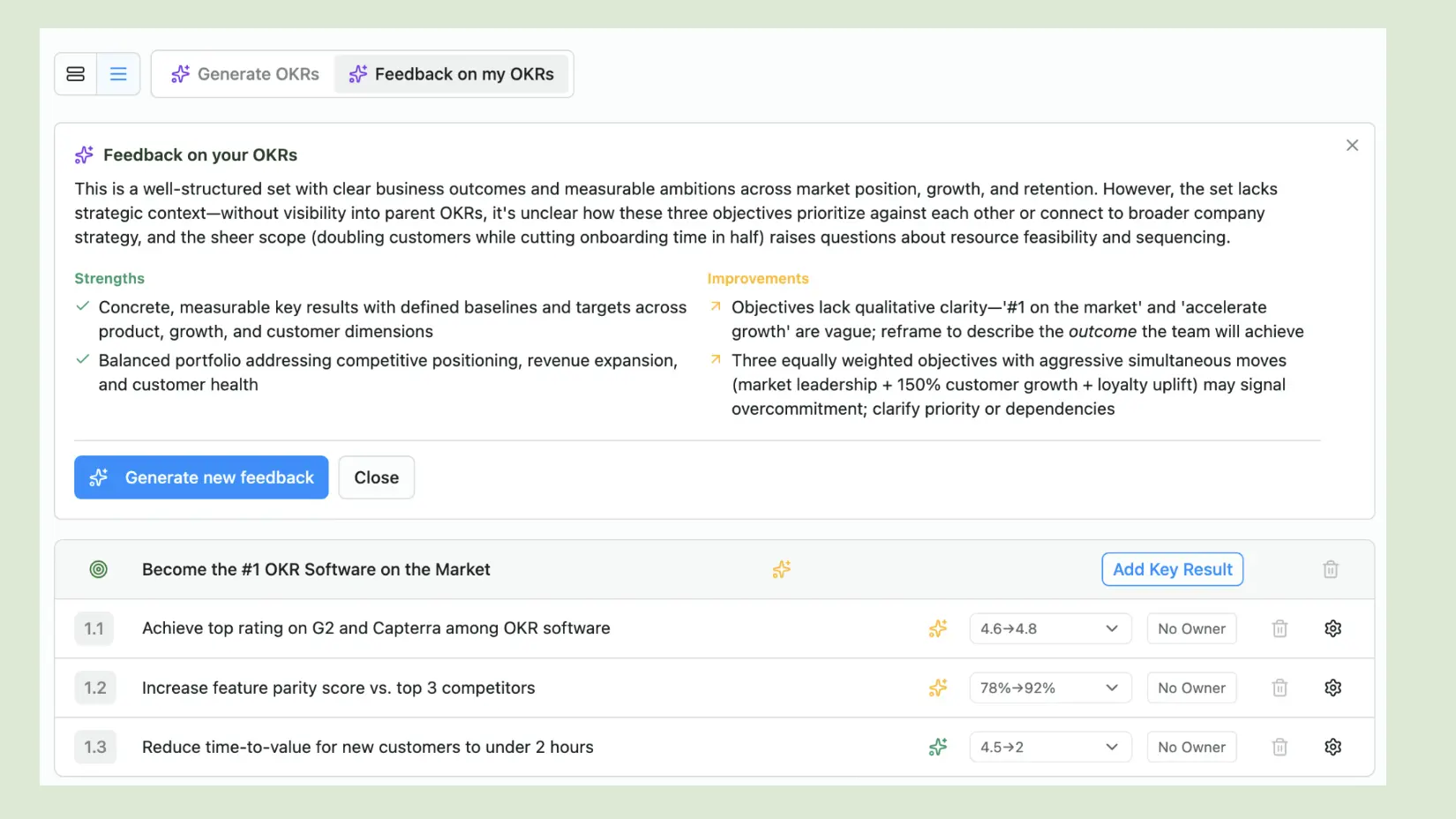
- AI Drafting and Coaching Feedback: Draft OKRs with AI, then get structured critique on goal quality — something no other tool I tested offers.
What I Liked
The AI coaching feedback is unique. After I drafted a set, the AI coach flagged — unprompted — that "three equally weighted, aggressive objectives signalled overcommitment and I should clarify priority". That's a sharper read than most teams give their own OKRs. Onboarding gets the structure right too, asking for team name, check-in cadence, and team lead upfront.
What Could Be Improved
The UX needs work. There are two places to update a Key Result and only one works — my first update went in the Status tab and recorded nothing; progress only registered once I found the Update tab. AI-drafted KRs let you edit the copy but not the target or baseline — the numbers that matter most. Nothing auto-saves, you can't add an objective after publishing, and the coaching feedback has no apply button (which is a miss on what would be a huge value add).
Pricing: Free plan available. Paid plans from €79 for 10 users.
Free Trial: Free plan available for 3 users.
33. Workboard
Workboard is an enterprise strategy execution platform built for large organizations that need OKRs, strategic portfolio management, performance management, and AI agents in one system. Used by Boeing, AstraZeneca, and Avery Dennison, it’s firmly in a different weight class from most tools on this list.
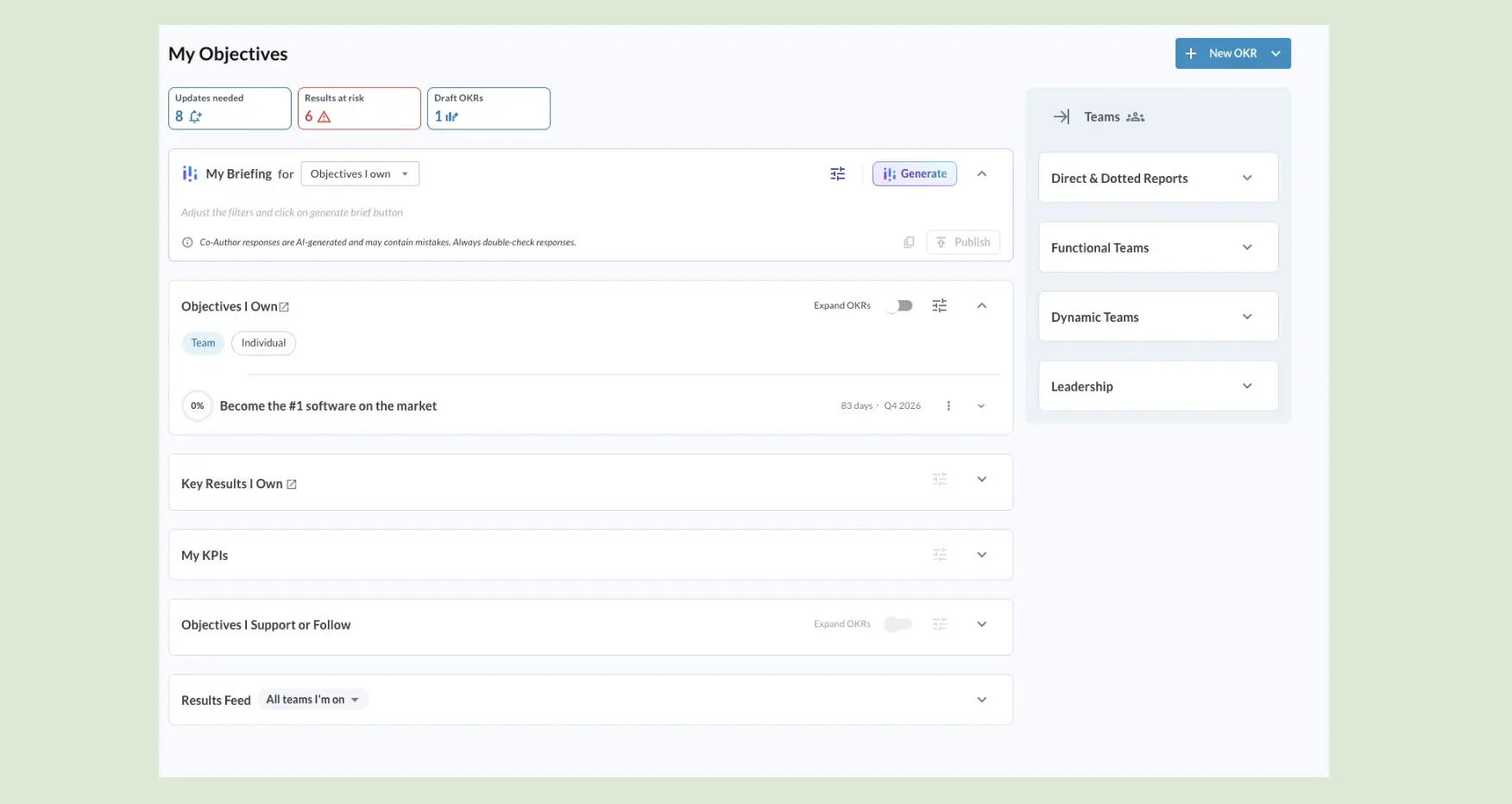
Note: Workboard is demo-only — no free trial or self-serve signup. I got hands-on access through a direct contact, so this is the only independent, logged-in review of Workboard you’ll find on a list like this. Everything below is from my own time in the product, not their marketing pages.
Best for large enterprises (500+ employees) running complex, multi-layer strategy execution programmes that need OKRs connected to business reviews, talent management, and strategic initiative portfolios.
Key Features
- OKR and Strategy Alignment: Enterprise-grade OKR management with full cascade from company strategy through teams — including strategy pillars, assumptions, and investment tracking alongside goals.
- AI Agents: A suite — Portfolio Analyst, Chief of Staff, and Leadership Coach — that automate QBR prep, surface at-risk OKRs, and coach managers on goal conversations.
- Operating Cadence Automation: Automated MBR and QBR prep, instant dashboards, and scorecards that cut out slide-building and manual reporting.
What I Liked
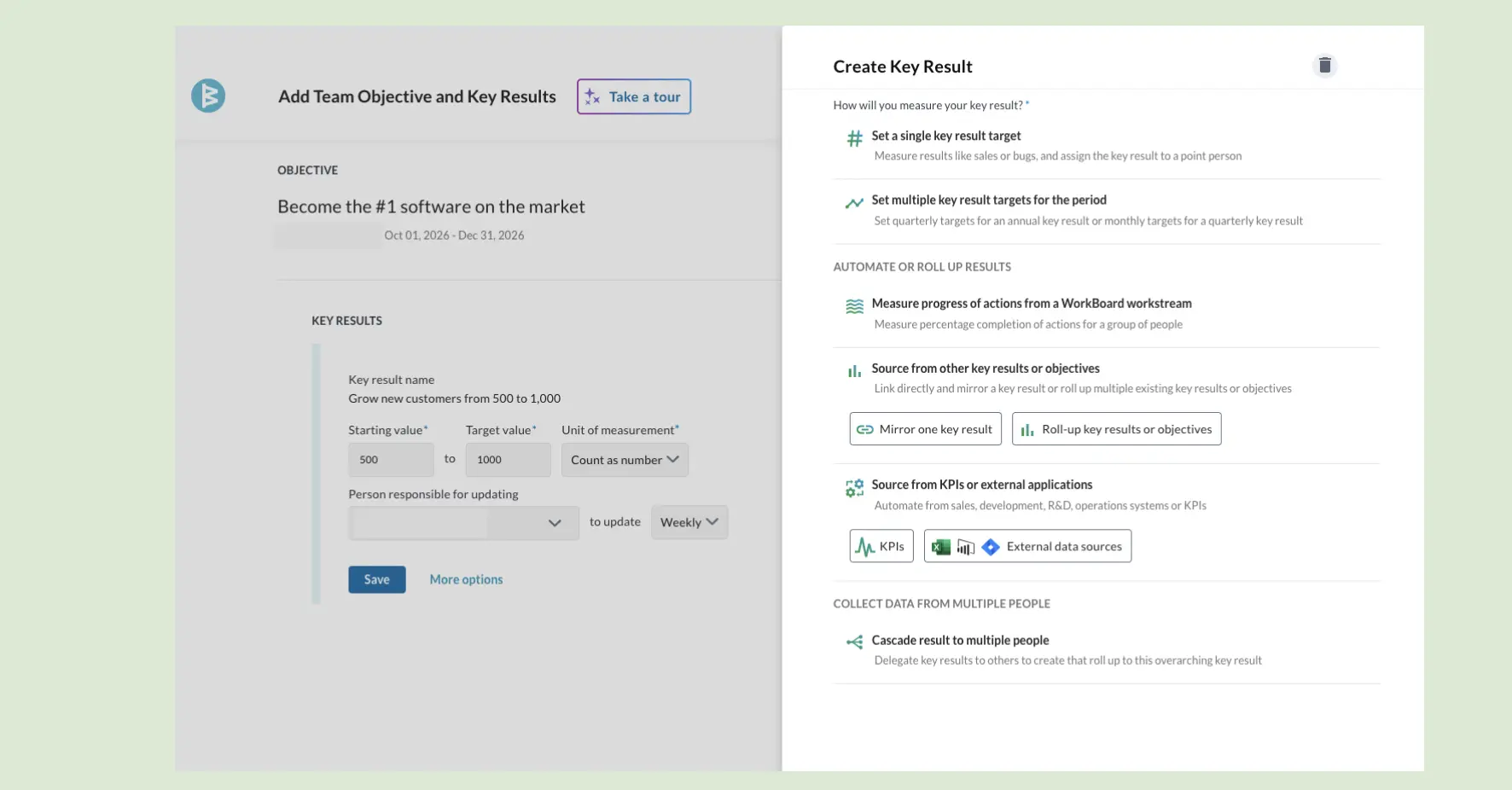
Creating an OKR is more frictionless than most enterprise tools let it be. The standout: paste in plain text and it converts to a structured Objective and Key Result at the click of a button, I had a goal drafted in seconds without wrestling the form. For a platform this heavy, that’s not something you take for granted.
What Could Be Improved
The depth cuts both ways. Testing it, I kept hitting options buried behind other options - there’s enormous configurability, but it means real training and ongoing admin to use well. Dropping into an organisation already set up in Workboard, the learning curve would be steep. It rewards investment, but it demands it too.
Pricing: Quote-based. Demo required.
Free Trial: No — demo only.
What Is The Best OKR Software?
After personally testing all 33 platforms, I've seen the good, the bad and the... not so good.
Here's my honest opinion and top picks by use case:
For teams inside growing companies (50–200 people): OKRs Tool is the strongest option at this stage — and not because I built it. The benchmark data says it: organizations using purpose-built OKR software generate a 1:88 return on investment. Flat pricing means the cost doesn't change as you hire. Required ownership and automated check-ins mean the execution habits that drive that return are structural, not dependent on discipline.
For Microsoft 365 organizations: Teamflect. This one isn't close. If your team lives in Teams, every other platform on this list requires a context switch that kills adoption. Teamflect removes that entirely — OKRs, reviews, 1:1s, and feedback inside the interface your team already has open. The 4.8/5 G2 rating is the highest on this list for a reason.
For teams building their first check-in habit: Tability. Tability's automated Slack nudges, clean async update flow, and modern UI make the weekly check-in the most frictionless on this list. For teams that are earlier stage or just starting with OKRs, Tability gets the habit established faster than anything else here.
Here's how the top three compare:
Quick notes:
- Viva Goals closed on December 31, 2025. If you're mid-migration, see the Viva Goals alternatives guide — it covers 8 replacement platforms ranked by migration ease and setup speed.
- We focused on platforms you can test yourself. Lattice and Betterworks aren’t reviewed here — both are demo-only and neither responded when I reached out. Workboard is the exception: it’s also demo-only, but I got hands-on access through a direct contact, so it’s the one enterprise tool on this list you can read a logged-in review of (see #33).
How to Choose the Right OKR Software
Start by matching the tool to your stage. Under 20 people, a free tier or spreadsheet is enough — the habit matters more than the infrastructure. Between 50 and 200, you need a purpose-built platform with required ownership, automated check-ins, and cascade visibility, which is the stage OKRs Tool's flat pricing is built for, with no per-user growth tax as you hire. At 200 to 500, performance management depth becomes the priority; past 500, enterprise strategy execution with live data integration.
Then match it to where your team actually breaks down. Goals going stale by week four is a check-in infrastructure problem. Teams setting goals in silos is a cascade problem. Performance reviews disconnected from goal delivery is a systems problem. Every one of those has a tool on this list built to fix it.
Underneath all of it is one finding the data keeps returning to: what separates teams that hit their goals from teams that miss is structure, not strategy. Our ROI benchmark across 330 organizations models the difference between a 1:25 and a 1:88 return as coming down to how goals are run, not how they're written — and independent research points the same way.
A 138-study meta-analysis found that prompting progress monitoring measurably improves goal attainment, and a Dominican University study found that more than 70% of people who sent weekly progress updates hit their goal, versus 35% of those who kept goals to themselves — almost exactly the gap our own platform data shows.
The habits are what drive the outcome, and the right tool is what makes those habits automatic instead of dependent on discipline. So pick the tool that makes the right habits unavoidable — required ownership, an automated check-in rhythm, and a goal record everyone can see — and start before the quarter does, not after it's already slipping.
Sources & Methodology
How this guide was made — and where every number comes from — is on the How I test OKR software page. In short: real accounts, one company objective, two Key Results, owners assigned, and at least one weekly check-in cycle per tool. Pricing and features verified on vendor pages in September 2026.
Independent research: Locke & Latham, "Building a Practically Useful Theory of Goal Setting" (American Psychologist, 2002); Harkin et al., "Does Monitoring Goal Progress Promote Goal Attainment? A Meta-Analysis" (Psychological Bulletin, 2016; 138 studies); Gail Matthews, Dominican University goal-achievement study; Gallup, on manager-involved goal setting; Gartner (Feb 2024) on GenAI adoption among HR leaders.
OKRs Tool research (first-party, labelled as ours throughout): The ROI of OKRs: 2026 Benchmark Report (330 respondents); The 2026 OKR Benchmark Report (200 organizations); The OKR Intelligence Report 2026 (222 organizations); the Performance Rating Benchmark Report; and OKRs Tool platform data (876 organizations).
Frequently Asked Questions
Based on real conversations with software buyers.
Is there free OKR software?
Yes. A handful of tools here are free, not just a trial: BOJA OKR (free forever), OKRnest, SugarOKR, and Planomic (free forever for one team, unlimited users). Google Sheets or Excel is the original free option and fine for a first cycle. Several paid platforms also have free tiers worth a pilot — Teamflect (10 users), Range (12 users), and Perdoo (5 users).
The catch with free OKR software is rarely the price — it's that most free tools skip the automated check-in, so the weekly habit falls back on discipline and stalls by week four. OKRs Tool itself isn't free; it's a 14-day trial, then flat pricing.
When should I move off spreadsheets to OKR software?
Most teams start in a spreadsheet, and for a first cycle that's the right call — the framework matters more than the tool. The move usually makes sense at one of two moments: when you pass ~20 people, or when check-ins start slipping and goals go stale by week four. That's the real trigger, not headcount. A spreadsheet has no automated nudge and no at-risk flag, so updates depend on someone remembering — and that's exactly what breaks mid-cycle. If updates are still landing and everyone can see the goals, stay in the sheet. When they're not, that's your signal.
What do OKR tools integrate with?
It varies more than you'd expect, so check before you commit. The common ones are Slack and Microsoft Teams for check-in reminders, and Jira, Asana, or Linear to pull progress from work you're already tracking. A few sync deeper into Salesforce or HubSpot so Key Results update from live data instead of manual entry. Two things to confirm for your stack specifically: whether check-in nudges fire in the chat tool your team actually lives in, and whether the KR data source you care about is a real two-way sync or just a one-time import. If integrations are thin, the tool still works — you'll just be updating progress by hand.
Can I import my existing OKRs?
Usually yes, but how painless it is varies. Most tools let you bring goals in from a spreadsheet (CSV) or set them up during onboarding; some will map an existing structure for you. The thing to test during a trial is how a messy import behaves — real OKRs have owners, cascading, and mid-cycle progress, and that's where cheaper tools tend to drop data or flatten the hierarchy. If you're migrating from a tool that's shut down (like Viva Goals), ask specifically about a migration path rather than assuming a clean export exists.
How much does OKR software cost?
The default is per-user pricing — commonly $6–$10 — which looks cheap at 10 people and becomes a growth tax by 100. A few use flat pricing (OKRs Tool from $129/month per org; SimpleOKR at $49.99/month for unlimited users), so the cost doesn't move as you hire. Free tiers and free-forever tools exist for small teams. View the OKR software pricing index to see how 24 tools compare.
Which OKR tools have an API or MCP server?
Most tools here are a closed dashboard. Perdoo, Tability and OKRnest ship an MCP server; OKRs Tool has both a full REST API and a native MCP server, so your OKRs can be read and updated by Claude, ChatGPT or an internal agent, not just viewed by logging in.
What’s the best OKR software for EU data residency?
If your data has to stay in the EU, check where each tool hosts — most are US-based and lean on standard contractual clauses rather than EU-region hosting. Futureworks is built for European and public-sector buyers; OKRs Tool keeps all customer data in the EU (eu-west-1), GDPR-compliant by default. For an IT or procurement review that asks where strategy and performance data lives, that’s the question that narrows the list fast.