OKRs outgrow the spreadsheet at about thirty people.
It worked when it was a tidy tab or two. Then the versions forked, the numbers stopped being current, and keeping the whole thing alive quietly became your job. Move your OKRs somewhere your team keeps them updated — on one flat price.
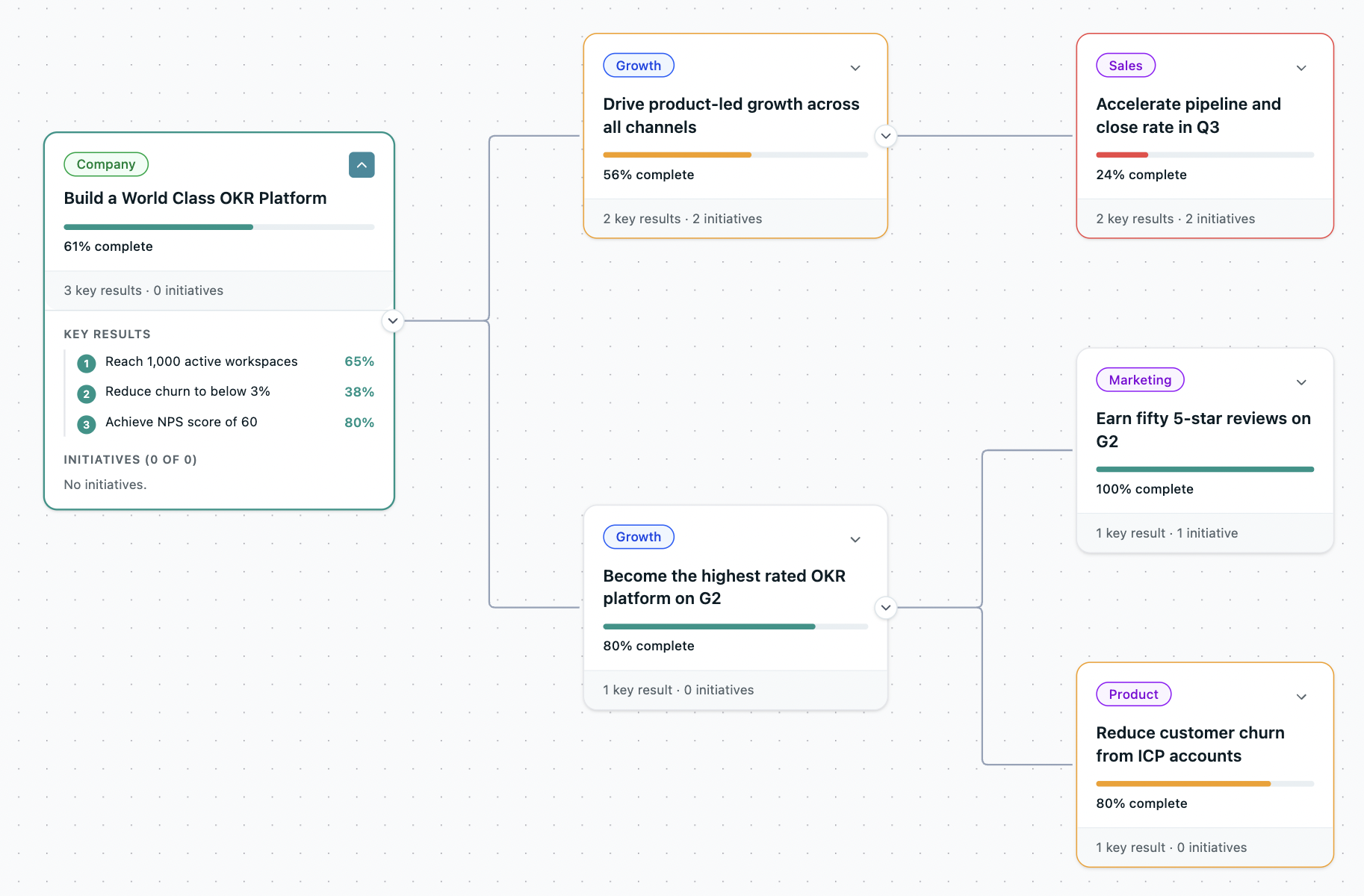
You didn't set out to build an OKR system. You ended up maintaining one.
The structure blurs
Objectives, projects and KPIs end up mixed together in the same grid, with no line between them.
The sheet gets fragile
Tabs multiply, formulas break, and versions fork until no one's sure which copy is the live one.
You can't see alignment
There's no way to tell at a glance whether a team's goals ladder up to the company's priorities.
You become the chase
Every week you email people to update their numbers, then stitch the picture together before each leadership meeting.
A spreadsheet works to about thirty people. Past that it only stays alive because you keep it alive.
The spreadsheet lowers the bar without telling you.
Because fixing a goal in a sheet is a chore, getting one in quietly becomes the win — not writing a measurable Key Result, not checking it aligns. Key Results slide into KPIs or tasks, nobody runs a second draft, and the programme looks healthy while it drifts. It's how a quarter lands at 90% green and changes nothing.
"They are not OKRs, they are KPIs." — Eldho, BigBasket · 90% attainment, everything green
From a 75-person team to a 10,000-person org, the spreadsheet gives out at the same point — the versions fork, the numbers go stale, and someone becomes its full-time keeper.
Alignment you can see. Progress that stays current. Set up in an afternoon.
See what connects.
Every team goal laddered to the company objective, live — the view a spreadsheet can't give you. Company, department and team, all on one map anyone can read.
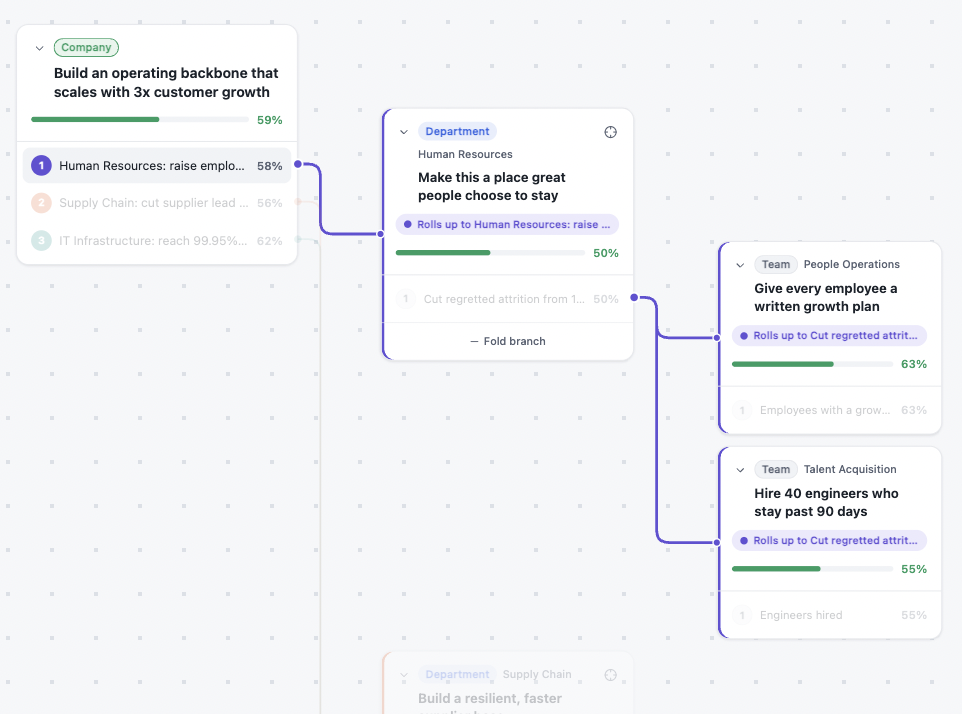
It stays current without you.
Weekly nudges prompt each owner to update their own numbers, and a move rolls up the hierarchy on its own. No more chasing people the week before a review.
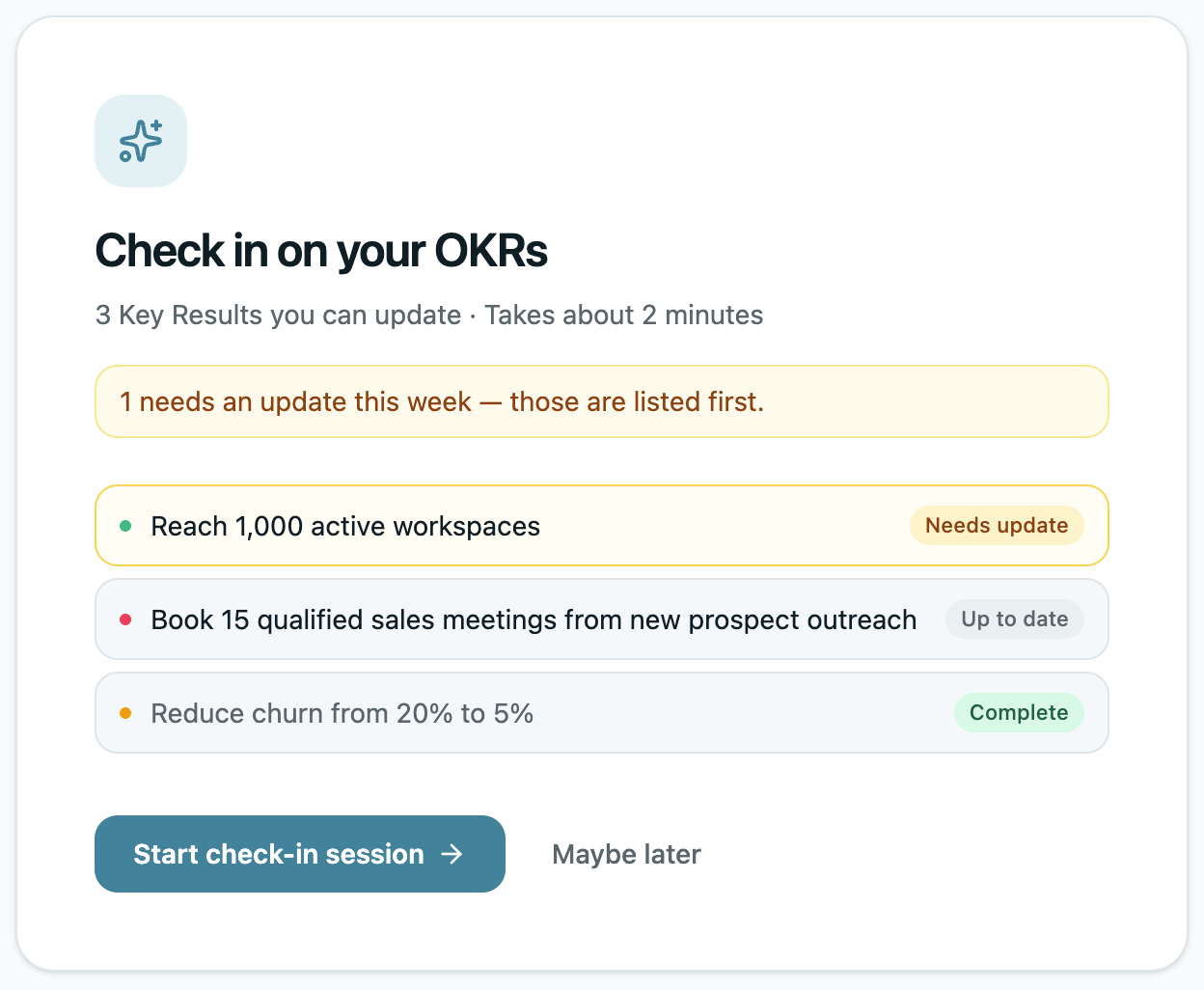
You're set up in an afternoon.
No migrating into another spreadsheet, no consultant, no training. Build the structure and invite the team the same day, and run a real cycle by the end of the week.

Live in an afternoon. Then it runs itself.
Set the company objective
One objective the whole org connects to — from a template or your own.
Build the structure
Departments and teams, cascaded on the Alignment Map as you go.
One owner per Key Result
Every result has a name against it — accountability built in.
Invite the team
They land in a structured workspace, ready day one. No training.
The heavy suites assume you've already arrived at OKRs; the spreadsheet assumed you'd keep maintaining it. OKRs Tool is built for the move off the sheet — simple enough that the whole team adopts it, on a flat price so inviting everyone never changes your bill.
"We needed a tool that did not cost a fortune per seat. And we found you." — Jakob, ILT Education
"At 130 people, that's not sustainable. I needed a system where the tool did the chasing, not me."

"It replaces scattered spreadsheets with a clearer, more structured way to track objectives. The easiest OKRs platform I've used."
"I wanted a SaaS tool. Spreadsheets seemed very 1980s, because they were."
"Easier than using an Excel or Google Sheets."
Not ready to switch? Upgrade the spreadsheet you've got.
Three upgrades that drop straight into your OKR spreadsheet — no tool to adopt, no migration. Plus the one-page guide to the five signs you've outgrown it.
- Live dashboard — overall progress, status counts and a per-owner roll-up, built from your own rows
- Alignment check — flags any OKR that ladders up to nothing
- OKR linter — tells you which "key results" are really KPIs or tasks, with the fix
- Bonus: "5 signs your OKR spreadsheet has outgrown itself"
Works in Google Sheets and Excel. No scripts, no add-ons.
Bring your spreadsheet. We'll take it from here.
Concierge migration moves your current OKRs across, flat pricing covers the whole team, and the 60% adoption guarantee means you only keep paying if it sticks. You've kept this alive on your own long enough.