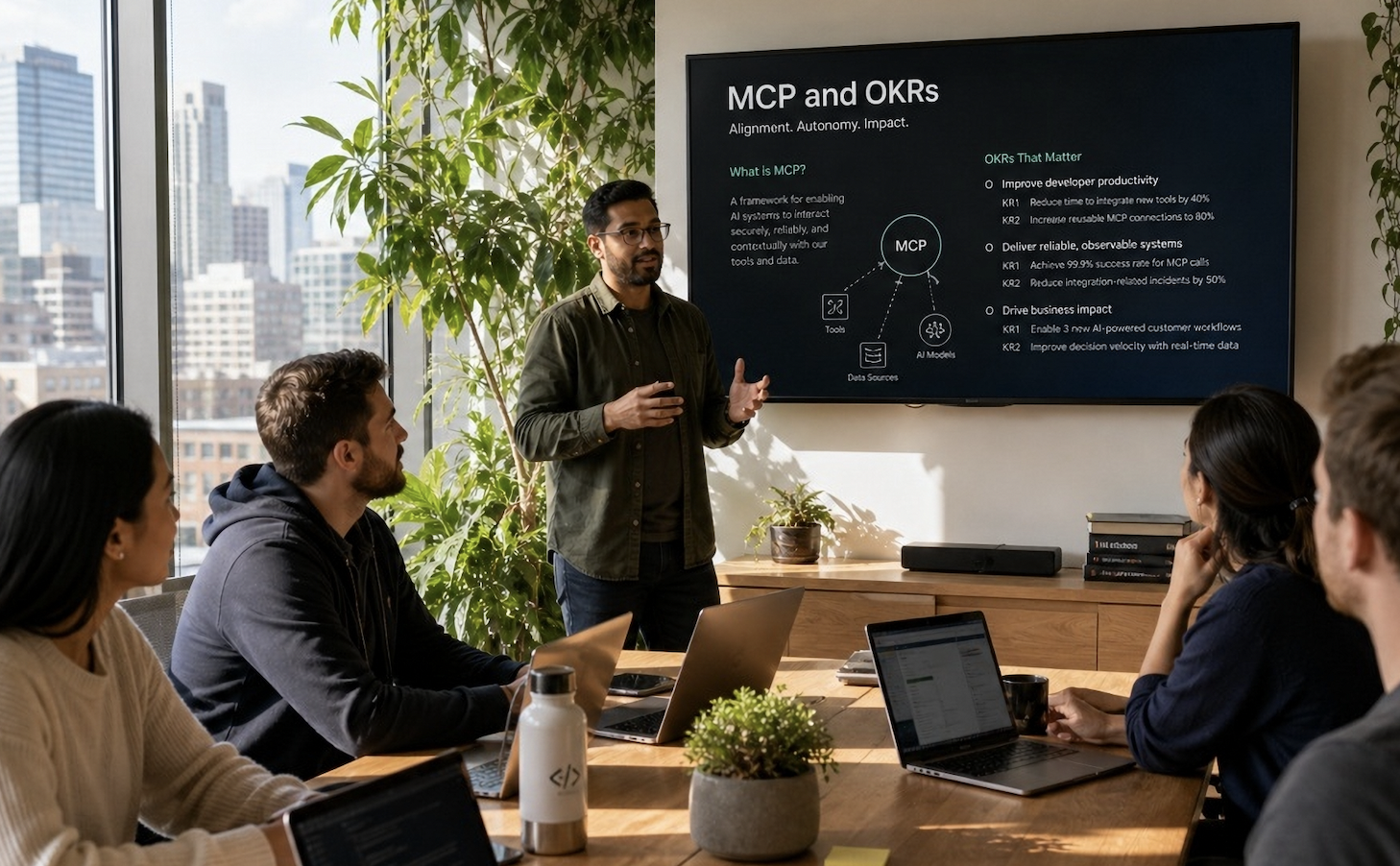
Engineering teams shouldn't have to open a separate platform to tell their OKRs what just moved. We built the OKRs Tool MCP server so you can query your goals, update Key Results, and surface at-risk objectives directly from Claude, Cursor, or any MCP-compatible client — without leaving the workflow.
There's a specific kind of friction that kills OKR adoption in engineering teams. It's not the framework. Engineers understand outcome measurement instinctively — they've been writing acceptance criteria and success metrics for years. The friction is the platform switch. Sprint closes on Friday. You shipped the feature that was supposed to move activation. The Key Result is sitting at 45% and you know it just moved. Updating it means opening a tab, logging in, finding the OKR, editing the progress field, and closing the tab. That's four context switches to communicate one data point. Most engineers don't make that trade.
The result: OKRs that are accurate at planning time and stale by week three. Leaders looking at a dashboard that reflects what the team intended to do, not what actually moved. The 2026 OKR Benchmark Report found 7% of off-track Key Results are simply abandoned mid-cycle — informally stopped with no update, no escalation, no consequence. That's not disengagement. That's friction winning.
The MCP server is the fix. If your AI client already knows what you're working on — and Claude, Cursor, and an expanding list of MCP-compatible clients increasingly do — then updating an OKR can be a natural language instruction in the same context where the work happened. No tab. No login. No context switch.
What the MCP Server Actually Does
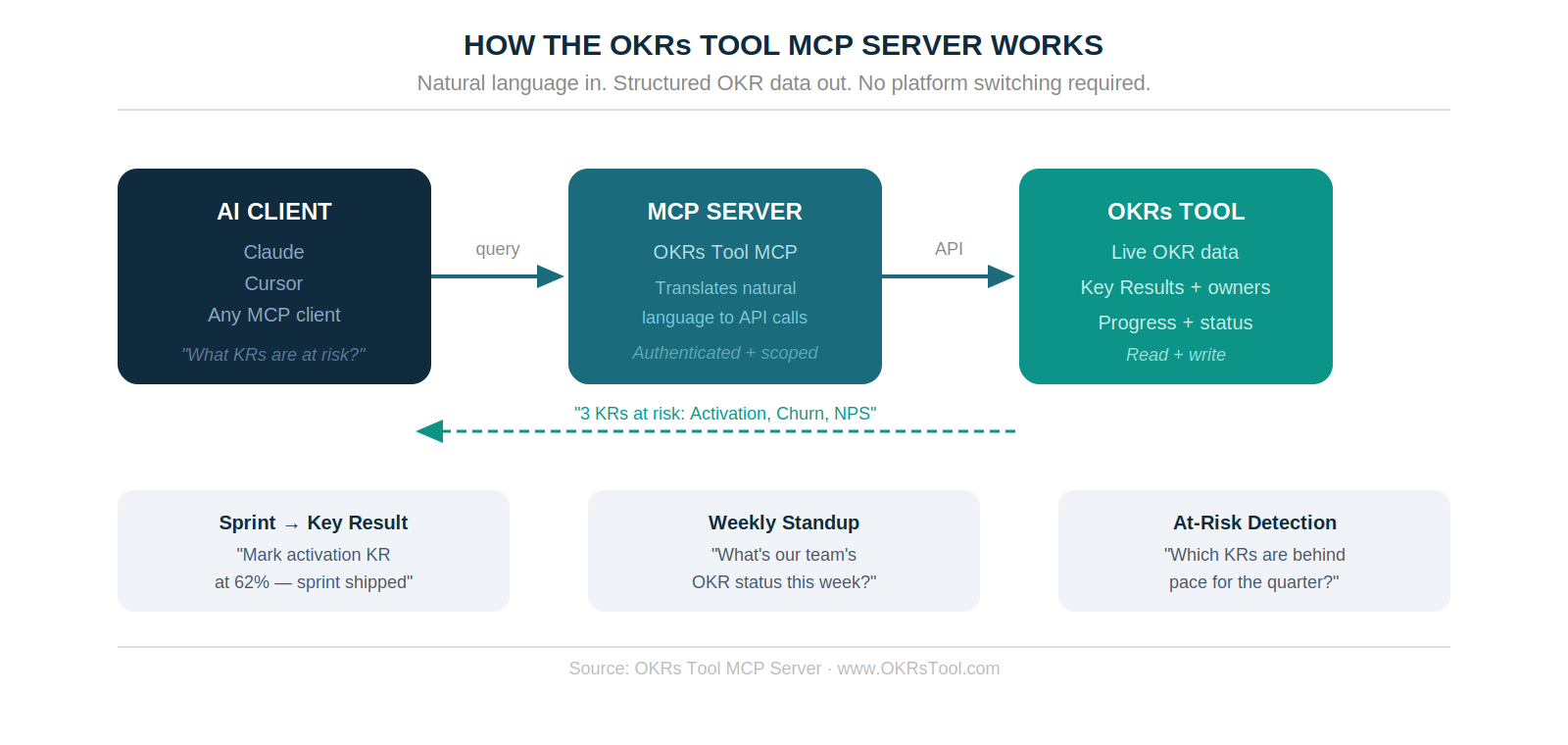
Model Context Protocol is Anthropic's open standard for connecting AI clients to external tools and data sources. An MCP server exposes a set of tools — functions the AI client can call — so the model can read from and write to a connected system using natural language.
The OKRs Tool MCP server exposes your live OKR data to any compatible AI client. Your Claude instance can read your current objectives, query which Key Results are at risk, check ownership, and update progress — all within the conversation where you're already working. The authentication is scoped to your workspace. The data stays in your OKRs Tool account. The AI client gets read and write access through the MCP layer without ever storing your goal data in its own context.
Three Workflows This Unlocks for Engineering Teams
Sprint close → Key Result update. Your sprint shipped the onboarding flow that was supposed to move Day 7 activation. Instead of switching tabs, you tell Claude: "Mark the Day 7 activation Key Result at 58% — we shipped the onboarding flow in this sprint." The MCP server finds the Key Result, updates the progress, and confirms the change. The weekly check-in your team lead sees on Monday reflects what actually moved.
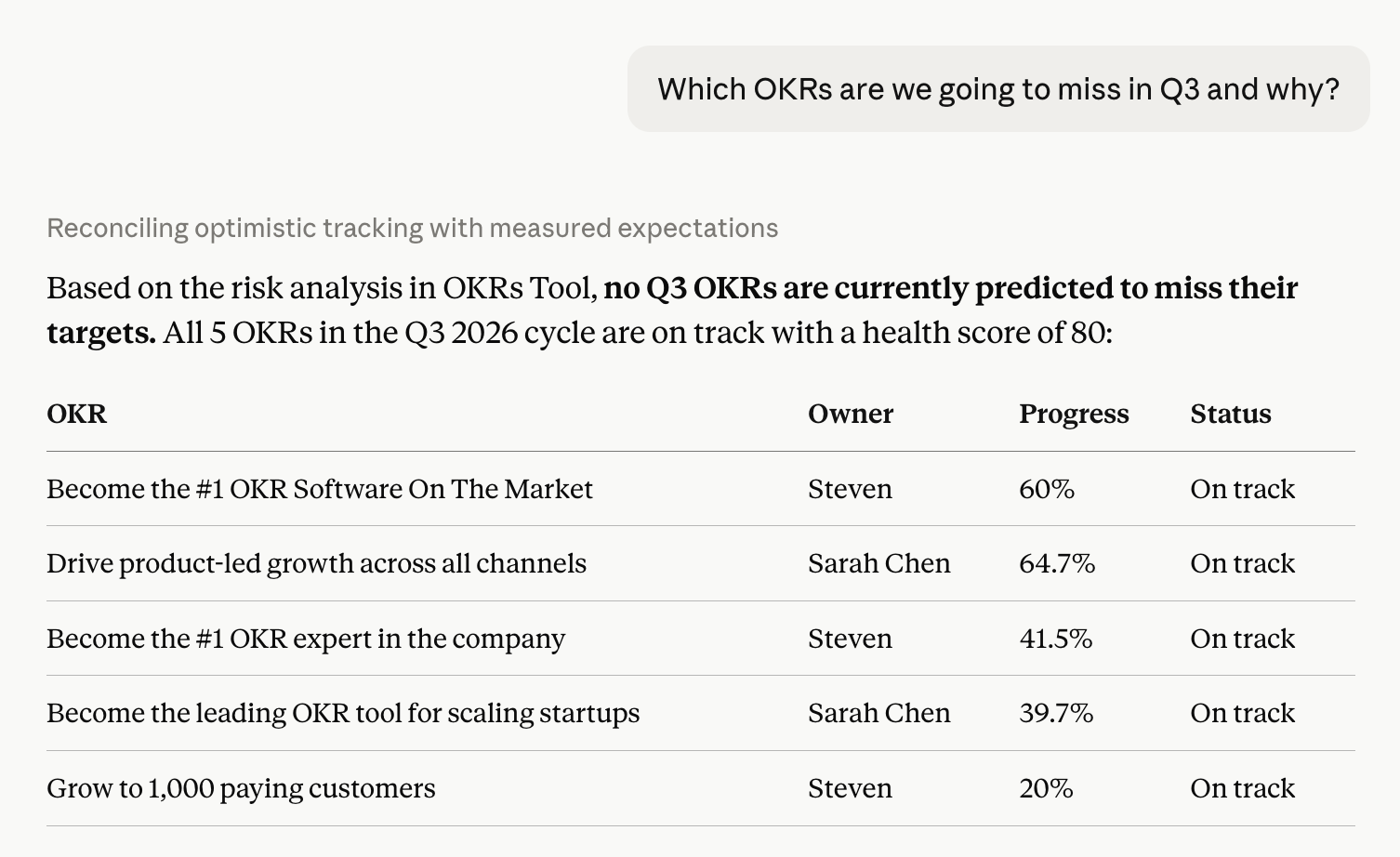
Standup prep in 30 seconds. Ask Claude "what are our engineering team's current OKRs and which are behind pace?" before your Monday standup. The MCP server pulls live progress from OKRs Tool, compares current values against expected trajectory, and returns a ranked view of what needs attention — without you opening the platform. This is the at-risk detection workflow that surfaces problems when there's still time to act on them, not at the quarterly review.
Cascade visibility on demand. Engineering teams often work on Key Results without full visibility into how they connect to company priorities. Ask Claude "which company Objective does our reliability work connect to?" and the MCP server traverses the cascade from your team's Key Results up to the company OKR above them — giving you the alignment context that usually requires navigating three levels of the platform.
Why Engineering Teams Specifically
Corporate HR platforms built for OKRs are designed around the people management use case. The interface assumes you're a VP reviewing quarterly reports, not an engineer in a terminal who wants to know whether the work they just shipped moved the metric it was supposed to move. The OKR Intelligence Report 2026 found 83% of organizations are now using AI in their OKR process — but almost all of that is in goal writing and analysis, not in the execution loop where engineering teams actually live.
The MCP server brings OKRs into the AI-native workflow that technical leaders already use. If you're running Claude for code review, architecture documentation, or sprint planning, your OKR data is now in the same context. You don't have to context-switch to a separate goal-tracking tool to connect your work to your outcomes. The weekly check-in that drives 43% more OKRs completed can happen in the same conversation where the work is being discussed — which means it actually happens, instead of being the thing that gets skipped when the quarter gets busy.
How to Connect It
The OKRs Tool MCP server is available on all plans, including the free tier. Connect it from the Integrations page inside your workspace. The server URL and authentication token are generated automatically — paste them into your MCP client configuration and your OKR data is immediately available in Claude, Cursor, or any compatible client.
Full setup documentation is at okrstool.com/mcp.
For teams already running OKRs with a weekly check-in rhythm and named ownership per Key Result, the MCP server removes the last remaining friction point: the platform switch that makes engineers choose between their workflow and their OKR update. For teams still running goals in spreadsheets or a doc, the MCP server is a reason to move — because the tool now lives where the work does.
The Bigger Picture
OKR software that requires you to leave your workflow to update it is software with a compliance problem. The update happens when the tool earns the context switch — and for engineers with three PRs open and a standup in ten minutes, it rarely earns it. The MCP server is a bet that the right architecture for goal tracking in 2026 is ambient rather than platform-centric: your goals should be queryable and updatable from wherever you're already working, not locked behind a separate login.
We shipped this because the teams using OKRs Tool most effectively are the ones where OKR updates happen in the flow of work, not as a separate reporting step. The MCP server makes that structural rather than a discipline question.
Data: The 2026 OKR Benchmark Report (200 organizations), The OKR Intelligence Report 2026 (222 organizations).