
Most OKR software can display metrics, but far fewer operate as true KPI tracking systems. This guide evaluates 9 OKR platforms on how they handle KPI visibility, ownership, update cadence, and decision-signal quality — so you can choose software that turns metrics into mid-quarter decisions.
OKR software reliably helps teams set goals. The harder capability — and the one this guide ranks on — is tracking the KPIs that show whether those goals are working.
The failure mode shifts as a company grows past 50 people. The KPI signal goes weak, delayed, or disconnected from execution: metrics turn green while outcomes stay flat, dashboards look healthy, and leadership quietly stops trusting what it sees. Unclear Objectives are seldom the cause — the numbers underneath them have stopped meaning anything.
Part of the cause is structural. Across the OKRs Tool platform of 876 organizations, 52% of Key Results are KPIs in disguise — metrics teams already track continuously rather than outcomes they intend to change. When the tracking layer can't tell those two apart, OKRs collapse into reporting.
This guide evaluates each platform through one lens: how well it tracks the KPIs tied to OKRs — live visibility, dashboards leaders actually use, early-warning signals when things drift, and metrics that reflect reality rather than a status narrative.
Quick Summary: Top 3 Picks
Why Trust This Guide?
I've spent more than 10 years working with OKRs — running goal programs for 60+ organizations, and now as the founder of OKRs Tool, used by 300+ teams worldwide. I signed up for and tested every platform on this list — not demos, real accounts.
I also have data most reviewers don't: our 2026 OKR Benchmark Report covers 330 organizations. The finding relevant to this list: OKRs generate a 1:25 return on investment — but only when KPI signal is honest and mid-quarter decisions can be made from it. When KPIs become passive metrics, that return erodes fast.
Why KPI Tracking Is the Real Test of OKR Software
Writing good OKRs in a document is straightforward. Running them isn't. The moment a growing organization relies on OKRs to steer execution, KPI tracking becomes the make-or-break capability.
In practice, many teams blur the line between Key Results and KPIs. Metrics that should monitor business health get written as Key Results, even though they were never designed to drive change. The team starts tracking numbers instead of moving outcomes, and leadership loses the signal on what's actually shifting the business.
Weak KPI tracking has a predictable progression: Key Results drift from outcomes into activity, progress becomes narrative-driven, risk surfaces too late to correct, and leadership stops trusting the system.
Strong KPI tracking does the opposite — it delivers honest mid-quarter signal that doesn't wait for review time, forces tradeoffs because outcomes are visible rather than assumed, and lets leaders intervene early instead of explaining failure in hindsight. The difference comes down to whether KPIs stay live and owned, or sit as passive numbers most OKR tools claim to support but few make trustworthy when a decision actually matters.
9 Best OKR Software for KPI Tracking
1. OKRs Tool
Best for: Growing teams (50–200 people) that need KPIs tied directly to OKR execution
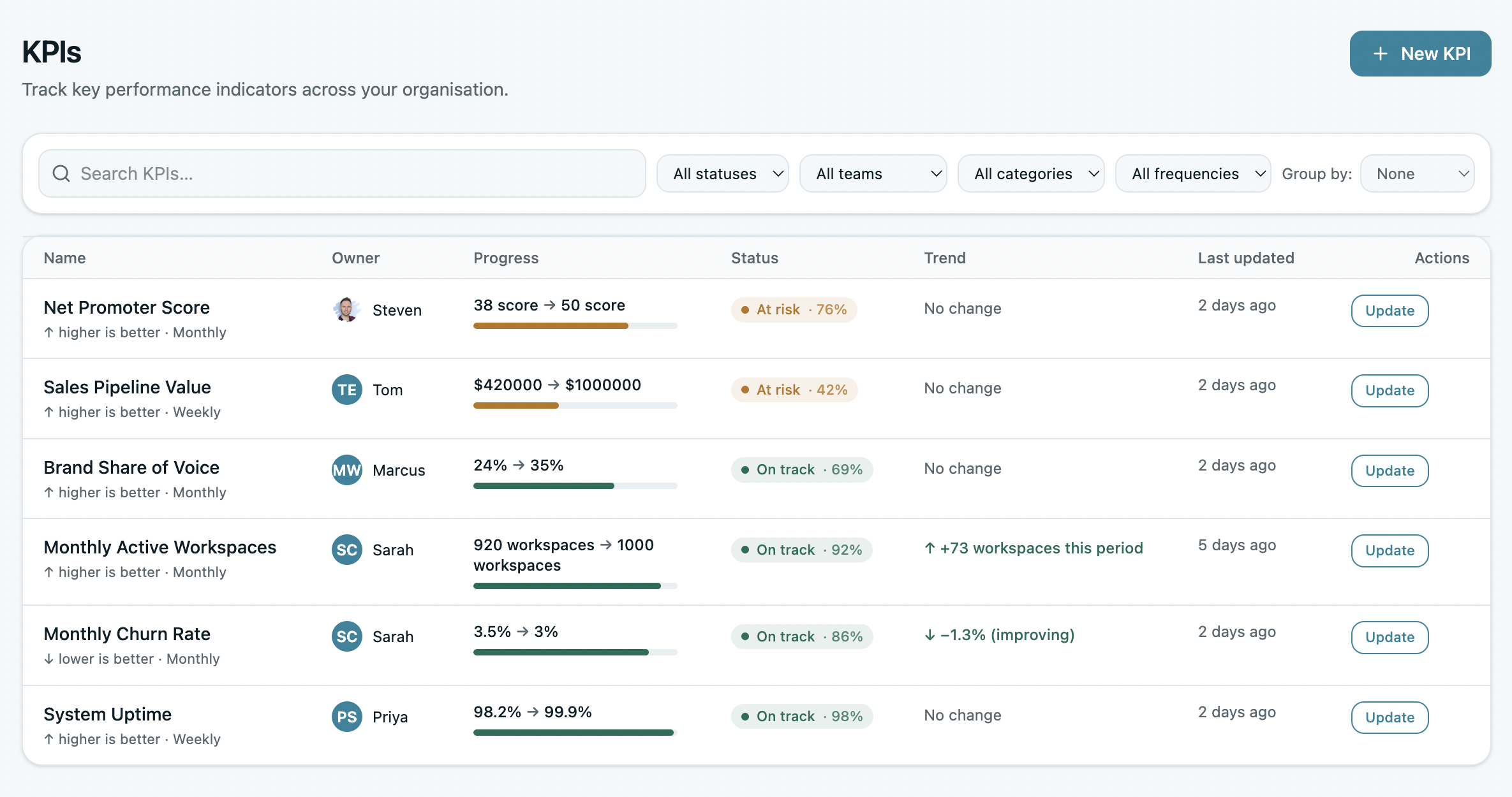
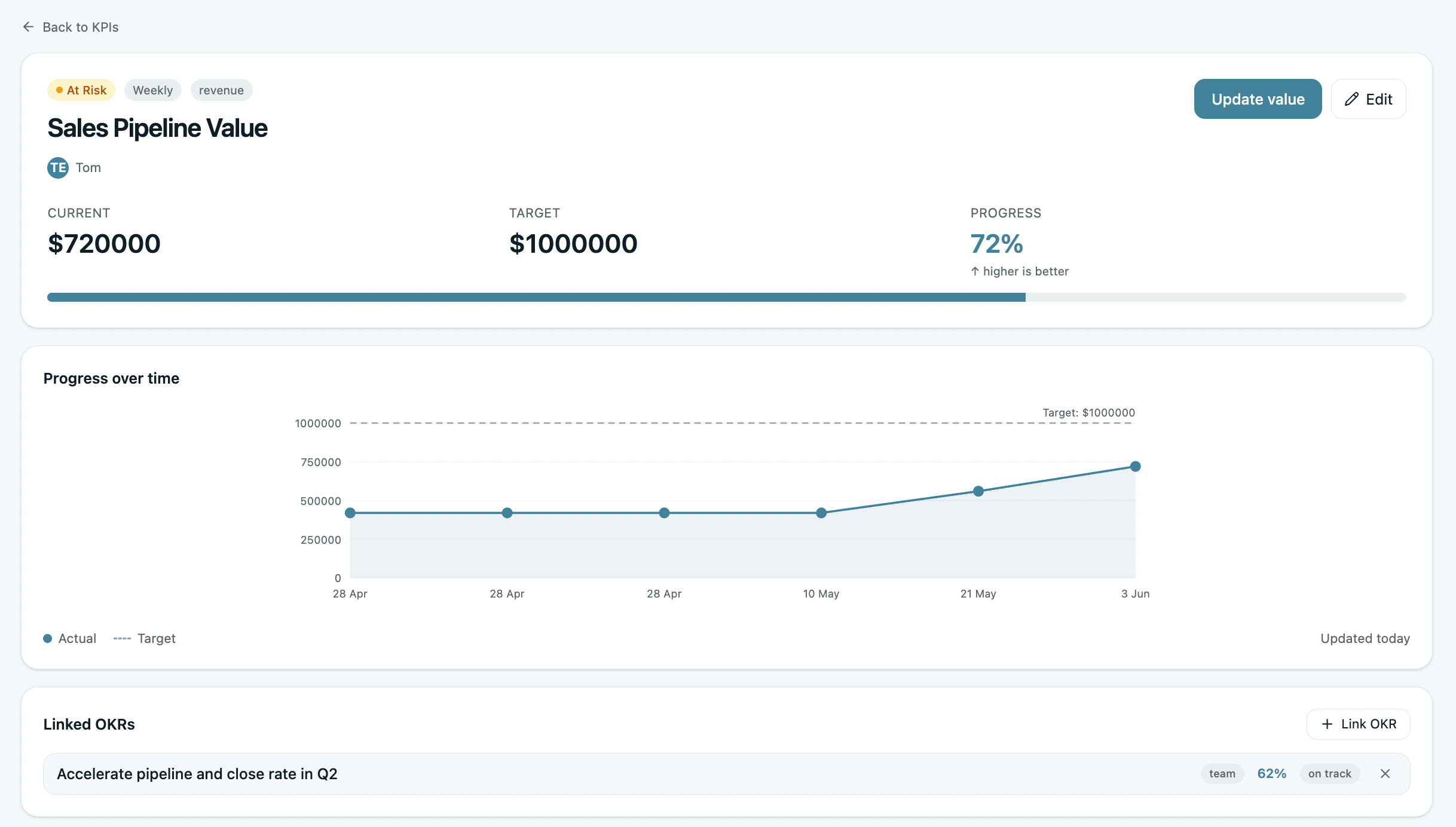
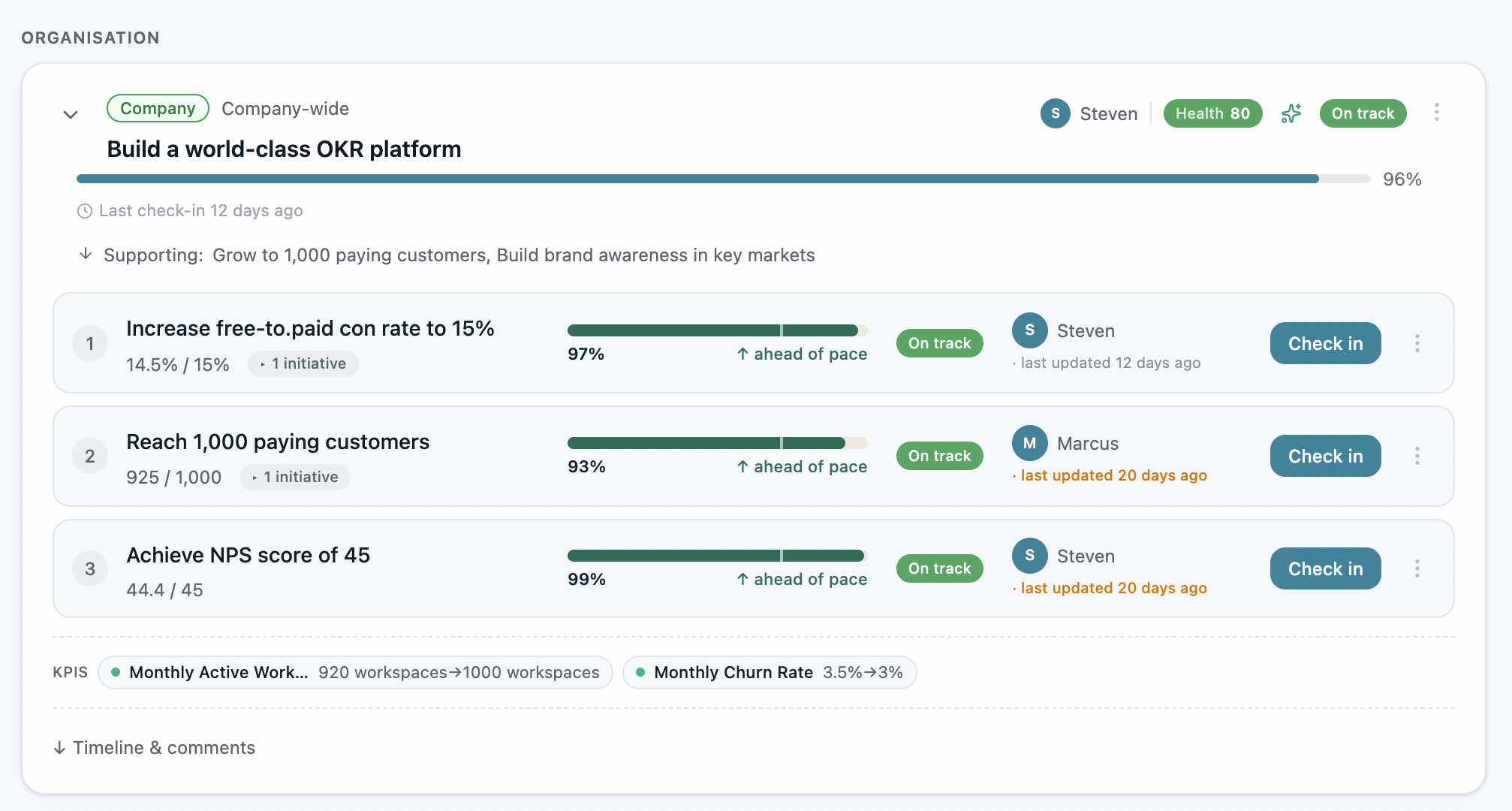
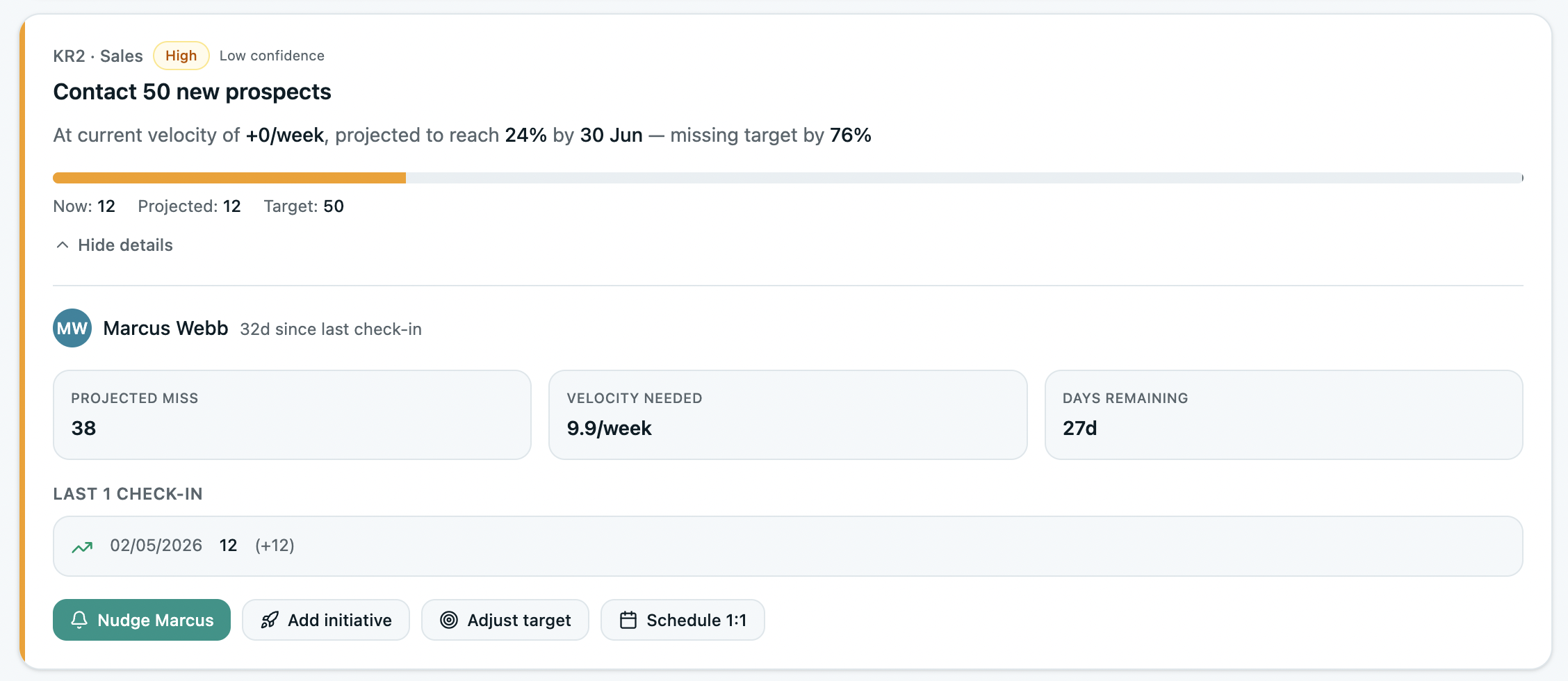
OKRs Tool is designed to keep KPIs close to the work for department heads and senior operators inside 50–200 person companies. KPI tracking is intentionally focused on core workflows: organization-level KPIs with clear ownership, simple updates, visible targets, and direct links to OKRs. Leadership sees what's moving and what's not — mid-quarter, not after the fact.
What stands out is restraint. OKRs Tool doesn't try to be a data warehouse or BI platform. It focuses on decision-quality KPI signal: live roll-ups, sortable KPI tables, and at-risk flagging that surfaces problems before the weekly check-in is the first time leadership hears about them.
The benchmark data backs this up: organizations using OKRs Tool generate a 1:88 ROI — more than five times the return of enterprise software at the same revenue baseline. The difference isn't feature depth. It's that KPIs stay visible and owned throughout the cycle, making the weekly habit structurally unavoidable.
The limitation: OKRs Tool is not a BI tool for complex data modelling and relies on integrations for advanced analytics.
Pricing: Flat team pricing. No per-user fees. Free for 1–5 users.
2. Profit.co
Best for KPI-heavy organizations with formal performance systems
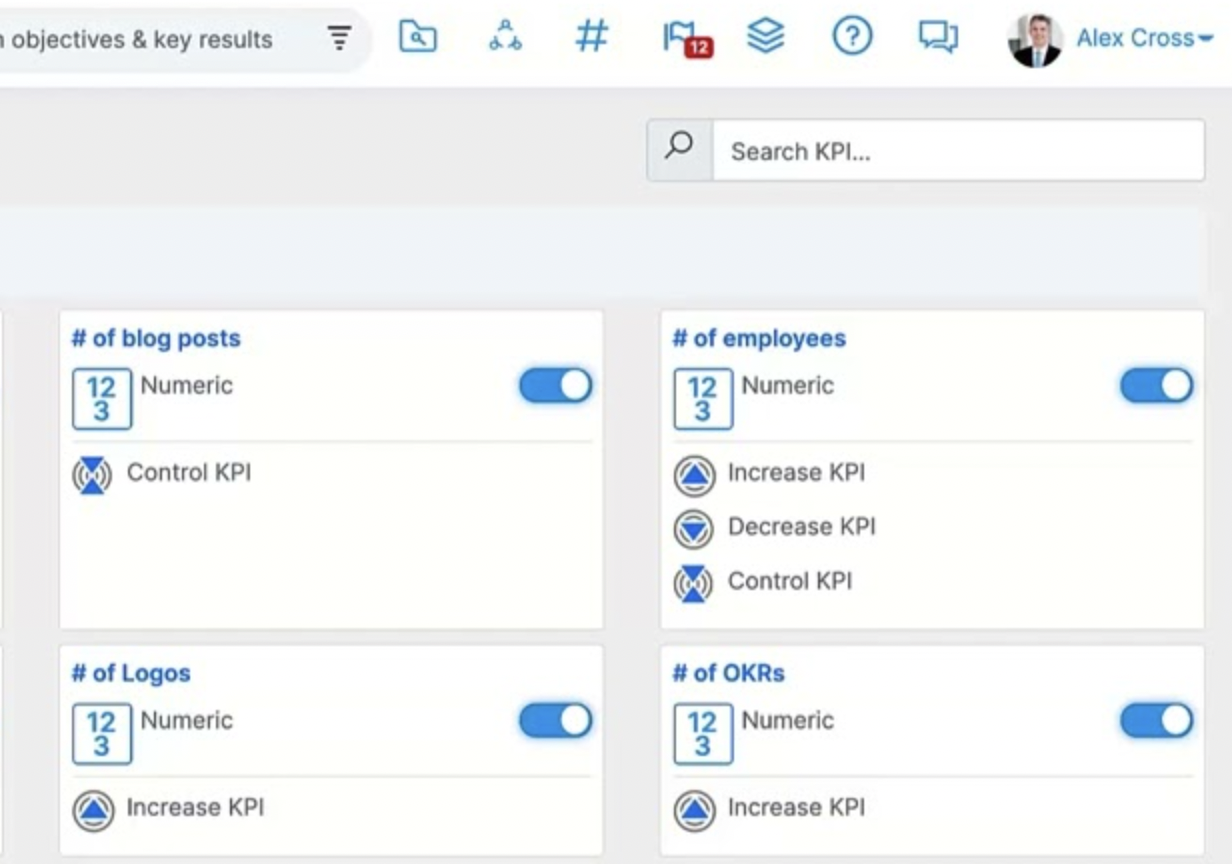
Profit.co approaches KPI tracking as part of a broader execution and performance framework. KPIs are treated as structured assets, not lightweight indicators. They connect OKRs, initiatives, and employee performance into a single system.
For organizations where KPI definitions, ownership, and historical trends matter deeply, Profit.co offers serious depth. Leaders can compare KPI performance across teams and quarters, and track how metrics evolve over time.
The tradeoff is complexity. This is not a casual tool. It assumes process maturity and rewards teams willing to invest in structure.
Pricing: Not disclosed on their website
3. Weekdone
Best for weekly KPI visibility and early warning
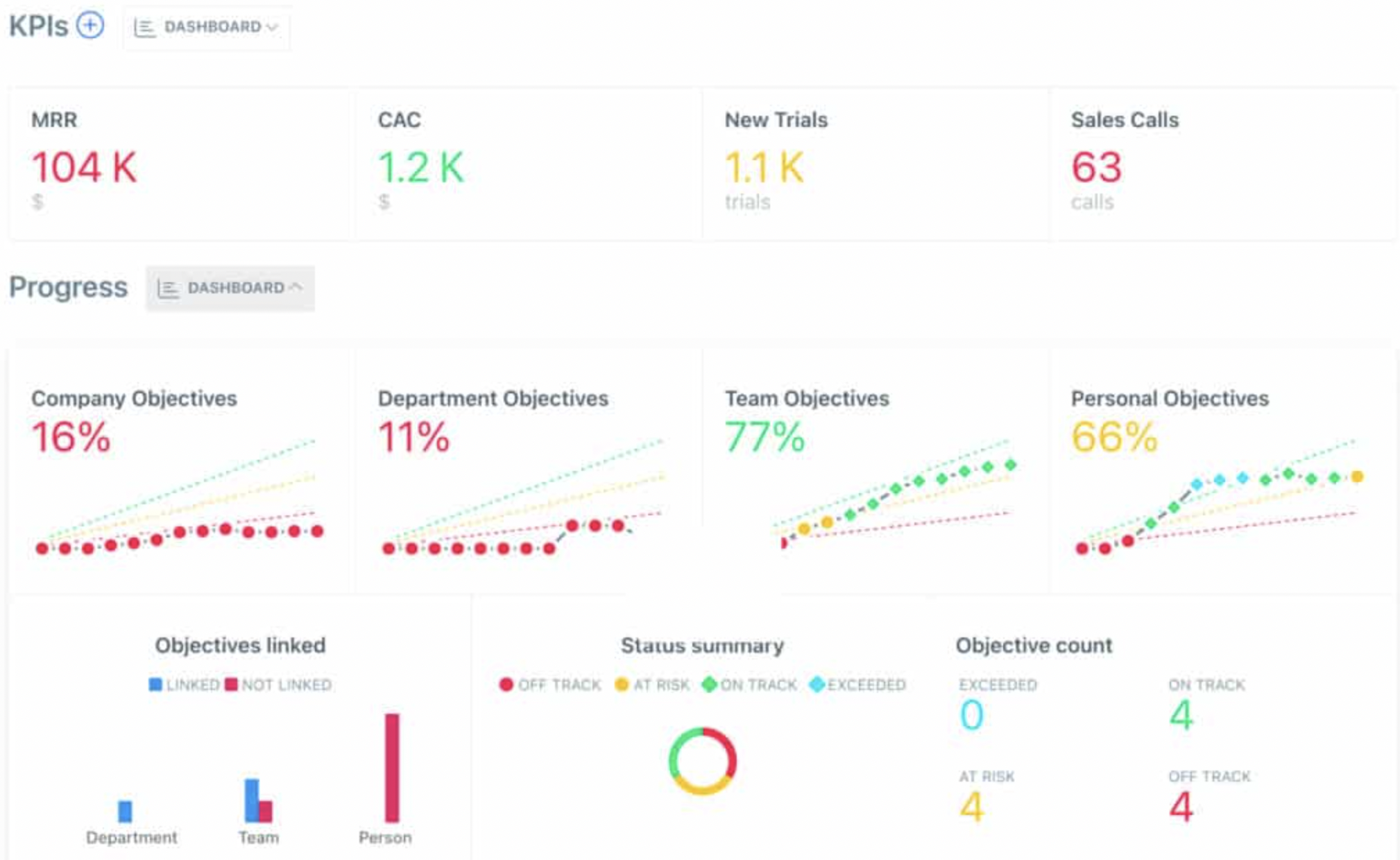
Weekdone’s strength is rhythm. It’s built around the idea that KPIs should surface problems before reviews, not during them. Progress is checked weekly, trends are highlighted automatically, and leaders get a steady pulse on execution.
KPI tracking here is about timing, not sophistication. Teams see when metrics start to slide and can act while there's still room to recover.
If your biggest risk is discovering KPI issues too late, Weekdone is effective at preventing that.
Pricing: Starts at $10/user/month.
4. Tability
Best for simple, outcome-focused KPI tracking
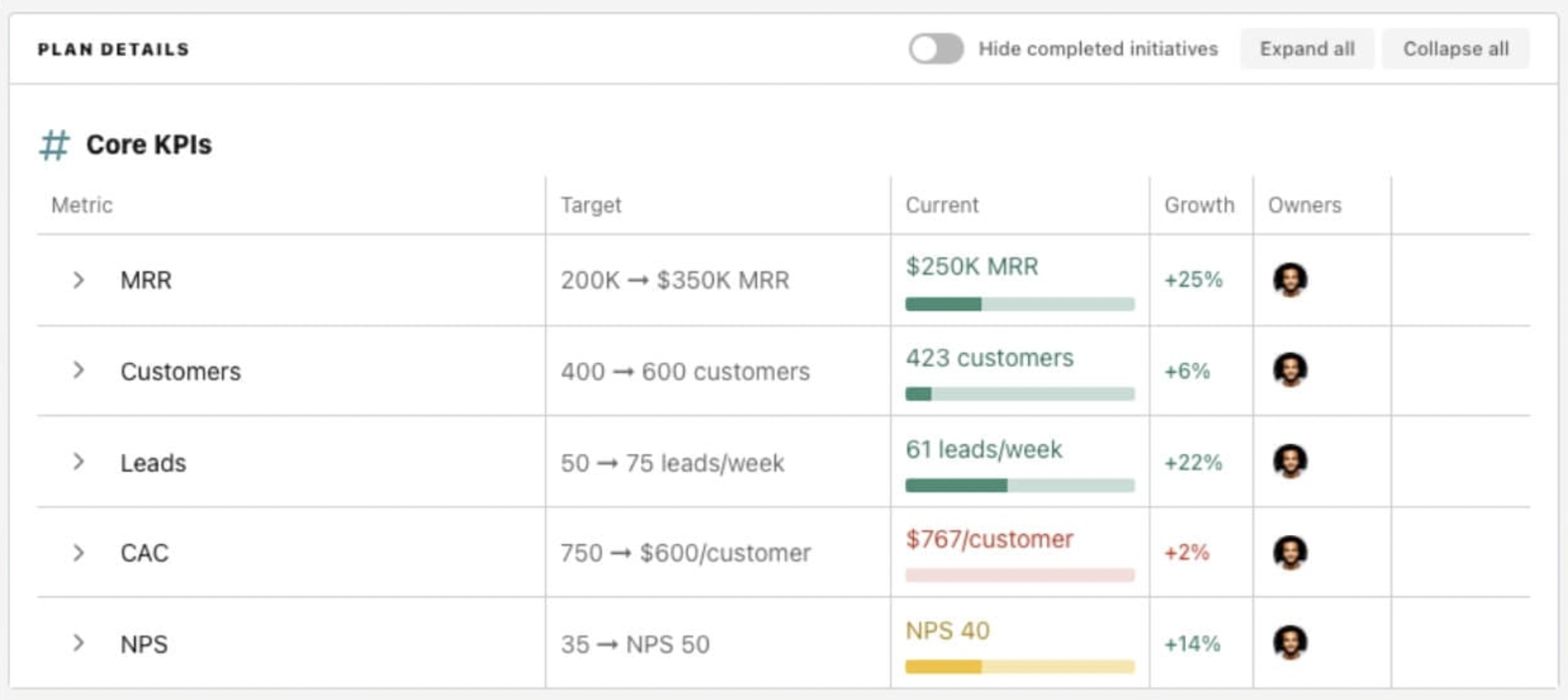
Tability keeps KPI tracking intentionally lightweight. It focuses on whether outcomes are moving, not on building complex reporting layers. KPIs are visually tied to Key Results, making it easy to see progress at a glance.
This simplicity works well for teams that want honest signal without overhead. Updates are fast, adoption is easy, and OKRs stay visible without turning into a reporting burden.
The limitation is scale. As KPI needs become more complex, teams may outgrow it.
Pricing: Free plan available; paid plans from $6/user/month.
5. Workboard
Best for automated KPI tracking from live data sources
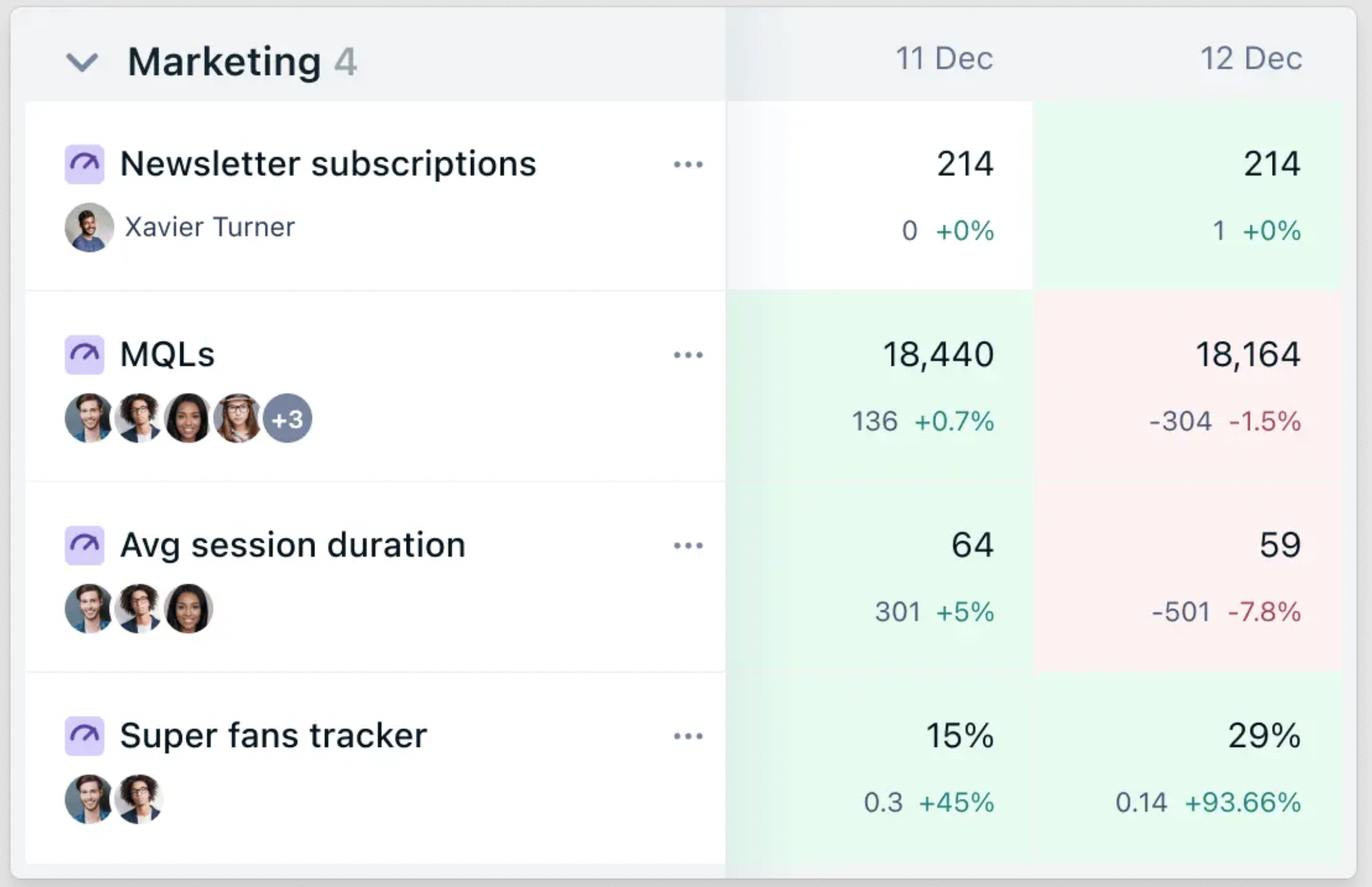
Workboard is designed for organizations that want KPIs flowing directly from systems — CRMs, analytics tools, and databases — rather than relying on manual updates. Metrics refresh automatically as the business changes, making OKRs feel less like a quarterly ritual and more like a live performance system.
Leaders can trust that KPI movement reflects reality rather than reporting lag. This works best in organizations with mature data pipelines and reliable source systems already in place — without that foundation, the integrations don't deliver their designed value.
Pricing: Custom pricing.
6. Perdoo
Best for connecting KPIs to strategy and long-term outcomes
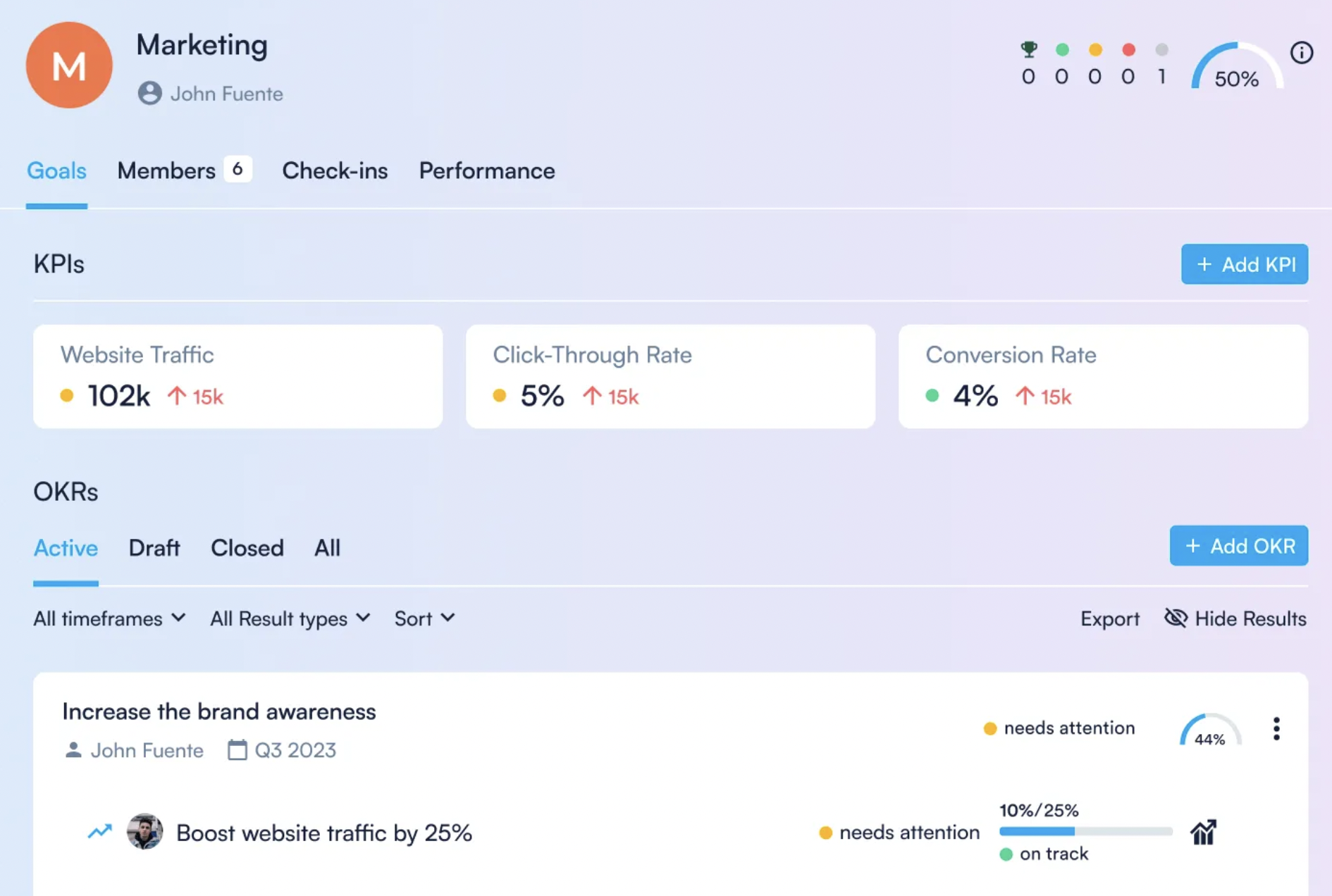
Perdoo emphasizes the relationship between strategy, OKRs, and KPIs. Instead of focusing only on quarterly execution, it helps leadership visualize how metrics support broader strategic goals.
KPIs live alongside strategy maps and OKRs, making it easier to see whether execution supports long-term direction. This is particularly valuable for leadership alignment and board-level conversations.
It’s less about speed and more about coherence.
Pricing: Starts around $7/user/month.
7. Mooncamp
Best for flexible KPI tracking in autonomous teams
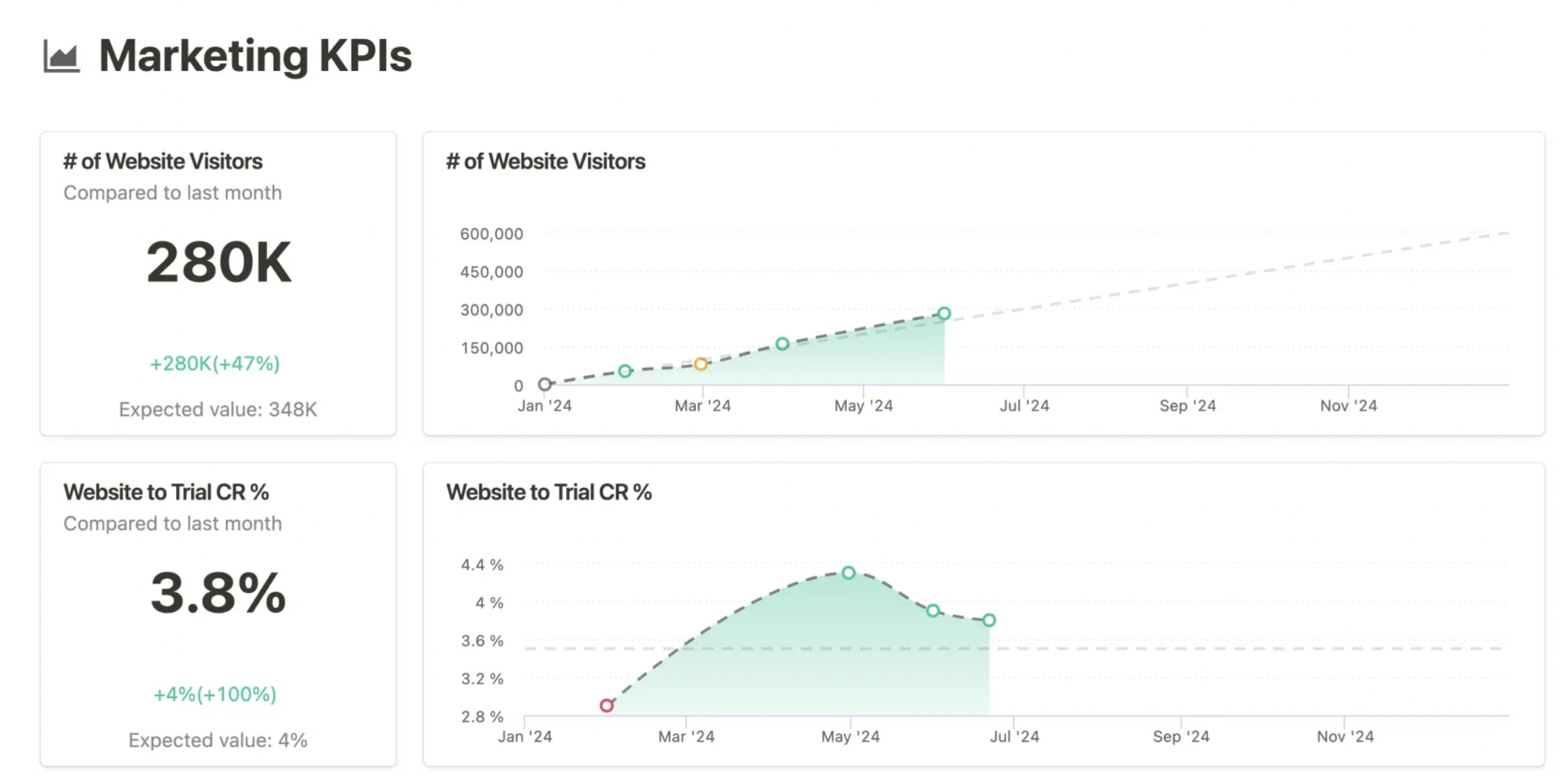
Mooncamp offers flexibility rather than prescription. Teams can define how KPIs relate to OKRs without being forced into rigid structures. The interface is modern, and dashboards are visually appealing.
This works well in cultures that value autonomy and experimentation. Teams can adapt KPI tracking to how they operate rather than conforming to a fixed system.
The downside is consistency. Without discipline, KPI definitions can drift across teams.
Pricing: Starts at $7/user/month.
8. Leapsome
Best for KPI tracking tied to performance and development
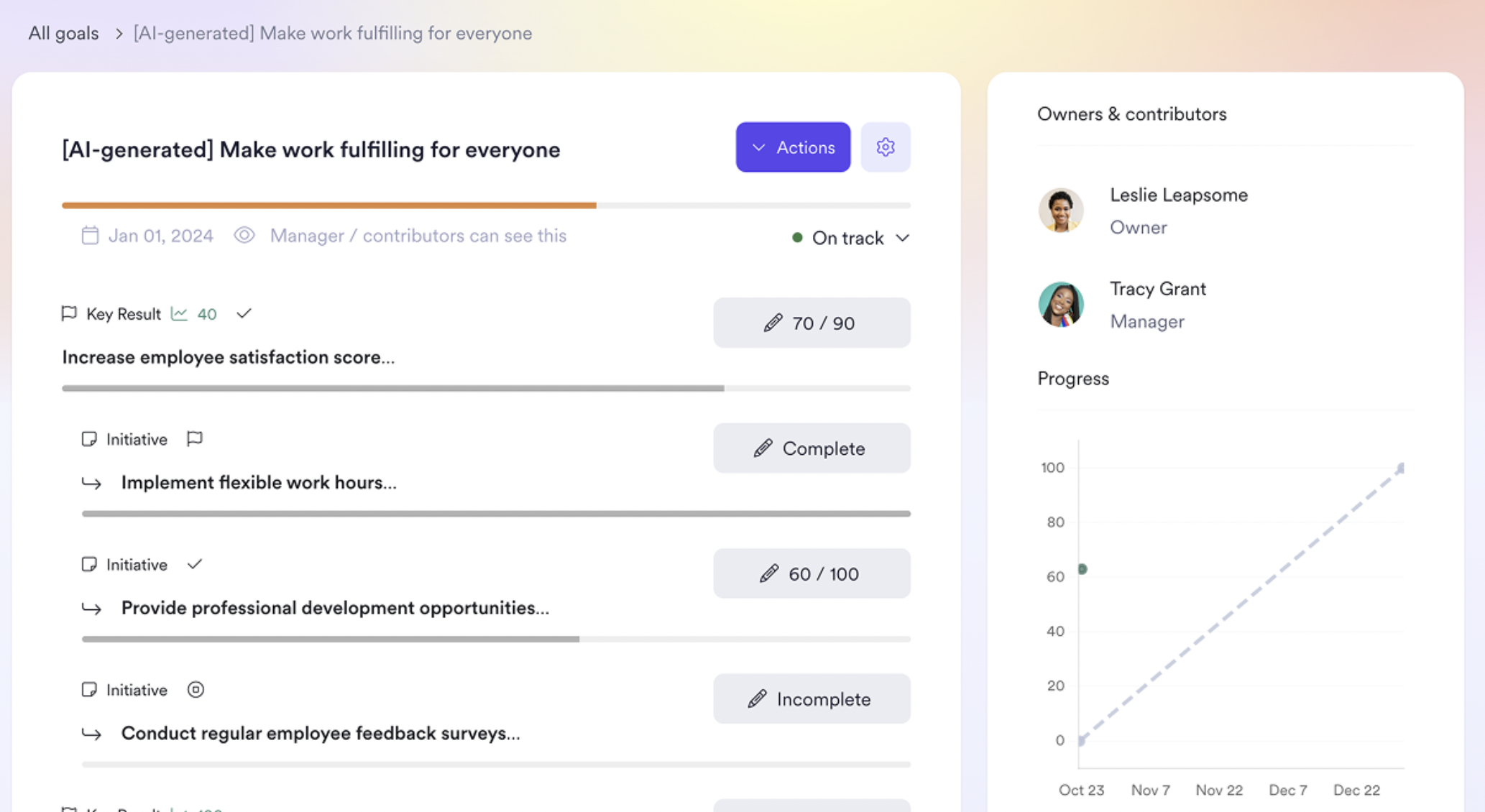
Leapsome integrates OKRs and KPIs into performance management, feedback, and reviews. KPIs are visible in context - not just as numbers, but as inputs to performance conversations.
This makes it useful for organizations where OKRs are owned by people ops or leadership development, not just product or ops. It is not built for real-time operational KPI monitoring.
Pricing: Custom pricing.
9. Betterworks
Best for: Enterprise organizations needing KPI tracking at scale with AI-powered risk detection
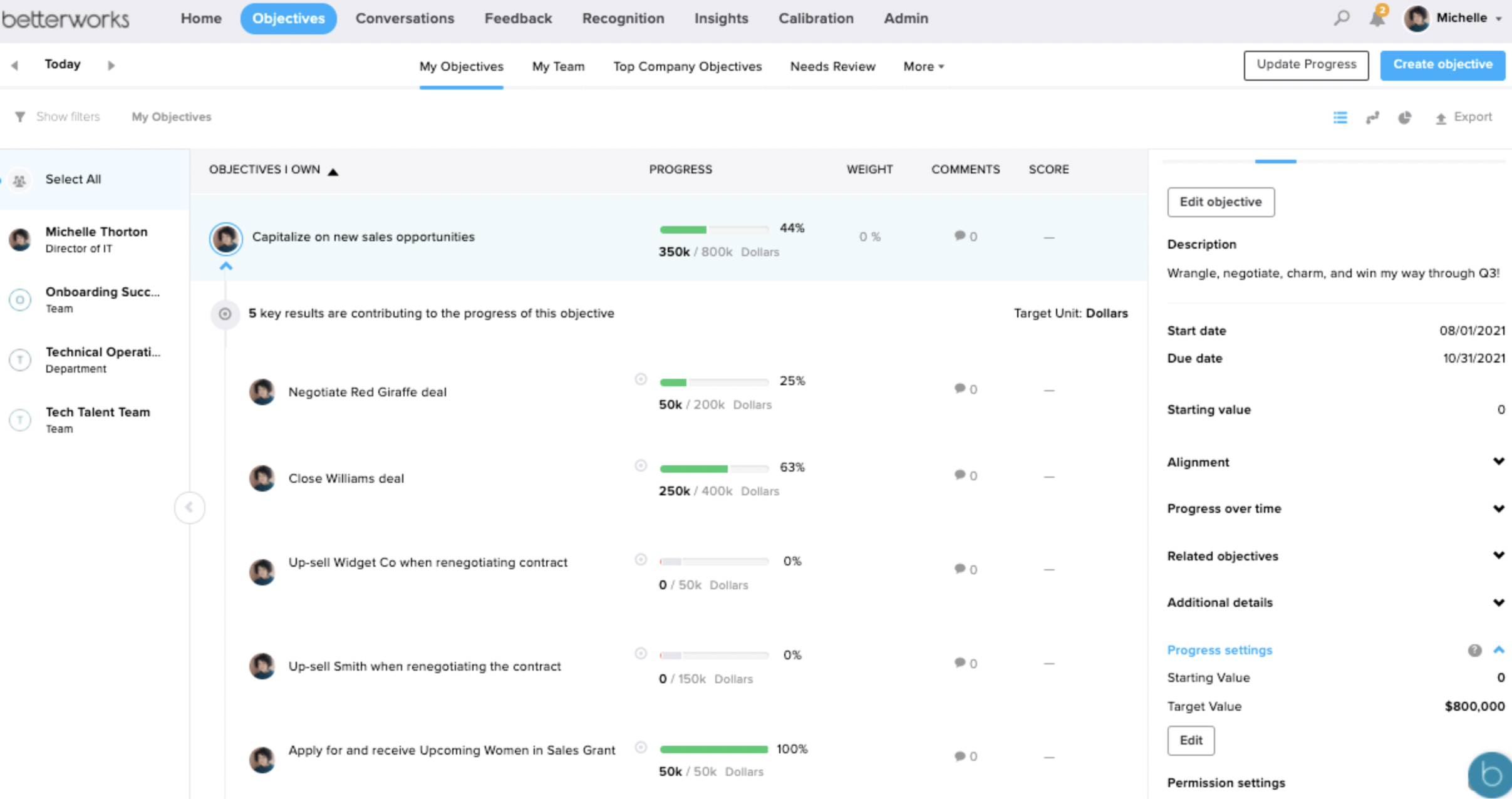
Betterworks is built for organizations where KPI tracking is a leadership discipline — connecting KPIs to OKRs, continuous feedback, and structured performance calibration in one system. The AI-powered execution risk detection flags at-risk KPIs before they become misses, surfacing intervention points rather than waiting for the end-of-cycle review.
For enterprise organizations where the bottleneck is visibility across many teams, Betterworks provides the signal-to-noise filtering that scales beyond what dashboards alone can provide. It's not the right fit for teams under 200 people — the implementation complexity and enterprise pricing exceed the value at that stage.
Pricing: Enterprise, custom quote.
How These OKR Platforms Handle KPI Tracking
If KPIs need to change decisions during the quarter, prioritize tools with live visibility and clear ownership enforcement. If KPIs are primarily for governance, reviews, or board conversations, periodic visibility may be sufficient.
KPI Tracking Is Where OKRs Become Real
OKRs fail in a specific, recognizable way: dashboards stay green, reviews stay calm, and the business drifts anyway. What separates teams that feel aligned from teams that actually execute is the quality of the KPI signal. When KPIs are live, visible, and trusted, OKRs become a steering mechanism; when they're delayed, manual, or cosmetic, OKRs become performance theatre.
Choosing OKR software for KPI tracking comes down to one property, not raw sophistication. The right system makes reality hardest to ignore — surfacing bad news early, assigning named ownership clearly, and forcing tradeoffs before the quarter is already lost.
When OKRs stop changing decisions mid-quarter, the weak point is almost always the signal rather than the ambition. A growing team feels that gap first as KPIs that update too slowly to act on — which is why the weekly check-in and live ownership are the capabilities this list is ranked by. See how the OKRs Tool platform keeps KPIs owned and visible on flat pricing built for growing teams.
Data: The ROI of OKRs: 2026 Benchmark Report (330 organizations), The 2026 OKR Benchmark Report (330 organizations), and OKRs Tool platform data (876 organizations, 20,952 key results). Competitor pricing and G2 ratings current and subject to change.