This guide ranks 9 OKR platforms on how well their Microsoft Teams integration actually works — whether the connector keeps goals visible in daily work or just adds noise. Integration depth falls into three styles, and the right one depends on where OKR friction sits in your team.
Across every company I've watched run OKRs, the platform matters far less than one thing: whether people can see their goals in the flow of daily work. For most teams now, that flow runs through Microsoft Teams.
So I reviewed every tool here against that question — not whether a Teams integration exists, but whether it earns its place. How visible are OKRs without extra effort? How much friction sits between a manager and their team's progress? Or does the integration just add noise?
For context, I'm the founder of OKRs Tool and it is included on this list because it competes directly in this space. I've been transparent about that throughout, and every other tool is assessed on the same criteria. It's also why I have not listed my own product as the best — something you rarely see these days.
The benchmark data behind this guide comes from the 2026 OKR Benchmark Report across 330 organizations. Teams using purpose-built goal management software generate a 1:88 return on investment, but only when the tool gets used consistently. A Teams integration that keeps OKRs in the flow of daily work is what makes that consistency structural rather than dependent on discipline — the same effect the weekly check-in habit produces.
Quick Summary: Top 3 Picks
Why Trust This Guide?
I've spent more than 10 years working with OKRs — advising 60+ organizations on implementation and adoption, and building OKRs Tool, used by 300+ teams worldwide. Before recommending any tool, I signed up for every platform on this list, tested the Teams integration personally, and evaluated it against one question: does this actually keep OKRs visible without adding work?
Every tool is assessed on the same criteria — depth, reliability, and practical usefulness — not just the presence of a connector.
At A Glance: Pricing and Teams Integration Depth
Integration depth ranges from fully embedded — where the entire OKR workflow lives inside Teams — to notification-led, where Teams acts as a prompt and alert layer on top of a web-based platform. The table below maps where each tool sits, alongside pricing.
Pricing shown is based on publicly available information at time of writing and may vary based on team size, contract length, and region. Tools marked as custom quote require direct contact with the vendor for accurate pricing.
1. Teamflect
Best for: Microsoft 365 organizations that want full OKR and performance management without ever leaving Teams.
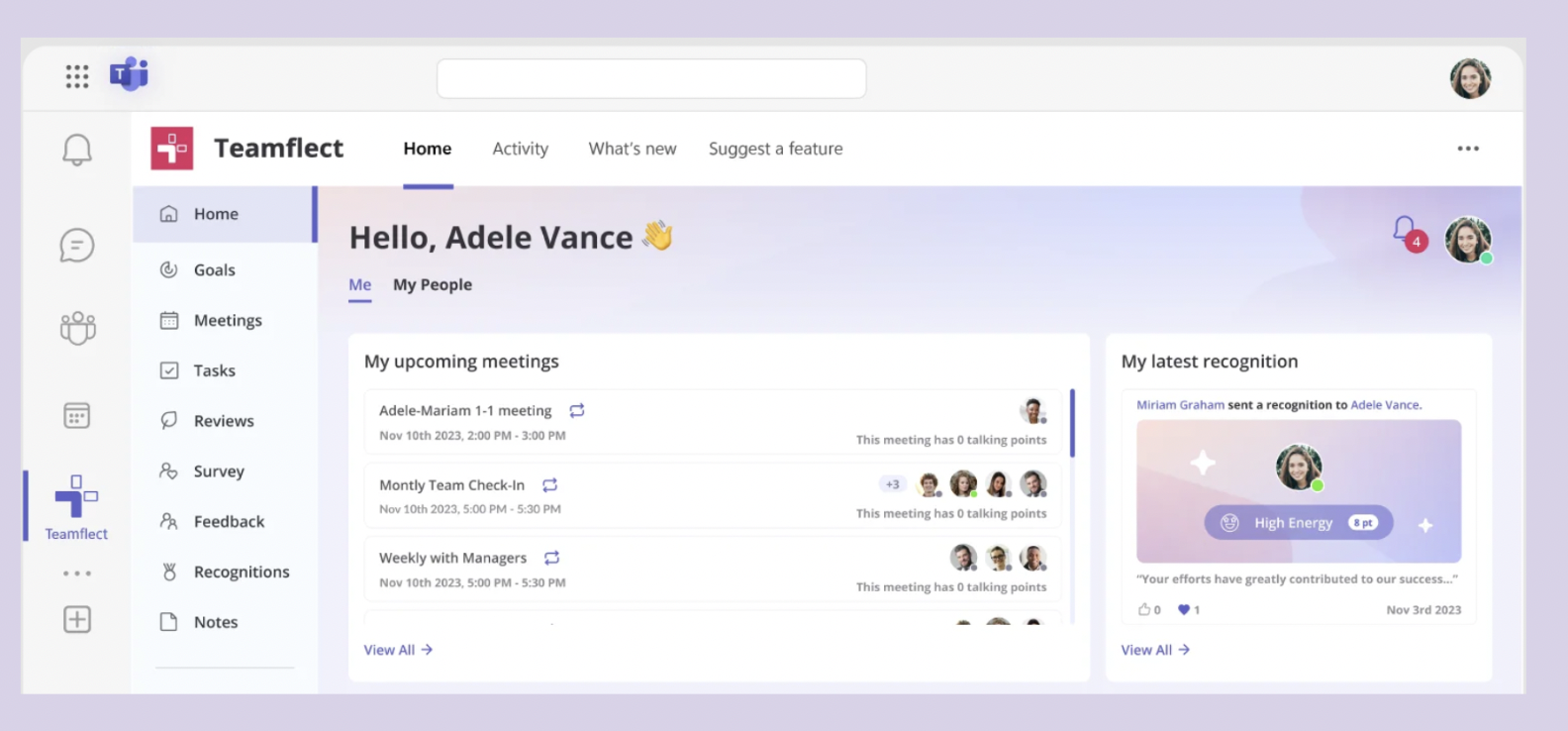
Teamflect is the most deeply embedded Microsoft Teams OKR tool on the market, purpose-built for the Microsoft 365 ecosystem.
It handles OKRs, performance reviews, 1:1s, feedback, and recognition entirely within Teams and Outlook - without requiring users to open a separate application.
And let's be honest, Teamflect has become the primary destination for companies migrating away from Microsoft's OKR software, Viva Goals, following its discontinuation in late 2025.
Microsoft Teams features
- Goals can be created, updated, and monitored entirely within Teams - no context-switching required at any point in the OKR workflow
- Cascading OKRs connect company, team, and individual objectives with a visual hierarchy view inside the app
- Integration surfaces inside 1:1 meeting windows so managers can review OKR progress live during calls
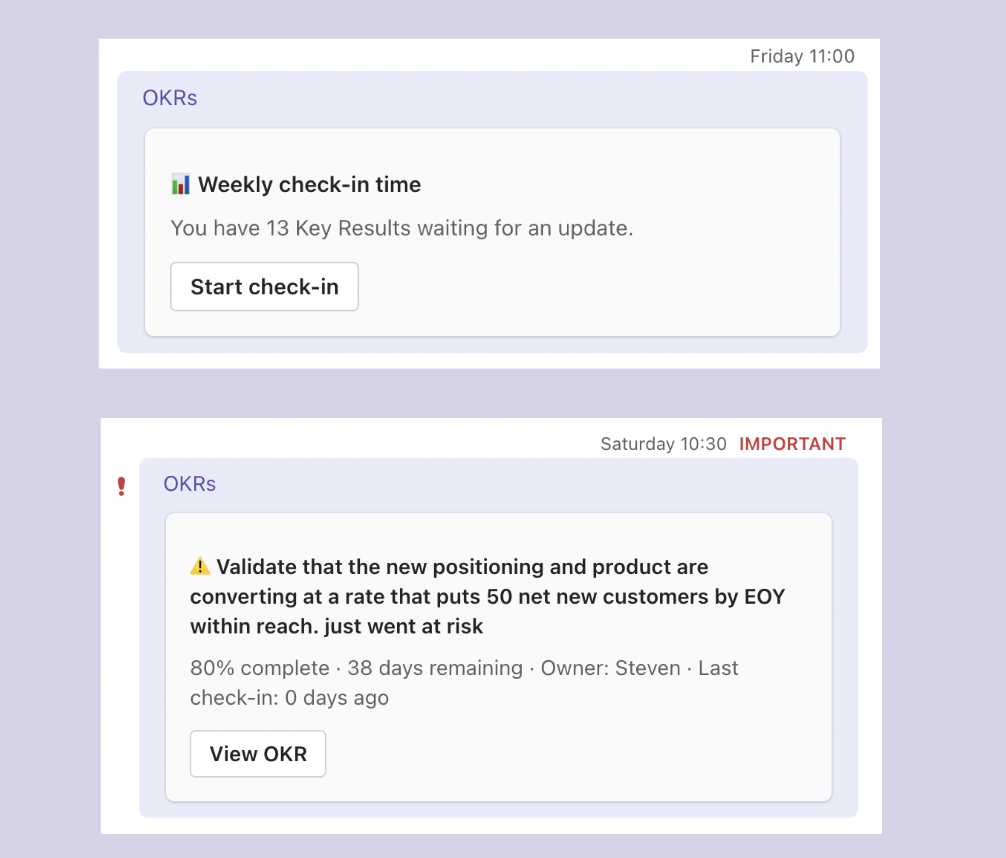
- Automated check-in reminders delivered as adaptive cards in Teams chat for frictionless in-conversation updates
- AI-generated goal suggestions, at-risk detection, and development goal recommendations accessible from within Teams
Pricing: Free for up to 10 users, then $7/user/month.G2 Rating: 4.8/5
2. OKRs Tool
Best for: Team leads and department heads inside growing companies (50–200 people) who want OKR visibility without adding workflow complexity.
OKRs Tool is a lightweight, AI-powered OKR platform built for teams inside growing companies. It keeps goal-setting, progress tracking, and alignment in one clean interface - without the complexity of enterprise tools.
Flat per-organisation pricing (not per seat) makes it one of the most cost-effective options available.
Microsoft Teams features
- Sidebar app surfaces My OKRs and Team OKRs with live progress bars and on-track, at-risk, and off-track status badges the moment Teams opens
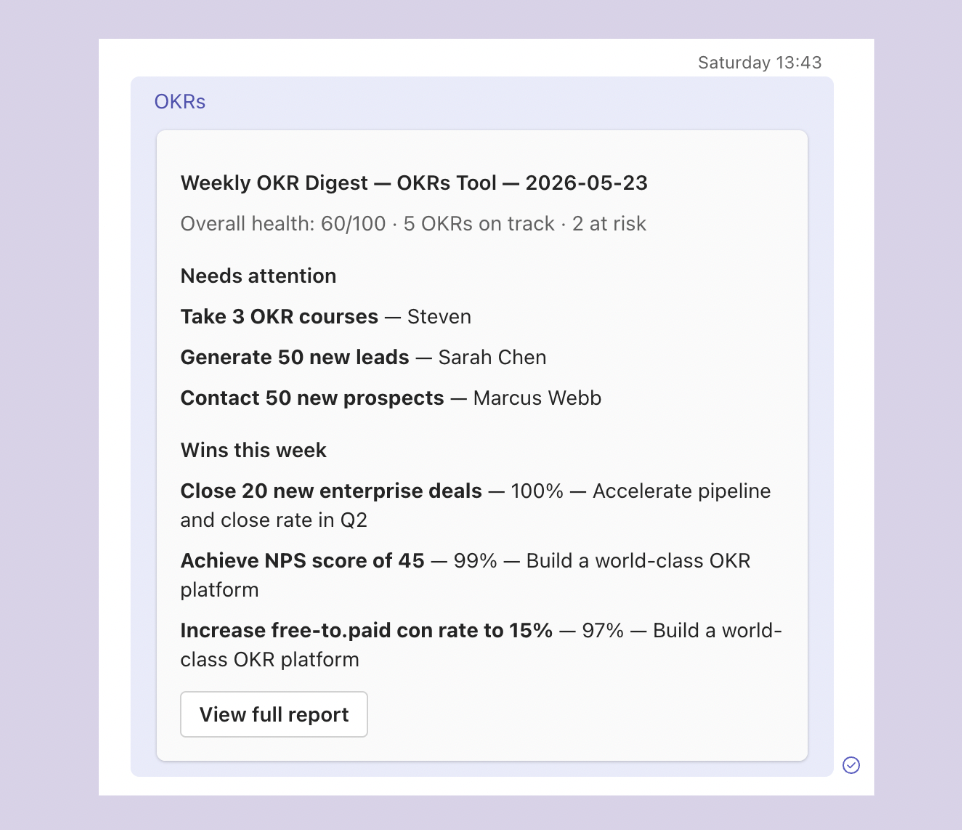
- Weekly Monday digest delivered as an adaptive card in DMs - shows what moved, which KRs are slipping, and includes a direct update link
- Channel tab auto-binds to a team's OKRs for persistent, ambient alignment inside any channel
- Slash commands (/okr my, /checkin, /okr status) return clean adaptive cards instantly without leaving a conversation
- All visibility is permission-matched to OKRs Tool exactly - no shadow access, no surprises
- Notifications are opt-in only, keeping Teams noise-free by design
Pricing: Free for 1–5 users. $49/month Scale (6–50). $129/month Expand (51+, includes SSO and concierge onboarding).
G2 Rating: 4.6/5 — "OKRs Tool is extremely cost effective and easy to use — I can set it up in minutes without training anyone. Suitable for our organisation of 150 people." — Mahir, Trillium
3. Mooncamp
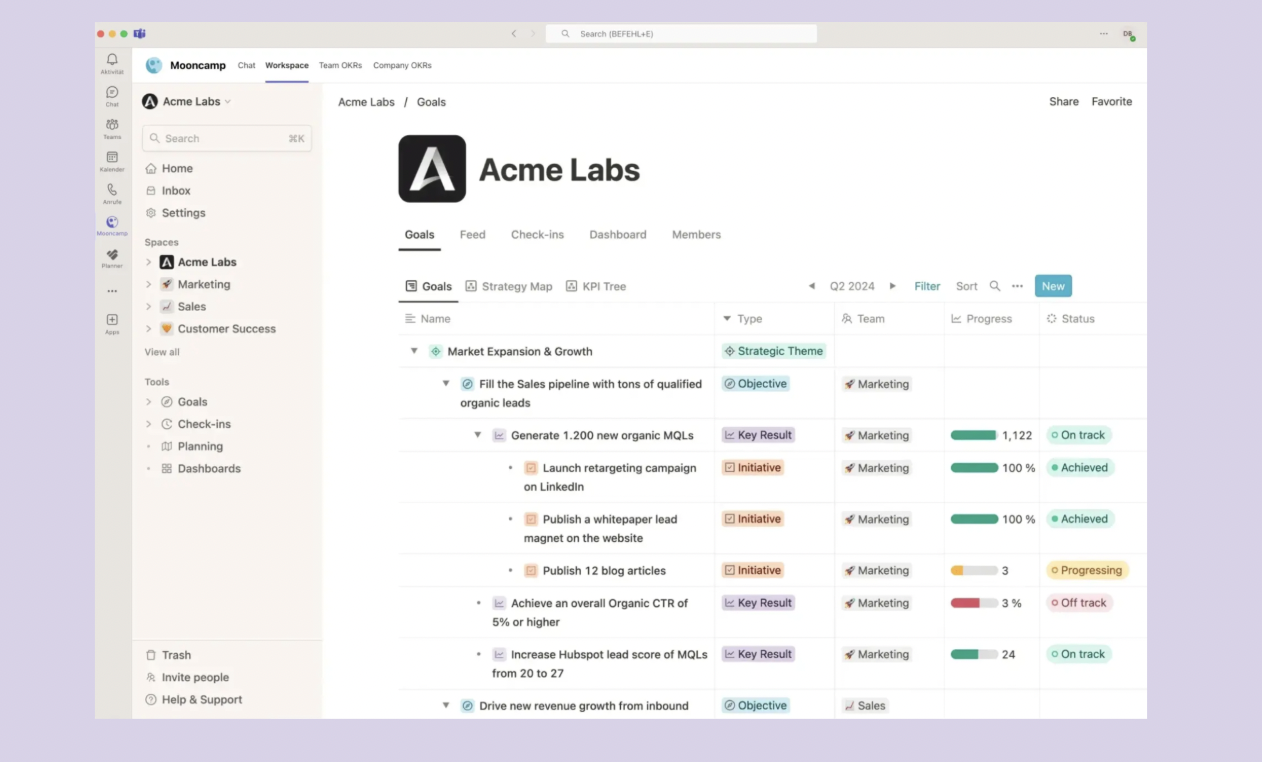
Best for: Mid-market teams migrating from Viva Goals or needing the deepest Microsoft ecosystem integration with full workflow configurability.
Mooncamp is a modern, highly configurable OKR platform built for fast-growing and mid-market companies, with strong GDPR compliance credentials out of Germany.
It has become one of the leading migration destinations for teams leaving Microsoft Viva Goals in 2025 and 2026. It prioritizes flexibility, real-time custom dashboards, and ease of adoption across all organisational roles.
Microsoft Teams features
- Full OKR workflow available in-app: view, create, update, and switch between cycles without leaving Teams
- Personal and team OKR views configurable per user inside the Teams tab
- Channel notifications configurable for status changes, achieved objectives, and KR threshold breaches
- Smart defaults prevent channel noise - nothing posts unless explicitly enabled
- Dedicated hands-on migration support specifically for Viva Goals customers
Pricing: From ~$8.30/user/month.G2 Rating: 4.7/5
4. Perdoo
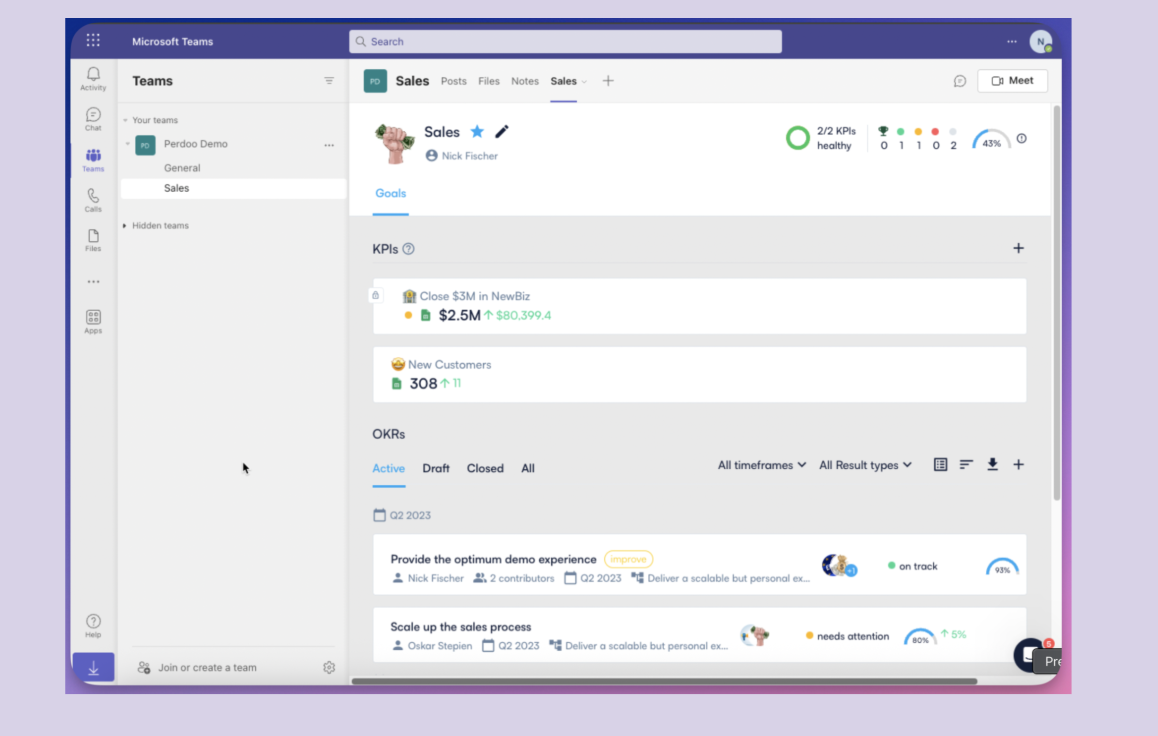
Best for: Mid-sized organizations that want strategy map depth, KPI tracking, and low-cost read-only access for large stakeholder groups.
Perdoo is a strategy-first OKR and KPI platform that connects high-level strategic direction to team and individual execution through a visual Strategy Map.
It is built for mid-sized to large organisations that want structural depth in their goal management.
A genuinely functional free tier supports up to five users, and view-only licences on the Supreme plan cost just €1.50/month - a notable differentiator for broad organisational visibility.
Microsoft Teams features
- OKR viewing, key result updates, and check-in reminders available directly within Teams without switching to the web app
- Channel tab allows teams to pin OKR views to project channels for persistent alignment
- Vince AI Coach (launched January 2026) reviews draft objectives, recommends strategic pillars, and answers OKR methodology questions - accessible from within Teams
- OKR cloning (February 2026) carries integrations and historical progress into new quarters within the Teams-connected environment
Pricing: Free for up to 5 users, then from €7.20/user/month (min. 10 seats).G2 Rating: 4.5/5
Read our full OKRs Tool vs Perdoo comparison →
5. Tability
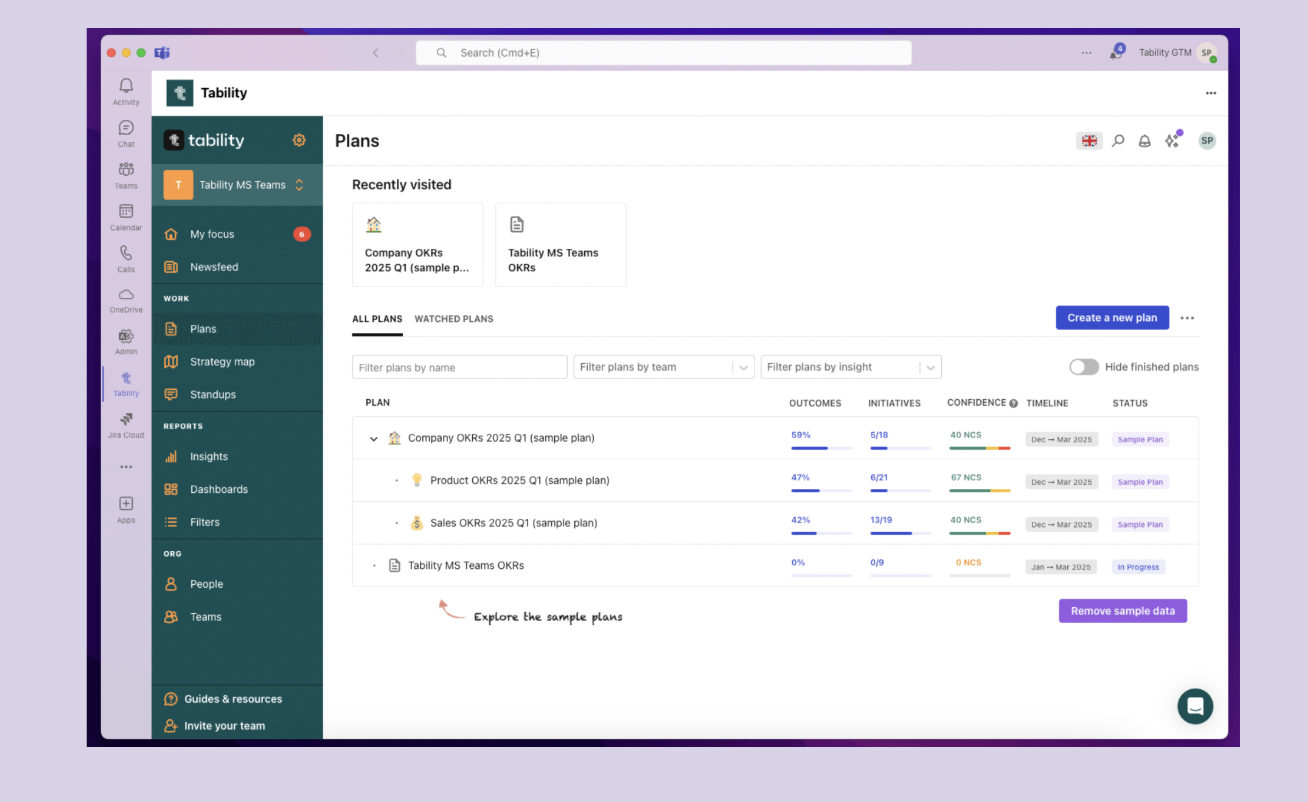
Best for: Small to mid-sized teams that want frictionless weekly check-in habits and the simplest possible Teams deployment path.
Tability is a lightweight OKR and goal-tracking platform that prioritises simplicity and consistent check-in habits over feature density.
Built by ex-Atlassians, it leans on AI-assisted goal writing and automated reminders to keep teams accountable week to week. In February 2026, Tability launched a native Teams app directly in the Teams Marketplace, removing the previous sideloading requirement entirely.
Microsoft Teams features
- Native Teams Marketplace app (February 2026) - no sideloading or IT workaround required for deployment
- Full dashboards, strategy maps, and filters accessible within Teams - not a trimmed-down view
- AI-powered Goal Editor refines vague objectives into well-structured OKRs from within the integration
- Committed versus aspirational labels for key results visible inside Teams.
Pricing: From $6/user/month.G2 Rating: 4.7/5
Read our full OKRs Tool vs Tability comparison →
6. Profit.co
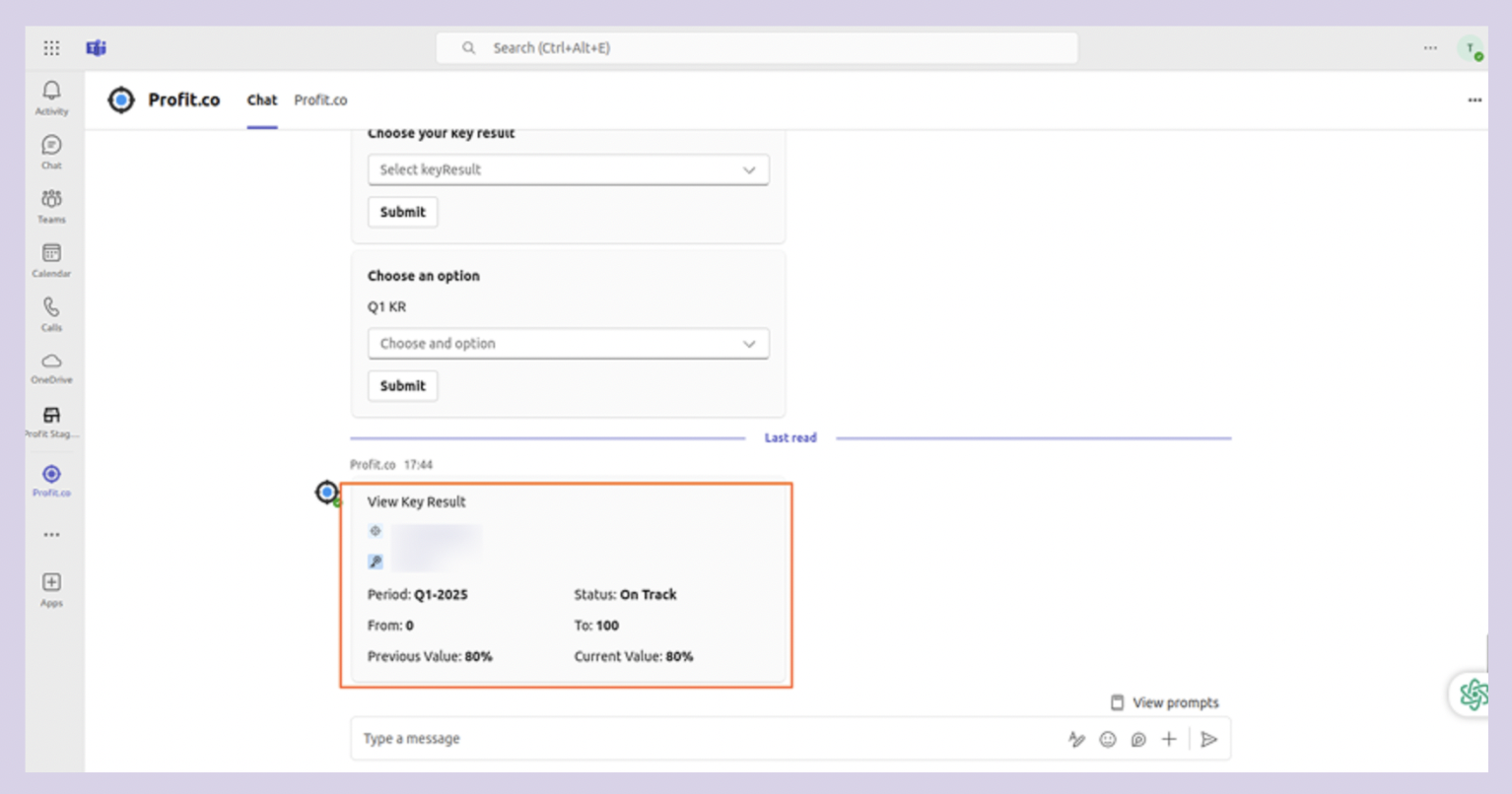
Best for: Enterprises that need broad OKR visibility across large teams with granular permission controls and flexible read-only access.
Profit.co is a feature-dense OKR platform built for enterprises, covering OKRs, KPIs, task management, performance reviews, balanced scorecards, and project portfolio management in a single system.
A free plan makes it accessible at small scale, and a dual-licence tier introduced in January 2026 allows read-only stakeholders to access the platform at significantly reduced cost.
Microsoft Teams features
- OKR viewing, check-in updates, and progress tracking available without leaving the Teams environment
- Bot-delivered notifications prompt timely updates on key results approaching deadlines or dropping below thresholds
- Department-level visibility settings (January 2026) enforce consistent access controls across all OKRs, respected fully within the Teams-connected view
- Dual-licence tier gives read-only stakeholders Teams access at reduced seat cost - practical for org-wide visibility without full-licence overhead
- Teams notifications cover status changes, achieved milestones, and check-in reminders - all configurable at the individual user level
Pricing: Custom quote.G2 Rating: 4.8/5
7. Betterworks
Best for: Large enterprises where OKRs are the backbone of performance conversations and managers need AI-powered early warning on execution risk.
Betterworks is an enterprise-grade performance enablement platform that treats OKRs as the foundation of ongoing performance conversations.
It connects goal-setting, continuous feedback, structured check-ins, performance reviews, and calibration into one unified system. Custom pricing and a minimum contract threshold mean it is best suited for organizations with 500-plus employees.
Microsoft Teams features
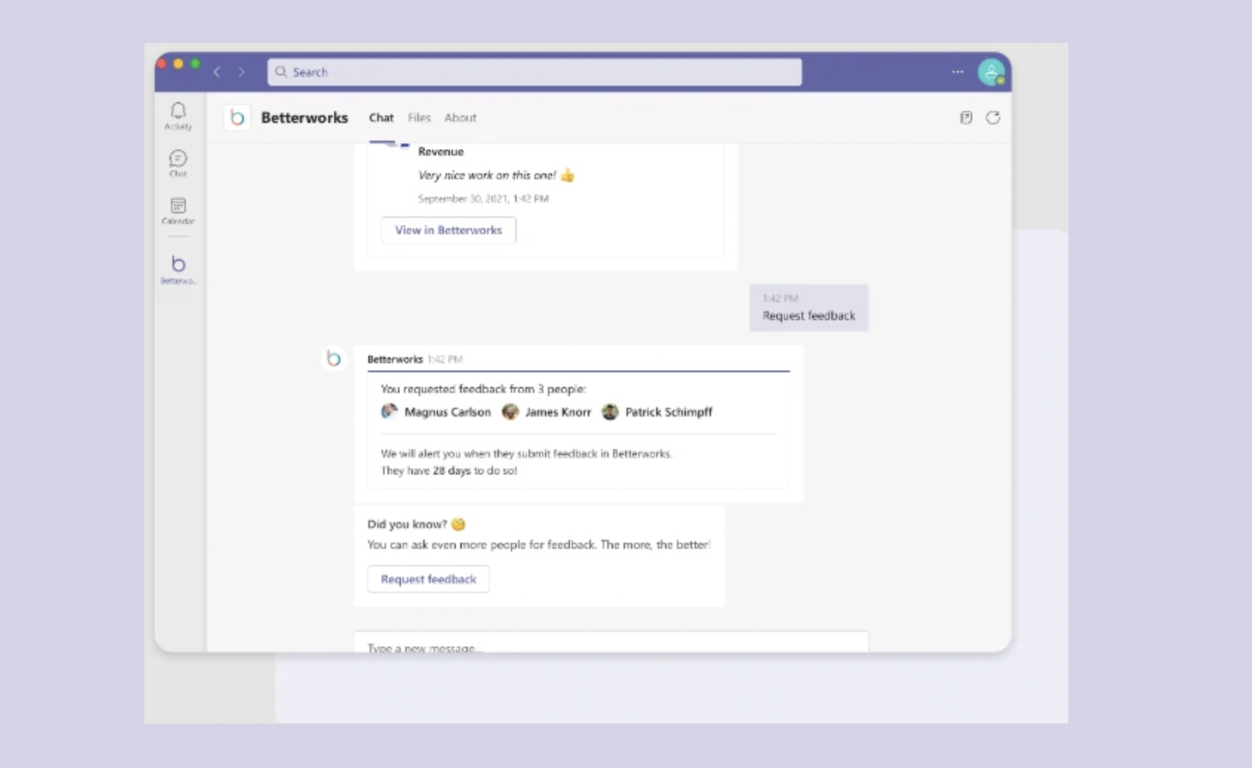
- AI-powered milestone nudges automatically trigger Teams messages when an objective hits a completion threshold or falls meaningfully behind schedule
- Manager Command Centre - consolidating team OKR progress, pending 1:1s, and feedback signals - accessible and actionable from within Teams
- Check-in reminders and feedback requests delivered as Teams messages for in-conversation action without app-switching
- Continuous feedback module supports exchanges initiated and completed entirely from within Teams conversations
- Full integration across the Microsoft stack including Teams, Outlook, and leading HRIS systems
Pricing: Custom quote (typically suited to 500+ employee organizations).G2 Rating: 4.4/5
8. Lattice
Best for: People-centric organizations that want OKRs integrated into a broader feedback, engagement, and development workflow.
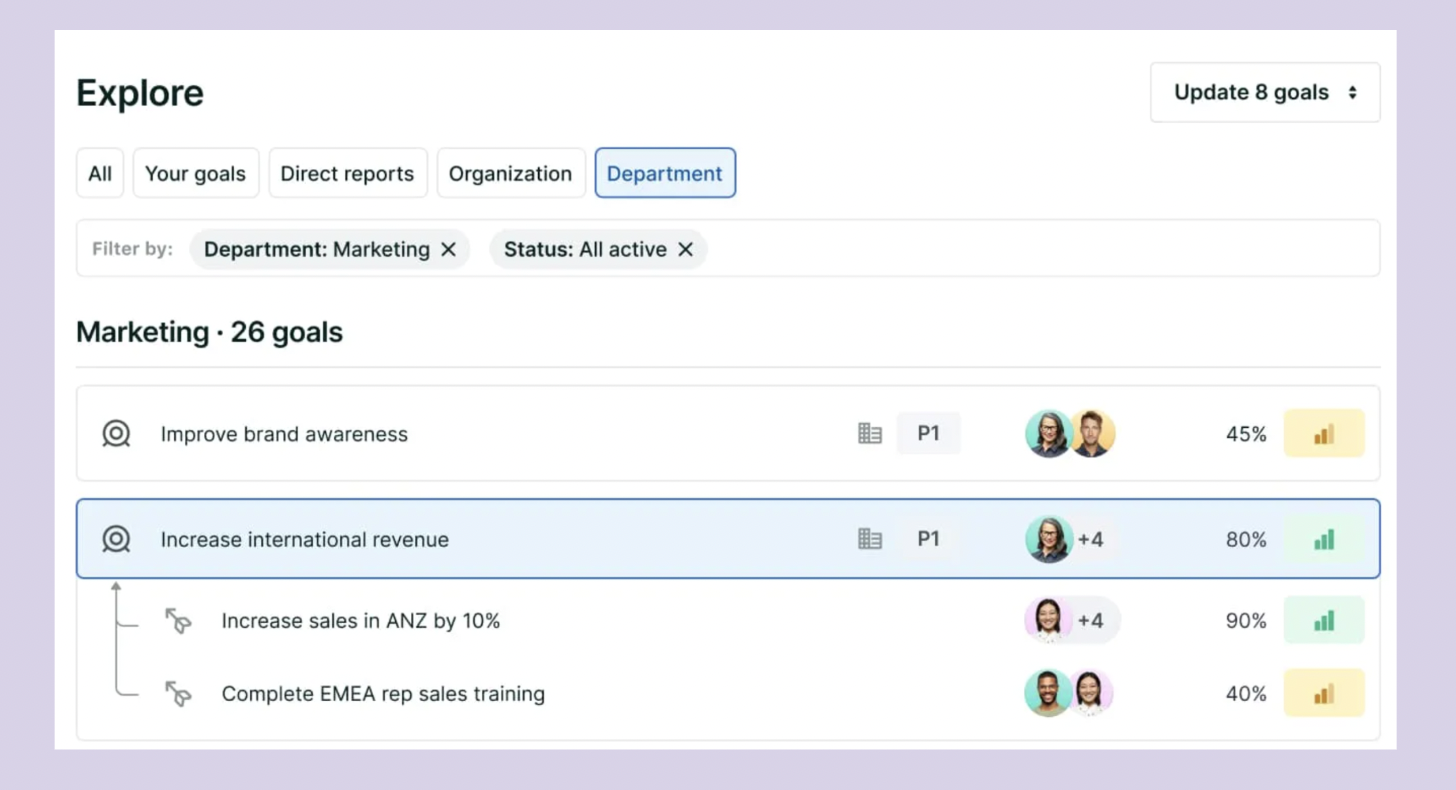
Lattice is a people-centric performance management platform that treats OKRs as one component of a broader employee development and engagement system.
It connects goal-setting with continuous feedback, performance reviews, 1:1s, engagement surveys, compensation management, and career development tools.
The OKRs and Goals module is sold as a modular add-on to the core performance platform, with custom per-employee pricing.
Microsoft Teams features
- Teams notifications span the full performance management loop: feedback requests, goal updates, review actions, 1:1 agendas, and engagement surveys in one unified stream
- Goal progress updates and confidence ratings submittable directly from Teams-delivered prompts without leaving the conversation
- Teams identity maps cleanly to Lattice access via HRIS connections and SSO - no separate login management required
- Breadth of notification types across feedback, goals, and engagement makes it particularly useful for HR teams managing multiple people processes simultaneously
Pricing: Custom quote (typically $11–$16/user/month).G2 Rating: 4.7/5
9. 15Five
Best for: Mid-market teams where manager cadence and weekly check-in culture are the primary drivers of performance and accountability.
15Five is a continuous performance management platform built around the belief that regular, lightweight manager check-ins drive better performance outcomes than annual review cycles.
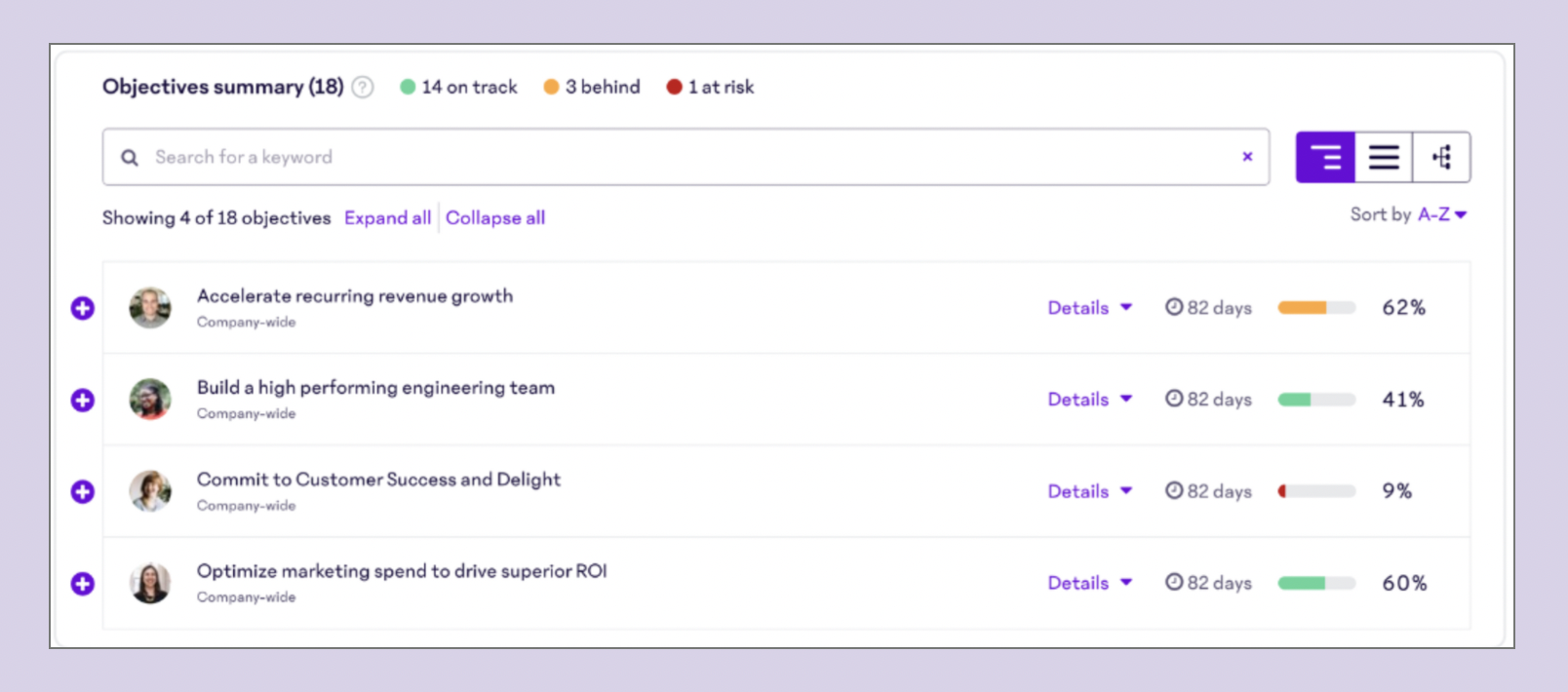
It combines weekly check-ins, OKR tracking, performance reviews, engagement surveys, and manager coaching tools in one system. The Engage tier starts at $4/user/month, making it one of the most accessible full-featured platforms on this list.
Microsoft Teams features
- Weekly check-in reminders sent as Teams messages - employees can submit updates and flag blockers without opening the 15Five web app
- Goal progress notifications, High Five peer recognition alerts, and 1:1 agenda reminders all surfaced through Teams
- AMAYA AI agent (launched in 2026) surfaces engagement risks and suggests coaching actions for managers via Teams notifications
- Spark AI analyses check-in comments and drafts performance review summaries within Teams-linked workflows
- Functions primarily as a notification and action-prompt layer rather than a fully embedded in-app experience
Pricing: From $4/user/month.G2 Rating: 4.6/5
What the Data Tells Us: How to Pick the Right Tool
The tools on this list divide cleanly into three integration philosophies — and choosing the wrong one is the most common mistake organizations make.
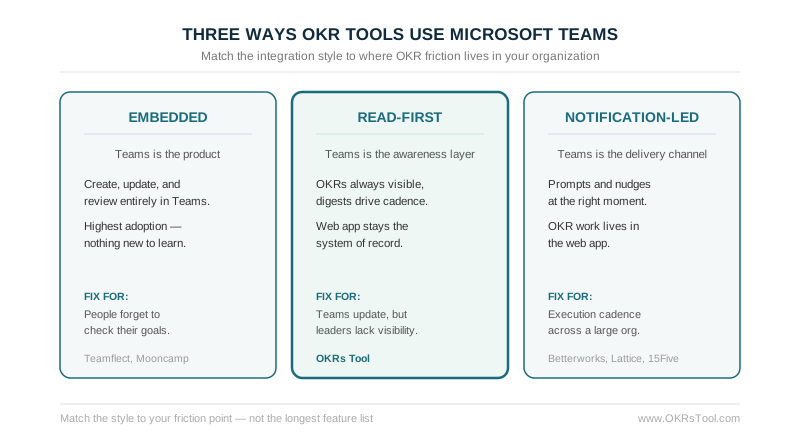
Embedded tools (Teamflect, Mooncamp) treat Teams as the primary product surface. Users create, update, and review OKRs entirely in Teams. Adoption tends to be highest because the barrier to use is lowest — there is nothing new to learn. The trade-off is that goal management depth is sometimes secondary to platform breadth.
Read-first tools (OKRs Tool) treat Teams as an awareness layer, not an admin interface. OKRs are always visible, digests drive the cadence, and slash commands give instant access — but the system of record remains the web app. This approach protects data integrity and admin trust, and is particularly well-suited to teams where managers consume OKR data but are not the primary updaters.
Notification-led tools (Betterworks, Lattice, 15Five) use Teams primarily as a delivery channel for prompts and nudges. The OKR experience lives in the web app; Teams surfaces actions at the right moment. These platforms tend to win on strategic depth and broader performance management capabilities.
The question to answer before you evaluate a single demo:
Where does OKR friction live in your organization?
- If people forget to check goals → go embedded
- If people update goals but leadership lacks visibility → go read-first
- If your problem is execution cadence across a large org with complex performance workflows → go notification-led
The most common mistake is picking a tool for its feature list and discovering the Teams integration was an afterthought. Start from your friction point instead: match the integration style to how your team actually works, and the connector earns its place. For a team where managers consume OKR data more than they update it, a read-first integration keeps goals visible without adding admin overhead.