Run goals that survive past month one.
Set OKRs, scope initiatives, track KPIs, and run weekly check-ins in one place — so the goal-setting cycle doesn't break in the handoff. Built for operators at 50–200 person companies who run cycles, not consultations.
Goal-setting fails in three places.
Most teams can write OKRs in an afternoon. The problem is what happens between cycle kickoff and cycle close.
The goal tool isn't where the work happens
OKRs live in a slide deck or a sheet. Initiatives live in Asana or Jira. KPIs live in a dashboard. Nothing connects — so by cycle close, nobody can tell whether the work shipped against the goals committed.
Initiatives disconnected from outcomes
A team ships 12 projects. None of them are clearly linked to a Key Result. Activity gets reported instead of outcomes — and the next cycle, leadership asks why progress isn't showing up in the numbers.
Check-ins get skipped
Owners say they'll update progress weekly. Then life happens. Two weeks turn into four. Forecasts go stale. Risk shows up at the worst possible moment — the QBR.
OKRs that ladder up
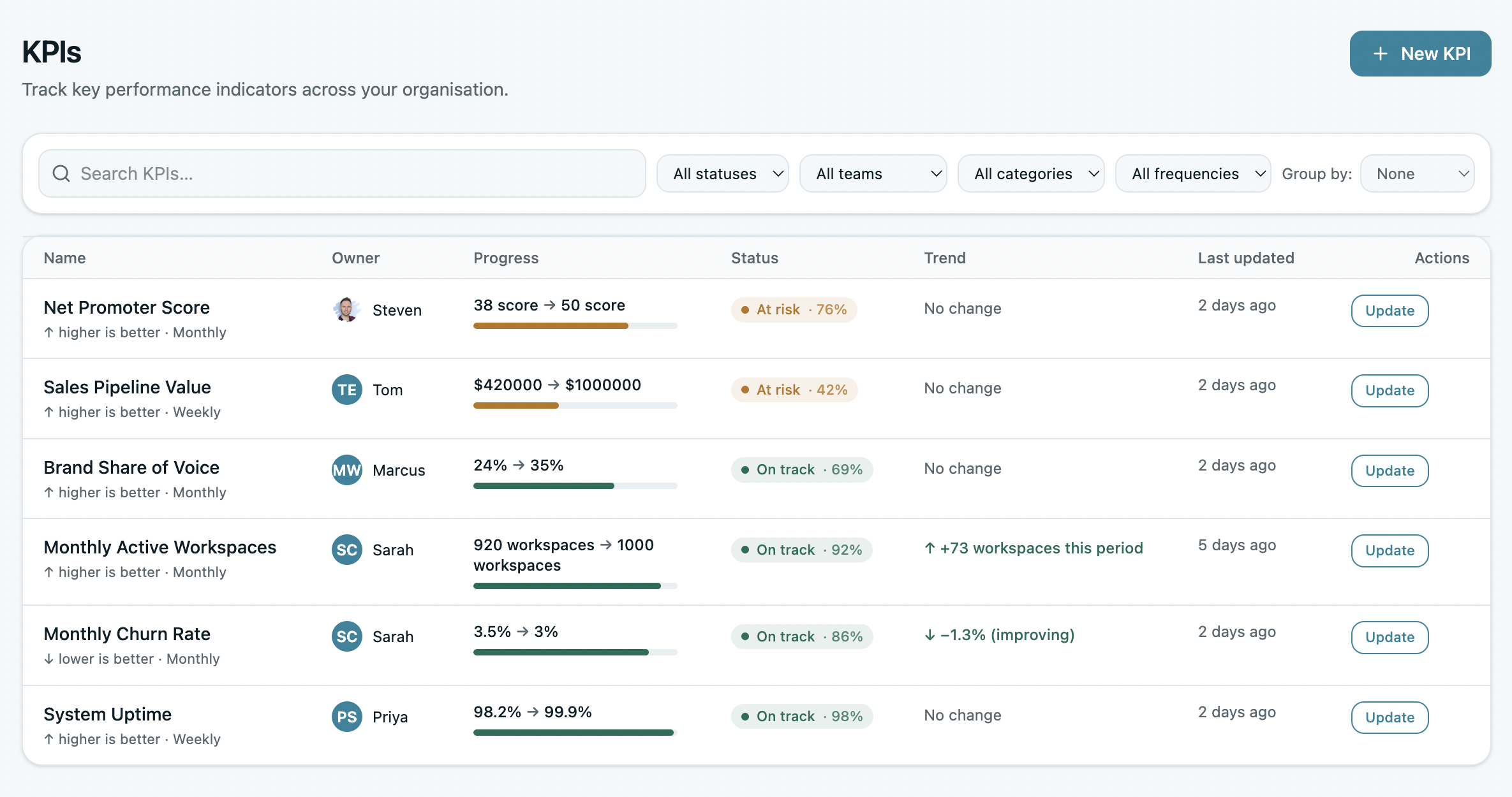
Objectives and Key Results, structured the way they're actually supposed to work. Every team OKR requires a parent — you can't set a goal in a vacuum. Every KR has one accountable owner, one measurable target, one cycle.
No more "we're all on this." No orphan OKRs. No goals that quietly drift away from the company priority that started the quarter.
- Required parent OKR on every team objective
- Single owner per KR — required, visible, accountable
- Three scoring systems: binary, percentage, 0.0–1.0 — per team or per KR
- Aspirational vs Committed labeling — signal which goals are stretch
- Clone forward to next cycle in one click
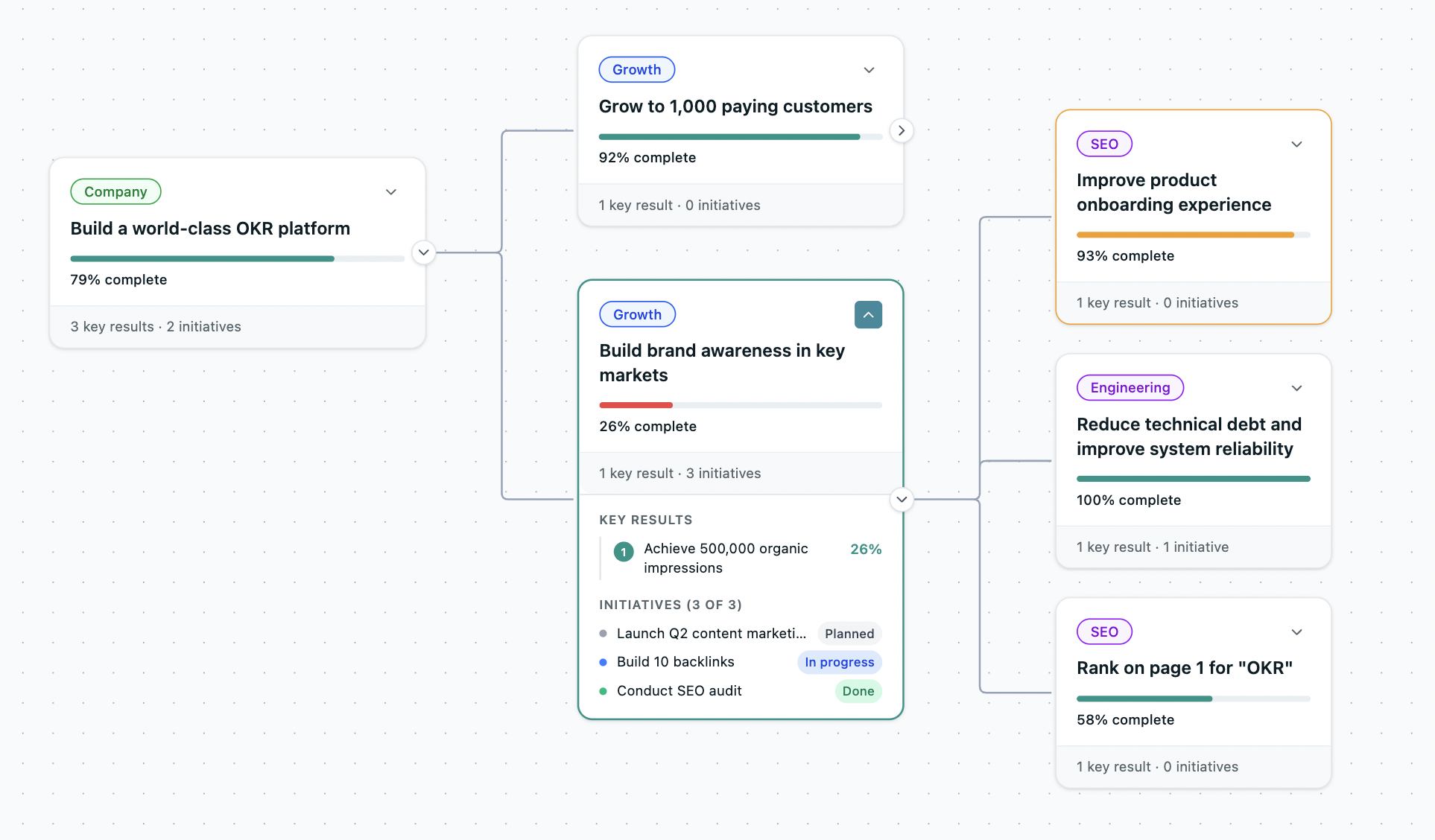
Initiatives linked to outcomes
The projects that deliver each Key Result, captured as initiatives directly under the KR. No more disconnect between "what we're doing" and "what we're trying to move."
Each initiative shows its contribution to the parent KR, the owner, the timeline, and the status. When a KR misses, you can trace exactly which initiative slipped — not handwave at activity in general.
- Initiatives nested under KRs — structural, not implied
- Status: in-progress, complete, blocked, scrapped
- Sync with Asana, Jira, ClickUp, Linear, Notion — initiatives map to your task tool
- Track initiative-to-outcome conversion — which projects actually moved the needle
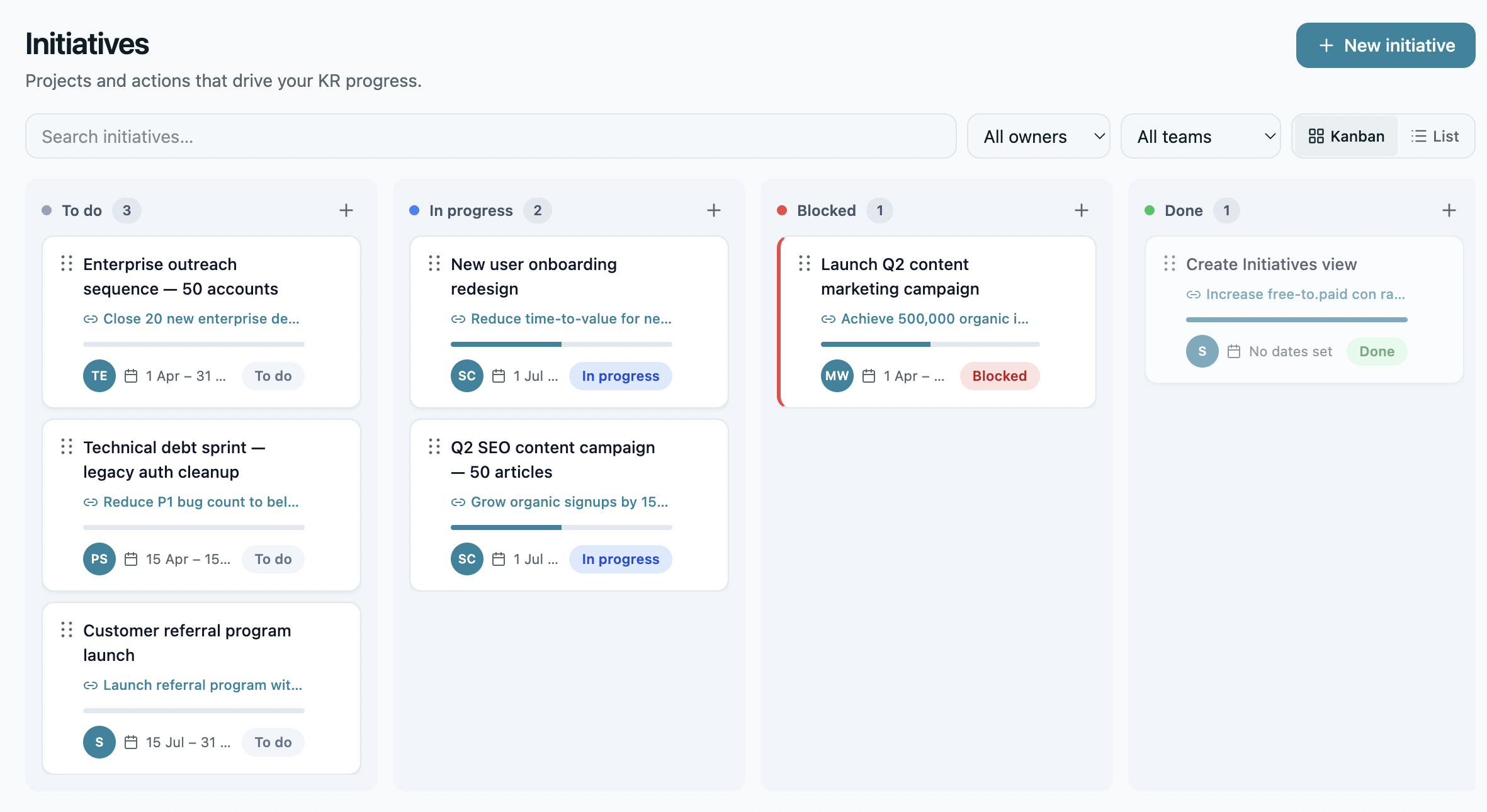
Weekly check-ins without chasing
Each KR owner gets a nudge to update progress and set a status: on track, at risk, behind. The tool does the chasing, not you. Cadence is the single biggest predictor of OKR completion — teams running weekly check-ins complete 43% more of their goals than teams checking in monthly.
Nudges land in Slack, Microsoft Teams, or email — where the team already lives, not in another tool they have to remember to open.
- Customizable cadence: weekly, biweekly, monthly — per team
- Auto-nudges via Slack, Teams, or email
- Auto-summary: who's checked in, who hasn't, what changed
- Free planning tool: Check-in Builder drafts updates in seconds
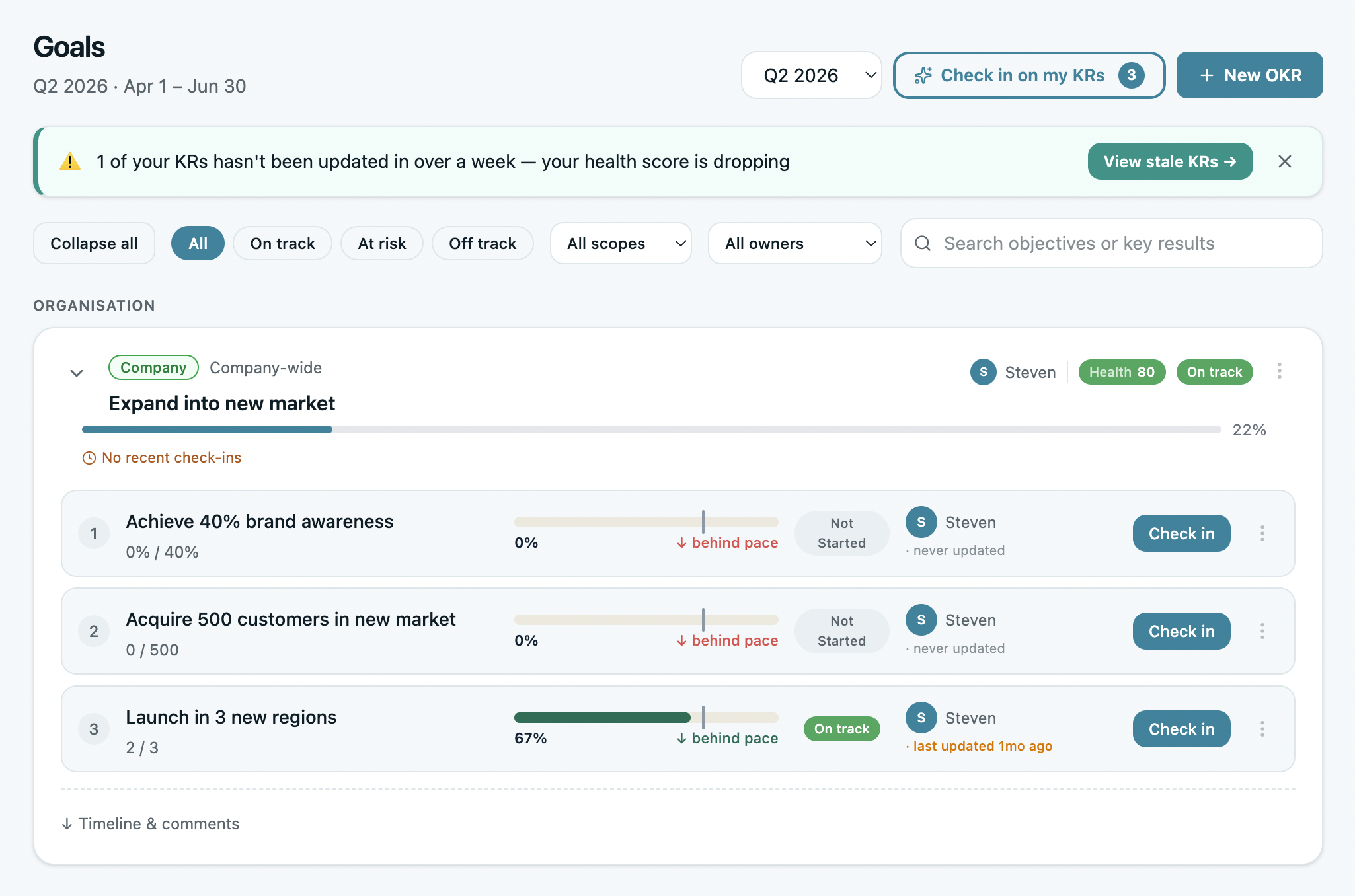
KPIs alongside OKRs
KPIs are health metrics. OKRs are change metrics. You need both — KPIs tell you how things are; OKRs tell you what you're trying to change.
Track ongoing metrics like MRR, churn rate, uptime, or NPS in the same tool as your quarterly OKRs. When a KR involves moving a KPI, the link is structural — change the KPI baseline, the KR target updates with it.
- Continuous metrics tracked alongside cycle-bound OKRs
- Auto-pull from Stripe, Salesforce, HubSpot, GA, or via webhook
- KPI ↔ KR linking — when a KR targets a KPI, the connection is structural
- Trend lines for every KPI — see the slope, not just the point
The check-in that takes 30 seconds.
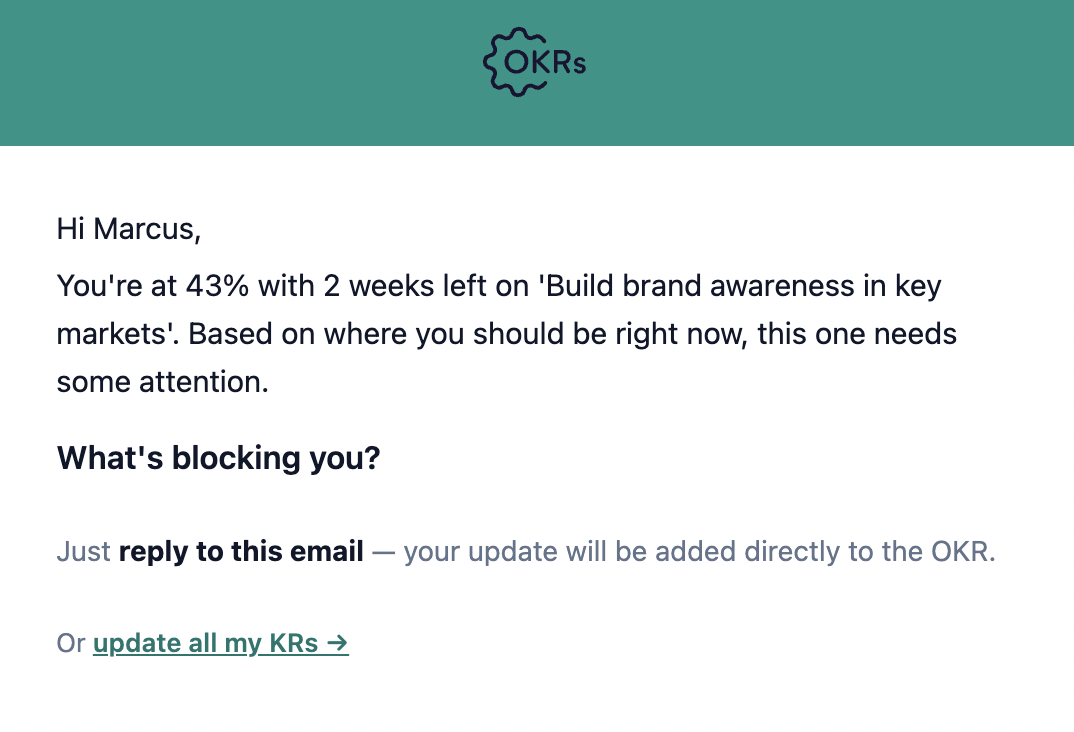
Every Friday, KR owners get an email with their open OKRs. Reply to the email to update progress. No login, no app to open, no chase from the manager.
The Friday Nudge
Most check-ins die because the tool needs you to log in. Cognitive switching cost is high. Friday rolls around, the email gets ignored, the KR goes stale. The Friday Nudge removes that friction entirely.
Open the email. See your KRs. Type your update inline. Hit reply. The status, the progress, the comment — all parsed and pushed into the OKR. You never opened OKRs Tool, but your update is live.
- Reply to email = update OKR — no login required
- Inline parse of status, progress, and comment
- Confirmation reply so you know it landed
- Sent every Friday morning by default — customizable per team
- The reason our check-in completion rate is so high — we made it 30 seconds long
I use OKRs Tool to organize and define measurable key results, track progress over time, and move from general priorities to clear goals. It replaces scattered spreadsheets with a clearer and more structured way to track objectives, key results, progress, and follow-up actions. It's the easiest OKRs platform I've used.

Goals questions, answered.
Four questions every team asks before structuring their first cycle.
How do OKRs and KPIs work together?
Can I link initiatives to specific KRs?
How often should teams check in?
Does the Friday Nudge work with Slack or Teams instead of email?
Goals is one of five sections.
Each is included on every plan. Click any to see the views inside.