Switching OKR tools mid-programme is less disruptive than it sounds - if you do it in the right order. Export first, verify before you migrate, and choose a tool your team will actually use before you commit. The data is the easy part. The adoption is what matters.
_______________________________________________________________________________________________________
The email arrives on a Tuesday.
Pricing is changing. The plan you're on is being discontinued. The tool you built your OKR programme around is being sunset, acquired, or restructured - and the new pricing puts it well outside what a 100-person company should be spending on goal-setting software.
It happened to teams on Quantive when pricing changed. It happened to Viva Goals users when Microsoft shifted direction. It will happen again with someone else's platform.
The OKR software market consolidates regularly, and the companies caught in the middle aren't enterprise teams with a dedicated ops resource to manage a migration - they're senior operators at 50 to 200-person companies who just want their quarterly goals to work.
The instinct is to panic, but the reality is that switching is more manageable than it looks…
…if you approach it in the right order.
What you're Actually trying to Preserve
Before thinking about tools, it's worth being precise about what matters in a migration and what doesn't.
The objectives and key results themselves - the text, the owners, the progress percentages, the historical data - are worth preserving. They represent real decisions made in real planning sessions, and they provide the baseline for the next cycle's retrospective.
The formatting, the colour codes, the nested folder structures, the custom fields nobody remembers setting up - none of that travels. Trying to replicate the exact structure of your old tool in a new one is how migrations get complicated and delayed. Move the data. Leave the configuration behind.
The most important thing to preserve isn't in any export file. It's the team's relationship with the OKR process - their willingness to update progress, attend check-ins, and treat the objectives as real rather than performative.
A migration that takes three weeks and requires everyone to relearn a complicated interface will damage that relationship more than the tool change itself.
The #1 Mistake Most Teams Make
The most common migration mistake is choosing the new tool last.
Teams spend two weeks exporting data, cleaning up spreadsheets, and preparing a migration package - and only then start evaluating what they're moving to.
By the time they've chosen a platform, the quarter is already underway, the migration is rushed, and the team is adopting a new tool mid-cycle without proper onboarding.
The right sequence is the reverse. Choose OKR software first. Understand its import format, its data structure, and its onboarding process before you touch the export.
Then migrate in a single, deliberate move - ideally in the week before a new quarter starts, when the disruption is smallest and the fresh start is most natural.
What to Look For In A Replacement
The temptation after being burned by a tool that changed its pricing or shut down is to go enterprise - to find something so established that it can't disappear. That instinct is understandable but might not be right for teams at your stage.
Enterprise OKR platforms like Lattice or Betterworks are built for companies with dedicated HR operations, implementation budgets, and the bandwidth to manage a six-week onboarding process.
For a VP or CFO at a 100-person company who needs their team running OKRs properly this quarter, that's not a solution - it's a new problem.
What actually works at this stage is a tool a senior operator can set up in an afternoon. One that creates the company OKR first, builds the team structure, assigns key result ownership, and gets the team invited - all in the first session.
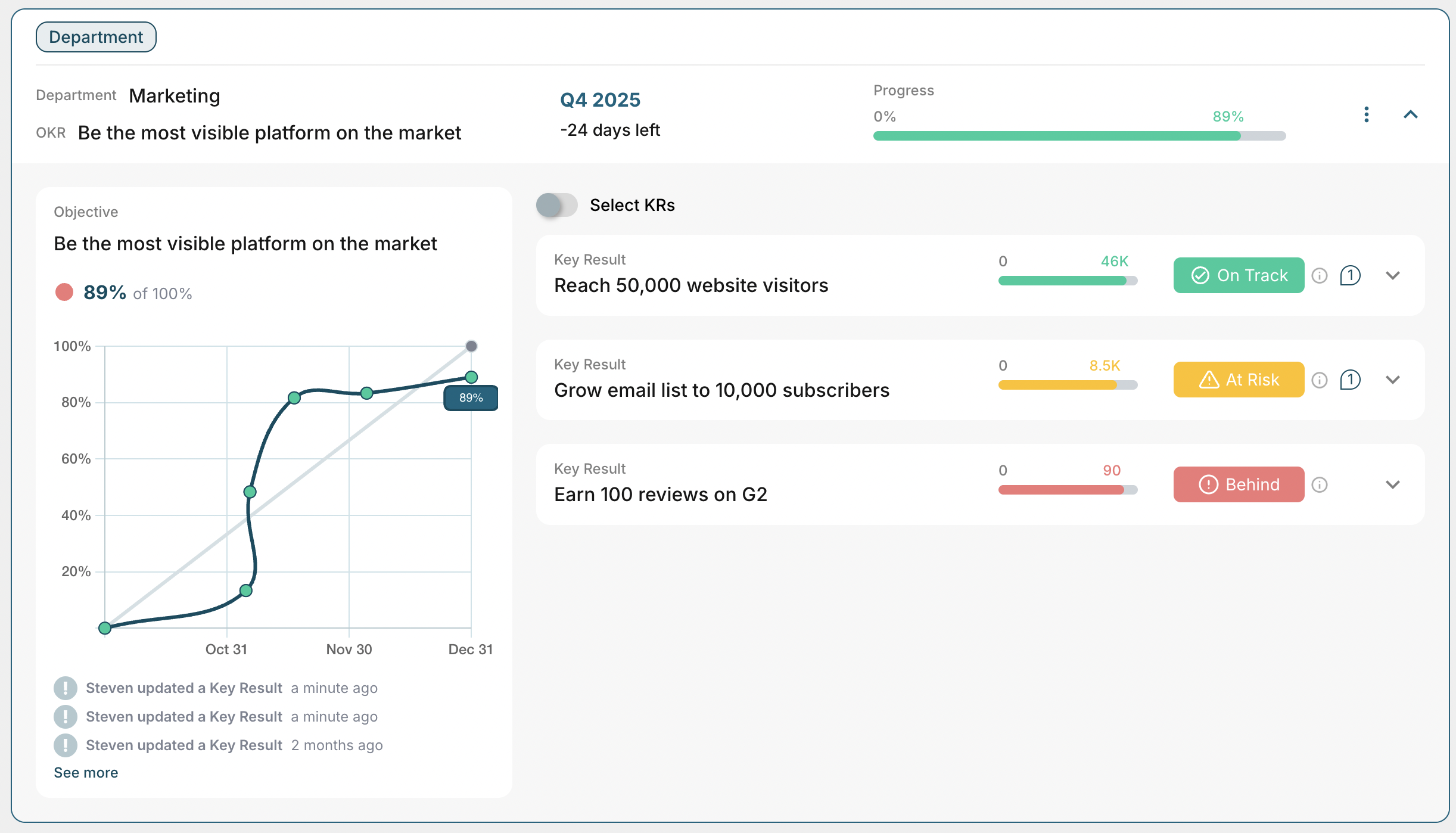
One where the weekly check-in happens because the tool nudges people, not because someone has to chase them. Simplicity isn't a compromise. At 51 to 200 people, it's the feature that determines whether the programme survives the first cycle.
The Concierge Option
One of the least-discussed but most valuable things to look for in a new OKR tool is whether the team behind it will help you migrate.
When one of our recent customers left Quantive, the switch wasn't just a data transfer - it was a moment to reset how the team thought about OKRs.
Having someone who knows the tool personally import the users, migrate the existing objectives, and run an onboarding call made the difference between a migration that took a day and one that dragged into the next quarter.
OKRs Tool offers exactly this - founder-led concierge onboarding where existing OKRs are imported, users are set up, and the first session is run with the team.
For a senior operator managing a migration alongside everything else on their plate, that's not a nice-to-have. It's the reason the switch actually gets done.
Switching Quarters
The cleanest migrations happen at quarter boundaries. The old tool gets used until the last day of the current cycle. The new tool gets set up in the final week - data imported, team invited, first objectives drafted.
The new quarter opens in a new system, with a clean slate and a team that has been properly onboarded rather than dropped into an unfamiliar interface mid-cycle.
If the timing doesn't allow for a clean quarter boundary - if the tool is shutting down now or the pricing change kicks in before the quarter ends - migrate the active objectives only. Don't try to bring across historical data from three years ago.
Focus on what the team needs to finish the current quarter and start the next one.
The programme doesn't live in the data. It lives in the weekly check-in, the mid-quarter review, and the end-of-cycle retrospective. Get those right in the new tool and the migration is already a success.
Where OKRs Tool Fits
For teams migrating from Quantive, Viva Goals, or any tool that has outgrown its usefulness, OKRs Tool is built to receive that migration without friction. Free up to 5 users, $49 per flat rate, no per-user surprises, no pricing changes that arrive on a Tuesday and upend your quarter.
The concierge onboarding means the migration doesn't sit on your to-do list for three weeks. The weekly nudges mean the team stays engaged without being chased.
And the tool is simple enough that a senior operator can run the full set-up in an afternoon - without a consultant, without an implementation timeline, and without a learning curve that costs you the first cycle.