Your first OKR cycle, hour by hour.
Most OKR rollouts don't fail on strategy — they fail on the second Tuesday, when nobody updates anything. This is the 90-day blueprint for making OKRs survive past cycle one: what to do in the first hour, the first week, every week after, and when the quarter ends.
Start your first cycle free →Setup, teams, ownership, alignment.
Six stages, one week. If you only do what's on these checklists, your cycle survives.
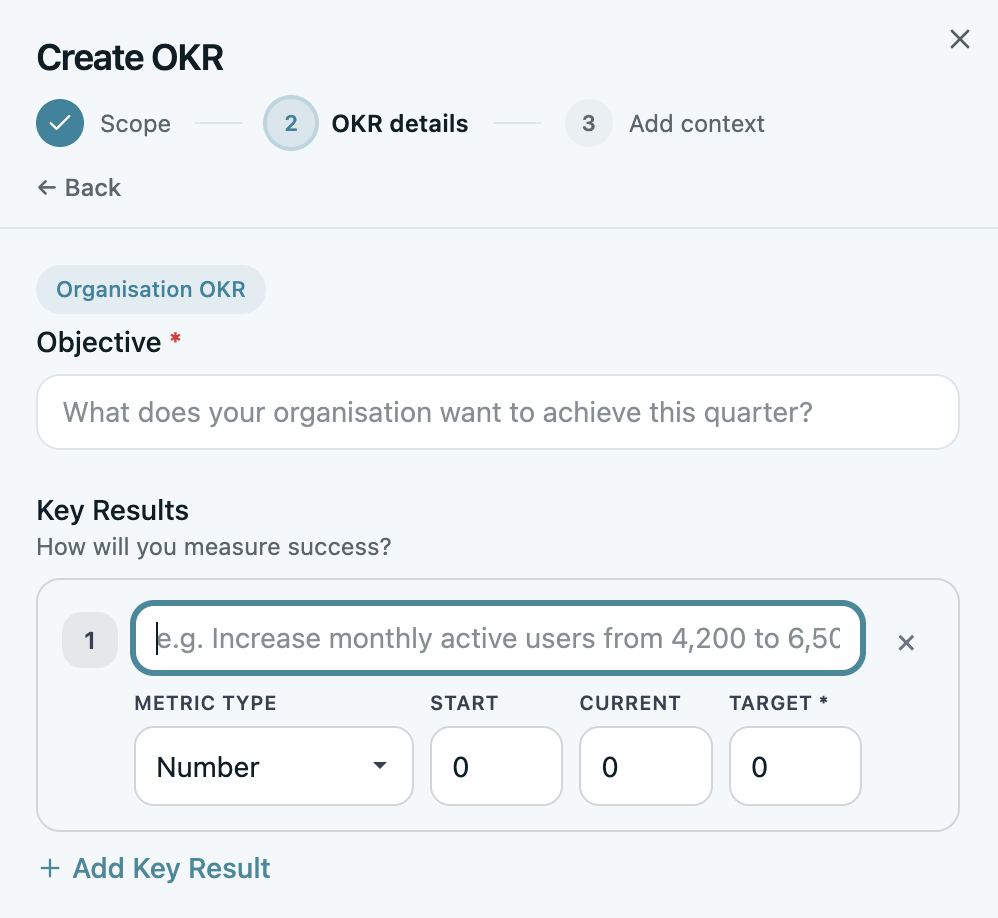
Set up the system and write 3–5 company OKRs.
Create your workspace, pick a template, and write the 3–5 objectives that matter this quarter. AI Coach flags vague Key Results as you type.
- Create your workspace and this quarter's cycle
- 3–5 objectives, 2–4 measurable KRs each
- Company-level only — team OKRs come once your teams are in
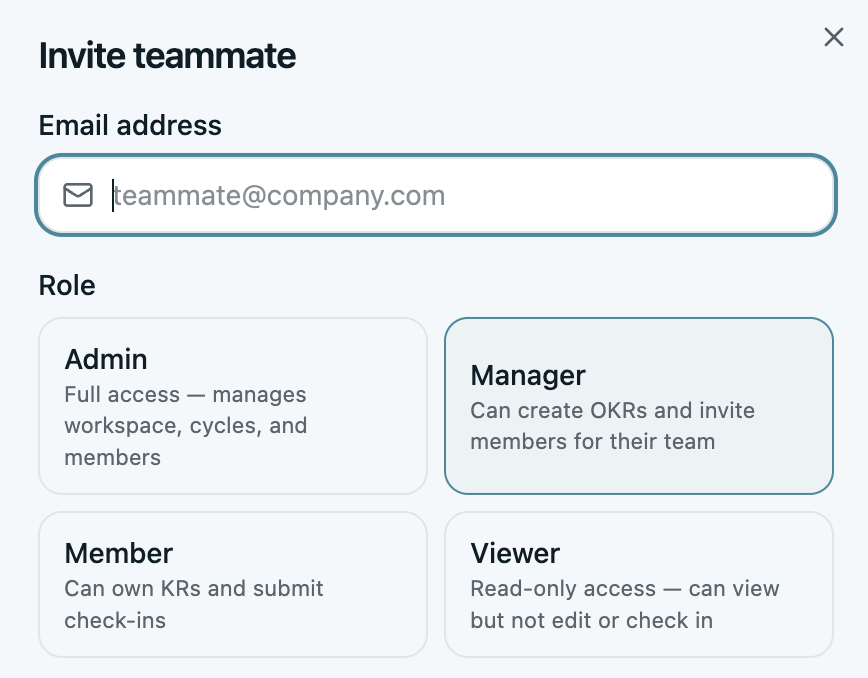
Mirror your org: teams in, everyone in.
OKRs live where teams live. Build the structure first — departments, then teams — and invite everyone, not just the leads. Flat pricing means no seat math.
- Create teams that mirror how you actually work
- Invite every teammate — no seat math, everyone's in
- One kickoff message: what the OKRs are, why now, what's expected weekly
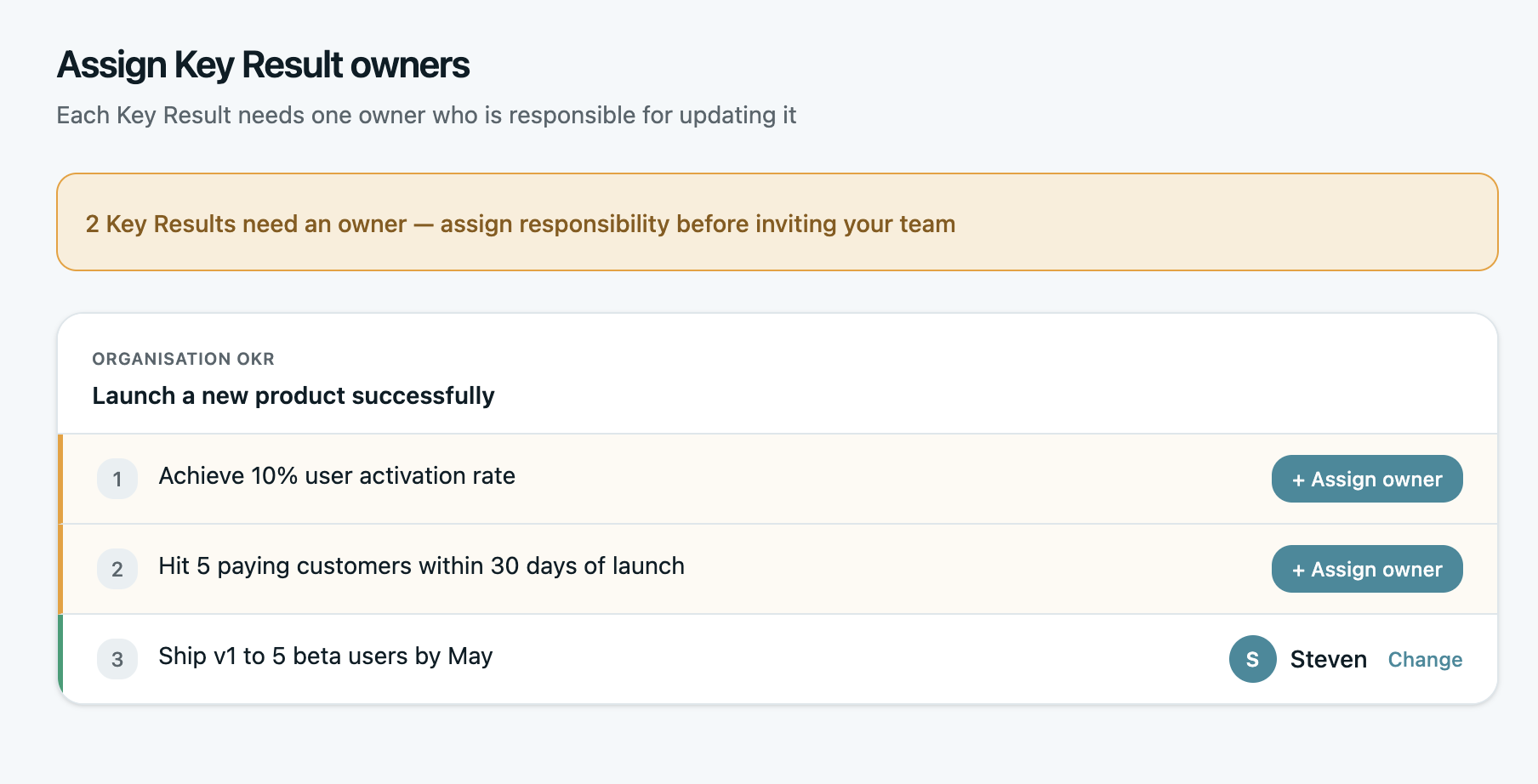
Every KR gets one owner. A name, not a team.
Ownership is the difference between a goal and a wish. Reassign every Key Result from the admin who wrote it to the person closest to the number.
- One named owner per KR — no exceptions
- Assign the person driving the number, not their manager
- No KR left owned by “the team”
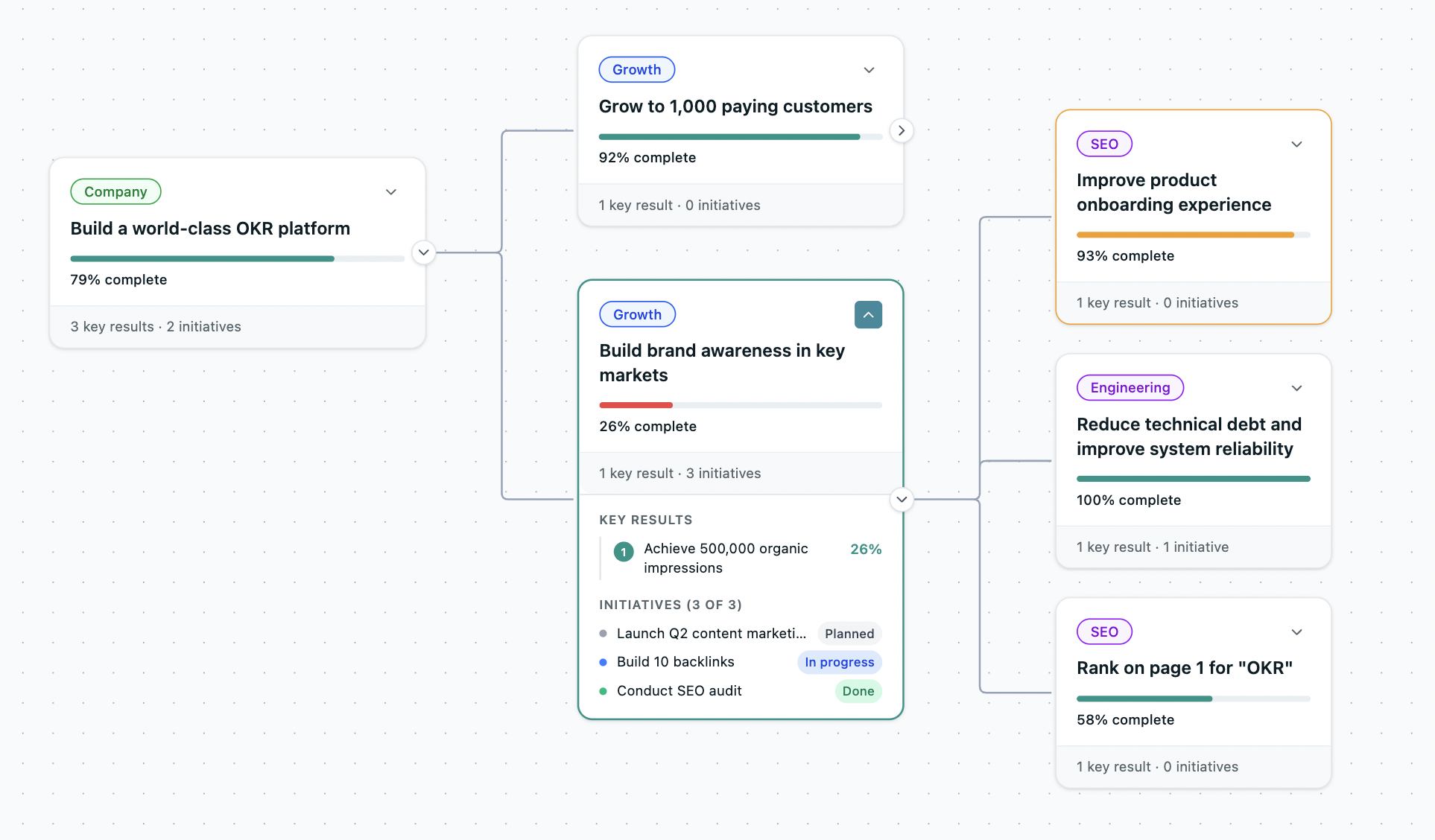
Align team OKRs — and watch the map light up.
Teams draft their own OKRs against the company objectives. Then open the Alignment Map: every goal cascading from company to team to owner, on one screen. This is the moment OKRs stop being a list and become a system.
- Each team drafts 1–3 OKRs aligned to a company objective
- Link every team KR to the company goal it moves
- Open the Alignment Map — the whole cascade, one screen
Every owner logs their first check-in.
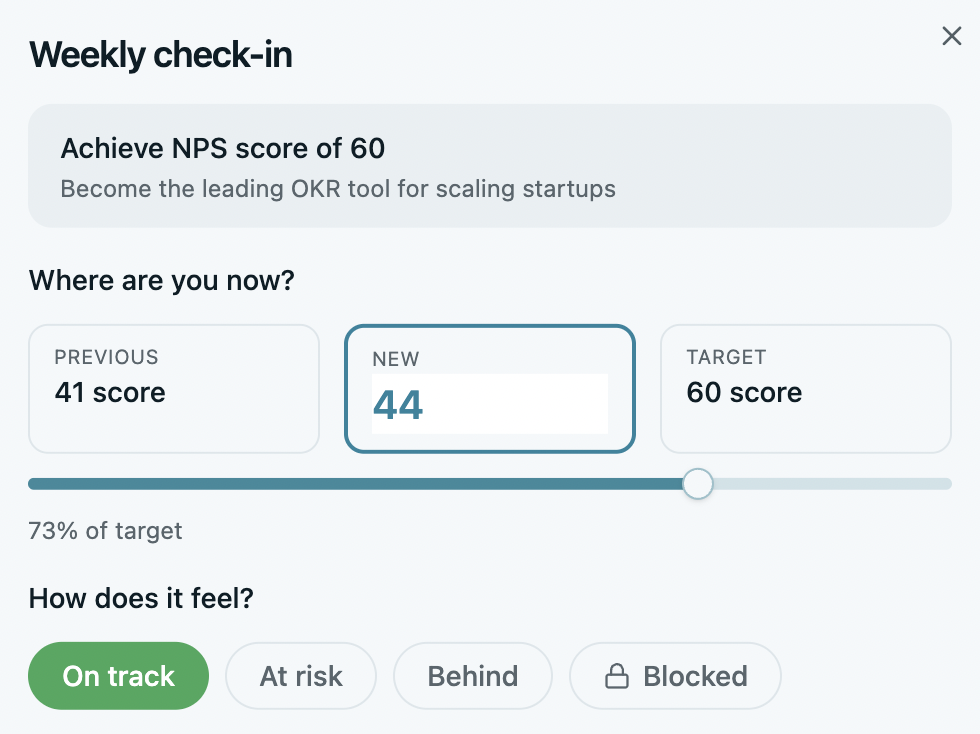
Thirty seconds per owner: current value, status, one line of context — in the app or straight from Claude. Every KR gets a real number before Friday.
- One check-in per owner — even “no change yet”
- Statuses go live: on track, at risk, behind
- Reply to at least one check-in — owners need a reader
The weekly rhythm takes over.
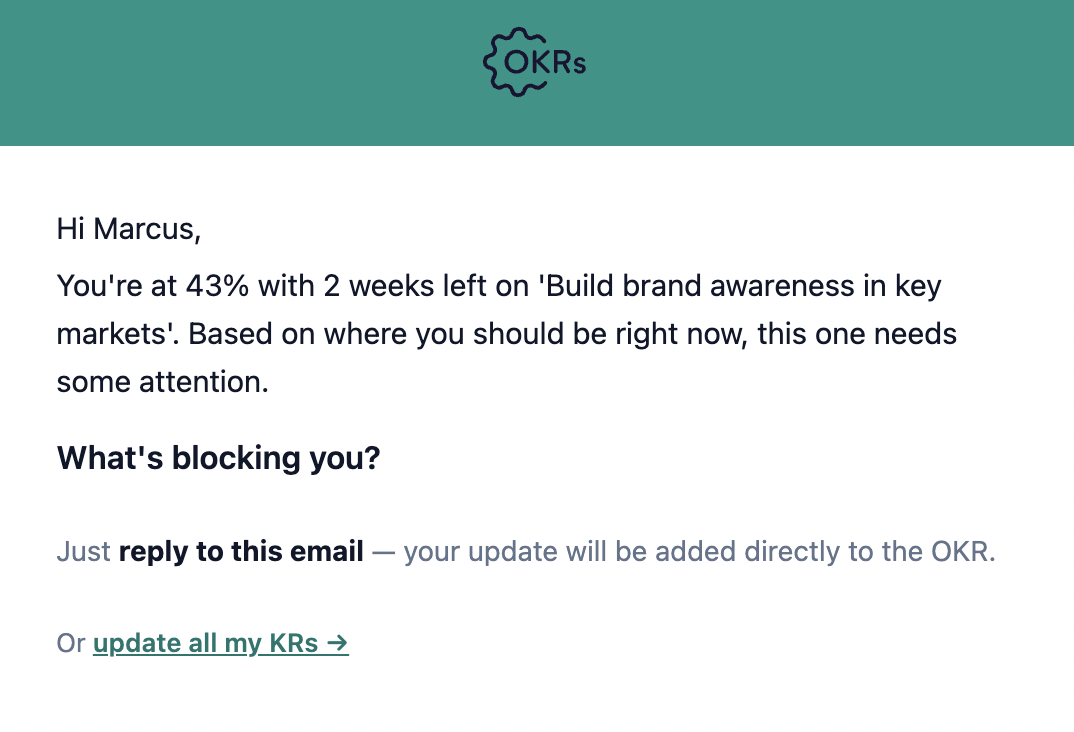
From here the system does the chasing. Owners get a Monday nudge, update in 30 seconds, and you read the rollup instead of running a status meeting.
- Monday nudges go out automatically
- Watch the check-in rate, not the progress rate
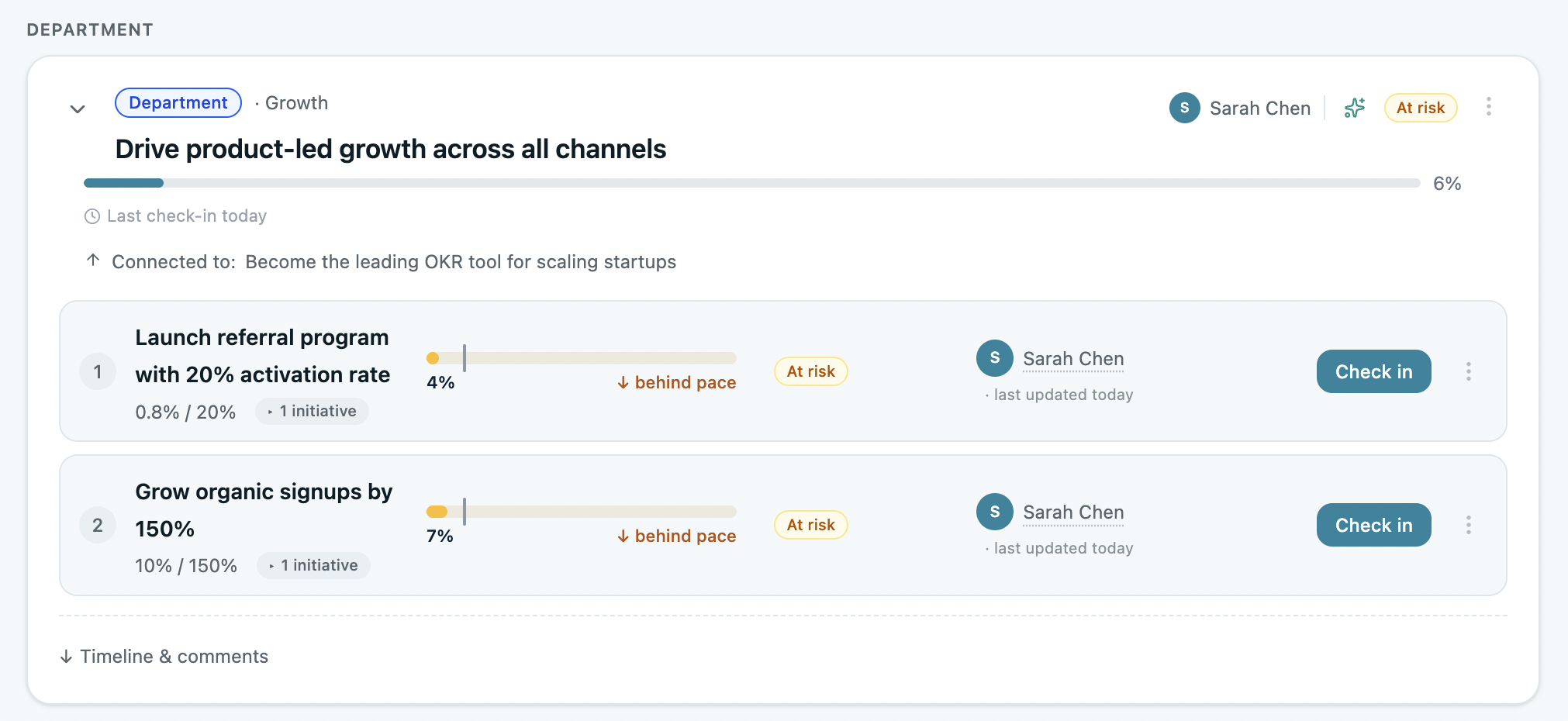
- Act on at-risk flags the week they appear
The hard part is done. Now protect it.
System live, team in, first check-ins logged, nudges running. Most rollouts never get this far. The next two months aren't about more setup — they're about keeping the habit honest while the work gets hard.
Reviews, honesty, and the finish.
Three monthly beats. Each one has a single job.
The first monthly review — 30 minutes, not a ceremony.
One 30-minute meeting, agenda straight from the live dashboard: what's at risk, why, and what changes this month. No slide prep.
- At-risk KRs first — on-track skips the meeting
- One named action per at-risk KR
- Kill initiatives that haven't moved a KR in four weeks
Mid-cycle honesty: re-forecast, don't pretend.
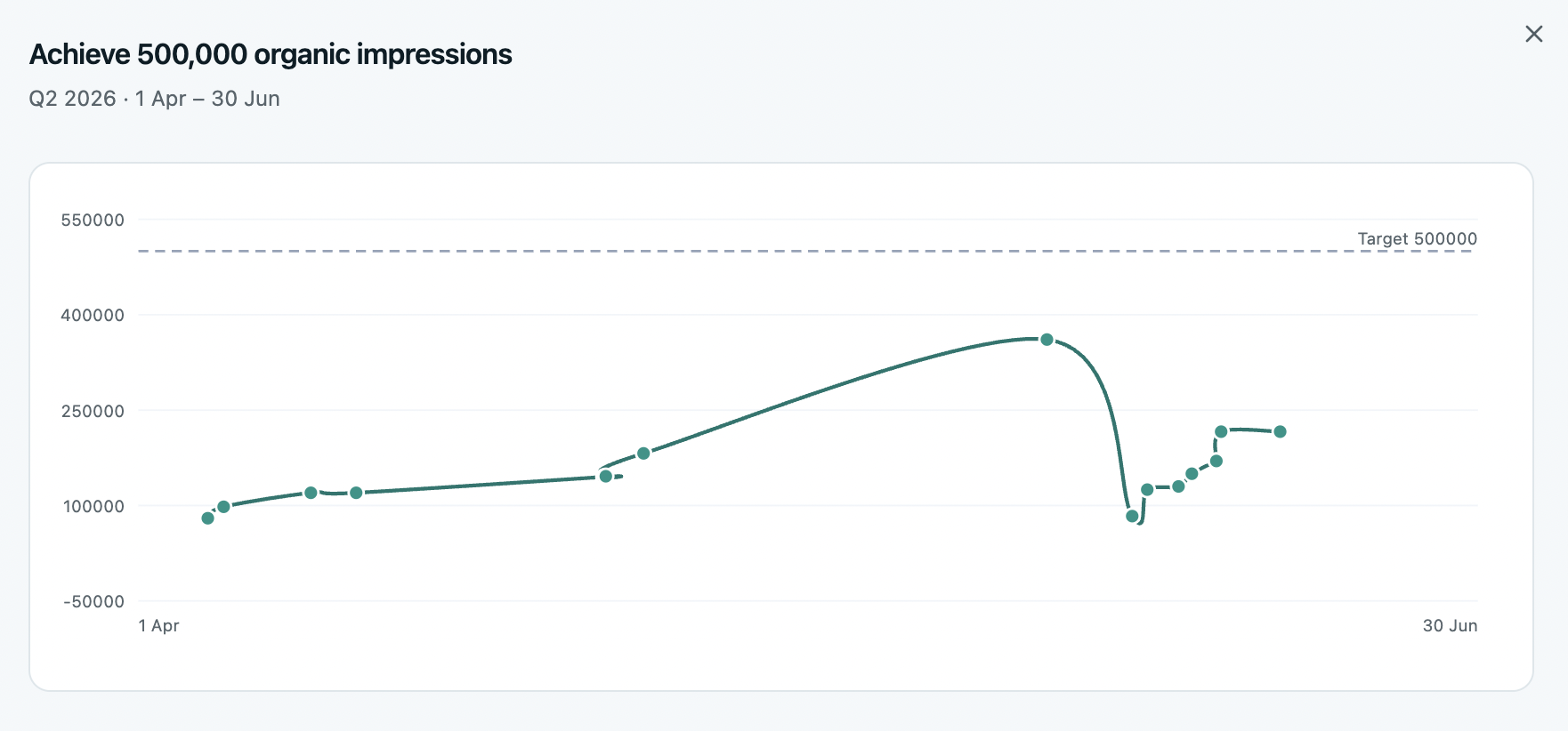
Month two is where watermelon reporting starts — green outside, red inside. Run a confidence pass: every owner re-forecasts where their KR will actually land. An honest 40% beats a fictional 70%.
- Every owner answers: “where will this land?”
- Rescope mis-set targets openly, in the tool
- Watch the Momentum Map for quiet drift
The finish: focus narrows, nothing new enters.
The last month is for finishing, not starting. Nothing new enters — every check-in asks one question: what closes the gap on this KR?
- Freeze scope — new ideas park for next cycle
- Keep the weekly cadence to the last week
- Draft next cycle's objectives in week 11, not 13
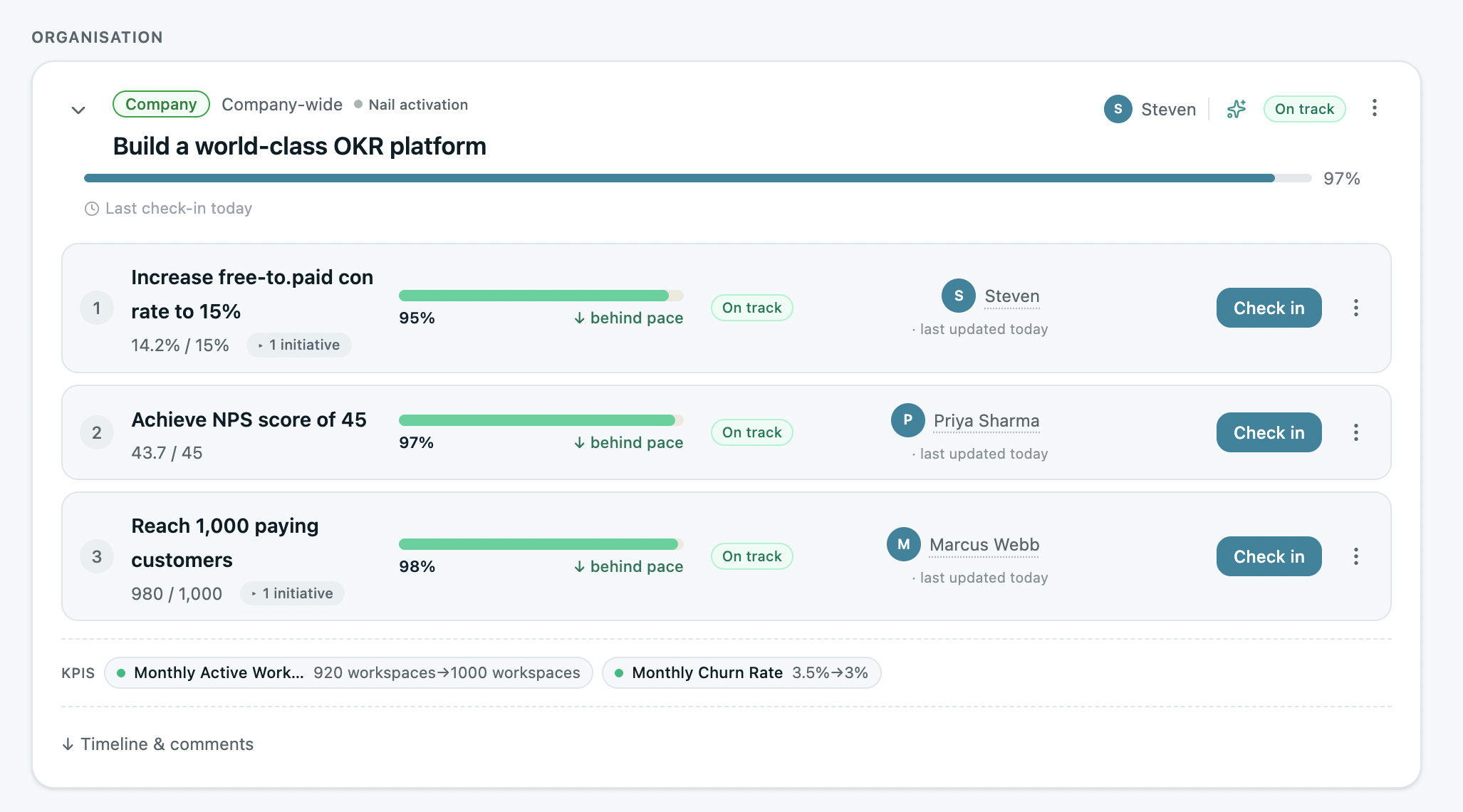
What you do next decides whether there's a cycle two.
The results are in — some hits, some misses. The last two stages turn one quarter of effort into a system your team actually keeps. Skip them, and cycle two starts from zero.
Switching from spreadsheets gave everyone easy access to see the status of all our OKRs and update progress. Assigning owners to each KR creates accountability and keeps the team aligned.

Learn, close, carry over.
Two stages, one week. This is where cycle two is won.
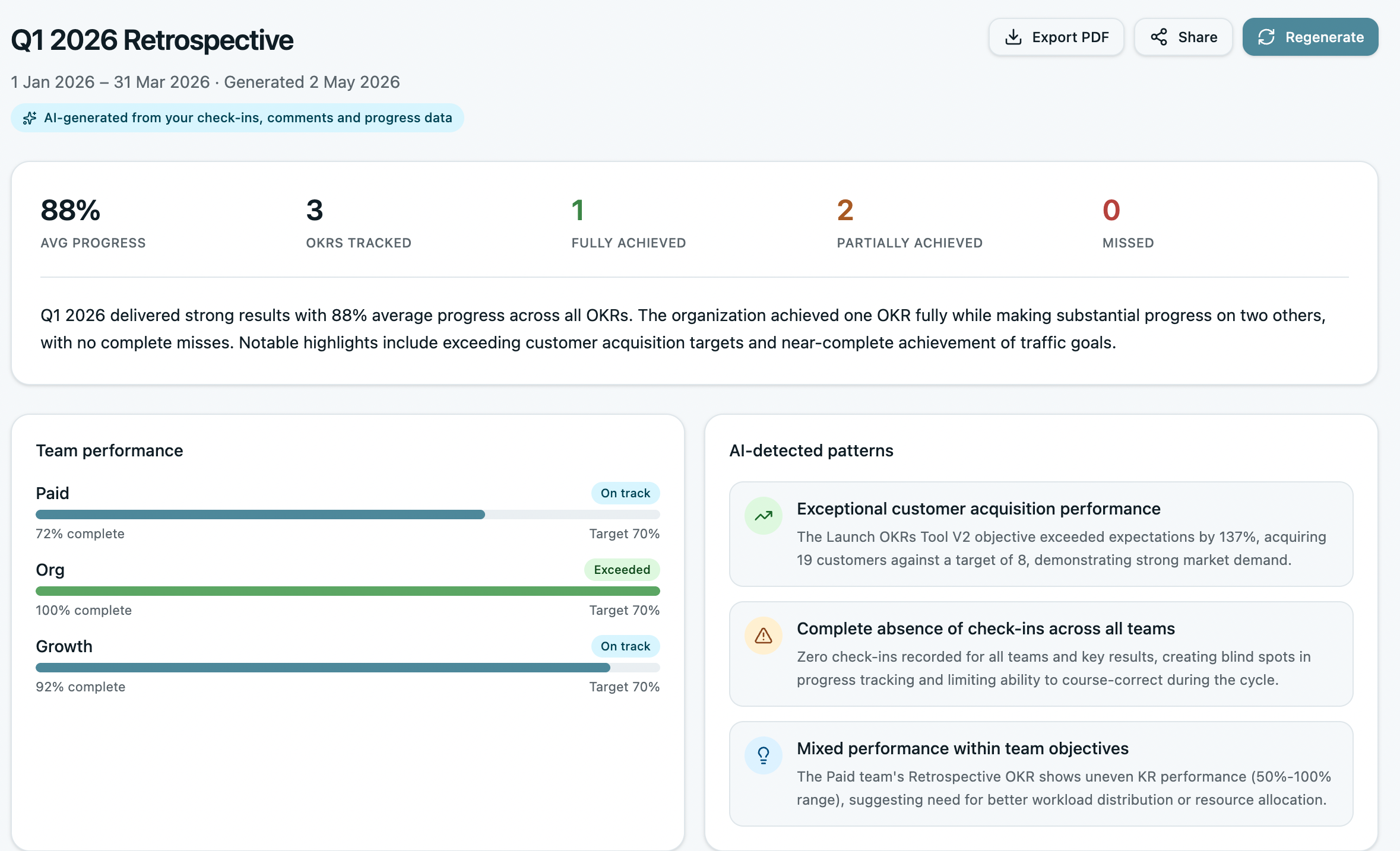
The retro: 45 minutes that decide if there's a cycle two.
Run the OKR Retrospective before anyone scores anything — and keep it separate from performance reviews, or next cycle's targets get sandbagged.
- Owners speak to their own KRs
- Capture 3–5 process learnings, not just outcomes
- One change for next cycle — written down
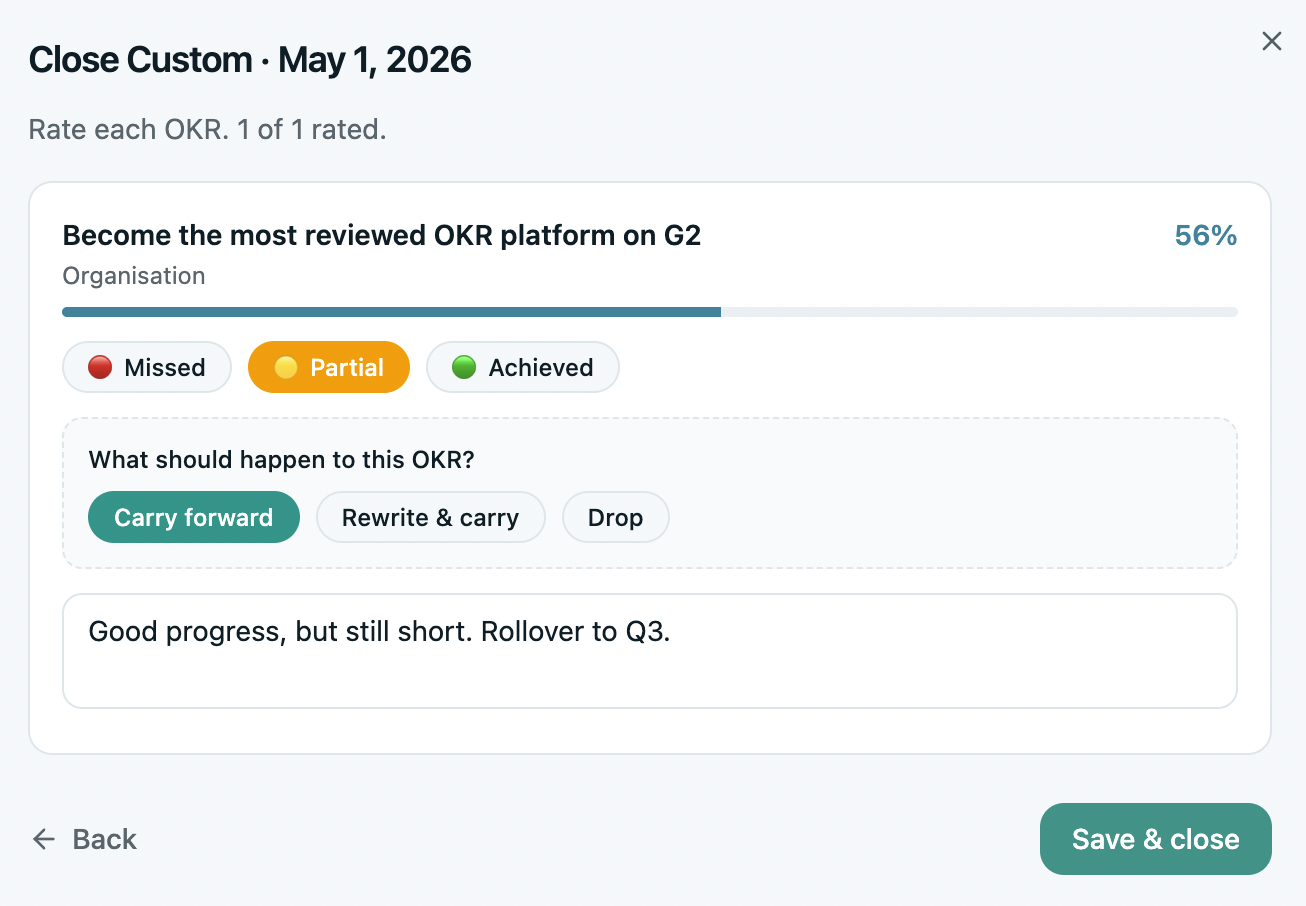
Close the cycle. Carry over deliberately, not by default.
Score and close every OKR — done, missed, or killed, but closed. Then decide per objective: carry, rewrite, or kill. Rolling everything forward untouched makes cycle two a photocopy of cycle one.
- Close formally — a clean break, not a fade-out
- Carry, rewrite, or kill — with a one-line reason
- Save your best OKRs as templates
- Open the next cycle the same week
The first hour starts now.
Everything above runs inside OKRs Tool — templates, owners, weekly nudges, at-risk flags, the retro, and the close. Free for up to 5 users, $49/mo flat for your whole team after that. Stage 1 takes an afternoon.
Start your first cycle free →